
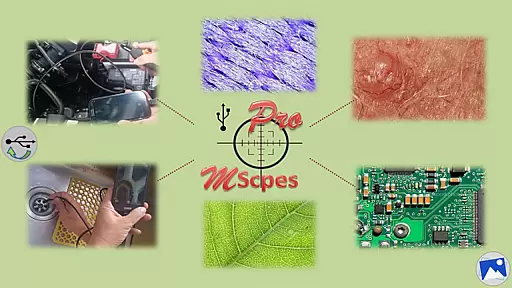
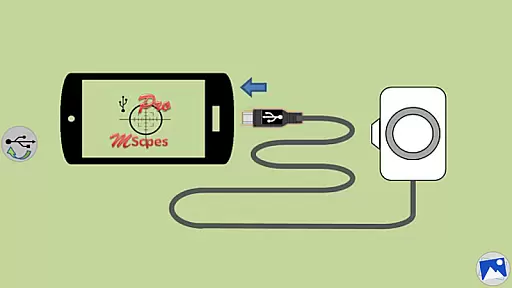
MScopesPro for USB Camera is a versatile application designed to enable users to connect and utilize USB video class (UVC) cameras with their Android devices. This app facilitates the viewing, capturing of images, and recording of videos from digital microscopes, endoscopes, borescopes, camcorders, or webcams via USB connection. For devices with type-A connectors, an OTG adapter is required. The app eliminates the need for rooting your device, making microscopy or endoscopy truly portable and flexible.
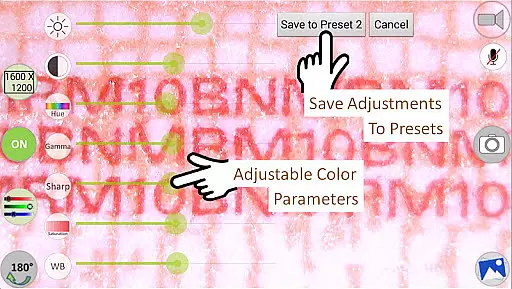
This Pro version offers advanced features such as full-screen mode, zoom and pan functionality, multiple image types, date and time stamping, customizable notes, cross-hair options, watermark-free captures, pinch-to-zoom, various camera resolutions, and adjustable color parameters. These capabilities significantly enhance the user's ability to observe microscopic objects or hard-to-reach areas with precision and ease.
The MScopesPro app stands out with its comprehensive feature set tailored for professional use. It supports both JPEG and PNG image formats and provides options to add date and time stamps directly onto previews and captured images. Users can also add up to three lines of custom notes and enable a cross-hair on the preview screen for more accurate observations.
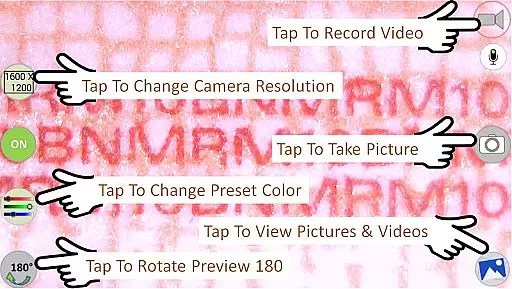
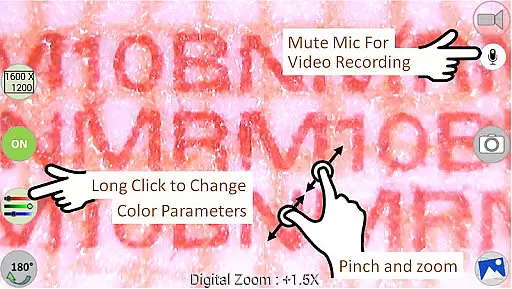
Additional functionalities include pinch and zoom on preview, multiple camera resolution selections, and support for various preview sizes like 640x480, 800x600, 1280x720, and 1600x1200. The app allows fine-tuning of color parameters including brightness, contrast, hue, gamma, sharpness, saturation, and white balance. Presets can save these adjustments for future use. Moreover, users have control over microphone usage during video recordings and can easily share, edit, or delete media files through intuitive buttons.
One of the key strengths of MScopesPro for USB Camera lies in its extensive video format compatibility. The application supports multiple preview sizes, including 640x480, 800x600, 1280x720, and 1600x1200, ensuring that users can select the resolution that best fits their needs.
In addition to supporting various resolutions, the app also allows users to choose between JPEG or PNG image types. This flexibility ensures that whether you're capturing detailed images with a microscope or recording videos with a webcam, you can select the format that optimizes quality and file size according to your specific requirements.
The app's ability to adjust color parameters such as brightness, contrast, hue, gamma, sharpness, saturation, and white balance further enhances its video format compatibility. Users can fine-tune these settings to achieve the perfect image quality for any situation, making it an invaluable tool for both professional and amateur videographers alike.
MScopesPro takes video editing to the next level with its AI-powered editing features. While it doesn't incorporate artificial intelligence in the traditional sense, the app offers advanced manual controls that empower users to create professional-quality content.
Among its suite of editing tools, users will find options to add date and time stamps on previews and captured images, include custom notes directly onto the footage, and even display a cross-hair on the preview for precision work. These features are particularly useful for scientific research, inspection tasks, or any scenario where documentation is crucial.
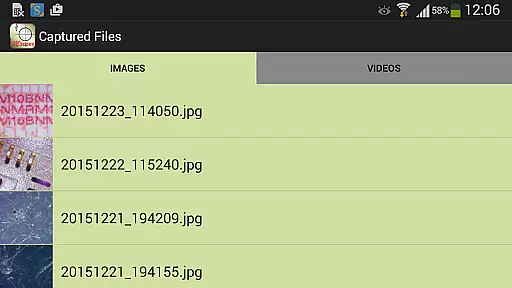
Additionally, the Pro version provides buttons to share, edit, and delete images and videos directly within the app interface. With pinch-to-zoom functionality on preview and full-screen mode without obstructive buttons, users can focus entirely on their subject matter while maintaining complete control over their creative process.
User-friendly interface
Advanced imaging controls
Multiple resolution options
Customizable preview settings
Comprehensive editing tools
Limited device compatibility
No Android 5.1.1 support
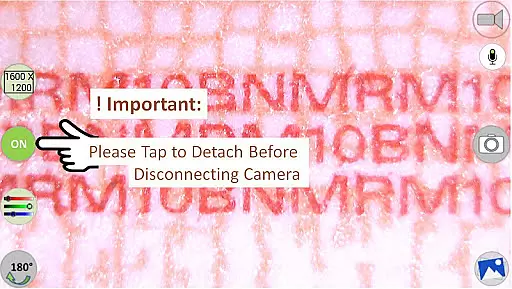
Requires OTG adapter
Premium pricing
Complex setup process

Cast to Chromecast, Xbox, Fire Stick, Roku, DLNA, Smart TV & No Feature Limited!
 4.50
4.50
Search & download videos from net with all video downloader, auto-detect & safe.
4.60
Play ALL formats in 4K & HD. Video downloader, MP3 player, Chromecast & more.
4.80
Powerful HD video player with support for all formats & subtitles.
4.0
Live TV, anywhere in your home
3.80
Powerful video player with advanced hardware acceleration and subtitle supports
4.20
VLC for Android is the best open source video and music player, fast and easy!
4.10
convenient, safe and fast at Video Downloader & Player
4.60
Capture the moment and Cut
3.40
AI Video Editor with Music, Filter, Slideshow, Effect, Merge & Trim Video.
4.80
High-Quality USB Camera Viewer & HDMI Display
4.70
Create photo video with music & template. AI video maker for stunning slideshow.
4.60
VLC Remote lets you control your VLC Media Player on Mac, PC or Linux.
4.60
Seamlessly connect and control your smart devices, anytime, anywhere with ease.
4.60
Browser + Remote for Roku to stream webvideos, online movies and livestreams
4.60
Fast, private downloading, video saving, social media
4.50
1)AirPlay/DLNA Mirroring/Streaming, up to 4 connections; 2)Samba/NAS/DMS Player.
4.00
Online Videos Player
3.90
Mix with Virtual DJ directly from your phone or tablet !
3.10


User Reviews