
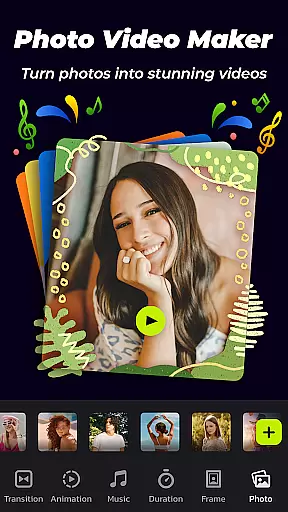
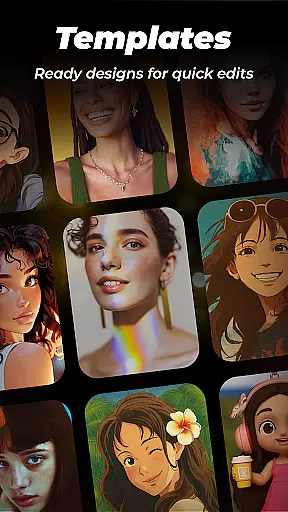

Photo Video Maker with Music - InSlide is a versatile video editing tool designed for creating engaging photo slideshows, presentations, and music albums. This app allows users to transform their photos and videos into professional-looking content by adding music, transitions, animations, and frames. With its user-friendly interface, even beginners can create stunning videos in just four easy steps.
The application stands out with its abundant content library that's regularly updated, providing users with fresh resources for their projects. Whether you're looking to revitalize dull photos, design visually appealing slideshows, or publish eye-catching videos on social media platforms like Instagram and TikTok, InSlide has got you covered. Its powerful features such as customizable transition durations, multiple photo frames, and resolution selection from 480P to 2K make it an ideal choice for both personal and professional use.
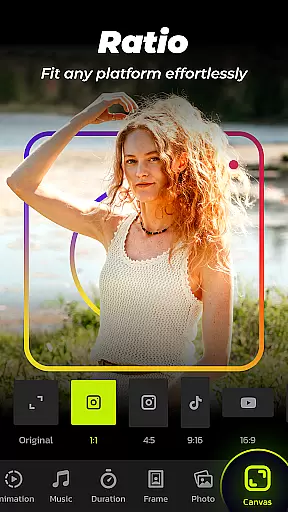
In addition to its core functionalities, the app also offers practical tools like aspect ratio adjustment for various platforms including YouTube and Facebook, a built-in video library for saving and sharing creations, and the ability to remove watermarks. These capabilities ensure that users can seamlessly integrate their work across different mediums while maintaining high-quality standards.
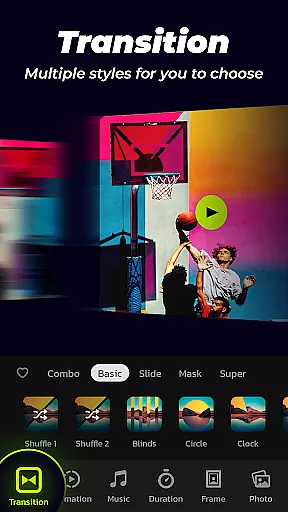
One of the standout features of Photo Video Maker is its one-click transition effects, which simplify the process of enhancing visual continuity between images. Users have access to a wide array of transition styles that can be applied instantly, eliminating the need for manual selection and adjustments. This feature not only saves time but also ensures that even those without prior editing experience can produce polished results.
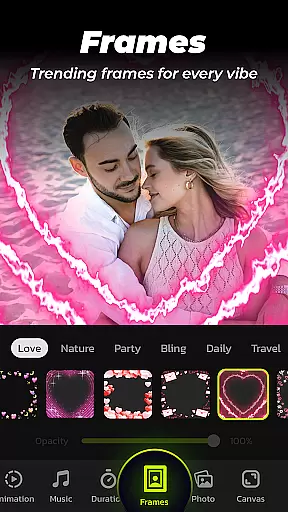
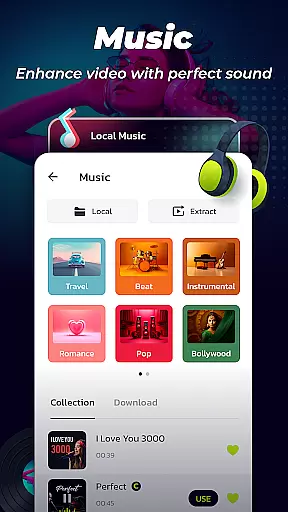
Beyond transitions, the app provides extensive customization options. For instance, users can add music tracks from a diverse online library spanning genres like Pop, Bollywood, and Love, or upload their own audio files. The availability of categorized frames—ranging from family themes to travel motifs—further enriches slideshow content, allowing creators to match visuals with appropriate aesthetics effortlessly.
Practicality meets creativity with additional functionalities such as adjustable transition durations (from 0.5 to 8 seconds), resolution settings ranging from 480P to 2K, and aspect ratio modifications tailored for specific platforms like TikTok or YouTube. Moreover, the integrated video library facilitates quick searches and storage of completed projects, ensuring easy access and sharing capabilities. Together, these features empower users to craft unique multimedia experiences efficiently.
Video format compatibility is a crucial feature for any video player and editor, ensuring that users can work with a wide range of video files without the need for conversion. Photo Video Maker with Music - InSlide supports various formats, allowing creators to import and export videos in resolutions from 480P to 2K.
This flexibility empowers users to tailor their projects to specific needs, whether it's for high-quality presentations or optimized sharing on social media platforms. The app's ability to handle different aspect ratios further enhances this adaptability, making it easy to upload content to YouTube, TikTok, Facebook, Instagram, WhatsApp, and Twitter.
With these capabilities, users are not restricted by format or resolution constraints, providing them with creative freedom and professional-grade tools right at their fingertips.
AI-powered editing features revolutionize the way users create and edit videos by introducing intelligent automation and optimization. Photo Video Maker with Music - InSlide incorporates AI to offer one-click transitions, automatic music suggestions, and smart customization options that refine the visual storytelling experience.
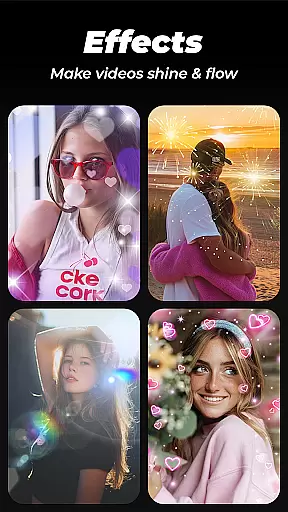
The application's advanced algorithms assist users in selecting appropriate transitions and effects, removing the manual guesswork involved in video editing. Additionally, its AI-driven music library categorizes tracks into styles such as Pop, Bollywood, and Love, while also enabling users to upload personal audio files.
These intuitive functionalities streamline the editing process, allowing both novice and experienced editors to produce polished and professional-looking videos efficiently. By leveraging AI technology, InSlide ensures that every slideshow is not only visually captivating but also emotionally resonant.
User-friendly interface
Extensive content library
Customizable transitions
High-resolution exports
Social media optimization
Limited advanced tools
Occasional bugs reported
Ads in free version
Watermark on basic plan
Subscription costs

You can play SWF format file!
 2.50
2.50
Tik & Story Saver-Download ALL social media videos, photos & reels no watermark.
4.80
Cast to Chromecast, Xbox, Fire Stick, Roku, DLNA, Smart TV & No Feature Limited!
4.50
This app was created to edit the metadata of music files.
4.20
Video player with powerful streaming playback and various convenient features.
2.10
Download website videos fast&privacy
4.40
Video Downloader, Multiple Resolution Options, Video Player
4.50
Photo editor & video maker with music and slideshows.
4.10
Manage your YouTube channel on the go
4.40
High-Quality USB Camera Viewer & HDMI Display
4.70
GENRAL PRO - General Pro is the best video player that fully supports all formats.
4.70
Watch IPTV on your Android device
4.60
Full HD Video mp3 Player, MP4 player play 1080p, File manager, Video Downloader
4.40
AirMirror Receiver - Screen mirroring/cast web videos to Android TV by AirPlay.
4.40
Video Downloader is an utility that can save videos and music from web sites
4.20
1)AirPlay/DLNA Mirroring/Streaming, up to 4 connections; 2)Samba/NAS/DMS Player.
4.00
Stream Web Videos to Chromecast, Samsung, LG, Sony, Roku, Fire TV, DLNA + more
4.00
Connect EasyCap or UVC devices for recording and broadcast video/audio stream
3.60
Powerful HD video player with support for all formats & subtitles.
4.2


User Reviews