
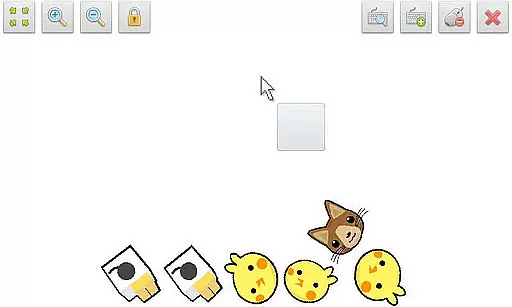
SWF Player Pro is a specialized video player designed for SWF format files, providing users with a seamless playback experience. The app supports multiple SWF engines including Android AIR and Ruffle, ensuring compatibility across different file types.
With features like zoom in/out, play/stop controller, and fullscreen mode, users can enjoy flexible and customizable playback options. Additionally, the app offers advanced settings such as wmode, background color adjustments, wake-lock, rotation control, quality settings, and scaling options, making it a powerful tool for both casual viewers and professionals who need precise control over their media playback environment.
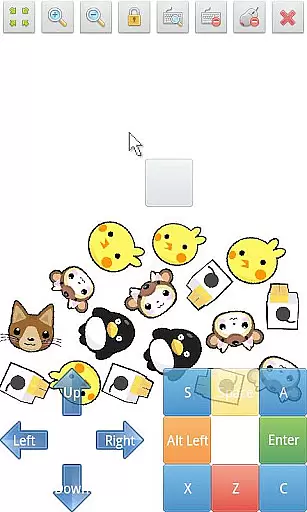
SWF Player Pro stands out with its comprehensive feature set tailored for SWF file playback. The app supports multi-touch virtual keypad and virtual mouse functionalities, allowing users to interact with SWF content as if using a physical device.
One of the key highlights is the advanced settings menu, where users can fine-tune various parameters including wmode, background color, wake-lock, rotation, quality, and scale. These options provide unprecedented control over how SWF files are displayed and played back. Furthermore, the integrated file browser simplifies navigation and selection of SWF files from your device's storage, streamlining the user experience.
The combination of these features makes SWF Player Pro an indispensable tool for anyone working with or enjoying SWF content on their mobile devices.
SWF Player Pro offers comprehensive support for SWF format files, ensuring users can enjoy a wide range of multimedia content. The application leverages two powerful SWF engines - Android AIR and Ruffle - to provide optimal playback performance.
The player's versatility is further enhanced by its advanced settings options, allowing users to customize parameters such as wmode, background color, and quality. These features ensure that various SWF files can be played back accurately while maintaining their original visual integrity.
With additional support for zoom in/out functionality and fullscreen mode, the application demonstrates excellent compatibility across different SWF file types. This makes it an ideal solution for users who need to work with diverse SWF content on their mobile devices.
While primarily a video player, SWF Player Pro incorporates intelligent features that enhance the viewing experience through advanced technological implementations. The application's support for multi-touch virtual keypad and virtual mouse demonstrates its capability to handle complex user interactions.
The player's sophisticated engine automatically optimizes SWF content for mobile viewing, providing smooth playback and accurate rendering. Its ability to handle various SWF elements, including wake-lock, rotation, and scale parameters, showcases its intelligent adaptation capabilities.
Furthermore, the inclusion of a comprehensive file browser and playback controller indicates the application's thoughtful design approach. These features collectively contribute to an enhanced user experience that goes beyond basic video playback functionality.
User-friendly interface
Advanced customization options
Multi-touch support
Virtual mouse functionality
Comprehensive file management
Limited to SWF files
No native support for other formats
Premium version required for full features
Occasional performance issues
Interface may feel outdated

Video player, file manager for all formats, 4K/HD media player supports subtitle
 4.30
4.30
A Quick and Pro Video Editor
4.70
Search & download videos from net with all video downloader, auto-detect & safe.
4.60
Play ALL formats in 4K & HD. Video downloader, MP3 player, Chromecast & more.
4.80
Live TV, anywhere in your home
3.80
An easy-to-use and all-round screen recorder with audio
4.80
Browser + Remote for Roku to stream webvideos, online movies and livestreams
4.60
Video&Drama Player All Format is a HD video player, music player
3.00
convenient, safe and fast at Video Downloader & Player
4.60
GENRAL PRO - General Pro is the best video player that fully supports all formats.
4.70
Create photo video with music & template. AI video maker for stunning slideshow.
4.60
Cast movies, tv shows and live streams to Chromecast, Roku, DLNA, Fire TV & more
4.60
KMPlayer Plus (Divx Codec) officially support Divx codec.
4.30
All format media Player, no need video converter any more!
4.00
Make your own Animations, Video and Photo Edits, Visual Effects, and more!
4.00
Watch full episodes of your favorite Cartoon Network and Cartoonito shows!
3.50
This app is an emulator of some specific IPTV boxes
3.50
IPTV Player - Watch live TV from m3m & m3u8 playlist, stream IPTV on mobile
3.30
Client application for NextPVR software
3.00


User Reviews