
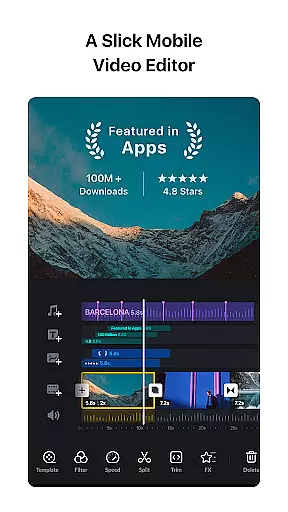
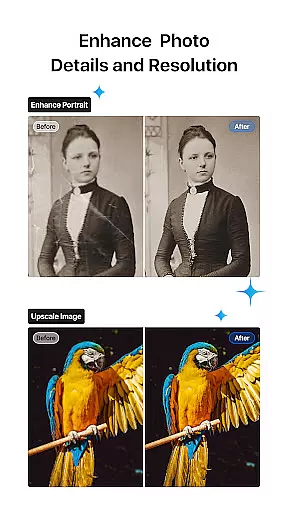
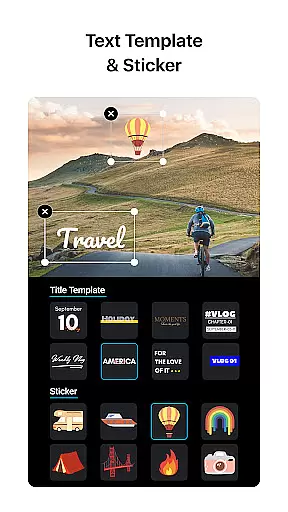
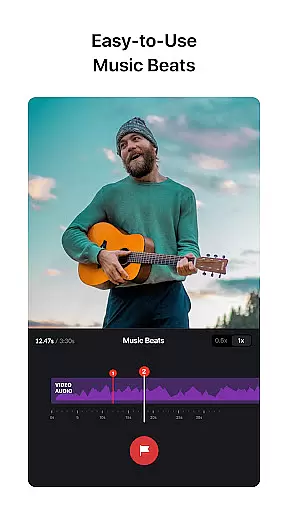
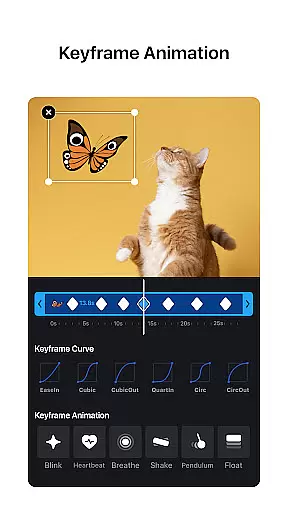
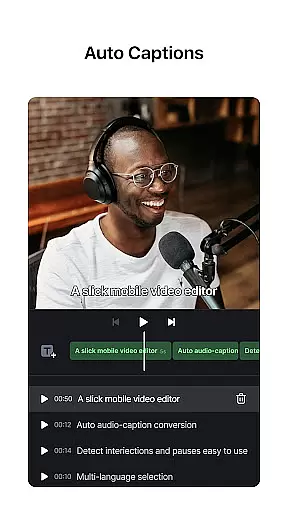
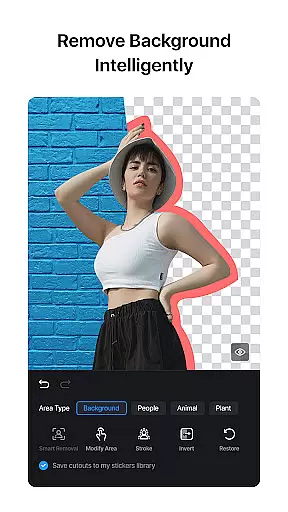
VN is a versatile video editing app that combines professional-grade features with an intuitive interface, making it accessible for both amateur and professional editors. The app offers advanced tools such as multi-track editing, keyframe animation, and color grading filters without any watermark on the final product. Its user-friendly design allows creators to easily manipulate video clips, add music beats, and apply cinematic effects.
One of VN's standout features is its precise editing capabilities, including speed curve adjustments and 0.05-second keyframe selections, which provide exceptional control over video projects. Additionally, users can import custom materials, collaborate seamlessly across devices via cloud services, and export videos in up to 4K resolution at 60 FPS. Whether you're creating social media content or working on a professional project, VN ensures high-quality results while maintaining ease of use.
VN distinguishes itself through its comprehensive suite of video editing tools designed to streamline the creative process. The app includes a multi-track timeline where users can layer videos, images, text, and animations effortlessly. With features like drag-and-drop reordering, quick rough cuts, and non-destructive editing, VN simplifies complex workflows while preserving creative freedom.
Beyond basic editing, VN provides advanced functionalities such as reverse playback, freeze frames, and customizable transitions. Users can also leverage rich cinematic filters by importing LUT files and experiment with speed remapping akin to professional desktop software. Furthermore, the app supports secure collaboration via Google Drive and OneDrive, ensuring projects remain accessible yet protected with password options and expiration dates.
One of VN's standout features is its extensive video format compatibility, ensuring that users can work with a wide array of file types without the need for prior conversion. This flexibility allows creators to import videos from various sources seamlessly, making the editing process more efficient and less restrictive.
The app supports popular formats such as MP4, AVI, MOV, and many others, catering to both amateur and professional video editors. By accommodating different resolutions and frame rates, VN enables users to maintain high-quality output regardless of the original file specifications.
This compatibility extends to exporting projects as well. Users can customize the video resolution, frame rate, and bit rate during export, with support for 4K resolution and up to 60 FPS. Such versatility ensures that final edits meet specific platform requirements or personal standards, enhancing both the creative and technical aspects of video production.
VN incorporates AI-powered editing features that significantly enhance the video creation process. These intelligent tools assist users in executing complex tasks effortlessly, such as adding markers to align video clips with music beats, which elevates the overall rhythm and flow of the production.
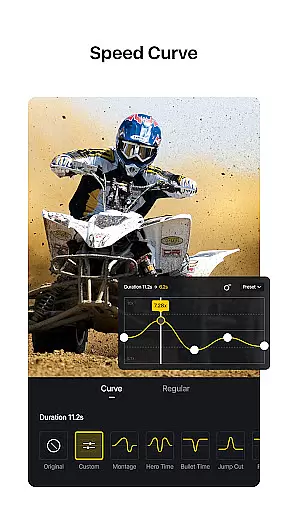
Among these features is the Speed Curve tool, akin to Time Remapping in Adobe Premiere Pro, allowing users to manipulate playback speed dynamically. With six preset curves available, creators can experiment with pacing to evoke different emotions or highlight key moments within their videos.
Additionally, VN offers Keyframe Animation effects, providing nineteen built-in options for customizing transitions and effects like overlay and blur. The intuitive interface simplifies the application of these advanced techniques, enabling even novice editors to produce professional-grade content while still offering depth for experienced users seeking refined control over their projects.
User-friendly interface
Professional editing tools
No watermark on exports
Seamless cross-device syncing
Customizable export settings
Limited advanced tutorials
Occasional performance lags
Fewer third-party integrations
Basic sound mixing options
Ads in free version

Connect 2 UVC devices for recording and broadcast video/audio stream
 3.90
3.90
HD Video player all format, HD Videos, Cast & Subtitle. No annoying ads.
4.60
Video Player - Unlimited features, 30 days money back guarantee.
4.60
Video Downloader is an utility that can save videos and music from web sites
4.20
HD video maker with no watermark, no ads & vlog maker with music, PIP, text
4.50
KMPlayer Plus (Divx Codec) officially support Divx codec.
4.30
Browser + Remote for Roku to stream webvideos, online movies and livestreams
4.60
convenient, safe and fast at Video Downloader & Player
4.60
Capture the moment and Cut
3.40
Flud is a simple and beautiful BitTorrent client for Android.
4.80
Fast & easy HD video downloader for all formats, support 4K playback & download.
4.60
Search & download videos from net with all video downloader, auto-detect & safe.
4.60
Fast & Private HD Video Downloader with Built-in Proxy Browser and Video Player.
4.50
AirMirror Receiver - Screen mirroring/cast web videos to Android TV by AirPlay.
4.40
Browser for Samsung TV to stream webvideos, online movies and livestreams in HD
4.10
IPTV-Smarters Player Pro M3U - Watch Live Stream TV Channels with Chromecast
4.00
All format media Player, no need video converter any more!
4.00
Save photos and videos from social apps in one tap.
3.60
Stream high quality video from your camera over NDI protocol
4.1


User Reviews