
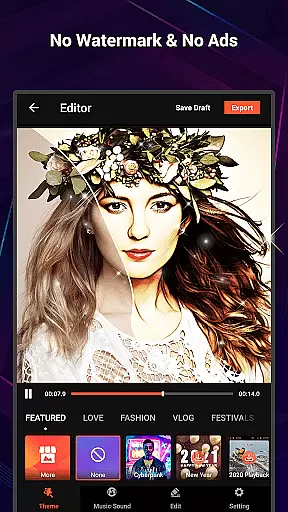
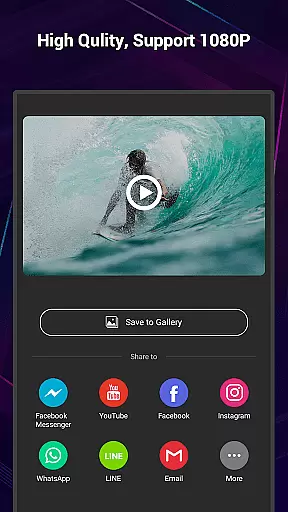
VideoShow Pro is a premium video editing application designed for both amateur and professional content creators. This app offers advanced features such as 4K video support, no watermarking, and an ad-free experience. With the ability to export videos in 1080p quality, users can create stunning visual content with ease.
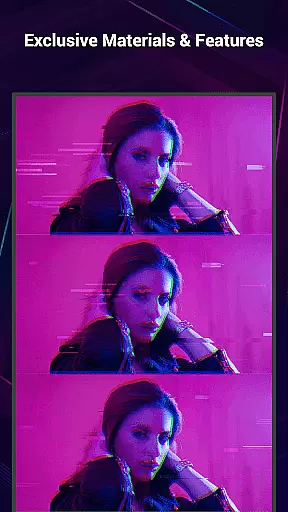
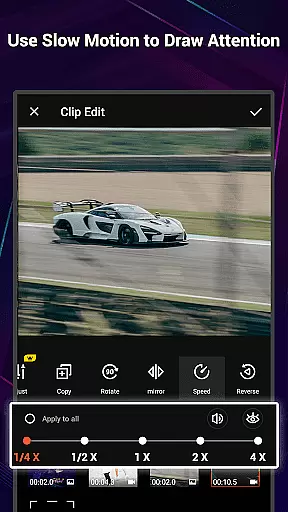
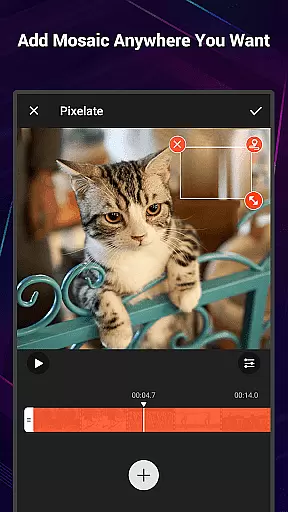
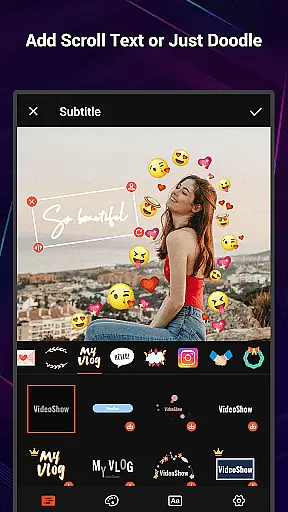
The app provides a comprehensive suite of editing tools including zoom, rotate, and mix functions that allow seamless integration of photos and videos. Its intuitive interface enables users to add texts, stickers, music, filters, and sound effects without prior technical knowledge. The inclusion of exclusive materials and up to 20 FX effects ensures that each video can be uniquely customized.
Whether you're creating a vlog, promotional content, or personal memories, VideoShow Pro enhances your storytelling with its rich feature set. The app's versatility makes it suitable for various creative expressions, from beautifying videos with one-tap filters to adding elaborate themes for special occasions.
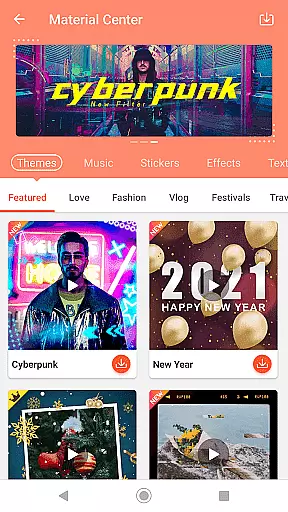
VideoShow Pro stands out with its powerful yet user-friendly features tailored for efficient video creation. The app eliminates the need for pre-transcoding, allowing instant video editing. Users can produce videos combining photos and clips while leveraging the extensive Materials Store offering themes, music, text styles, stickers, and fonts.
One of the key highlights is the diverse theme options catering to different moods and events like love, birthdays, and friendships. The square mode customization is perfect for social media platforms. Additionally, the app supports multi-track audio, enabling users to incorporate online music, local tracks, or even live voice recordings.
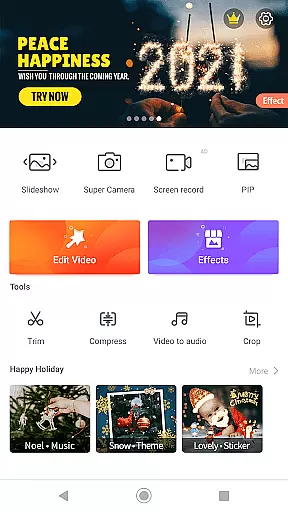
The toolbox extends functionality with Ultra Cut for slicing and merging clips, Fast Trim for quick edits, Video Compression for file size reduction, and Video to MP3 conversion. These practical tools ensure that users have everything they need to refine their projects efficiently while maintaining high-quality output.
VideoShow Pro stands out with its extensive video format compatibility, ensuring users can work with a wide range of video types without the need for pre-transcoding. This flexibility allows creators to import and export videos in various resolutions, including support for 1080p and 4K video exports.
The application's ability to handle different formats is crucial for users who work with multiple sources or need high-resolution outputs. Whether it's for professional projects or personal memories, VideoShow Pro ensures that quality is maintained throughout the editing process.
Additionally, this compatibility extends to the integration of photos and music, allowing users to create rich multimedia presentations. The app supports both online and local music, enabling a personalized soundtrack for each project.
VideoShow Pro incorporates AI-powered editing features that streamline the video creation process. With tools like Ultra Cut and Fast Trim, users can efficiently cut and merge video segments or quickly trim footage to keep only the essential parts.
The app also offers intelligent filters and effects that automatically enhance video quality. These AI-driven enhancements include beauty filters, sketch effects, and automatic color adjustments, all designed to elevate the visual appeal of videos effortlessly.
Furthermore, VideoShow Pro provides an array of creative options such as text styles, stickers, and sound effects, which are intelligently recommended based on the content being edited. This smart assistance helps users produce polished and engaging videos with minimal effort.
High-quality export
No ads
Exclusive materials
User-friendly interface
Comprehensive editing tools
Paid version only
Advanced features may overwhelm beginners
Limited free material options
Resource-intensive on older devices
Occasional bugs reported

?100% FREE! Download & save videos? safely in this app. All formats supported.
 4.60
4.60
VLC Remote lets you control your VLC Media Player on Mac, PC or Linux.
4.60
Fast & easy HD video downloader for all formats, support 4K playback & download.
4.60
Add date and time watermark to photos and videos
4.50
Find, download, and play torrents with the official BitTorrent® Pro app
4.70
Browser + Remote for Roku to stream webvideos, online movies and livestreams
4.60
Video&Drama Player All Format is a HD video player, music player
3.00
Enjoy your favorite videos and channels with the official YouTube app.
3.90
Make videos you’re proud to share with Edits, a video editor for creators.
4.70
Download Hub, easy and private way to download and enjoy your videos offline
4.80
Video Trimmer, Video to MP3 Converter. Extract music from video, Easy & Fast.
4.80
All in one HD video downloader & player for multiple formats with full privacy
4.70
HD Video player all format, HD Videos, Cast & Subtitle. No annoying ads.
4.60
Seamlessly connect and control your smart devices, anytime, anywhere with ease.
4.60
Create & edit videos with AI
4.30
Powerful Video Editor & Photo Editing App —— Quick Edits & Stunning Effects!
4.30
Web Browser for LG TV to stream webvideos, online movies and livestreams in HD
4.20
Video player with 4K & 1080P support, popup play, background play and subtitle.
4.20
Connect 2 UVC devices for recording and broadcast video/audio stream
3.90


User Reviews