
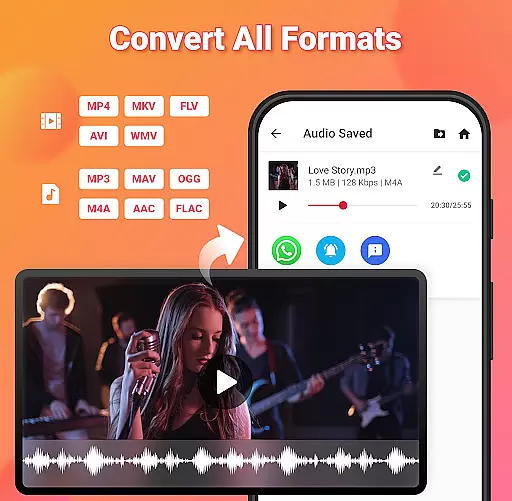
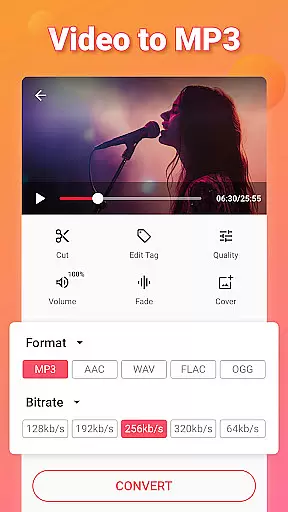
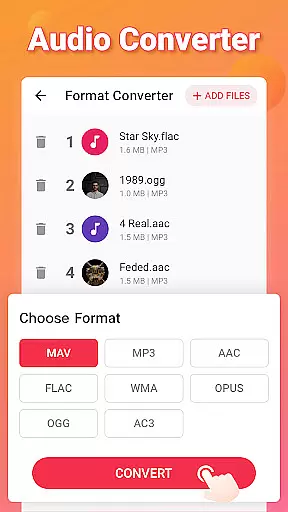
Video to MP3 is a versatile media conversion tool designed for both casual users and professionals who need to convert video files into high-quality audio formats. The app specializes in converting MP4 to MP3 but also supports a wide range of other video and audio formats such as MOV, MKV, AVI, WAV, and FLAC. Its core functionality lies in its ability to quickly trim, cut, merge, and convert videos into audio files while maintaining excellent sound quality.
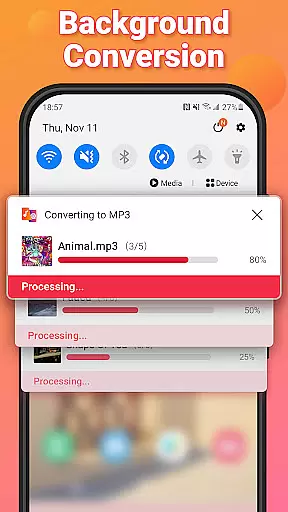
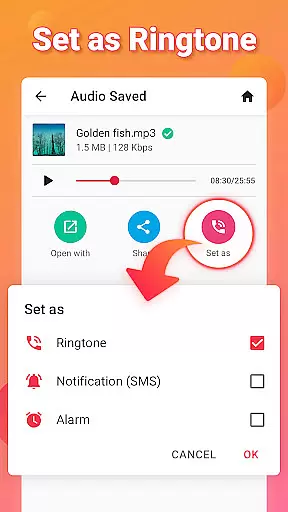
In addition to basic conversion, Video to MP3 offers advanced features like batch processing, which allows users to convert up to 15 videos at once, and background conversion for multitasking. Users can also edit ID3 tags, apply fade-in and fade-out effects, and even boost audio levels. Whether you're looking to extract music from videos or create custom ringtones, this app provides an all-in-one solution for managing your multimedia needs efficiently.
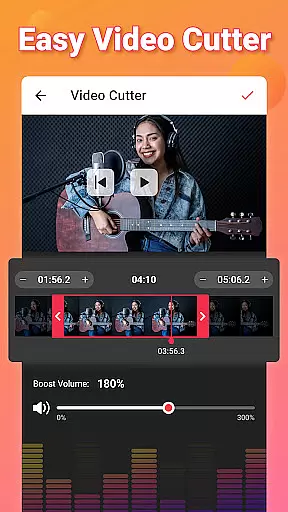
Video to MP3 stands out with its comprehensive suite of tools that cater to various multimedia tasks. One of its key features is the ability to handle multiple file formats, including popular ones like MP4, MKV, and AVI for videos, and MP3, WAV, and FLAC for audio. This ensures maximum compatibility across devices and platforms. Additionally, the app includes a robust video cutter and trimmer, enabling users to isolate specific segments of their videos before extracting the audio.
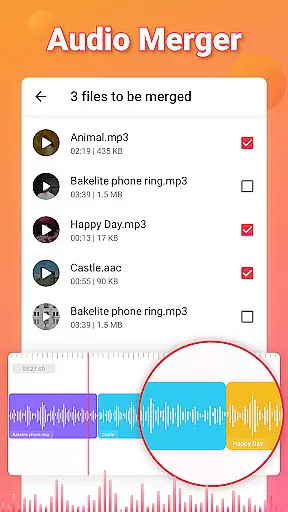
Another notable feature is the built-in audio editor, which lets users adjust bitrate settings (ranging from 32kb/s to 320kb/s), add music covers to MP3 files, and merge multiple audio tracks seamlessly. The inclusion of sound-boosting technology enhances audio clarity, while fade-in and fade-out effects provide a professional touch to your edits. With support for background and batch conversions, users can process large volumes of files without interrupting their workflow, making it ideal for content creators and editors alike.
Video to MP3 stands out with its extensive video format compatibility, ensuring users can convert nearly any video file to audio. The app supports a wide array of video formats including MP4, MKV, FLV, AVI, and WMV, making it versatile for various user needs.
This compatibility is crucial for users who work with different video sources, allowing them to extract audio without worrying about format restrictions. Whether you're converting MOV to MP4 or MKV to MP4, the process is seamless and efficient.
The app's ability to handle such a diverse range of formats not only simplifies the conversion process but also enhances accessibility. Users from different regions and technical backgrounds can easily utilize this feature without needing to understand complex codec requirements.
By supporting high-quality conversions across these formats, Video to MP3 ensures that users don't compromise on audio quality. This makes it an essential tool for anyone looking to extract high-fidelity audio from their video files.
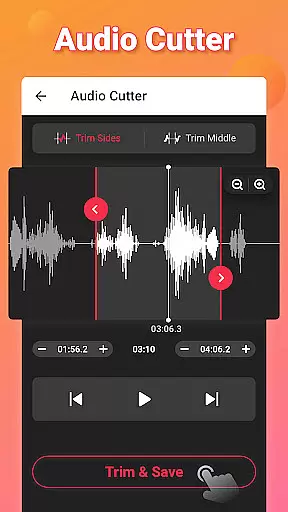
Beyond basic conversion, Video to MP3 incorporates AI-powered editing features that significantly enhance user experience. These include smart tools for cutting and trimming videos, merging audio files, and adjusting sound levels with precision.
The AI-driven MP3 Cutter allows users to trim audio files accurately, while the Sound Boost feature intelligently increases volume without distorting audio quality. These capabilities make complex editing tasks accessible to non-professional users.
Additional AI features include batch processing of up to 15 videos simultaneously and background conversion, enabling users to multitask efficiently. The app's intelligent format detection automatically selects optimal conversion settings.
These advanced editing capabilities, powered by AI, transform Video to MP3 from a simple converter into a comprehensive audio editing suite. Users can create professional-quality edits and custom ringtones without requiring specialized technical knowledge.
User-friendly interface
Batch conversion support
High-quality audio output
Wide format compatibility
Free to use
Limited advanced editing
No cloud integration
Occasional ads
Basic UI design
Few customization options

Online Videos Player
 3.90
3.90
Watch a large amount of high-definition short drama content
4.60
Play ALL formats in 4K & HD. Video downloader, MP3 player, Chromecast & more.
4.80
Powerful HD video player with support for all formats & subtitles.
4.4
High-Quality USB Camera Viewer & HDMI Display
4.70
KMPlayer Plus (Divx Codec) officially support Divx codec.
4.30
Turn your phone into a wireless camera!
4.20
Browser for Fire TV to stream webvideos, online movies, livestreams in HD
4.40
Download Hub, easy and private way to download and enjoy your videos offline
4.80
A Simple app to download Video & Music from the Internet.
4.70
?100% FREE! Download & save videos? safely in this app. All formats supported.
4.60
Snaptubè Video Downloader app allows to download videos and music in Snaptube. .
4.60
Seamlessly connect and control your smart devices, anytime, anywhere with ease.
4.60
IPTV Loader, loads your own Playlist. DOES NOT CONTAIN ANY LIST OR CHANNELS
4.60
AirMirror Receiver - Screen mirroring/cast web videos to Android TV by AirPlay.
4.40
Video Downloader is an utility that can save videos and music from web sites
4.20
Your media, on your terms.
4.10
Powerful, professional, versatile teleprompter. Developed by an active film crew
4.00
Fast private browser with secure, seamless access & supported video downloads!
4.00


User Reviews