
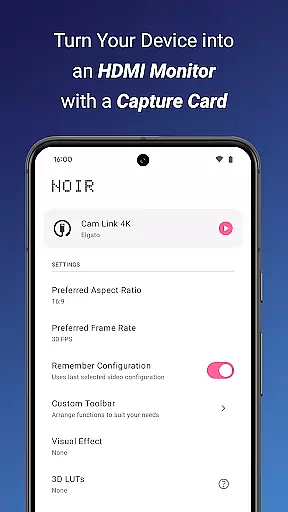
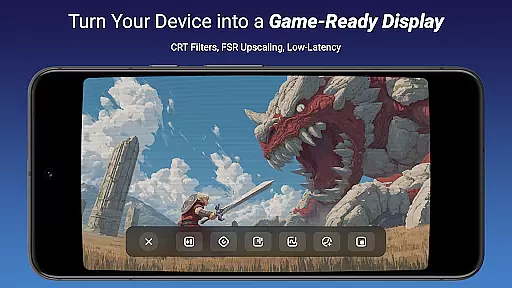
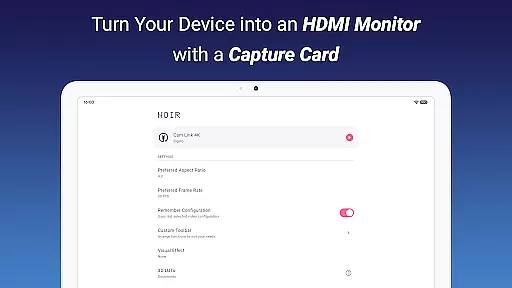
Noir Pro is a professional-grade video player and editor designed for users who require advanced features and high performance. This application transforms your device into a versatile monitor, compatible with gaming consoles, laptops, cameras, and other HDMI-output devices when paired with a USB-C capture card. With support for UVC video streaming and UAC audio streaming, it offers flexibility in graphics processing by allowing users to choose between OpenGL ES and Vulkan backends.
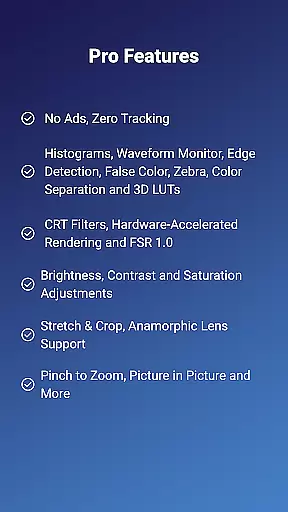
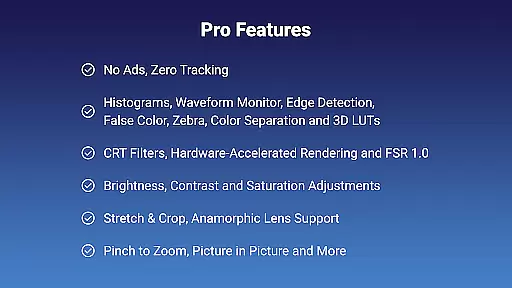
The app boasts an array of pro features including 3D LUTs, waveform monitors, histograms, edge detection, false color, zebra patterns, color separation, CRT filters, FSR 1.0, pinch to zoom, stretch and crop, anamorphic lens support, brightness, contrast, and saturation adjustments, app-specific volume control, picture in picture mode, and in-app screenshots. These tools cater to both videography professionals and enthusiasts looking to refine their content with precision.
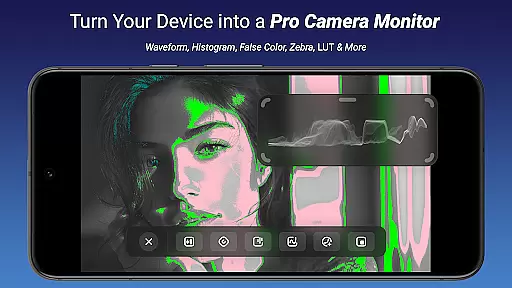
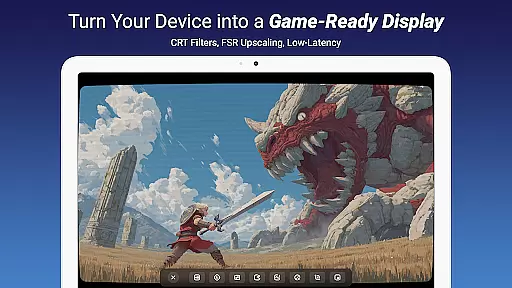
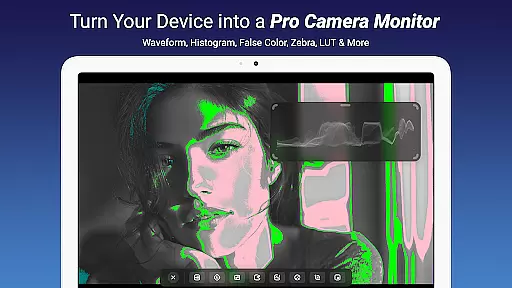
Whether you're using Noir Pro as a camera monitor, primary display for gaming consoles, secondary monitor for laptops, or even a drone monitor, its comprehensive feature set ensures that all your video playback and editing needs are met with exceptional clarity and control.
Noir Pro stands out with its extensive list of professional features tailored for videographers and content creators. The app provides essential tools such as 3D LUTs for color grading, waveform monitors and histograms for accurate exposure analysis, and edge detection and false color for focus assistance. Advanced functionalities like zebra patterns help in identifying overexposed areas, while color separation and CRT filters add creative flair to your projects.
Practicality meets innovation with features like pinch to zoom for detailed inspection, stretch and crop options for custom framing, and anamorphic lens support for wide-screen formats. Users can fine-tune visuals with brightness, contrast, and saturation adjustments, manage audio levels with app-specific volume control, and multitask efficiently with picture in picture mode. Additionally, the ability to take in-app screenshots facilitates easy documentation and sharing of your work.
By supporting UVC video streaming and offering a choice between OpenGL ES and Vulkan graphics backends, Noir Pro ensures compatibility and optimal performance across various devices. Its versatility extends to serving as a portable display solution when used with a recommended USB-C capture card, making it indispensable for on-the-go professionals.
Video format compatibility is a crucial feature for any video player and editor, ensuring that users can work with a wide range of video files without conversion hassles. Noir Pro supports an extensive array of formats thanks to its use of both OpenGL ES and Vulkan graphics backends, which adapt to different video encoding standards.
This app's support for UVC video streaming means it can handle input from various devices like cameras, gaming consoles, and drones. Whether you're using MJPEG or other codecs, the app ensures smooth playback even at higher resolutions and frame rates.
For professionals who require flexibility in their workflow, this compatibility translates into time saved and fewer technical barriers. You won't be limited by device or file type, making it easier to focus on the creative aspects of video editing.
Moreover, with the rise of 4K and beyond, having an assurance of future-proof format support provides peace of mind. Users can trust that as technology advances, Noir Pro will maintain its relevance and utility in their multimedia tasks.
AI-powered editing features represent the cutting-edge evolution of video editing, automating complex processes and offering smart suggestions to enhance your projects. Noir Pro incorporates advanced algorithms that assist with color correction, edge detection, and false color, among other things, streamlining the editing process significantly.
The inclusion of 3D LUTs, waveform monitors, and histograms allows for precise color grading, while features like zebra patterns help in accurately adjusting exposure levels. These tools are essential for achieving professional-grade results without needing expert knowledge.
By leveraging AI, Noir Pro reduces the learning curve associated with video editing software. Newcomers and seasoned editors alike can benefit from these intuitive features that guide them through intricate edits, letting creativity lead the way rather than technical know-how.
Ultimately, the AI enhancements not only improve efficiency but also open up possibilities for more innovative content creation. With Noir Pro, users have at their disposal powerful tools that make high-quality video production accessible to everyone.
Advanced color grading tools
Comprehensive exposure analysis
Wide compatibility with devices
Flexible graphics backend options
Efficient multitasking capabilities
Requires specific hardware
Potential lag with USB 2.0
No built-in HDCP bypass
Subscription cost for pro features
Limited free version functionality

?100% FREE! Download & save videos? safely in this app. All formats supported.
 4.60
4.60
Explore the largest library of free GIFs, Stickers & Memes - or create your own!
3.90
Download videos easily & play them all in one smart, powerful video manager.
3.40
AI Video Editor:AI Music, Text to Video,Text to Speech,Auto Caption,Video Effect
4.00
The essential companion to your Blue Iris PC software
2.50
Flud is a simple and beautiful BitTorrent client for Android.
4.80
LumaFusion: The Ultimate Storytelling Experience for Video Editing
4.10
Cast movies, tv shows and live streams to Chromecast, Roku, DLNA, Fire TV & more
4.60
Capture the moment and Cut
3.40
Play ALL formats in 4K & HD. Video downloader, MP3 player, Chromecast & more.
4.80
Create photo video with music & template. AI video maker for stunning slideshow.
4.60
Support 1000+ Video Format, Subtitle Download, mp3 & Background Play, Cast On TV
4.60
Browser + Remote for Roku to stream webvideos, online movies and livestreams
4.60
Auto video maker with music & exclusive filters. Video editing made simple.
4.50
Cast to Chromecast, Xbox, Fire Stick, Roku, DLNA, Smart TV & No Feature Limited!
4.50
KineMaster, Your Ultimate Video Editor!
4.40
Fast & Private Video Downloader App. Save all videos easily from the Internet.
4.40
IPTV-Smarters Player Pro M3U - Watch Live Stream TV Channels with Chromecast
4.00
AirMirror is Receiver for Screen Mirroring and Casting from Apple Devices.
3.60


User Reviews