
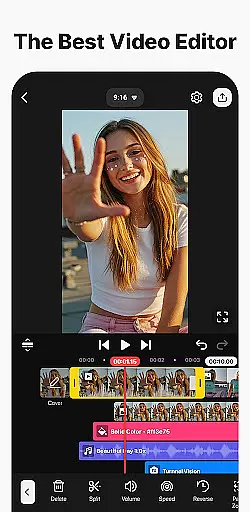
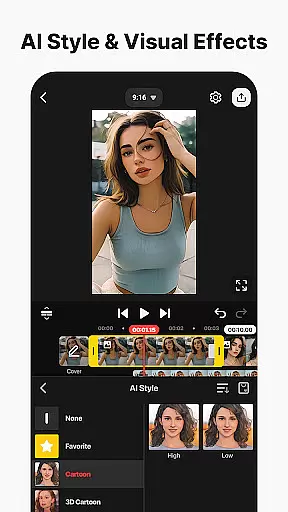
KineMaster is a comprehensive video editing application designed for both amateur and professional content creators. This app allows users to edit various types of videos including movies, vlogs, Reels, and Shorts with ease. It offers a wide array of AI-powered tools that simplify the process of creating complex videos. These include features like AI Auto Captions, AI Text-to-Speech, and AI Noise Removal among others.
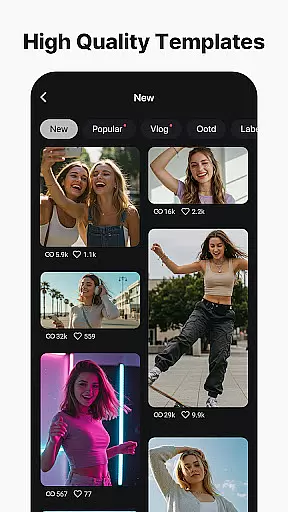
One of KineMaster's standout capabilities is its professional-grade editing tools which are accessible to everyone. Users can take advantage of keyframe animation, chroma key (green screen), and speed control to produce high-quality video content. Additionally, the app provides thousands of templates and assets such as effects, stickers, music, and fonts to enhance creativity and make videos stand out.
The app supports high-resolution output up to 4K at 60 FPS, ensuring that your final product meets industry standards. Whether you're looking to create content for YouTube, TikTok, Instagram, or other platforms, KineMaster offers optimized settings for social media sharing. Its user-friendly interface and powerful features make it an ideal choice for anyone looking to elevate their video editing game.
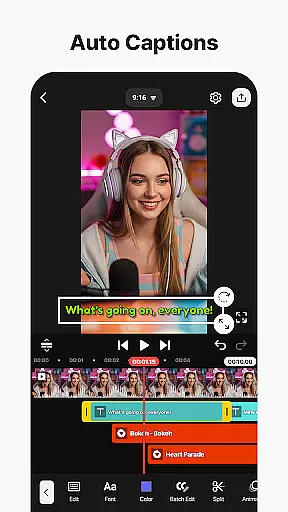
KineMaster stands out due to its extensive feature set tailored for efficient and creative video editing. The app includes sophisticated AI tools such as AI Auto Captions, which automatically generates subtitles from audio; AI Text-to-Speech, converting text into spoken audio effortlessly; and AI Noise Removal, eliminating unwanted sounds from recordings.
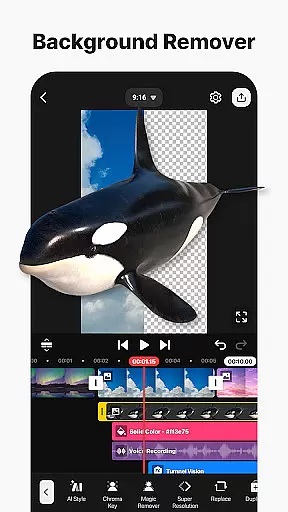
Beyond AI capabilities, KineMaster offers professional editing features like keyframe animation, enabling precise control over layer properties such as size, position, and rotation. The chroma key function allows users to remove backgrounds and merge videos seamlessly. Moreover, speed control options let editors reverse, slow down, or accelerate clips to craft dynamic visual narratives.
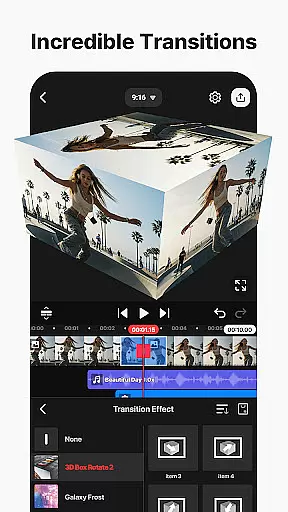
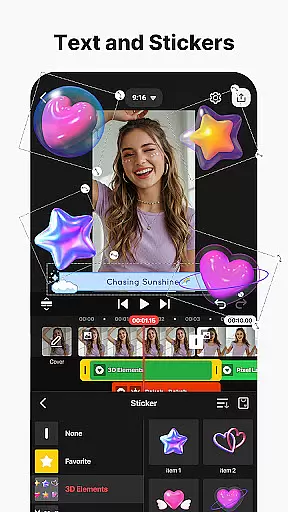
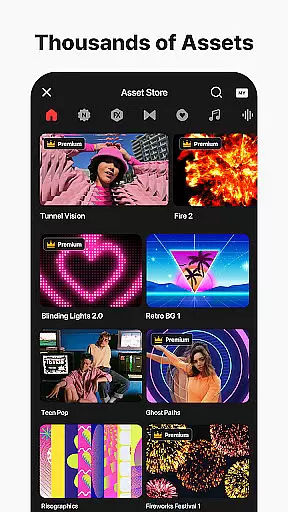
To further enhance user experience, KineMaster provides a rich library of assets including effects, transitions, stickers, music, and fonts. Users can also save projects as templates to share within the community via KineCloud. With support for multi-layer editing, magnetic guides, and full-screen previews, KineMaster ensures a smooth and enjoyable editing process while delivering top-notch results.
Video format compatibility is a crucial feature for any video editing application, ensuring that users can work with a wide range of file types. KineMaster excels in this area by supporting an extensive array of video formats, allowing creators to import and export projects without worrying about conversion issues.
The app's advanced format support includes popular codecs and resolutions, enabling seamless editing of high-definition and even 4K content at 60 frames per second. This versatility ensures that whether you're working on professional-grade productions or casual social media clips, your videos will maintain their original quality throughout the editing process.
Furthermore, KineMaster's optimized export settings cater to various platforms, from YouTube to Instagram, making it easy to create content that meets each platform's specific requirements. The application also supports transparent background exports, which is particularly valuable for creators who need to composite their videos with other media.
This comprehensive format support not only enhances user convenience but also expands creative possibilities, allowing editors to focus on their artistic vision rather than technical limitations. With KineMaster's robust format compatibility, users can confidently work with diverse media sources, knowing their final output will meet professional standards across different devices and platforms.
AI-powered editing features have revolutionized the way creators approach video production, and KineMaster stands at the forefront of this innovation. The application incorporates multiple artificial intelligence tools that significantly streamline the editing process while maintaining professional-grade results.
Among these features, AI Auto Captions automatically generates accurate subtitles from audio tracks, while AI Text-to-Speech converts written content into natural-sounding voiceovers with a single tap. The AI Vocal Separator intelligently divides songs into vocal and instrumental components, offering unprecedented flexibility in audio editing.
KineMaster's AI toolkit extends to visual enhancements as well, with AI Magic Removal capable of isolating subjects from backgrounds, and AI Upscaling that improves low-resolution media without compromising quality. These intelligent features work together to reduce manual editing time, allowing creators to focus on more artistic aspects of their projects.
The integration of these AI-powered tools not only makes professional editing techniques accessible to beginners but also enhances the efficiency of experienced editors. By combining machine learning capabilities with intuitive controls, KineMaster delivers a sophisticated editing environment that adapts to both casual users' needs and professional requirements.
User-friendly interface
Advanced AI tools
High-quality output
Extensive asset library
Professional editing features
Free version has limitations
Subscription required for full access
Occasional bugs reported
Resource-intensive on older devices
Learning curve for beginners

HD video & music player - All format support with floating & PIP mode!
 3.80
3.80
Your media, on your terms.
4.10
Tik & Story Saver-Download ALL social media videos, photos & reels no watermark.
4.80
Search & download videos from net with all video downloader, auto-detect & safe.
4.60
Stream high quality video from your camera over NDI protocol
4.4
Play and download HD videos from all sources — fast, simple, and all-in-one.
4.4
Make your own Animations, Video and Photo Edits, Visual Effects, and more!
4.00
Browser for Fire TV to stream webvideos, online movies, livestreams in HD
4.40
Download Hub, easy and private way to download and enjoy your videos offline
4.80
#1 Torrent App on Android ** No Ads Ever + Battery Saver **
4.80
A Simple app to download Video & Music from the Internet.
4.70
IPTV Loader, loads your own Playlist. DOES NOT CONTAIN ANY LIST OR CHANNELS
4.60
Full HD Video mp3 Player, MP4 player play 1080p, File manager, Video Downloader
4.40
Online Videos Player
3.90
Explore the largest library of free GIFs, Stickers & Memes - or create your own!
3.90
Cast to Smart TV, Fire TV. Cast video, photo - Fast & Stable!
3.90
Capture images & record videos for USB Camera, Webcam, Microscopes, Endoscopes
3.80
Connect EasyCap or UVC devices for recording and broadcast video/audio stream
3.60
The essential companion to your Blue Iris PC software
2.50


User Reviews