
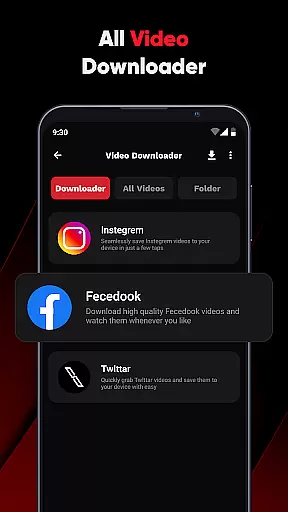
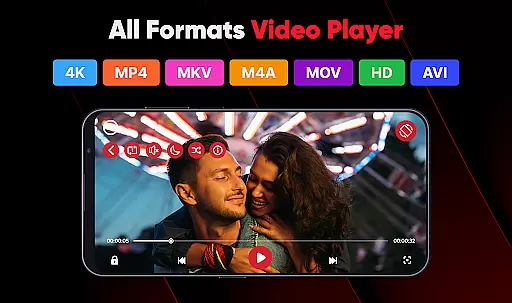
ViPlayer is a versatile video player and downloader designed to enhance your video-watching experience. This app supports all major video formats, including MP4, MKV, AVI, and MOV, ensuring seamless playback of any video file on your device. With advanced gesture controls and an intuitive interface, ViPlayer offers smooth navigation and effortless control over your viewing experience.
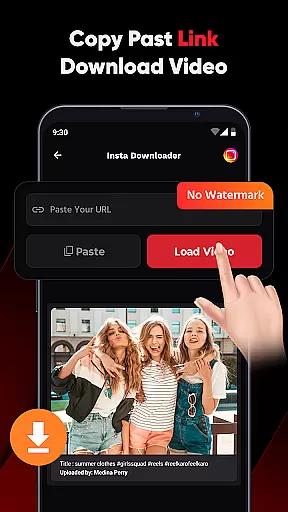
Beyond its robust playback capabilities, ViPlayer allows users to download HD videos from various social media platforms like Facebook and Instagram. Simply paste the video URL, preview the content, and download it directly to your device for offline viewing. The app's lightweight design ensures fast performance without compromising on functionality, making it an ideal choice for both casual viewers and tech-savvy users.
Whether you're commuting or traveling, ViPlayer lets you enjoy your favorite videos anytime, anywhere, even without an internet connection. Its user-friendly features and secure environment make it a reliable tool for managing and watching your personal video library.
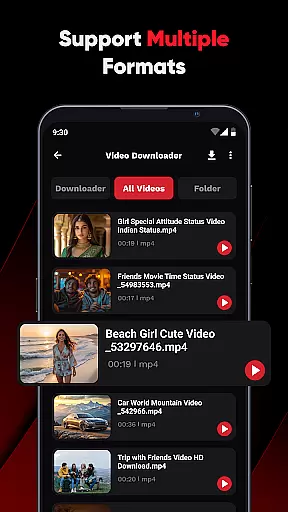
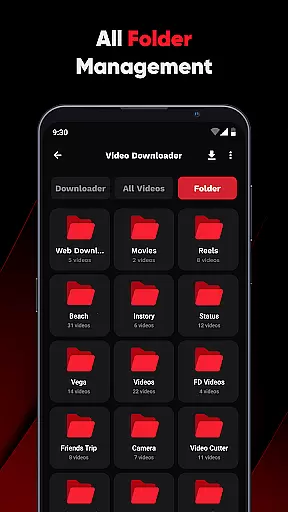
ViPlayer stands out with its comprehensive feature set tailored for video enthusiasts. One of its key strengths is the universal video format support, accommodating MP4, MKV, AVI, MOV, and more. This ensures that no matter what type of video file you have, ViPlayer can play it without any hiccups. Additionally, the app automatically detects and organizes videos by folder from both internal and external storage, streamlining your video management process.
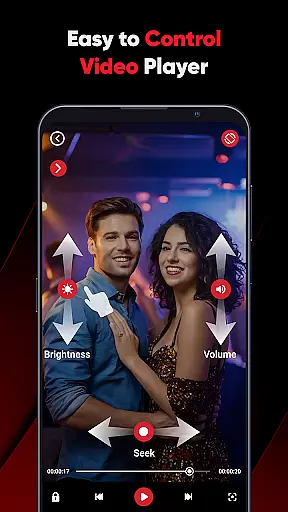
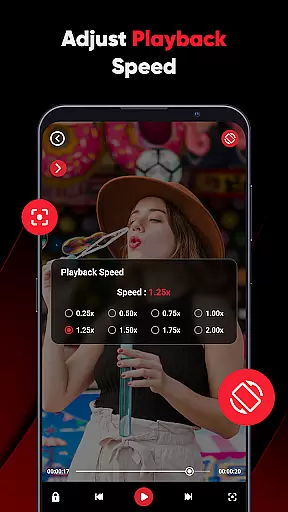
The app also boasts advanced gesture controls, allowing users to adjust volume, brightness, and playback with simple swipe motions. This intuitive control scheme enhances the overall user experience, providing a modern and interactive way to engage with your content. For those who wish to download videos, ViPlayer offers a one-click downloader that simplifies the process—just paste the URL, preview, and save within seconds.
Privacy and security are paramount in ViPlayer's design. The app operates without requiring any login, ensuring your activities remain private and secure. Moreover, its clean and lightweight UI guarantees fast performance and ease of use, catering to users who prioritize efficiency and simplicity in their digital tools.
ViPlayer stands out as a versatile video player due to its extensive video format compatibility. The app supports all major formats including MP4, MKV, AVI, and MOV, ensuring that users can play virtually any video file without the need for conversion.
The importance of this feature cannot be overstated, as it eliminates the frustration of encountering unsupported file types. ViPlayer achieves this by incorporating advanced decoding technologies that handle various codecs seamlessly.
Users benefit from a unified playback experience regardless of the video source or original format. This flexibility allows individuals to focus on their content rather than technical limitations, making ViPlayer an ideal choice for both casual viewers and professionals working with diverse media files.
While primarily a video player and downloader, ViPlayer incorporates AI-powered features that enhance the overall user experience. The app's intelligent system automatically detects and organizes videos from both internal and external storage, categorizing them efficiently by folders.
This smart organization is complemented by advanced gesture controls that utilize AI algorithms to interpret user intentions. These swipe controls enable precise adjustments to volume, brightness, and playback speed through intuitive touch gestures.
The implementation of these AI-driven features demonstrates ViPlayer's commitment to modernizing video playback and management. Users enjoy a more streamlined and responsive interface, making their interaction with video content more efficient and enjoyable while maintaining the simplicity expected from a reliable media player.
User-friendly interface
Supports multiple formats
Fast and efficient
Offline viewing capability
Advanced gesture controls
Limited social platform integration
No cloud syncing option
Basic editing features
Occasional ads
Download speed varies

Fast, private downloading, video saving, social media
 4.50
4.50
Powerful, professional, versatile teleprompter. Developed by an active film crew
4.00
Save photos and videos from social apps in one tap.
3.60
Video Downloader is an utility that can save videos and music from web sites
4.20
KMPlayer Plus (Divx Codec) officially support Divx codec.
4.30
Explore the largest library of free GIFs, Stickers & Memes - or create your own!
3.90
All in one HD video downloader & player for multiple formats with full privacy
4.70
Browser for Sony TV to stream web videos, online movies and live tv
3.20
Flud is a simple and beautiful BitTorrent client for Android.
4.80
Download Hub, easy and private way to download and enjoy your videos offline
4.80
Fast & easy HD video downloader for all formats, support 4K playback & download.
4.60
Add date and time watermark to photos and videos
4.50
Fast & Private HD Video Downloader with Built-in Proxy Browser and Video Player.
4.50
Movie maker & video editing app with AI effects and green screen
4.30
Browser for Samsung TV to stream webvideos, online movies and livestreams in HD
4.10
Kodi media center, a free and open source cross-platform entertainment hub
3.60
Connect EasyCap or UVC devices for recording and broadcast video/audio stream
3.60
This app is an emulator of some specific IPTV boxes
3.50
IPTV Player - Watch live TV from m3m & m3u8 playlist, stream IPTV on mobile
3.30


User Reviews