
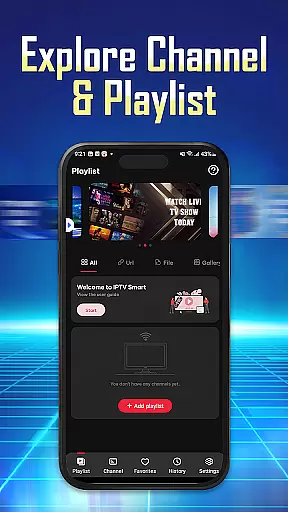
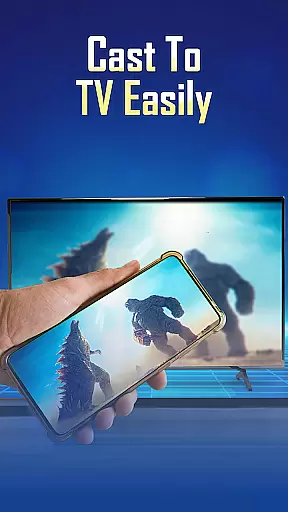
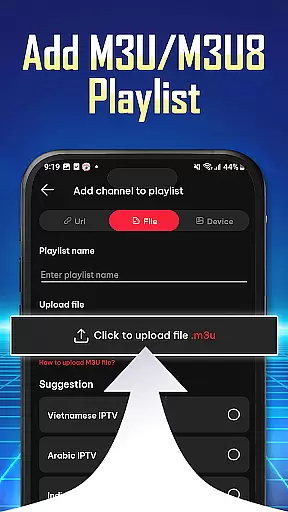
IPTV Player - Smarters Watch TV is a versatile media player designed for seamless streaming of live TV channels, sports events, and movie series. This application allows users to import playlists via URL or M3U/M3U8 files, stream content in high-definition quality, and access their favorite shows across multiple devices using a single IPTV account.
With its user-friendly interface, IPTV Player supports effortless navigation and organization of preferred channels. It is compatible with Android phones, tablets, and TVs, making it an ideal choice for those seeking a personalized and flexible entertainment experience. Whether you're watching live football matches or exploring on-demand content, this app ensures uninterrupted streaming with its reliable integrated player.
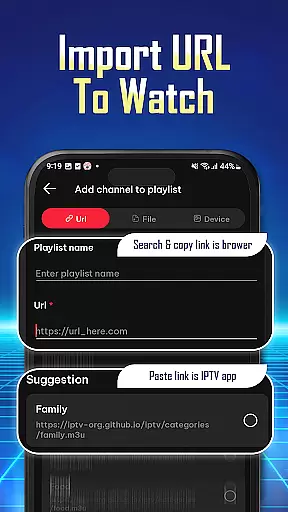
IPTV Player offers a range of advanced features tailored to enhance the streaming experience. Users can easily add and manage playlists through Playlist URLs or by uploading M3U/M3U8 files. The app's wide compatibility extends to various devices, including smartphones, tablets, and Android TV, ensuring a consistent viewing experience regardless of the platform.
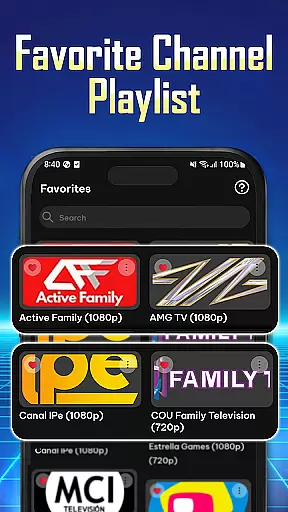
One standout feature is the ability to stream content simultaneously on multiple devices under one IPTV account, allowing families or groups to enjoy different programs without interference. Additionally, the app provides tools for organizing favorite channels and reviewing playback history, enabling a more customized experience. With support for high-definition streaming and intuitive navigation, IPTV Player delivers both performance and convenience.
Video format compatibility is a crucial feature for any video player application. It ensures that users can enjoy content in various formats without facing playback issues. IPTV Player - Smarters Watch TV supports both M3U and M3U8 playlist formats, which are widely used for streaming live TV channels and on-demand content.
The app's ability to handle these formats allows users to import playlists easily using Playlist URLs or by adding M3U/M3U8 files directly. This flexibility makes it simple for users to access their favorite shows, sports events, and movies from different sources without worrying about format restrictions.
By supporting high-definition quality streams, IPTV Player ensures an uninterrupted viewing experience with clear visuals and crisp audio. Users benefit from seamless navigation through organized channel lists, making it easy to find preferred content quickly. The wide compatibility of this player extends its usability across multiple devices including phones, tablets, and Android TVs.
While IPTV Player - Smarters Watch TV primarily focuses on streaming capabilities rather than traditional video editing features, it incorporates advanced functionalities akin to AI-powered tools that enhance user experience significantly. These include intelligent organization systems that allow users to manage playlists efficiently and prioritize frequently watched channels automatically.
The app provides a personalized experience by enabling users to review history logs of played and replayed channel lists. This feature mimics AI-driven analytics seen in dedicated editing software, helping viewers track their preferences over time. Additionally, the efficient search functionality aids in quick discovery of desired channels among vast libraries of available options.
Although not equipped with conventional editing tools like trimming or effects, IPTV Player offers innovative solutions such as simultaneous streaming on multiple devices via a single IPTV account. This capability enhances collaborative viewing experiences within households or groups while maintaining consistent playback quality across all connected screens.
User-friendly interface
Wide device compatibility
Supports M3U/M3U8 formats
HD streaming capability
Multi-device synchronization
No pre-installed channels
Requires manual playlist setup
Limited offline functionality
Dependent on stable internet
Premium features may require subscription

Live TV, anywhere in your home
 3.80
3.80
High-Quality USB Camera Viewer & HDMI Display
4.70
All in one HD video downloader & player for multiple formats with full privacy
4.70
Powerful Video Editor & Photo Editing App —— Quick Edits & Stunning Effects!
4.30
Make your own Animations, Video and Photo Edits, Visual Effects, and more!
4.00
Download videos and play them offline
4.70
Find, download, and play torrents with the official BitTorrent® Pro app
4.70
#1 Torrent App on Android ** No Ads Ever + Battery Saver **
4.80
AI Video Editor with Music, Filter, Slideshow, Effect, Merge & Trim Video.
4.80
GENRAL PRO - General Pro is the best video player that fully supports all formats.
4.70
Snaptubè Video Downloader app allows to download videos and music in Snaptube. .
4.60
Fast, private downloading, video saving, social media
4.50
Browser for Fire TV to stream webvideos, online movies, livestreams in HD
4.40
Video player with 4K & 1080P support, popup play, background play and subtitle.
4.20
1)AirPlay/DLNA Mirroring/Streaming, up to 4 connections; 2)Samba/NAS/DMS Player.
4.00
Stream Web Videos to Chromecast, Samsung, LG, Sony, Roku, Fire TV, DLNA + more
4.00
Capture images & record videos for USB Camera, Webcam, Microscopes, Endoscopes
3.80
All in one multi protocols stream receiver for AirPlay, Cast and DLNA.
3.60
Browser for Sony TV to stream web videos, online movies and live tv
3.20


User Reviews