

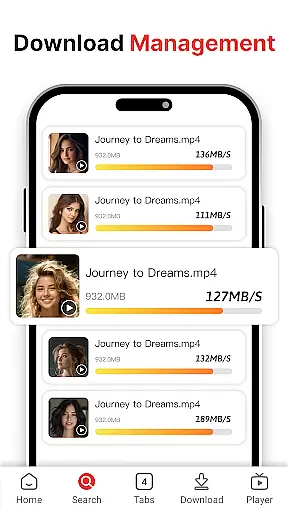

Easy Downloader - Video Hub is a versatile video downloading and management tool designed for users who want to save videos from websites and social media platforms. The app supports multiple video formats and resolutions, ensuring that users can download high-definition content with ease.
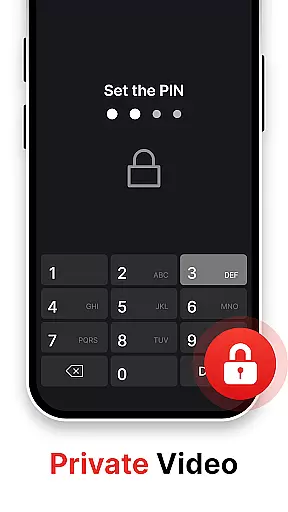
One of the standout features of Easy Downloader is its privacy protection capabilities. Users can store downloaded videos in a private, password-protected space, making it an ideal choice for those concerned about their viewing privacy. Additionally, the built-in video player allows for seamless playback of various video formats, eliminating the need for third-party players.
Whether you're looking to download large files or organize your video library, Easy Downloader provides a user-friendly interface and efficient tools to manage your content effectively. This makes it suitable for both beginners and experienced users who need a reliable video hub on their mobile devices.
Easy Downloader - Video Hub offers a comprehensive suite of features tailored for video enthusiasts. Its primary function is enabling users to download videos from major websites and social media platforms effortlessly. With just a few clicks, users can save videos for offline viewing, which is particularly useful when internet access is limited.
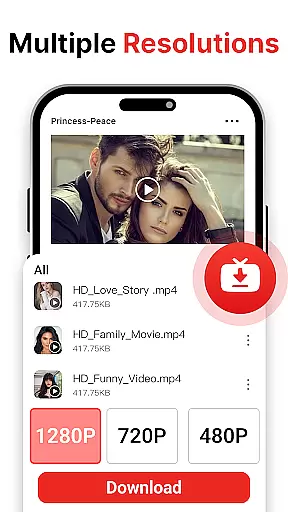
The app also excels in privacy protection. It includes a private mode where videos are stored securely with password encryption, ensuring that sensitive content remains confidential. Furthermore, Easy Downloader supports multi-resolution downloads, allowing users to choose between HD and standard quality based on their device capabilities and preferences.
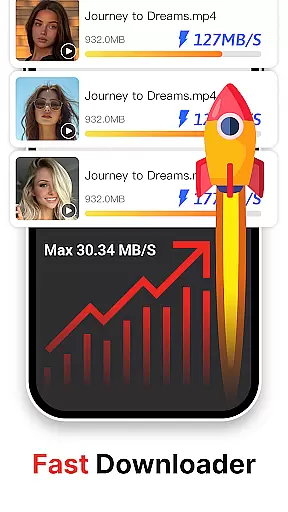
Another notable feature is the built-in video player, which supports multiple video formats. This ensures smooth playback without the need for additional software. High-speed download technology further enhances the user experience by saving time and data, making Easy Downloader a well-rounded solution for managing video content efficiently.
Easy Downloader - Video Hub stands out for its exceptional video format compatibility, ensuring users can download and play videos from a wide range of sources without hassle. This feature is crucial in today's digital age where video content comes in various formats.
The app supports multiple video formats including MP4, AVI, MKV, and more, allowing seamless integration with videos downloaded from websites and social media platforms. Whether you're downloading high-definition videos or standard resolution clips, Easy Downloader ensures that the file format won't be a barrier.
Users benefit greatly from this feature as it eliminates the need for additional conversion tools or players. With Easy Downloader, you can instantly play any downloaded video using the built-in player, regardless of its original format. This saves time and storage space while providing a smooth viewing experience across devices.
Moreover, the multi-format support enhances user convenience by enabling quick downloads and secure storage of videos from any source. As a one-stop media management tool, Easy Downloader - Video Hub empowers users to take full control of their video collection with unprecedented flexibility and ease of use.
While primarily a downloader, Easy Downloader - Video Hub incorporates AI-powered editing features that add significant value to the user experience. In today's content creation landscape, having intelligent editing tools at your fingertips can greatly enhance productivity and creativity.
The app utilizes advanced algorithms to provide smart editing capabilities such as automatic video enhancement, intelligent cropping, and optimized playback settings. These features work behind the scenes to improve video quality and ensure optimal viewing conditions on any device.
For users, these AI-driven enhancements mean they can achieve professional-looking results without requiring technical expertise. The intelligent system automatically adjusts video parameters based on content type and device specifications, delivering consistently excellent playback quality.
Furthermore, the AI integration extends to organizational features, helping users categorize and manage their video library more efficiently. While maintaining its core focus on downloading, Easy Downloader - Video Hub demonstrates how artificial intelligence can elevate basic functionality to create a more comprehensive and user-friendly video management solution.
User-friendly interface
Multi-format support
Private storage option
High-speed downloads
Built-in video player
No official platform partnerships
Limited to video content
Potential copyright issues
Privacy concerns
Requires permissions

Your media, on your terms.
 4.10
4.10
A Quick and Pro Video Editor
4.70
?100% FREE! Download & save videos? safely in this app. All formats supported.
4.60
This app was created to edit the metadata of music files.
4.20
High-Quality USB Camera Viewer & HDMI Display
4.70
An easy-to-use and all-round screen recorder with audio
4.80
GENRAL PRO - General Pro is the best video player that fully supports all formats.
4.70
Cast to Smart TV, Fire TV. Cast video, photo - Fast & Stable!
3.90
Create, Publish & Maximize
4.70
Tik & Story Saver-Download ALL social media videos, photos & reels no watermark.
4.80
Cast Videos from Web Browser, IPTV to Roku, Chromecast, DLNA, Smart TV +more
4.60
Watch a large amount of high-definition short drama content
4.60
Search & download videos from net with all video downloader, auto-detect & safe.
4.60
KineMaster, Your Ultimate Video Editor!
4.40
Video Downloader is an utility that can save videos and music from web sites
4.20
Browser for Samsung TV to stream webvideos, online movies and livestreams in HD
4.10
LumaFusion: The Ultimate Storytelling Experience for Video Editing
4.10
Powerful, professional, versatile teleprompter. Developed by an active film crew
4.00
Online Videos Player
3.90


User Reviews