
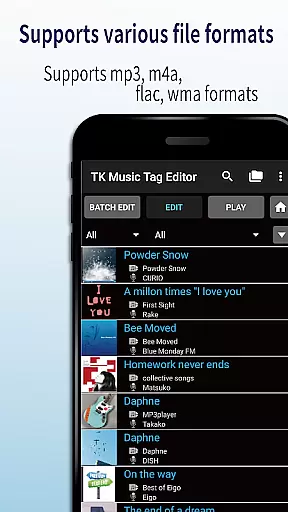
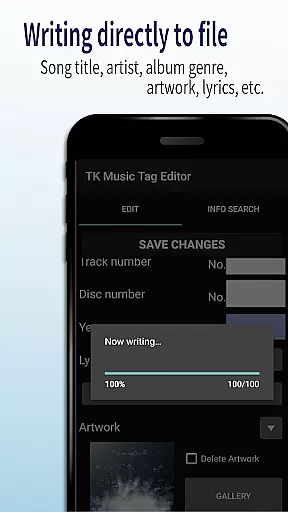
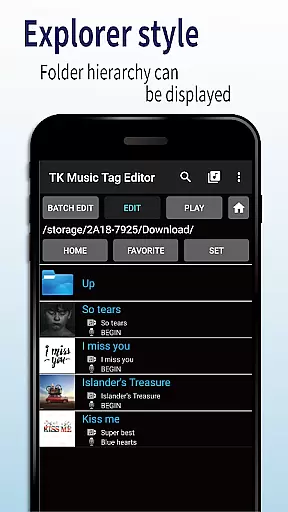
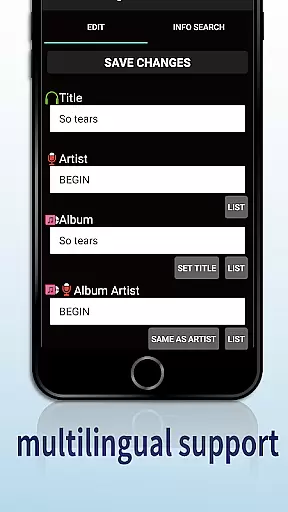
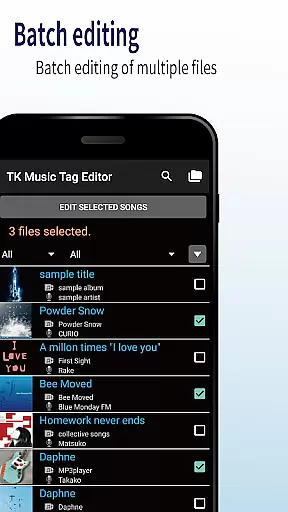
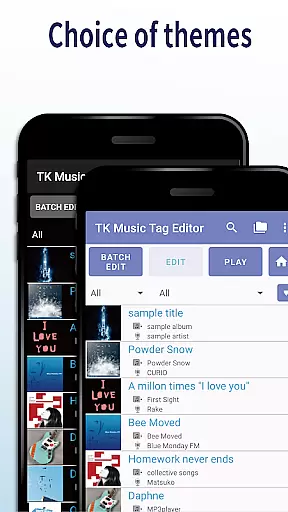
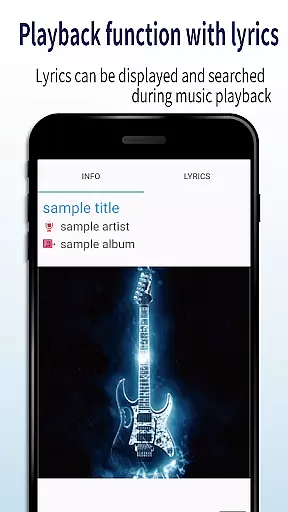
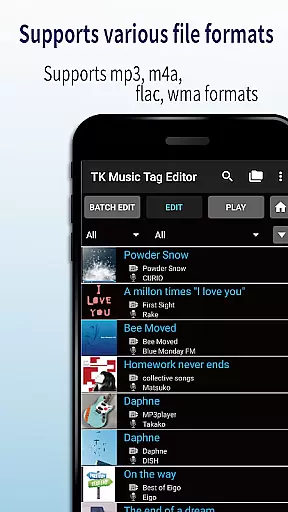
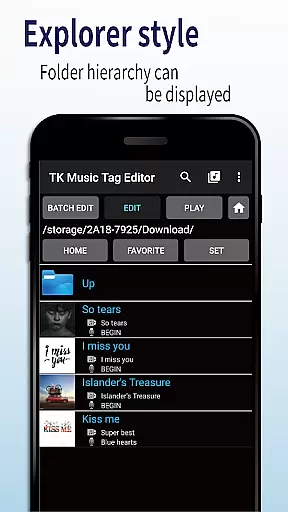
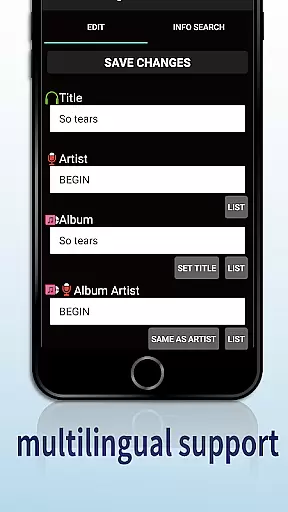
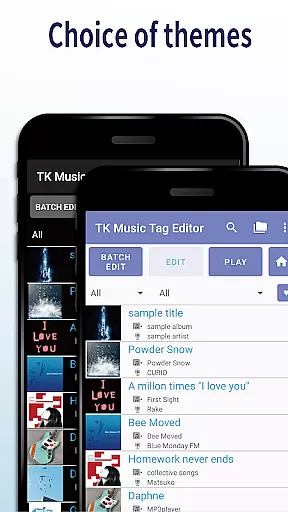
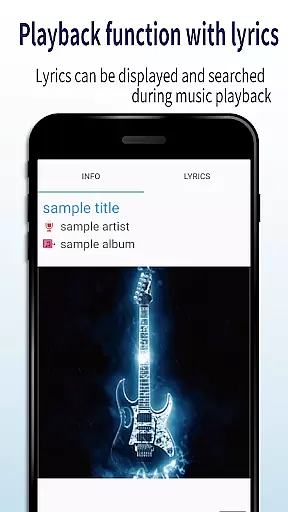
TK Music Tag Editor -Complete- is a comprehensive metadata editing tool designed specifically for music enthusiasts who need precise control over their audio files. This app allows users to directly modify essential metadata fields such as artist, album, cover art, and lyrics within mp3, m4a, flac, and wma files. The changes are written directly into the music files themselves, ensuring that the metadata remains intact regardless of the device or platform used to access the files.
In addition to basic tag editing, TK Music Tag Editor offers advanced features like simultaneous filename editing, playlist creation, and support for multiple file formats. Whether you're organizing a large music library or preparing tracks for professional use, this app provides the tools needed to maintain accurate and consistent metadata across all your audio files.
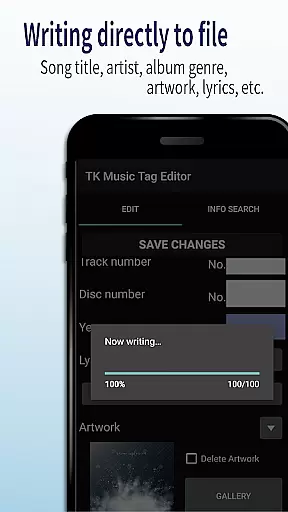
One of the standout features of TK Music Tag Editor is its ability to write tags directly into music files. This ensures that metadata such as title, artist, album, and even embedded cover art remains permanently attached to the file itself. Users can also edit filenames in tandem with metadata updates, creating a consistent naming convention across their music library.
The app supports the creation and management of playlists, allowing users to curate custom listening experiences. With compatibility for various file formats including mp3, m4a, flac, and wma, TK Music Tag Editor caters to a wide range of audio file types. Additionally, it includes functionality to detect and correct mislabeled file extensions, further enhancing its utility for managing digital music collections.
Looking ahead, the developers plan to expand the app's capabilities by adding more editable metadata fields. This commitment to continuous improvement makes TK Music Tag Editor a future-proof solution for anyone serious about maintaining their music library.
TK Music Tag Editor -Complete- offers extensive video format compatibility, ensuring that users can edit metadata for a wide range of audio files including mp3, m4a, flac, and wma formats. This versatility allows the app to cater to various user needs and preferences.
The application's ability to write tags directly into the music files guarantees that metadata remains intact, regardless of the device or platform used to access the files. This feature is crucial for users who manage large music libraries across multiple devices.
Additionally, the app provides an innovative solution for mislabeled files by detecting mp3 files with m4a formats and offering the option to change to the correct .m4a extension. This ensures seamless compatibility and accessibility on any PC or digital audio player.
While TK Music Tag Editor -Complete- does not employ artificial intelligence in the traditional sense, it incorporates smart editing features that enhance the user experience. The app allows for simultaneous editing of music filenames alongside metadata, streamlining the organization process.
One standout feature is the ability to create and easily edit playlists, empowering users to curate personalized listening experiences. This functionality adds a layer of convenience and customization that sets the app apart from basic tag editors.
Looking ahead, the developers plan to expand editable metadata options, further enriching the app's capabilities. User feedback is welcomed and encouraged, demonstrating a commitment to continuous improvement and adaptation to evolving user needs.
User-friendly interface
Multi-format support
Direct tag writing
Playlist creation
Filename editing
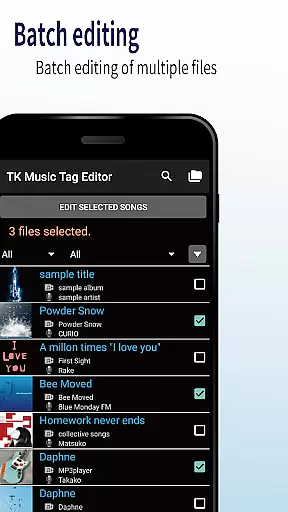
No batch editing
Limited advanced options
Occasional bugs
Basic UI design
Requires caution

Kodi media center, a free and open source cross-platform entertainment hub
 3.60
3.60
Fast, private downloading, video saving, social media
4.50
Search & download videos from net with all video downloader, auto-detect & safe.
4.60
HD video maker with no watermark, no ads & vlog maker with music, PIP, text
4.50
Download website videos fast&privacy
4.40
Fast & Private Video Downloader App. Save all videos easily from the Internet.
4.40
This app is an emulator of some specific IPTV boxes
3.50
Livestream, news, & gaming content. Watch, chat, and upload. Join Rumble today!
3.80
Manage your YouTube channel on the go
4.40
GENRAL PRO - General Pro is the best video player that fully supports all formats.
4.70
All in one HD video downloader & player for multiple formats with full privacy
4.70
IPTV Loader, loads your own Playlist. DOES NOT CONTAIN ANY LIST OR CHANNELS
4.60
Cast movies, tv shows and live streams to Chromecast, Roku, DLNA, Fire TV & more
4.60
Browser for Fire TV to stream webvideos, online movies, livestreams in HD
4.40
Powerful Video Editor & Photo Editing App —— Quick Edits & Stunning Effects!
4.30
Live TV, anywhere in your home
3.80
All in one multi protocols stream receiver for AirPlay, Cast and DLNA.
3.60
Watch full episodes of your favorite Cartoon Network and Cartoonito shows!
3.50
Browser for Sony TV to stream web videos, online movies and live tv
3.20


User Reviews