
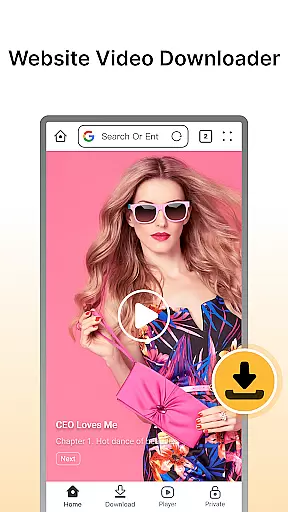


Fast Downloader - Video Player is a versatile video downloader and player tailored for users who want to save videos from websites and social media platforms. The app offers an easy-to-use interface that allows you to download videos in multiple formats and resolutions, ensuring your content is accessible offline without worrying about internet connectivity.
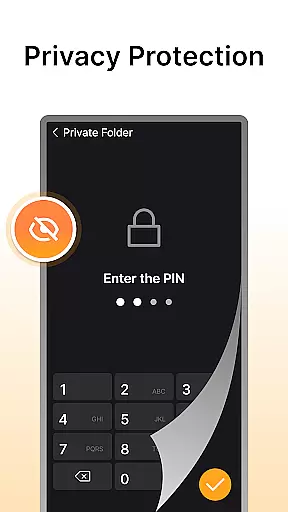
A standout feature of this app is its privacy protection mechanism. Users can store downloaded videos securely with password protection, making it ideal for those concerned about their data security. Additionally, the built-in video player supports various formats, providing a seamless viewing experience without needing third-party apps. Whether you're downloading standard or HD videos, Fast Downloader ensures high-quality playback on any device.
This app is perfect for individuals who frequently interact with online video content and need a reliable tool to manage their downloads efficiently while maintaining privacy. With fast download speeds and multi-format support, it's designed to meet all your video downloading needs.
Fast Downloader - Video Player stands out due to its comprehensive set of features that cater to diverse user requirements. One of the key highlights is the website video downloader functionality, which enables users to save videos from numerous sites effortlessly. This feature is particularly useful for those who wish to watch content offline or preserve important videos for future reference.
The app also boasts advanced privacy protection capabilities. It includes a built-in privacy mode that secures downloaded videos behind password protection, ensuring that sensitive content remains private. Furthermore, the multi-resolution support allows users to select their preferred video quality, ranging from standard definition to high definition, depending on their device capabilities and storage capacity.
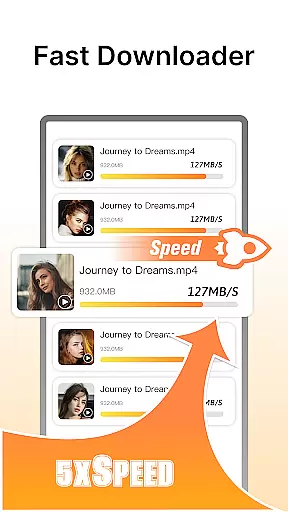
Another notable aspect is the lightning-fast download speed facilitated by cutting-edge technology within the app. Coupled with the integrated video player that supports multiple formats, Fast Downloader provides a complete solution for downloading, storing, and playing videos seamlessly. These features collectively enhance user experience by offering convenience, security, and flexibility in managing video content.
Video format compatibility is a crucial feature for any video player and editor, ensuring that users can enjoy content in various formats without technical barriers. Fast Downloader - Video Player excels in this area by supporting multiple video formats, making it versatile for different user needs.
The app allows you to download videos from websites and social media platforms in your preferred format. Whether you're downloading standard definition or HD videos, the app ensures that all resolutions are supported, providing flexibility and convenience.
With its built-in video player, Fast Downloader - Video Player eliminates the need for third-party applications. Users can directly play downloaded videos within the app, regardless of the format. This seamless integration enhances the overall user experience, allowing uninterrupted viewing pleasure.
By offering extensive video format support, Fast Downloader - Video Player caters to a wide audience with varying device compatibilities. This inclusivity ensures that no matter what device you use, you can enjoy your favorite videos effortlessly.
AI-powered editing features represent the cutting-edge technology integrated into modern video players and editors, enhancing the user's ability to modify and improve their video content efficiently. Fast Downloader - Video Player incorporates such intelligent features to provide an advanced editing experience.
One of the standout AI functionalities is the automatic enhancement of video quality. The app intelligently adjusts video parameters such as brightness, contrast, and sharpness, ensuring optimal viewing conditions. This feature is particularly beneficial for users who want their videos to look professional without manual adjustments.
In addition to quality enhancements, Fast Downloader - Video Player offers smart editing tools that simplify complex tasks. These include automated cropping, trimming, and format conversion, which are powered by AI algorithms designed to understand user preferences and video content.
By leveraging AI-powered editing features, Fast Downloader - Video Player not only saves time but also opens up creative possibilities for users. Whether you're a casual viewer or a content creator, these intelligent tools ensure that your videos are always presented in the best possible way.
User-friendly interface
Secure privacy mode
Multi-resolution options
Fast download speeds
Built-in video player
Limited format compatibility
No cloud backup option
Occasional bugs reported
Ads present in free version
Requires manual updates

The smartest M3U IPTV Player your playlists have ever seen.
 4.0
4.0
Photo and Music Video Creator into Stunning Videos—Effortlessly
4.40
Video Downloader is an utility that can save videos and music from web sites
4.20
KineMaster, Your Ultimate Video Editor!
4.40
Capture images & record videos for USB Camera, Webcam, Microscopes, Endoscopes
3.80
AirMirror is Receiver for Screen Mirroring and Casting from Apple Devices.
3.60
AirMirror Receiver - Screen mirroring/cast web videos to Android TV by AirPlay.
4.40
Fast & Private HD Video Downloader with Built-in Proxy Browser and Video Player.
4.50
Fast private browser with secure, seamless access & supported video downloads!
4.00
Video Player - Unlimited features, 30 days money back guarantee.
4.60
Auto video maker with music & exclusive filters. Video editing made simple.
4.50
Fast, private downloading, video saving, social media
4.50
KMPlayer Plus (Divx Codec) officially support Divx codec.
4.30
Web Browser for LG TV to stream webvideos, online movies and livestreams in HD
4.20
Browser for Samsung TV to stream webvideos, online movies and livestreams in HD
4.10
VLC for Android is the best open source video and music player, fast and easy!
4.10
IPTV-Smarters Player Pro M3U - Watch Live Stream TV Channels with Chromecast
4.00
Manage your IPTV live channels and VOD playlists (no playlist included)
3.80
Mix with Virtual DJ directly from your phone or tablet !
3.10


User Reviews