
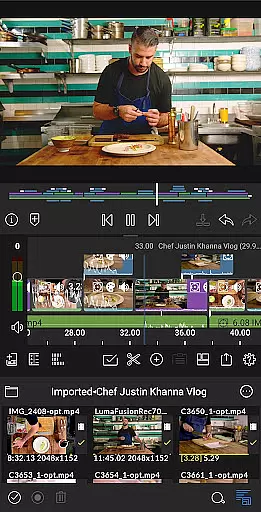
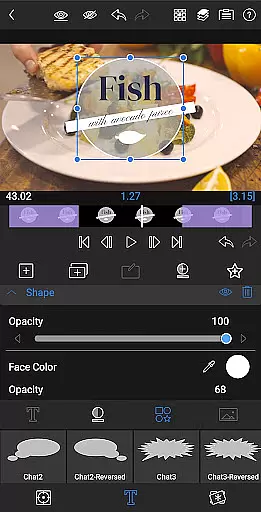
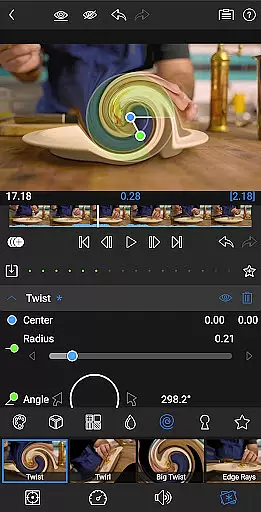
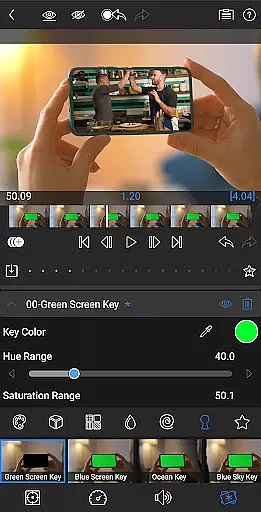
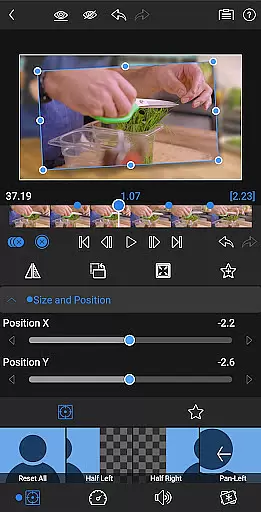

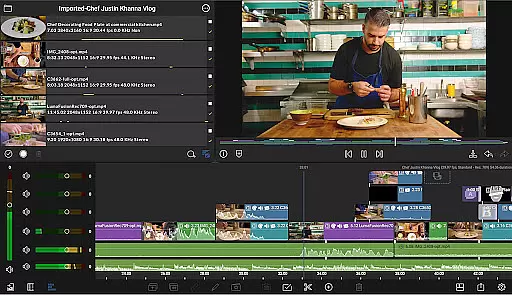
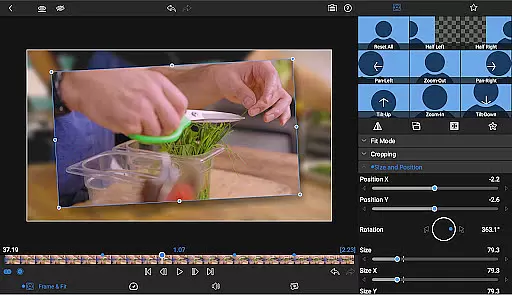
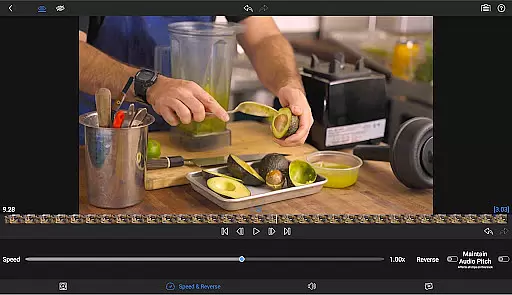
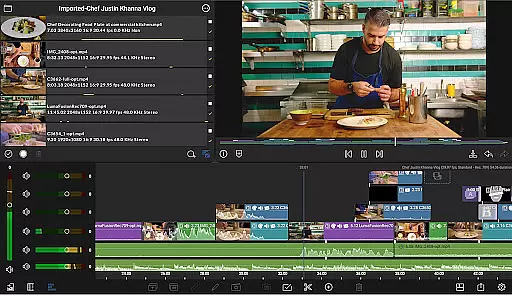
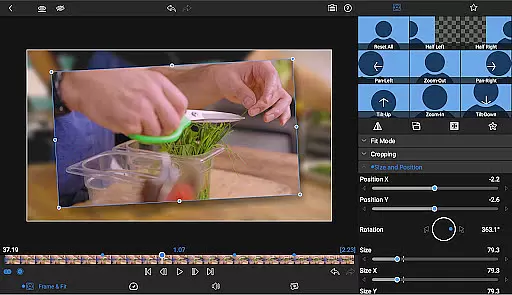
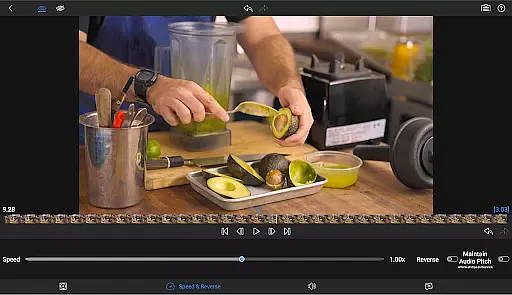
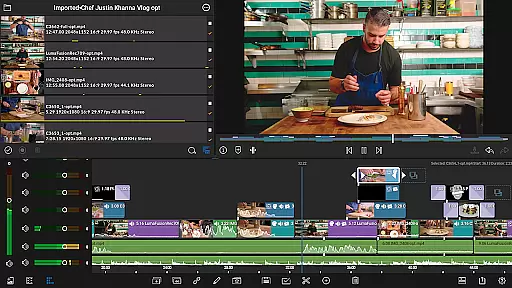
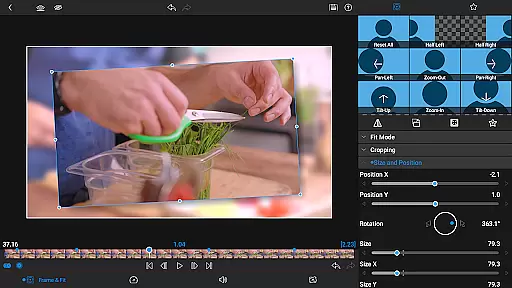

LumaFusion stands as a premier mobile video editing application, designed for storytellers and content creators who demand professional-grade tools on the go. With its intuitive touch-screen interface, users can seamlessly edit videos up to 4K resolution across six versatile video tracks complemented by six dedicated audio tracks. The app's sophisticated timeline allows for both track-based and magnetic editing, ensuring smooth media handling and creative freedom.
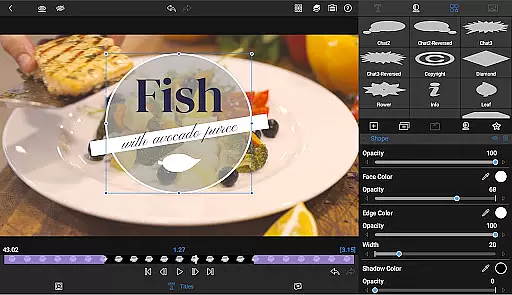
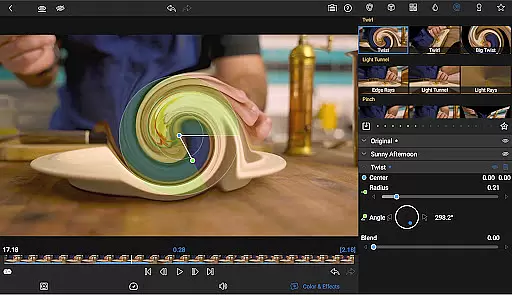
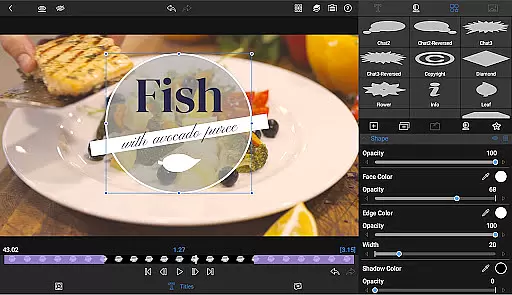
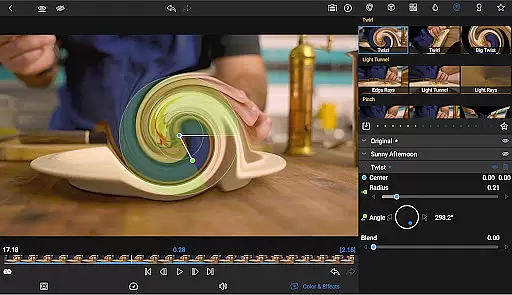
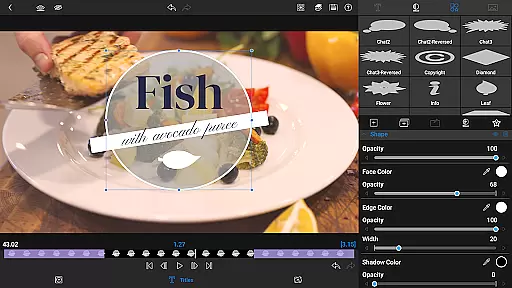
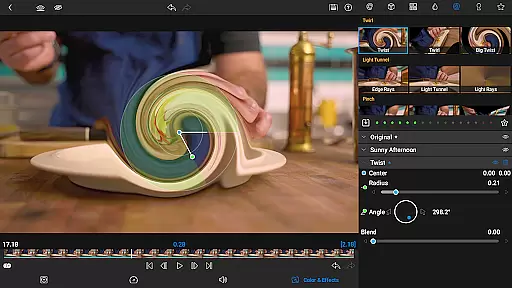
Beyond basic editing, LumaFusion offers advanced features such as layered effects, precise color correction, and robust audio controls including EQ and ducking. Users can craft visually stunning titles with multilayer text options and customize their projects with an array of transitions, markers, and notes. Whether you're adjusting track heights for optimal viewing or exporting your masterpiece in various formats, LumaFusion provides the flexibility needed for any video project.
For those seeking even more control over their edits, optional in-app purchases like Speed Ramping and Enhanced Keyframing unlock additional creative possibilities. Additionally, the Creator Pass subscription grants access to a vast library of royalty-free assets through Storyblocks for LumaFusion, empowering creators to produce high-quality content without limitations.
LumaFusion distinguishes itself with a comprehensive suite of features tailored for professional video editing. At its core, the app supports multi-track editing with up to six video-with-audio or graphic tracks alongside six additional audio-only tracks, enabling complex compositions that maintain smooth performance even at higher resolutions like 4K. Its dual timeline system combines traditional track-based editing with a magnetic approach, offering unparalleled fluidity when arranging clips.
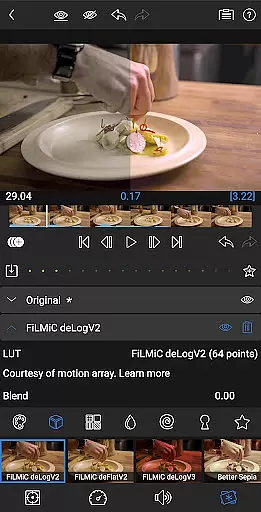
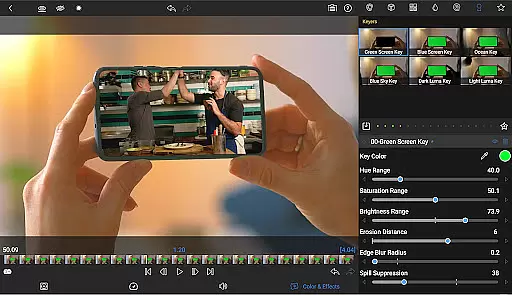
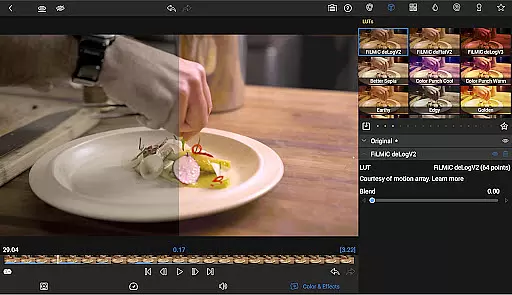
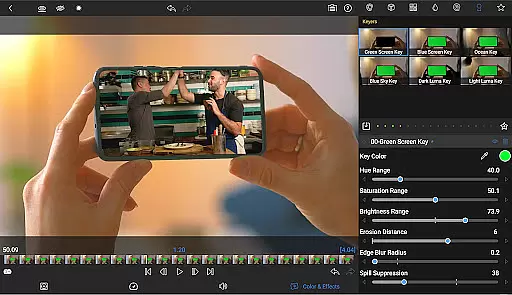
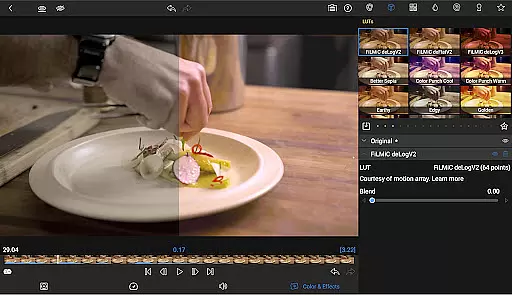
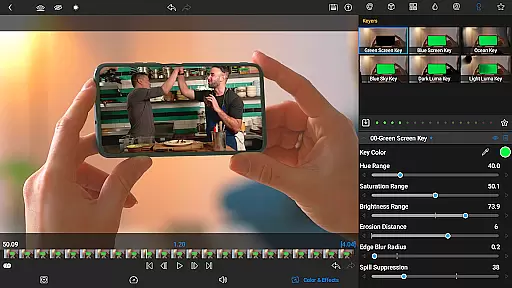
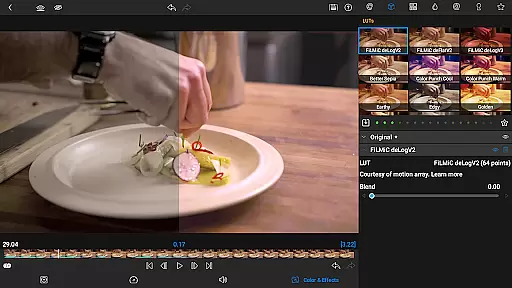
The application excels in providing detailed control over visual elements through green screen capabilities, chroma keys, and powerful color correction tools. Users have access to waveform monitors, vector scopes, histogram displays, and support for LUT files (.cube/.3dl), allowing them to achieve precise color grading results. Furthermore, unlimited keyframes facilitate intricate animations while customizable presets help streamline repetitive tasks.
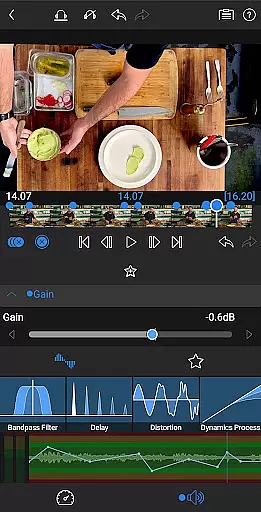
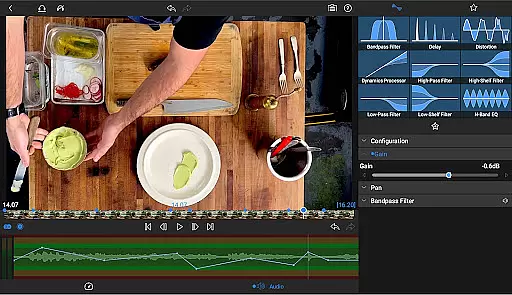
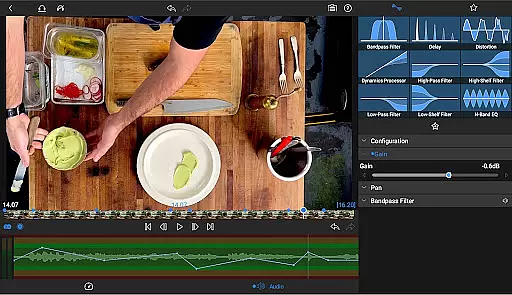
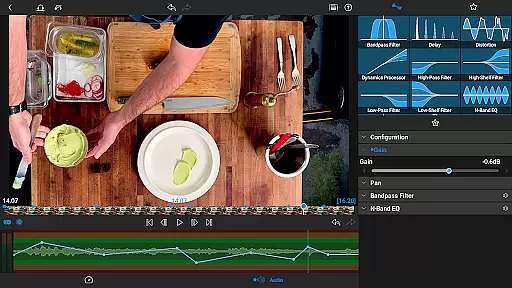
Audio is equally prioritized within LumaFusion's feature set; it includes parametric EQs, dynamic range compression via ducking, and stereo/dual-mono configurations ideal for interviews. Creative professionals will appreciate the ability to design captivating titles using multilayer text layers combined with imported fonts and saved presets. Lastly, flexible export options ensure finished projects meet specific requirements whether destined for social media platforms or cinematic releases.
Video format compatibility is a crucial feature for any video editing application, ensuring that users can work with a wide range of file types without conversion hassles. LumaFusion excels in this area by supporting professional-grade media up to 4K resolution across its six video-with-audio or graphic tracks.
The app allows creators to import media directly from USB-C drives or cloud storage, making it versatile for different workflows. Whether you're handling files from various cameras or stock footage libraries, the platform ensures smooth playback and editing. This flexibility saves valuable time and maintains the quality of your original content throughout the editing process.
Moreover, LumaFusion offers extensive export options, giving editors control over resolution, quality, and format when sharing their finished projects. You can effortlessly share movies to social media platforms, local storage, or cloud services without worrying about compatibility issues on the receiving end.
AI-powered editing features are revolutionizing the way creators approach post-production tasks. While LumaFusion maintains its position as an industry leader through traditional professional tools, it also incorporates intelligent automation to enhance the editing experience. The app's advanced audio control, including Graphic EQ and Parametric EQ with keyframe capabilities, demonstrates how smart processing can optimize sound design without compromising manual control.
The platform's sophisticated color correction tools benefit from AI assistance, enabling editors to achieve consistent grading across multiple clips. Features like automatic audio ducking help balance music and dialogue tracks intelligently, while customizable text presets allow for efficient creation of branded content. These smart functions work alongside traditional controls, offering both automated assistance and full creative freedom.
LumaFusion's implementation of AI extends to its workflow management, with intuitive organizational tools such as markers, tags, and notes that help maintain project clarity. The optional Creator Pass subscription adds access to millions of royalty-free assets through Storyblocks integration, demonstrating how artificial intelligence can streamline asset discovery and licensing processes for professional editors.
User-friendly interface
Professional editing tools
Advanced audio controls
Customizable title designs
Flexible export settings
Subscription required for full access
Some features locked behind paywall
High learning curve for beginners
Occasional performance issues
Limited free support resources

KineMaster, Your Ultimate Video Editor!
 4.40
4.40
Powerful HD video player with support for all formats & subtitles.
4.4
Video player with powerful streaming playback and various convenient features.
2.10
Stream Web Videos to Chromecast, Samsung, LG, Sony, Roku, Fire TV, DLNA + more
4.00
Explore the largest library of free GIFs, Stickers & Memes - or create your own!
3.90
Add date and time watermark to photos and videos
4.50
This app is an emulator of some specific IPTV boxes
3.50
Powerful video player with advanced hardware acceleration and subtitle supports
4.20
Manage your YouTube channel on the go
4.40
Tik & Story Saver-Download ALL social media videos, photos & reels no watermark.
4.80
Photo and Music Video Creator into Stunning Videos—Effortlessly
4.40
Fast video downloader & private browser. Save HD clips to watch offline.
4.40
Full HD Video mp3 Player, MP4 player play 1080p, File manager, Video Downloader
4.40
AirMirror Receiver - Screen mirroring/cast web videos to Android TV by AirPlay.
4.40
KMPlayer Plus (Divx Codec) officially support Divx codec.
4.30
Web Browser for LG TV to stream webvideos, online movies and livestreams in HD
4.20
Livestream, news, & gaming content. Watch, chat, and upload. Join Rumble today!
3.80
You can play SWF format file!
2.50
Play and download HD videos from all sources — fast, simple, and all-in-one.
4.5


User Reviews