
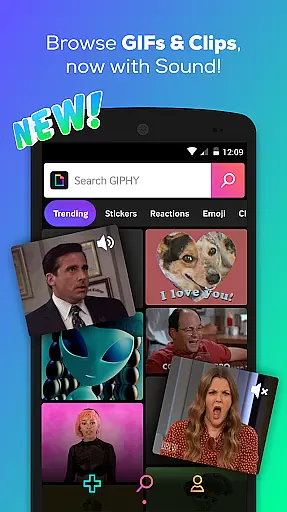

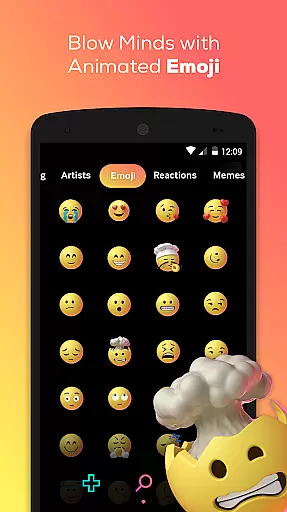
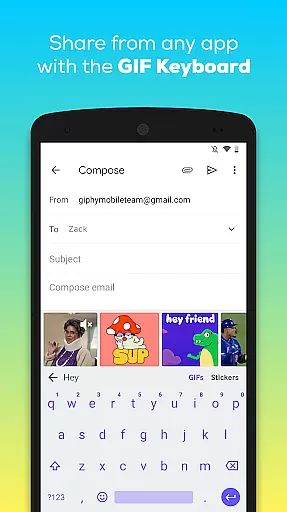
GIPHY is the ultimate destination for all your animated content needs, offering the largest library of free GIFs, Clips, and Stickers. Available on Android, this app allows you to search and share short-form content and animated reactions seamlessly across various social platforms like Facebook Messenger, Instagram, and Snapchat.
With GIPHY, you can explore a vast universe of pop culture, including memes, TV shows, movies, and music. Whether you're looking for sports highlights or real-time moments from award shows, GIPHY has got you covered. The app also provides creation tools that let you make your own GIFs and stickers using a camera or by uploading personal content.
The app's keyboard feature enables users to search and send the perfect GIF without leaving their messaging apps. This makes communication more dynamic and expressive, allowing users to react with more than just text emojis. GIPHY brings convenience and creativity together in one powerful package.
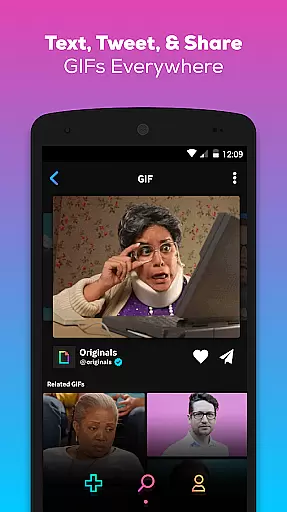
GIPHY stands out with its extensive features designed to enhance user experience. The app offers a comprehensive search function that lets you find the perfect animated content from the world's largest GIF library. You can easily share these across multiple platforms such as Facebook Messenger, WhatsApp, Instagram, Pinterest, Snapchat, Twitter, and even emails.
One of the unique aspects of GIPHY is its exploration capabilities. Users can dive into popular culture, discovering content from favorite artists like Drake and Rihanna, TV networks like HBO and Comedy Central, and live events including sports and award shows. Additionally, GIPHY Clips introduce sound to GIFs, creating a new dimension for self-expression at the intersection of GIFs and video.
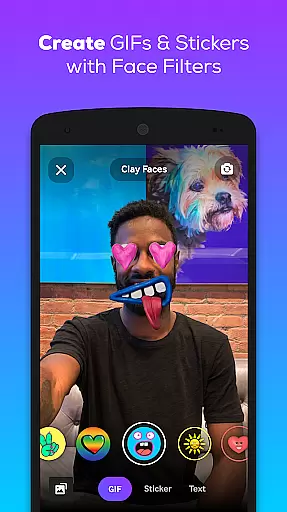
Creation tools within the app allow users to craft personalized GIFs and stickers. With custom face filters and animated text options, users can create and share stickers wherever GIPHY is available. The GIPHY for Android Keyboard further simplifies this process, enabling users to search and send content directly from their keyboards, enhancing conversational dynamics effortlessly.
Video format compatibility is a crucial feature for any video player or editor, ensuring that users can access and work with a wide range of video files without technical barriers. GIPHY supports an extensive array of formats, allowing users to search, create, and share GIFs, Clips, and Stickers seamlessly across platforms.
The app leverages advanced technology to convert various video formats into easily shareable animated content. Whether you're uploading videos from your device or creating new ones within the app, GIPHY ensures that all media is compatible with popular social channels like Facebook Messenger, Instagram, and Twitter.
For users, this means unparalleled flexibility in content creation and sharing. You can save your favorite animations for later use, send them directly through messaging apps, or post them on social media without worrying about format restrictions. This versatility enhances user engagement by simplifying the process of integrating dynamic visuals into everyday communication.
Ultimately, GIPHY's robust video format compatibility empowers users to express themselves more creatively and effectively. By removing technical limitations, the app fosters a more interactive and engaging experience, making it the go-to platform for animated content across digital channels.
AI-powered editing features represent the cutting edge of content creation tools, enabling users to produce high-quality animations with minimal effort. GIPHY incorporates sophisticated AI algorithms to enhance its editing capabilities, offering intuitive functions such as custom face filters and animated text overlays that bring a professional touch to user-generated content.
These AI-driven tools allow users to transform ordinary videos into captivating animated stickers and GIFs effortlessly. With just a few taps, you can apply dynamic effects, adjust timing, and layer multiple elements to craft unique visual stories. The app's intelligent systems automatically optimize these edits for maximum impact, ensuring that every piece of content stands out.
For creators, this translates into significant time savings and expanded creative possibilities. Instead of requiring extensive technical expertise, GIPHY's AI-powered features democratize content creation, enabling anyone to produce polished animations. This ease of use encourages more frequent and diverse content sharing, boosting overall user engagement.
In summary, GIPHY's AI-powered editing features set a new standard for accessibility and creativity in video editing. By harnessing the power of artificial intelligence, the app not only simplifies the editing process but also inspires users to explore innovative ways of self-expression, enhancing their digital interactions across platforms.
User-friendly interface
Extensive GIF library
Cross-platform sharing
Innovative creation tools
Real-time cultural content
Limited offline functionality
Occasional loading delays
Ads between searches
Storage space required
Privacy concerns

Kodi media center, a free and open source cross-platform entertainment hub
 3.60
3.60
1)AirPlay/DLNA Mirroring/Streaming, up to 4 connections; 2)Samba/NAS/DMS Player.
4.00
Video player with powerful streaming playback and various convenient features.
2.10
Fast & Private Video Downloader App. Save all videos easily from the Internet.
4.40
Powerful Video Editor & Photo Editing App —— Quick Edits & Stunning Effects!
4.30
Manage your IPTV live channels and VOD playlists (no playlist included)
3.80
The essential companion to your Blue Iris PC software
2.50
Watch IPTV on your Android device
4.60
A Simple app to download Video & Music from the Internet.
4.70
Tik & Story Saver-Download ALL social media videos, photos & reels no watermark.
4.80
An easy-to-use and all-round screen recorder with audio
4.80
Video Player - Unlimited features, 30 days money back guarantee.
4.60
?100% FREE! Download & save videos? safely in this app. All formats supported.
4.60
Browser for Fire TV to stream webvideos, online movies, livestreams in HD
4.40
Powerful video player with advanced hardware acceleration and subtitle supports
4.20
Browser for Samsung TV to stream webvideos, online movies and livestreams in HD
4.10
Stream Web Videos to Chromecast, Samsung, LG, Sony, Roku, Fire TV, DLNA + more
4.00
Mix with Virtual DJ directly from your phone or tablet !
3.10
Stream high quality video from your camera over NDI protocol
4.0


User Reviews