
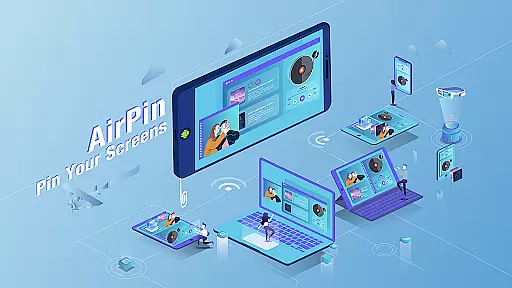

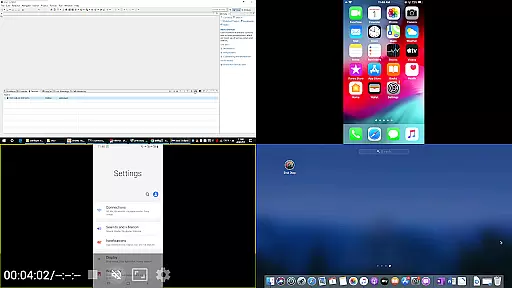
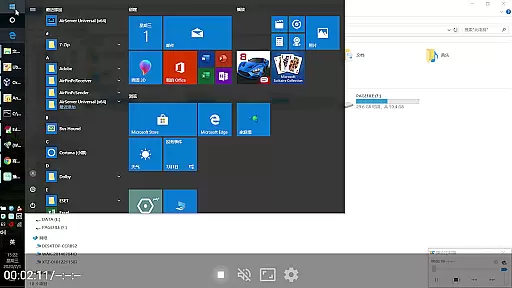

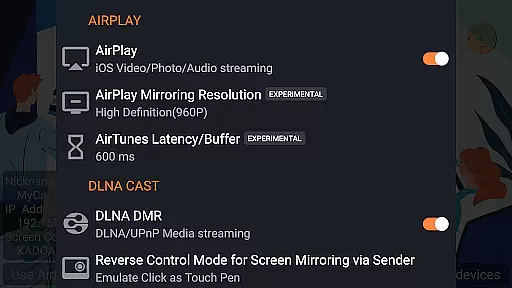

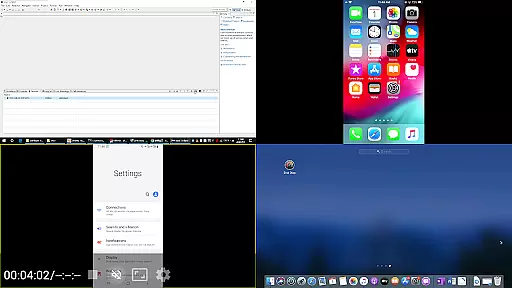
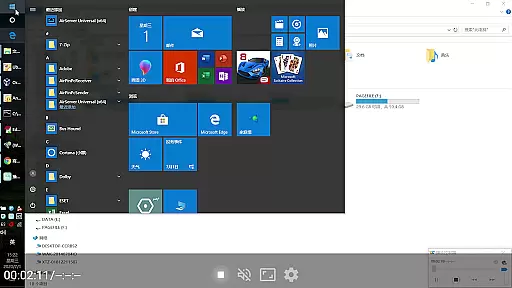


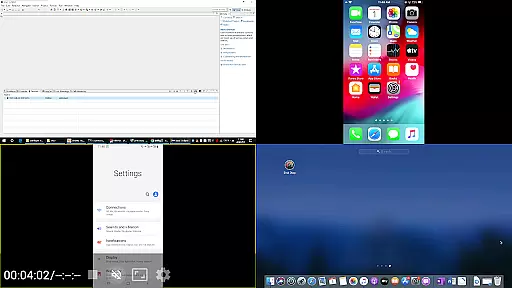
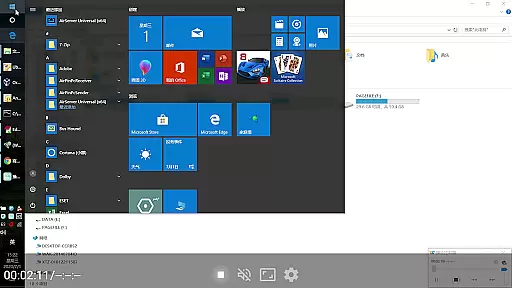

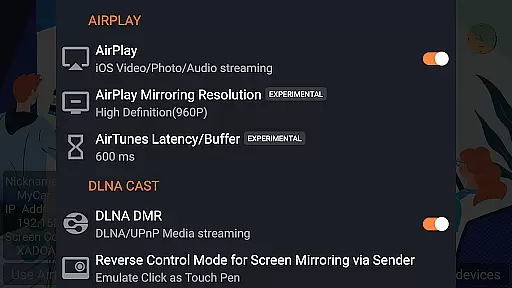

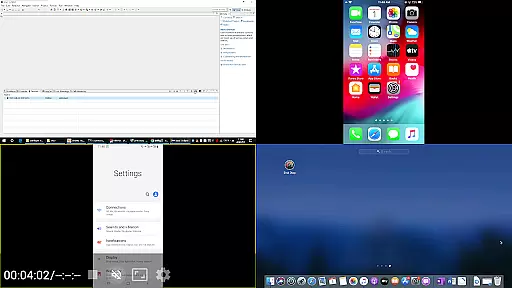
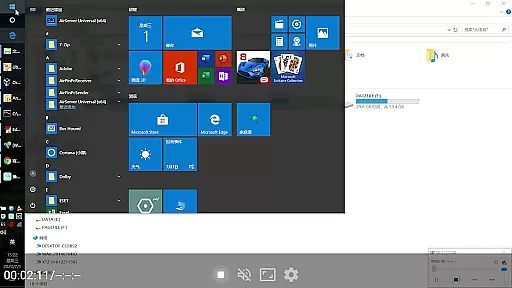

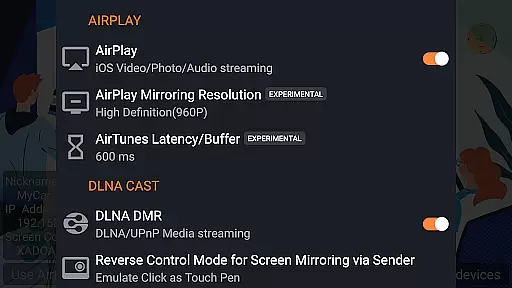
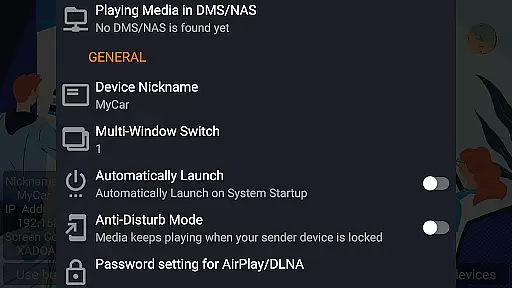
AirPin PRO is a cutting-edge screen mirroring and media streaming receiver app designed for Android phones, tablets, TVs, set-top boxes, and projectors. As the first Android application to support both AirPlay and DLNA since its initial release in July 2012, it enables users to share media and screens from Apple, Windows, and Android devices onto larger displays. The PRO version allows simultaneous display of up to four device screens, enhancing collaborative and multimedia experiences.
With features like AirPlay video/music streaming, screen mirroring across all iOS/MacOS versions, and support for the latest YouTube AirPlay streaming, AirPin PRO stands out as an innovative solution. It also supports slideshow functionality for AirPlay photo streaming and includes password protection for added security. Whether you're sharing content from an iPhone, iPad, MacBook, PC, or Android device, AirPin PRO provides seamless connectivity and superior performance.
AirPin PRO offers a comprehensive suite of features that cater to diverse media streaming needs. One of its standout capabilities is the ability to display multiple device screens simultaneously, supporting up to four devices at once. This feature is particularly useful in environments where collaboration and multi-device presentations are essential.
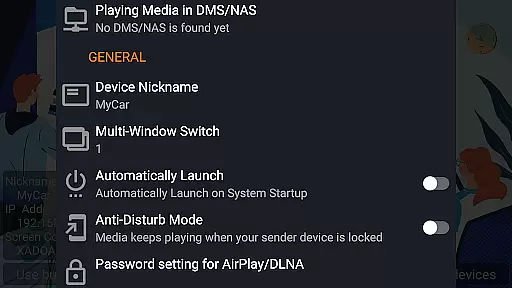
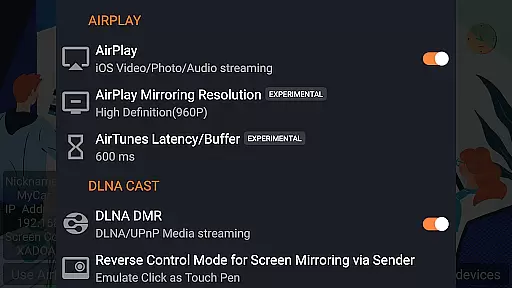
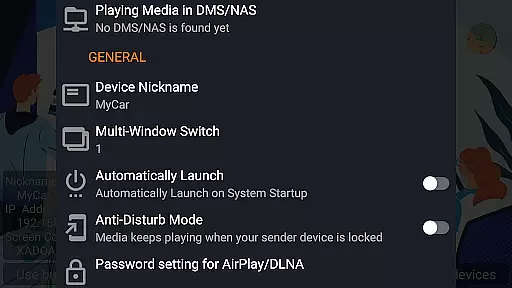
The app supports both AirPlay and DLNA protocols, making it versatile for various devices and operating systems. It is the first app to support the latest YouTube AirPlay streaming and slideshow functionality for AirPlay photo streaming. Additionally, it offers direct media pulling from DLNA/NAS/Samba servers, automatic startup, service shutdown configuration, and background audio streaming without delay. These features ensure a smooth and uninterrupted user experience, whether for professional or personal use.
AirPin PRO stands out as a versatile screen mirroring and media streaming receiver, supporting an extensive range of video formats. This ensures that users can enjoy content from various devices without worrying about compatibility issues.
With its foundation in both AirPlay and DLNA protocols, the app facilitates seamless streaming from Apple, Windows, and Android ecosystems. Whether it's through AirPlay from iOS/MacOS devices or DLNA/UPnP from other platforms, AirPin PRO handles diverse video streams with ease.
The application further enhances user experience by allowing direct pulls of media from DLNA/NAS/Samba servers. This feature not only broadens the scope of accessible content but also maintains high-quality playback regardless of the original format.
By integrating advanced support for YouTube AirPlay streaming and slideshow functionalities for photos, AirPin PRO guarantees uninterrupted entertainment across all digital mediums.
While primarily a screen mirroring and media streaming app, AirPin PRO incorporates AI-powered features to enhance user interaction and streamline operations. These intelligent tools contribute significantly to a more intuitive and efficient multimedia management system.
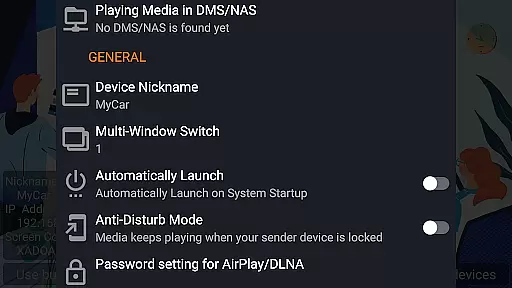
One notable implementation is the automatic startup and service shutdown configuration, which optimizes device performance based on usage patterns. This smart feature ensures that the app runs only when needed, conserving system resources.
The anti-disturb mode exemplifies another innovative use of AI within AirPin PRO. By maintaining video playback even when the controlling side exits, it offers uninterrupted viewing experiences tailored to individual preferences.
Additionally, the app's capability to continue playing from its previous pause point demonstrates its adaptive learning abilities. Such personalized attention to user behavior makes AirPin PRO not just a tool for streaming but an intelligent companion in managing digital content.
Multi-screen display
AirPlay and DLNA support
YouTube streaming
Password protection
Background audio
Requires additional software
Complex setup
Limited free features
Occasional bugs
Device compatibility

An easy-to-use and all-round screen recorder with audio
 4.80
4.80
Download videos and play them offline
4.70
This app is an emulator of some specific IPTV boxes
3.50
#1 Torrent App on Android ** No Ads Ever + Battery Saver **
4.80
Powerful video player with advanced hardware acceleration and subtitle supports
4.20
AI Video Editor with Music, Filter, Slideshow, Effect, Merge & Trim Video.
4.80
Video player with 4K & 1080P support, popup play, background play and subtitle.
4.20
Photo editor & video maker with music and slideshows.
4.10
convenient, safe and fast at Video Downloader & Player
4.60
Tik & Story Saver-Download ALL social media videos, photos & reels no watermark.
4.80
All in one HD video downloader & player for multiple formats with full privacy
4.70
Search & download videos from net with all video downloader, auto-detect & safe.
4.60
Powerful Video Editor & Photo Editing App —— Quick Edits & Stunning Effects!
4.30
This app was created to edit the metadata of music files.
4.20
Powerful, professional, versatile teleprompter. Developed by an active film crew
4.00
Explore the largest library of free GIFs, Stickers & Memes - or create your own!
3.90
Cast to Smart TV, Fire TV. Cast video, photo - Fast & Stable!
3.90
All in one multi protocols stream receiver for AirPlay, Cast and DLNA.
3.60
Mix with Virtual DJ directly from your phone or tablet !
3.10


User Reviews