
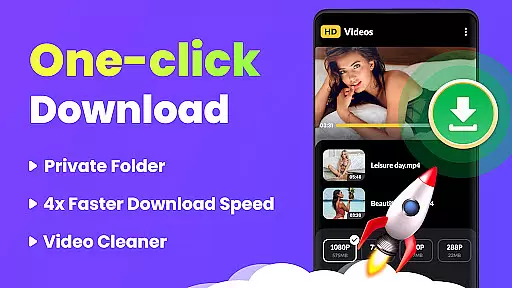
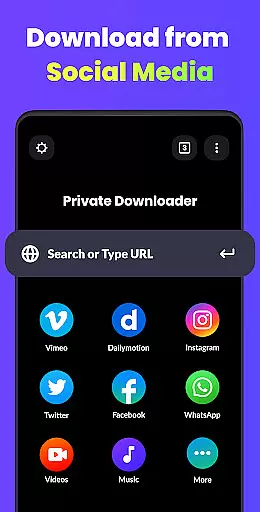

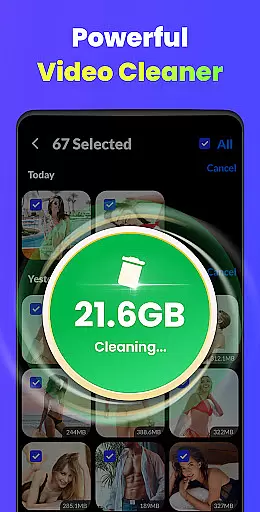
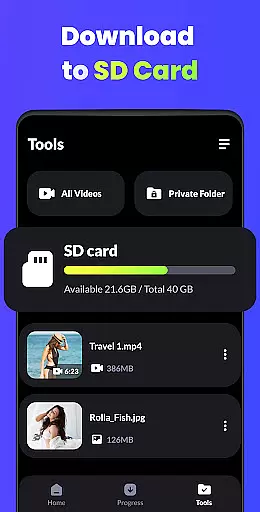
Video Downloader - HD & Easy is a versatile video downloading and playback solution designed for Android users who need to manage, store, and watch high-quality videos. This app supports all popular video formats including MKV, MP4, M4V, MOV, 3GP, FLV, F4V, and WEBM, ensuring compatibility with virtually any video file you encounter.
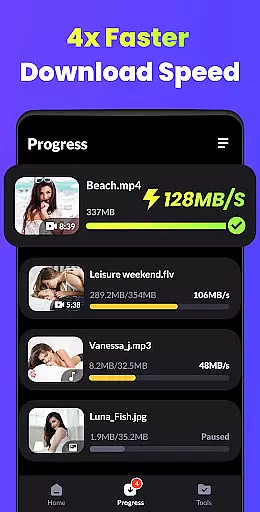
One of the standout features of this app is its ability to download videos at lightning speed while maintaining exceptional quality. Whether you're streaming HD, UHD, 4K, or 1080P content, Video Downloader ensures smooth playback without stuttering. Additionally, it offers advanced functionalities such as multi-thread downloads, background downloads, and private folder protection for enhanced security.
This app is ideal for users who want an all-in-one tool for downloading, storing, and enjoying videos seamlessly on their Android devices. With intuitive gesture controls, A-B repeat modes, and sleep timer settings, it provides both convenience and customization for an unparalleled viewing experience.
Video Downloader - HD & Easy stands out due to its comprehensive feature set tailored for modern video consumption needs. The app's multi-thread download capability allows users to download multiple videos simultaneously, drastically reducing wait times. Furthermore, its support for background downloads ensures that users can continue using their devices for other tasks without interrupting the download process.
Another key highlight is the app's robust security options. Users can hide private videos in password-protected folders, ensuring that sensitive content remains confidential. The built-in video player supports high-definition formats up to 4K resolution and includes advanced playback features like A-B repeat, looping mode, and smart gesture controls for seamless navigation.
Additional conveniences include screen lock functionality to prevent accidental touches during video playback, automatic detection of local video files, and a sleep timer for uninterrupted viewing sessions. These features collectively make Video Downloader - HD & Easy a powerful tool for managing and enjoying digital media on Android devices.
Video Downloader - HD & Easy stands out for its exceptional video format compatibility, ensuring users can download and play videos in virtually any format they encounter. This includes popular formats such as MKV, MP4, M4V, MOV, 3GP, FLV, F4V, and WEBM.
The importance of this feature cannot be overstated, as it allows users to enjoy a seamless entertainment experience without worrying about format incompatibility issues. Whether you're downloading high-definition movies or short clips, the app ensures that all content is accessible.
This application achieves comprehensive format support through advanced decoding technologies and regular updates, maintaining its edge in the rapidly evolving world of digital video formats.
Users benefit from having a versatile tool that eliminates the need for multiple specialized players or converters, saving both time and device storage space while enjoying an uninterrupted viewing experience across different types of media files.
Beyond just playing and downloading, Video Downloader - HD & Easy incorporates AI-powered editing features that elevate the user's interaction with their video content. These smart tools allow for intuitive video manipulation, including A-B repeat modes, looping, and gesture controls that make navigation and customization effortless.
The significance of integrating artificial intelligence into video editing cannot be understated. It streamlines the editing process by automating complex tasks and providing intelligent suggestions, thus catering to both amateur enthusiasts and professional creators looking to enhance their projects efficiently.
By leveraging sophisticated algorithms, the app delivers precise editing capabilities such as automatic detection of local video files and smart organization of content, which simplifies management and accessibility.
Ultimately, these AI-driven functionalities empower users to take full control over their multimedia library with minimal effort, enhancing productivity while fostering creativity without requiring extensive technical knowledge or additional software investments.
Fast download speeds
HD video playback
Multi-thread downloads
Password-protected folders
Intuitive gesture controls
Limited iOS support
Ads in free version
Occasional bugs
No cloud integration
Heavy on storage

HD Video player all format, HD Videos, Cast & Subtitle. No annoying ads.
 4.60
4.60
?100% FREE! Download & save videos? safely in this app. All formats supported.
4.60
Video Trimmer, Video to MP3 Converter. Extract music from video, Easy & Fast.
4.80
Watch a large amount of high-definition short drama content
4.60
AI Video Editor:AI Music, Text to Video,Text to Speech,Auto Caption,Video Effect
4.00
Connect EasyCap or UVC devices for recording and broadcast video/audio stream
3.60
Browser for Samsung TV to stream webvideos, online movies and livestreams in HD
4.10
Browser for Fire TV to stream webvideos, online movies, livestreams in HD
4.40
Fast & Private HD Video Downloader with Built-in Proxy Browser and Video Player.
4.50
Play ALL formats in 4K & HD. Video downloader, MP3 player, Chromecast & more.
4.80
Pro video editor app for Instagram, edit video with song, AI, effect & slowmo.
4.80
Flud is a simple and beautiful BitTorrent client for Android.
4.80
#1 Torrent App on Android ** No Ads Ever + Battery Saver **
4.80
Video Player - Unlimited features, 30 days money back guarantee.
4.60
Video player with 4K & 1080P support, popup play, background play and subtitle.
4.20
Stream Web Videos to Chromecast, Samsung, LG, Sony, Roku, Fire TV, DLNA + more
4.00
Live TV, anywhere in your home
3.80
Save photos and videos from social apps in one tap.
3.60
The essential companion to your Blue Iris PC software
2.50


User Reviews