




YouTube is the world's leading video-sharing platform, offering a vast array of content across multiple categories. The app allows users to watch, create, and share videos on Android devices. With personalized recommendations, users can easily discover new content tailored to their interests. Subscribers can follow their favorite channels, access saved playlists, and enjoy seamless viewing across devices.
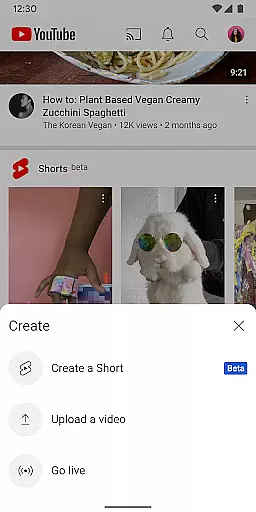
The platform also supports community engagement through features like live streaming, comments, and channel memberships. YouTube provides tools for creators to produce high-quality content directly from mobile devices. With additional options like YouTube Premium, users can enjoy an ad-free experience with offline viewing capabilities. This makes YouTube suitable for both casual viewers and dedicated content creators.
YouTube offers an extensive range of features that enhance user experience. The Home section provides personalized video recommendations based on viewing history and preferences. The Subscriptions tab keeps users updated with the latest content from their favorite channels. The Library feature maintains a record of watched videos, liked content, and saved playlists for easy access.
Advanced features include Explore, which showcases trending topics and rising creators in various fields. The app supports real-time interaction through live streaming, comments, and community posts. Creators can utilize built-in tools to produce professional-quality videos. Additional premium features like background play, offline downloads, and ad-free viewing provide enhanced functionality for subscribers who want uninterrupted access to content.
Video format compatibility is a crucial feature for any video player, ensuring that users can enjoy content in various formats without technical barriers. YouTube excels in this area by supporting an extensive range of video formats, from common ones like MP4 and AVI to more specialized codecs.
The app's robust compatibility allows creators to upload videos without worrying about format restrictions, while viewers can stream content seamlessly across different devices. This versatility ensures that whether you're watching on a smartphone, tablet, or smart TV, the video quality remains consistently high.
For users, this means fewer interruptions due to unsupported files and a more inclusive platform where diverse content types are welcome. The ability to handle multiple formats also future-proofs the application as new video technologies emerge.
AI-powered editing features represent a significant advancement in video production, enabling both novice and experienced creators to enhance their content with minimal effort. YouTube incorporates several AI-driven tools that simplify the editing process while delivering professional-quality results.
These features include automatic caption generation, intelligent video trimming suggestions, and enhanced audio processing capabilities. The platform's machine learning algorithms analyze video content to recommend optimal cuts and transitions, saving creators valuable time during post-production.
For users, these AI-powered tools lower the barrier to entry for video creation while maintaining high production standards. The result is a more efficient workflow that empowers creators to focus on their message rather than technical details, ultimately leading to better content for viewers.
User-friendly interface
Extensive content library
Personalized recommendations
Offline viewing options
Live streaming support
High data consumption
Limited free features
Ads in free version
Regional restrictions
Complex monetization

Tik & Story Saver-Download ALL social media videos, photos & reels no watermark.
 4.80
4.80
Stream high quality video from your camera over NDI protocol
4.2
All in one HD video downloader & player for multiple formats with full privacy
4.70
IPTV Player - Watch live TV from m3m & m3u8 playlist, stream IPTV on mobile
3.30
Fast & Private Video Downloader App. Save all videos easily from the Internet.
4.40
Video Downloader, Multiple Resolution Options, Video Player
4.50
Download videos and play them offline
4.70
Connect EasyCap or UVC devices for recording and broadcast video/audio stream
3.60
Powerful video player with advanced hardware acceleration and subtitle supports
4.20
#1 Torrent App on Android ** No Ads Ever + Battery Saver **
4.80
Snaptubè Video Downloader app allows to download videos and music in Snaptube. .
4.60
Search & download videos from net with all video downloader, auto-detect & safe.
4.60
Support 1000+ Video Format, Subtitle Download, mp3 & Background Play, Cast On TV
4.60
Photo and Music Video Creator into Stunning Videos—Effortlessly
4.40
Viddo: Generate Action Figure, AI Anime, AI kiss, AI hug Video from image & text
4.40
Video player with 4K & 1080P support, popup play, background play and subtitle.
4.20
Powerful, professional, versatile teleprompter. Developed by an active film crew
4.00
Kodi media center, a free and open source cross-platform entertainment hub
3.60
Download videos easily & play them all in one smart, powerful video manager.
3.40


User Reviews