
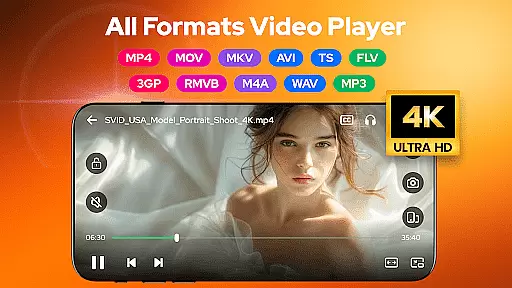
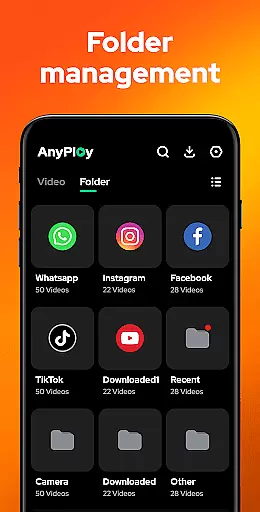
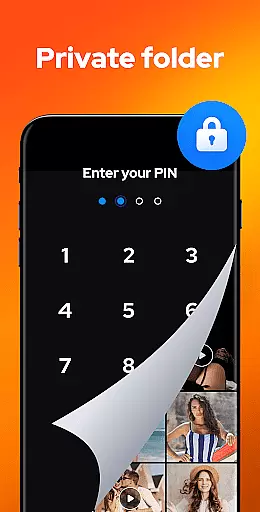

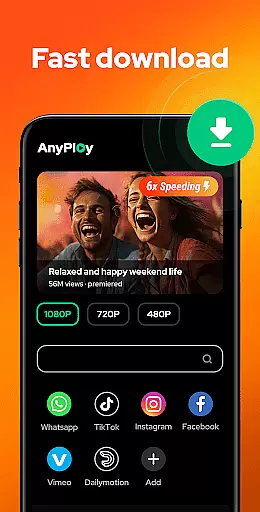
Video Player - AnyPlay is a versatile media solution for Android users, combining an all-in-one video player, file manager, and video downloader. This app supports videos in all formats, ensuring smooth HD playback with advanced features like customizable subtitles, gesture control, and pop-up playback. The integrated file manager automatically detects and organizes media files on your device, while the private folder option helps protect your privacy by hiding sensitive videos. Additionally, its built-in browser allows direct downloading of HD videos from websites and social media platforms.
The app's comprehensive functionality extends to music playback as well, supporting various audio formats such as MP3 and M4A. With features like equalizer settings, reverb effects, and multiple looping modes, users can enjoy an immersive audio experience. Whether you're managing your media library, streaming content, or downloading videos for offline viewing, Video Player - AnyPlay provides a complete package for all your multimedia needs.
Ideal for users who require a powerful yet lightweight media tool, this app is particularly useful for those who frequently handle different file formats and need a reliable player that works seamlessly across devices. By consolidating video playback, file management, and downloading capabilities into one application, Video Player - AnyPlay offers significant convenience and efficiency for Android users.
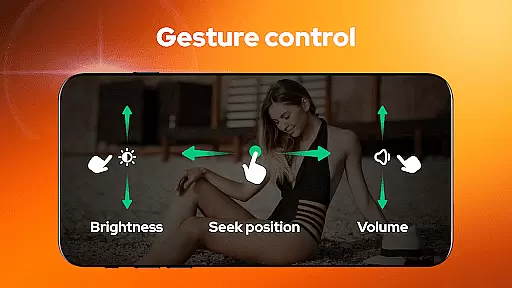
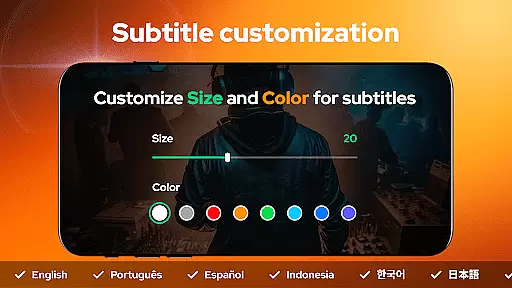
Video Player - AnyPlay stands out with its extensive feature set designed to enhance media consumption. The app's HD video player supports all popular formats including MKV, MP4, AVI, and more. It includes advanced playback options such as subtitle customization, where users can import local files or download online subtitles, adjusting their appearance to personal preferences. The smart gesture controls allow intuitive navigation through brightness, volume, and playback adjustments, while the pop-up play feature enables multitasking by playing videos in floating windows.
Beyond video playback, the app functions as a powerful file manager, automatically detecting and organizing media files across phone storage and SD cards. Users can sort files by various criteria and hide sensitive content in private folders. The built-in HD video downloader provides a seamless way to save online content, with resolution options ranging from 360P to 1080P. For music enthusiasts, the HQ music player offers playlist creation, different looping modes, and audio effects through its equalizer and reverb settings.
These features collectively create a comprehensive media management system that caters to diverse user needs. From basic playback to advanced file handling and downloading capabilities, Video Player - AnyPlay ensures users have complete control over their media experience while maintaining high-quality performance across all functions.
Video Player - AnyPlay stands out with its exceptional video format compatibility, ensuring users can enjoy all types of video files without any hassle. The app supports an extensive range of formats including MKV, MP4, M4V, AVI, MOV, 3GP, FLV, WMV, RMVB, and TS.
This comprehensive support is powered by both hardware and software decoders, providing smooth playback regardless of the video's complexity or size. Users can easily switch between decoder options to optimize their viewing experience based on device performance.
The inclusion of customizable subtitles enhances accessibility, allowing users to import local subtitle files or download them online for free. Subtitles can be personalized in terms of color and size, catering to individual preferences and improving overall usability.
With its robust file management system, AnyPlay automatically detects and organizes media files across phone storage and SD cards. This feature ensures that users can quickly locate and play their desired videos, making it an indispensable tool for managing diverse media libraries.
AnyPlay incorporates advanced AI-powered editing features that elevate the video viewing experience beyond basic playback. The built-in equalizer and reverb effects create an immersive audio environment, enhancing sound quality to match professional standards.
Gesture controls represent another innovative aspect of this application. Users can effortlessly fast forward or rewind videos, adjust brightness and volume through simple swipe motions. These intuitive controls make navigation seamless and user-friendly.
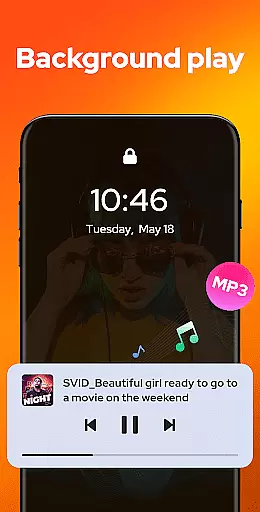
For multitaskers, pop-up playback allows videos to continue playing in a floating window while using other apps. Background play extends this convenience further by enabling audio continuation even when the screen is off or while browsing other applications.
Additionally, privacy-conscious users will appreciate the one-click option to hide videos in a private folder. This feature not only protects sensitive content but also maintains a clutter-free main library interface, demonstrating how AI-driven functionalities enhance both security and organization within the app.
User-friendly interface
Wide format compatibility
Advanced playback controls
Integrated file management
HD video downloading
May contain ads
Some features require premium
Occasional bugs reported
Interface could be outdated
Large app size

A Quick and Pro Video Editor
 4.70
4.70
Snaptubè Video Downloader app allows to download videos and music in Snaptube. .
4.60
Pro video editor app for Instagram, edit video with song, AI, effect & slowmo.
4.80
Cast to Smart TV, Fire TV. Cast video, photo - Fast & Stable!
3.90
Download videos and play them offline
4.70
LumaFusion: The Ultimate Storytelling Experience for Video Editing
4.10
Web Browser for LG TV to stream webvideos, online movies and livestreams in HD
4.20
A Simple app to download Video & Music from the Internet.
4.70
Create, Publish & Maximize
4.70
Tik & Story Saver-Download ALL social media videos, photos & reels no watermark.
4.80
Cast Videos from Web Browser, IPTV to Roku, Chromecast, DLNA, Smart TV +more
4.60
Search & download videos from net with all video downloader, auto-detect & safe.
4.60
Browser + Remote for Roku to stream webvideos, online movies and livestreams
4.60
KMPlayer Plus (Divx Codec) officially support Divx codec.
4.30
Browser for Samsung TV to stream webvideos, online movies and livestreams in HD
4.10
Connect 2 UVC devices for recording and broadcast video/audio stream
3.90
Watch full episodes of your favorite Cartoon Network and Cartoonito shows!
3.50
Download videos easily & play them all in one smart, powerful video manager.
3.40
IPTV Player - Watch live TV from m3m & m3u8 playlist, stream IPTV on mobile
3.30


User Reviews