
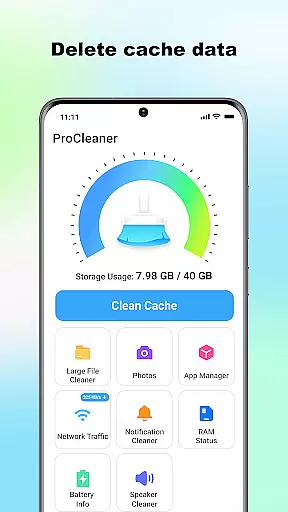
ProCleaner is a comprehensive device optimization tool designed to help users efficiently manage their smartphone storage. The app's core functionality revolves around scanning and cleaning various types of unnecessary files, including cache, residual, and junk files that accumulate over time.
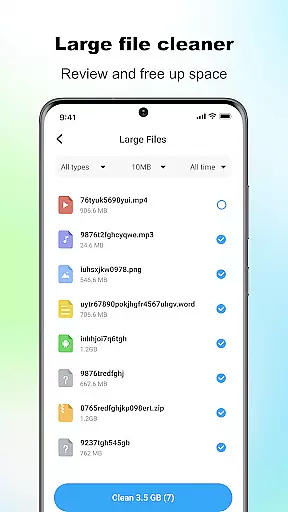
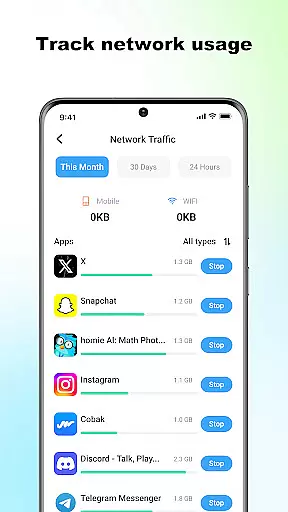
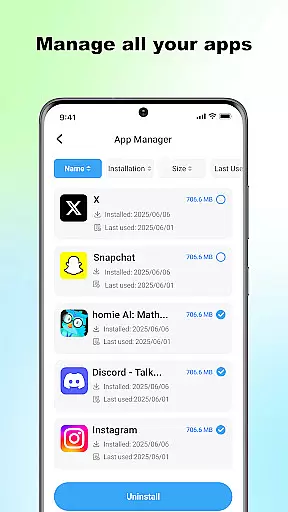
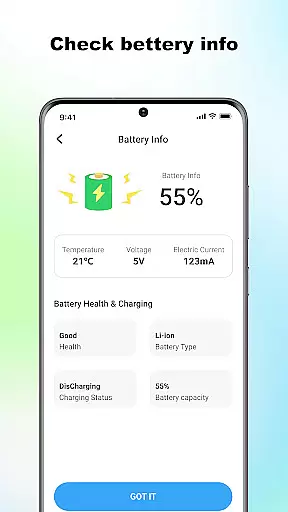
Beyond basic cleaning capabilities, ProCleaner offers advanced features for managing large files and uninstalling multiple applications simultaneously. Users can also monitor network speed and check battery status, providing a complete solution for device maintenance and performance optimization.
This application is particularly useful for individuals who frequently encounter storage issues or want to maintain optimal device performance. By providing both basic and advanced tools for storage management, ProCleaner delivers significant value to users looking to keep their devices running smoothly.
ProCleaner distinguishes itself through its comprehensive suite of device management features. The application's primary strength lies in its robust file scanning and cleaning capabilities, which can identify and remove various types of unnecessary files, including cache, residual, and junk files.
The app's advanced features include a powerful large file manager that helps users identify and remove space-consuming files. Its multi-application uninstallation function allows for efficient removal of unwanted apps. Additionally, the integrated network speed monitor and battery status checker provide valuable insights into device performance.
What sets ProCleaner apart is its commitment to user privacy and security. All operations are performed locally on the device, with no personal data being collected or uploaded. This approach, combined with its technical requirement of storage access for effective file management, demonstrates the app's dedication to both functionality and user protection.
ProCleaner excels in delivering accurate and effective core functions that ensure optimal device performance. The app meticulously scans and cleans cache files, residual data, and junk files, which are common culprits of storage bloat.
In addition to basic cleaning, the app provides advanced features such as large file management and bulk uninstallation of applications. These tools allow users to take full control of their device's storage space with precision and ease.
The network speed monitoring and battery status checking further enhance its utility by providing real-time insights into critical aspects of device health. This comprehensive approach ensures that all essential maintenance tasks are performed reliably.
By focusing on both fundamental and advanced functionalities, ProCleaner empowers users to maintain a clutter-free and high-performing device without compromising on accuracy or efficiency.
A simple and intuitive interface is crucial for ensuring a seamless user experience, and ProCleaner delivers precisely that. The layout is thoughtfully designed to guide users through various cleaning and optimization tasks effortlessly.
Each feature, from cache cleaning to application management, is easily accessible and straightforward to use. Clear labels and logical grouping of functions eliminate any learning curve, making it ideal for users of all technical backgrounds.
Moreover, the app minimizes unnecessary distractions, presenting only the most relevant options at each step. This streamlined approach not only enhances usability but also significantly reduces the time required to perform essential maintenance tasks.
With its focus on clarity and ease of navigation, ProCleaner ensures that users can quickly and efficiently manage their device's performance without any confusion or complexity.
Comprehensive cleaning tools
Local data processing
Multi-app uninstallation
Network speed monitoring
Battery status checking
Requires storage access
Needs app usage permission
Limited to local operations
No cloud backup option
Basic interface design

pdf merge, word to pdf, jpg to pdf, edit pdf, convert to pdf and much more!
 4.20
4.20
A powerful, easy-to-use flight computer on your phone or tablet!
3.80
Just swipe the edge to do something!
4.40
Quickly & easily calculate the spacing of handrail balusters
4.20
Amateur Radio app for APRS: Track friends, exchange messages, get tactical info.
3.90
The Ultimate Bluetooth Keyboard & Mouse. Securely control your PC, Mac, and more
4.50
Mirror your screen to Fire TV - Super fast and simple
4.40
Creation, Learning, Entertainment & More — The All-in-One AI Search Engine
4.70
Your personal health butler
3.60
Change your GPS location instantly. Simulate routes anywhere in the world.
4.90
The Ultimate Flex Drivers Utility App - Convenient Tapping & Block Filters
4.70
Keep track of your Palia friendships, tasks, and inventory with Palia Notebook
4.60 4.50
4.50
Head tracking for PC sim games such as MSFS 2024 or Elite:Dangerous. No headset!
4.50
Screen Mirroring with sound for Samsung TV, LG TV, Sony TV, Smart TV and Browser
4.20
Smart and comfortable browsing experience.
3.80
Safely recover deleted photos, videos, and files with a single easy tap.
3.70
This app unlocks the Pro features of the Central for DayZ app
3.60
Clean the junk files on your device
3.40


User Reviews