
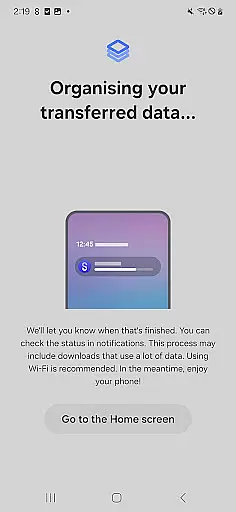
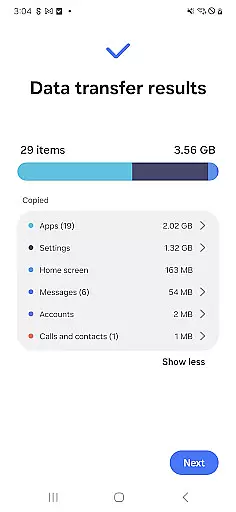
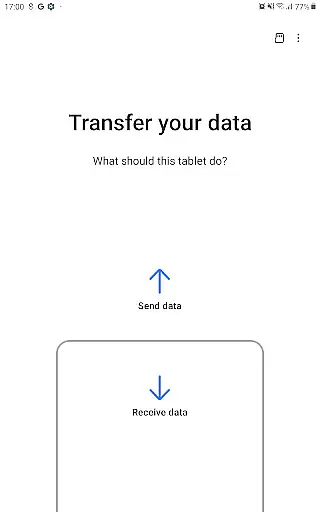

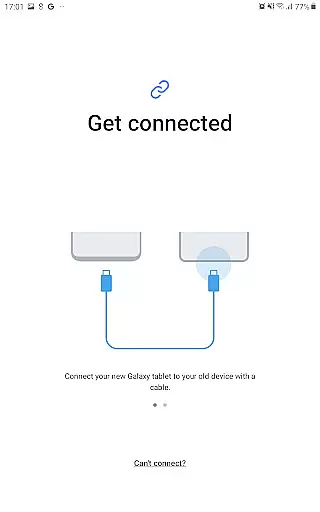
Samsung Smart Switch Mobile is a powerful migration tool designed to help users seamlessly transfer data from their old devices to new Galaxy smartphones. The app supports the transfer of contacts, messages, photos, music, videos, calendar entries, and even device settings. It also provides helpful suggestions for alternative apps on Google Play™ when moving from iOS or other Android devices.
This application is particularly useful for users upgrading within the Samsung ecosystem, as it maintains app data and home screen layouts when moving between Galaxy devices. With support for both wired and wireless transfers, and compatibility with a wide range of devices including iPhones and various Android brands, Smart Switch ensures a smooth transition regardless of your previous device.
Whether you're switching from an older Galaxy phone or coming from another manufacturer's device, this tool streamlines the process while maintaining data integrity. The app requires minimal storage space (500MB free) and works best with newer operating system versions, making it an essential utility for anyone acquiring a new Samsung device.
The application's standout feature is its comprehensive data transfer capabilities that cover almost all essential user information. For iOS users, Smart Switch offers multiple migration methods including direct wired transfer using the original iPhone cable and iCloud import options. Android users benefit from direct device-to-device transfer, supporting most major manufacturers including HTC, LG, Sony, and Huawei.
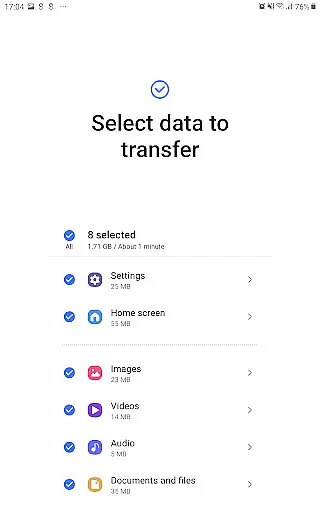
Advanced functionality includes the ability to transfer not just basic data but also more complex elements like call logs, alarms, Wi-Fi settings, and documents. The app particularly shines when used between Galaxy devices, where it can preserve app data and even home screen layouts. Version M OS or higher enables sending app data and home layouts directly to newer Galaxy models.
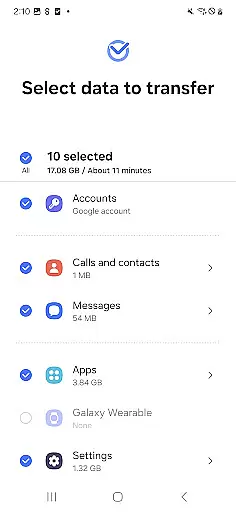
Smart Switch incorporates several technical safeguards to ensure successful transfers. It automatically checks for sufficient storage space and provides troubleshooting tips for common connection issues. The app requests only necessary permissions, allowing access to contacts, calendar, SMS, and storage based on the specific data being transferred. This granular permission system helps maintain user privacy while enabling efficient data migration.
Smart Switch Mobile exemplifies core function accuracy by ensuring seamless data migration across devices. The app supports a comprehensive range of content types including contacts, calendar entries, messages, and media files, all transferred with precision.
The effectiveness of Smart Switch is demonstrated through its broad compatibility. It works not only with various Galaxy devices but also with other Android brands and even iOS devices. This versatility ensures users can migrate from any platform to their new Galaxy device without data loss or corruption.
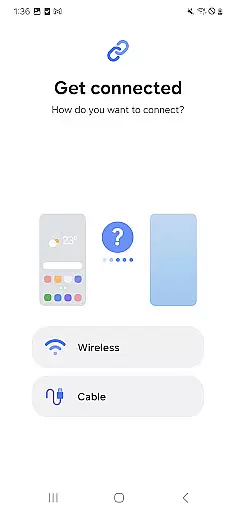
For optimal performance, the app requires minimal free space on devices and offers multiple transfer methods such as wireless connections and wired transfers. These options provide flexibility while maintaining transfer integrity.
Users benefit from the app's ability to suggest similar apps on Google Play when exact matches aren't available. This feature helps maintain workflow continuity and ensures a smooth transition to the new device environment.
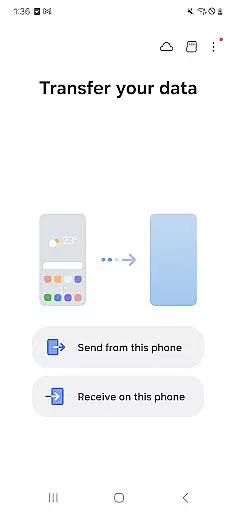
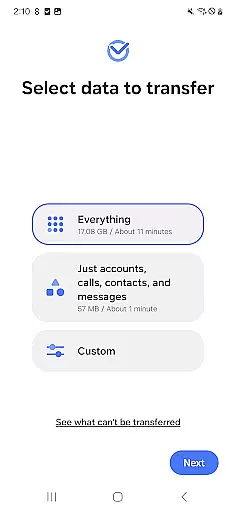
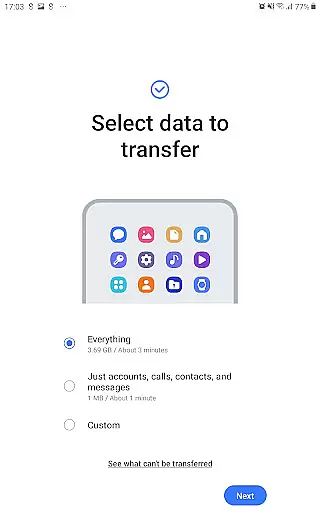
The interface design of Smart Switch Mobile prioritizes simplicity and intuitive navigation. Upon launching the app, users are greeted with clear options for different transfer scenarios, making it easy to select the appropriate migration path.
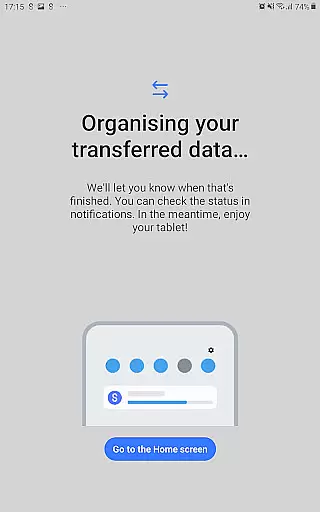
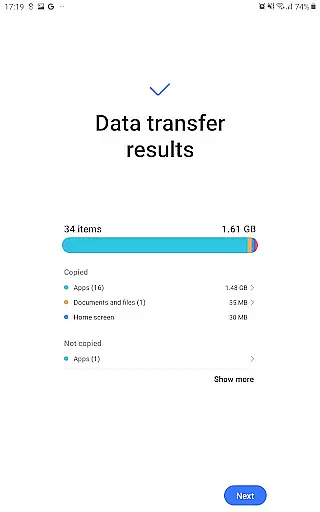
Each step of the transfer process is accompanied by straightforward instructions and visual indicators. This guidance system helps users understand the progress of their data migration without requiring technical expertise.
Smart Switch incorporates intelligent features like automatic device detection and QR code scanning for establishing connections. These elements streamline the setup process and eliminate complex manual configurations.
The app's permission management is handled through a clear and organized system. Users can easily understand why each permission is necessary, enhancing trust and confidence in the data transfer process.
User-friendly interface
Wide device compatibility
Comprehensive data coverage
Multiple transfer options
Preserves app layouts
DRM content limitations
iCloud restrictions
Storage requirements
OS version constraints
Occasional connectivity issues

Extremely fast, secure, and protects your privacy
 4.80
4.80
Learn the vast amount of system information about device and monitor it's state
4.70
HD Video player and downloader for all formats, fast & smooth 4K video playback.
4.60
App that Recover your pictures, videos or files after you delete them.
4.20
Amateur Radio app for APRS: Track friends, exchange messages, get tactical info.
3.90
Best leveling tool for your Android device. Hang paintings like a pro.
4.90
Mirror your screen to Fire TV - Super fast and simple
4.40
Play your X-Box games remotely in 1080p with any controller and zero latency
4.60
A clean app.
4.50
Screen Mirroring for Roku Sticks, Roku TCL TV and Roku Hisense TV
4.50
Just swipe the edge to do something!
4.40
Use your phone as a webcam on your computer over WiFi or USB.
4.40
Quickly check the frequency of the Earth
4.30
Carry a FTP server in your pocket and avoid USB cables for file transfer
4.20
A convenient photo, video, and file recovery tool.
4.00
Introducing Smart Printer, your ultimate destination for printing solutions!
4.00
Safely recover deleted photos, videos, and files with a single easy tap.
3.70
Clean the junk files on your device
3.40
A non-root local ADB shell client. READ BELOW!
3.40


User Reviews