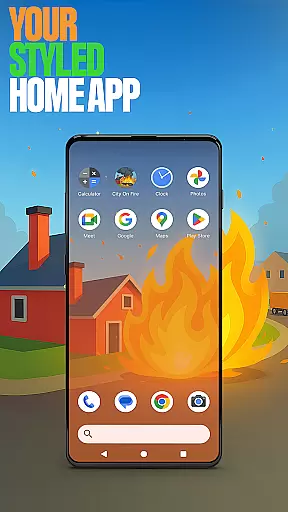


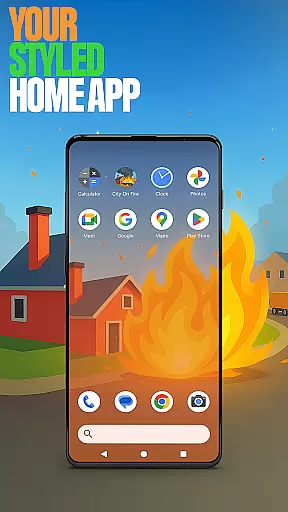




City On Fire Home App is a dynamic personalization tool that allows users to create a home screen reflecting their unique style. This launcher offers full control over layout customization, app organization into folders, and personalized color schemes. Its sleek design brings freshness to everyday mobile interactions while providing practical utility.
The app also integrates gaming elements through its connection with City On Fire, where players can engage in fast-paced destructive fun as a living flame setting the world alight. Users can toggle between this innovative launcher and their previous one at any time via default settings.
Whether for productivity or entertainment, City On Fire Home App enhances user experience by combining functional personalization features with an exciting game concept, making it versatile for both casual and power users.
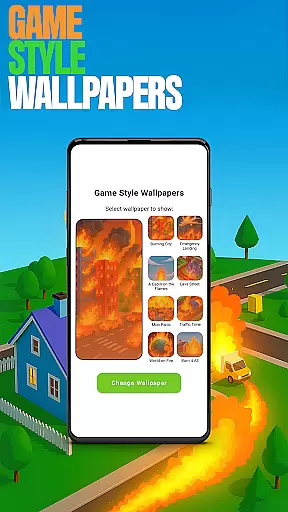
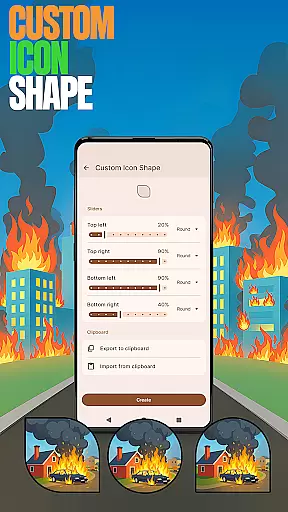
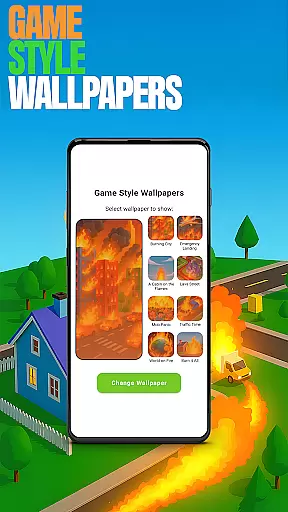
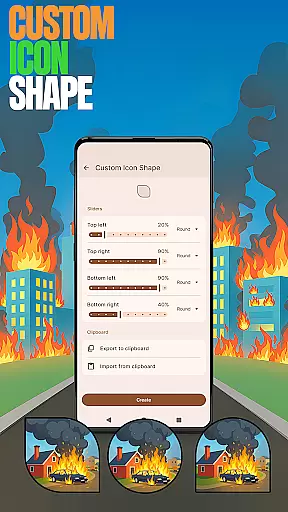
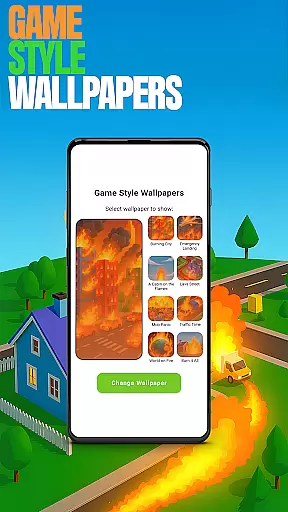
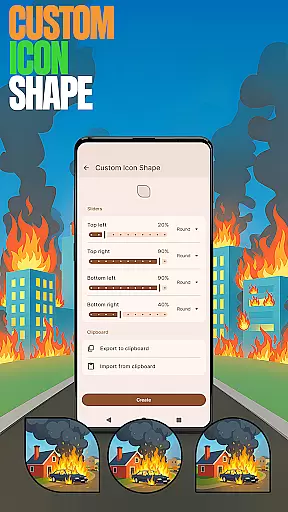
City On Fire Home App stands out with its robust feature set tailored for maximum personalization. Key highlights include Game Style Wallpapers inspired by the thrilling City On Fire game, which add a unique aesthetic to your device. The Custom Icon Shape feature lets you personalize app icons, ensuring your home screen matches your individual taste.
For added convenience, Custom Gestures allow quick access to apps or settings through intuitive swipes or taps. Privacy-conscious users will appreciate the Hide Apps functionality, enabling discreet management of private applications. Additionally, Accent Color customization empowers users to define their device's visual theme using presets or custom palettes.
These features collectively enhance usability and aesthetics, offering a seamless blend of creativity and practicality that elevates the overall mobile experience.
Customization is at the heart of City On Fire Home App, offering users a wide array of personalization options to truly make their device their own. With features like Custom Icon Shape and Accent Color settings, users can modify the visual aesthetics of their home screen to match their personal style.
The app allows for unique wallpapers inspired by the City On Fire game, adding an extra layer of personal touch. Users are not just limited to static changes; they have the freedom to organize apps into folders and set up custom gestures for more intuitive navigation.
This level of customization empowers users to streamline their daily interactions with their device, ensuring that their most-used apps and settings are only a swipe or tap away. The ability to hide apps adds a layer of privacy, giving users peace of mind.
City On Fire Home App excels in theme compatibility, providing seamless integration with various design elements across the platform. Whether it's through custom icon shapes or personalized color schemes, the app ensures that all visual modifications coexist harmoniously.
Users can pick from preset themes or create their own, knowing that the app's design adapts fluidly to these changes. This flexibility extends to functional aspects as well, such as gesture controls that work consistently regardless of the chosen aesthetic.
The cohesive theming experience enhances user engagement by allowing a tailored interface that feels natural and intuitive. As users switch back to their previous launcher, they can do so with the assurance that their personalized settings will remain unaffected until their return.
Highly customizable
Unique game integration
User-friendly interface
Privacy-focused options
Vibrant design choices
May overwhelm new users
Limited stock features
Game ads may intrude
Occasional performance lag
Not ideal for simplicity seekers

A light in the dark, a unique style and an andless cutomization!
 4.30
4.30
Ultra realistic gold analog watch face with lots of customization options.
4.50
Transform your phone with Launcher iOS 26 - Smooth & elegant iOS experience
4.50
Turn your lock screen into fun with smile live wallpapers & animated wallpapers!
2.50
Icons made of colorful linear lines
4.60
300+ widgets inspired by Material You and Material 3 expressive design.
4.60
Enjoy a variety of amazing live wallpapers and colorful EDGE lighting borders!
4.80
Customize phone with anime themes, 3D icons, aesthetic widgets & wallpapers
4.80
Fast SMS & group chat - use GIFs and emojis from your home screen launcher.
4.50
Only for Wear OS devices!
4.90
One 8 icons glass color version
4.80
Shimeji adds cute animated characters to your screen, lively and fun.
4.70
A minimalist productivity launcher. One-hand-friendly. Zero ads.
4.70
Bring adorable pets to life on your screen. Playful, interactive and full of fun
4.60
Over 28,000 high quality icons to bring color & homogeneity to your phone.
4.60
The definitive Icon pack maker and editor
4.30
Wear Os Watch Face - Seasonal - Animated Snow Effect - 9 Animals
4.20
Transfer your live wallpapers from Windows to Android using Wallpaper Engine!
4.00
Adorable pets roam and play right on your phone screen!
3.30


User Reviews