
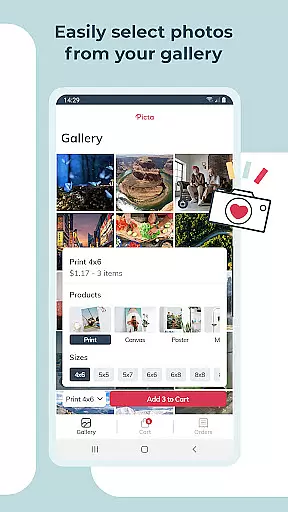
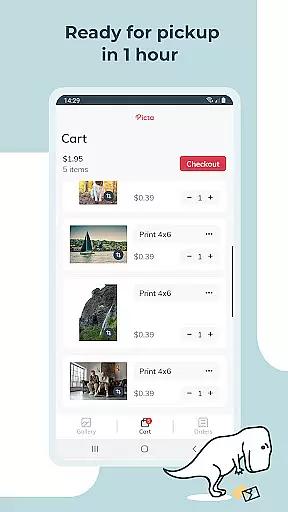
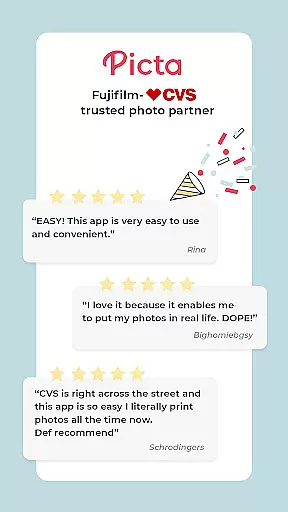
Picta x CVS Photo Print is a mobile application designed to simplify the process of photo printing. This app allows users to effortlessly print their mobile photos at CVS stores, offering a variety of print sizes including 4x6, 5x7, and square prints. With its user-friendly interface, customers can easily select their preferred print size, crop and zoom pictures, and choose a nearby CVS store for same-day pickup.
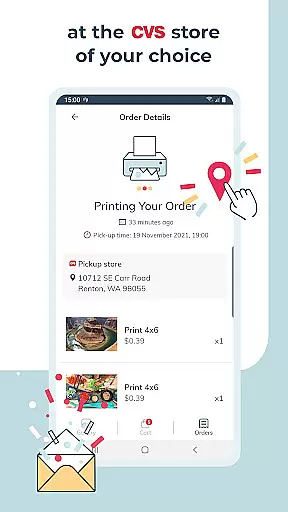
The app stands out with features like real-time order tracking, professional-quality photo printing on glossy paper, and personalized photo gifts such as magnets and greeting cards. It also provides a gallery that organizes photos by date taken and ensures fast and secure photo transfers. Picta x CVS Photo Print is exclusively manufactured in the United States, ensuring high-quality standards.
Whether you're looking to print everyday snapshots or create memorable gifts, this app caters to all your photography needs while saving time and enhancing convenience.
Picta x CVS Photo Print offers an array of distinctive features tailored for photography enthusiasts. One of its key functionalities is the ability to order prints directly from your phone, allowing users to select from multiple print sizes such as 4x6, 5x7, and even square formats which are perfect for Instagram photos. The app also supports custom products like magnets and greeting cards, adding a personal touch to your memories.
Another notable feature is the enhanced CVS store locator, which helps users find the nearest store for quick photo pickups, often within an hour. The app's intuitive design includes easy cropping and zooming options, along with a gallery that organizes photos by the date they were taken. Furthermore, it assures safe and fast photo transfers, making it one of the best apps available for photo printing services in the US market today.
By focusing on quality and speed, Picta x CVS Photo Print ensures that users receive professionally printed photos on glossy paper, delivering both convenience and superior product standards.
Real-time capture and preview functionality is essential for ensuring that users can accurately select and edit their photos before printing. Picta x CVS Photo Print offers a seamless experience by allowing users to choose their preferred photos directly from their mobile gallery.
The app provides instant previews of selected images, enabling users to crop and zoom each picture easily within the app. This feature ensures that every photo meets the user's expectations in terms of composition and quality before it is sent for printing.
By integrating real-time capture and preview, the app enhances user satisfaction by reducing the likelihood of receiving unsatisfactory prints. Users can confidently make adjustments and see the results immediately, streamlining the entire photo printing process.
AI beauty and enhancement features are designed to improve the visual appeal of photos without compromising their natural look. Picta x CVS Photo Print leverages advanced AI algorithms to offer users the ability to enhance their images while maintaining authenticity.
The app allows users to apply various enhancements such as color correction, brightness adjustment, and sharpness improvements. These AI-driven tools ensure that every photo print reflects the highest quality and most vibrant colors possible.
With a focus on naturalness, the AI enhancements provide subtle yet effective improvements that elevate the overall appearance of printed photos. This ensures that cherished memories captured in photos retain their genuine essence, offering users professional-quality prints every time.
User-friendly interface
Fast same-day pickup
Multiple print sizes
Real-time order tracking
High-quality photo prints
Limited to CVS stores
No direct payment option
Requires physical pickup
Occasional delays
Geographic restrictions

AI portrait generator and polaroid AI selfie, fun AI generated AI photo creator!
 4.30
4.30
Cut and paste photo editor & eraser to customize photos easy and swap faces fun
4.50
Create & Edit with AI: AI Remove, Enhance, Retouch, Filter
4.10
Perfect body tune & face app - photo retouch, makeup, slim body & beautify face.
4.80
Create AI Photos, Improve and restore quality of blurry, old or damaged pics.
4.20
Photo editor & gallery. Crop pictures & edit photos offline, no wifi!
4.50
A reflected light meter with spot metering and incident light metering.
4.40
Easily create custom gifts, cards, photo books & more on the Shutterfly app!
4.60
Unlock the full potential of your DJI drone with Litchi
4.50
AI Photo Editor with 100+ Filters, Effects! Remove BG, Retouch & Photo Enhancer.
4.80
Your personal guide to the sun and moon. Plan ahead, visualize and predict!
4.70
Create Business Headshots, Polaroid Filter, Retake Photos,Profile Pics,AI Photos
4.50
Transform photos into videos! Create realistic or anime-style images easily!
4.50
Photo Exif Editor allows to view, add and modify EXIF data of multiple photos
4.50
Smart, light, and fast photo and video gallery
4.30
What celebrity do you look like? Celebs will find your celebrity match!
4.10
Photobooth mini FULL app will allow you to add more fun to your parties
4.00
Hair color changer, AI haircut app, fun hair editor and buzz cut filter for all!
3.80
GCamera allows all GCam features on all phone models! Better photos with GCamera
3.30


User Reviews