
QR & Barcode Scanner Launcher is a powerful tool designed to simplify your scanning needs. This app allows users to effortlessly scan any QR code or barcode with just a swipe from the home screen, making it an essential utility for both personal and professional use. The app's intuitive interface ensures quick access to URLs, product details, and other encoded information.
Beyond basic scanning capabilities, this app offers advanced features such as scan history, auto-copy to clipboard, and customizable notification preferences. Whether you're accessing Wi-Fi credentials, event invitations, or product information, the app provides a seamless experience. Its launcher functionality also enhances productivity by offering one-swipe access, home screen widgets, and multiple search touchpoints powered by Yahoo.
The app's value extends beyond its core functionality through personalized wallpapers and convenient shortcuts. Users can enjoy a customized home screen experience while benefiting from accurate and instant scanning. With its comprehensive feature set, QR & Barcode Scanner Launcher stands out as a versatile tool that combines efficiency with user-centric design.
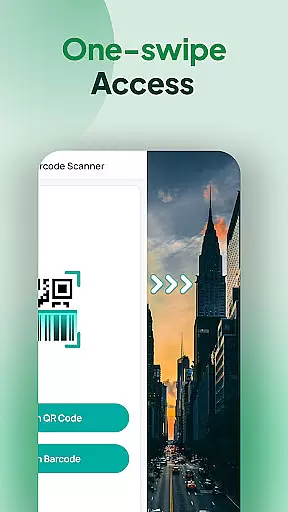
QR & Barcode Scanner Launcher distinguishes itself through a rich set of features tailored for efficiency and convenience. One of its standout capabilities is the one-swipe access function, which lets users instantly scan codes without navigating through multiple screens. This feature is complemented by a home screen widget that displays essential information like time and weather, keeping users informed at a glance.
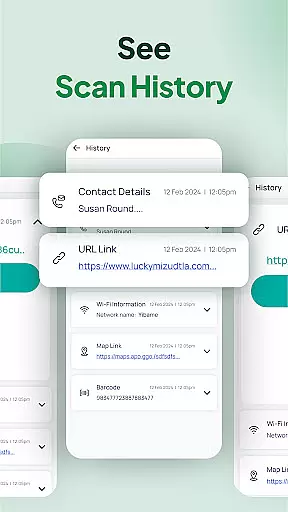
In addition to its primary scanning functions, the app includes a scan history feature that automatically saves all scanned codes, allowing users to revisit past scans easily. The auto-copy function further streamlines workflows by copying scanned content directly to the clipboard. These features are supported by customizable notifications, enabling users to choose between vibration or beep alerts for successful scans.
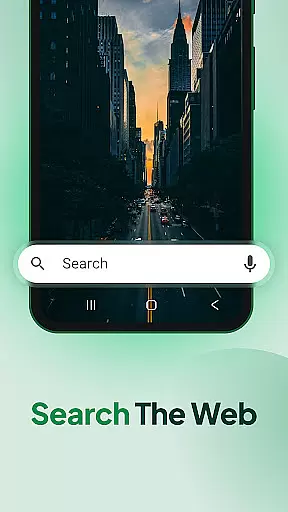
Another innovative aspect is the app's integration of multiple search touchpoints powered by Yahoo, enhancing web and app search capabilities. Combined with personalized wallpapers and home screen shortcuts, these features create a holistic user experience that prioritizes both functionality and personalization. Overall, QR & Barcode Scanner Launcher delivers a robust solution for all scanning needs.
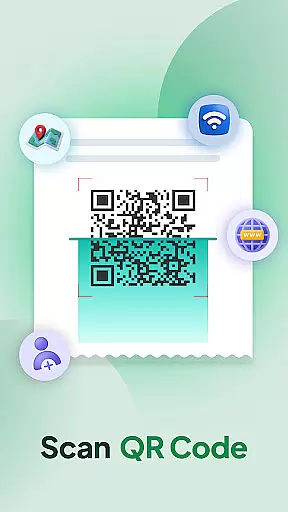
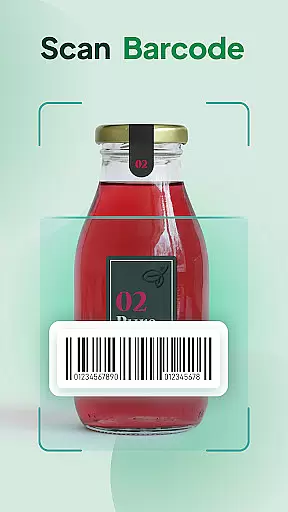
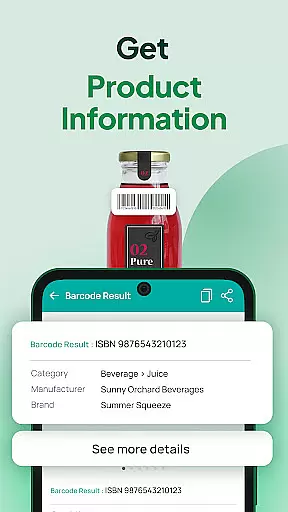
QR & Barcode Scanner Launcher stands out for its exceptional core functionality, ensuring both accuracy and effectiveness in scanning. The app leverages your smartphone's built-in camera to effortlessly scan any QR code or barcode. This seamless scanning process is powered by advanced algorithms that decode the information instantly, providing users with immediate access to URLs, product details, Wi-Fi credentials, event invitations, contact information, coupons, and more.
The effectiveness of this tool is further enhanced by features such as Auto-copy to clipboard, which automatically transfers scanned content for easy pasting elsewhere. Additionally, the Scan History functionality organizes all previously scanned codes, making it simple to revisit important links or product information. These capabilities ensure that users can rely on the app for a wide range of scanning needs without worrying about inaccuracies or inefficiencies.
For users who require quick access to scanning capabilities, the app offers multiple touchpoints including home screen shortcuts and widgets. This accessibility guarantees that whether you're at home or on the go, QR & Barcode Scanner Launcher remains a powerful ally in managing your digital and physical world interactions.
A hallmark of QR & Barcode Scanner Launcher is its interface simplicity and intuitiveness, designed to provide a user-friendly experience. Upon installation, users may notice changes to their home screen layout; however, these adjustments are intended to enhance usability rather than complicate it. With one-swipe access, scanning becomes an effortless tasku2014simply swipe right from the home screen to activate the scanner.
The app also includes customizable widgets displaying time, weather, and other useful information directly on the home screen. Such thoughtful design elements contribute to an intuitive environment where essential features are always within reach. Furthermore, personalized wallpapers allow users to tailor the appearance of their devices while maintaining ease of navigation.
Overall, QR & Barcode Scanner Launcher combines functional depth with an accessible interface, ensuring that even those new to QR code and barcode scanning can quickly adapt and benefit from its comprehensive suite of tools. By prioritizing clarity and convenience, the app delivers a streamlined experience that meets diverse user needs without overwhelming them.
User-friendly interface
Fast scanning capability
Comprehensive scan history
Customizable notifications
Integrated search touchpoints
Home screen layout changes
Limited design options
Requires Yahoo for search
No offline support
Occasional ads

A convenient photo, video, and file recovery tool.
 4.00
4.00
Detect hidden spy camera with advanced scanning {{ Premium version }}
4.00
Navigate with Ease and Style
4.90
WiFi Signal Strength Meter help you detect WiFi Signal Strength in real time.
4.80
The Ultimate Flex Drivers Utility App - Convenient Tapping & Block Filters
4.70
A simple app to back up and restore SMS & MMS messages and call logs.
4.10
Remote Play with FSR upscaling, low latency & full controller support
4.80
Automate everything from settings to photos, SMS to speech. ADC2 prize winner.
4.10
Fun lie-detection pranks for friends and parties.
3.80
Connect wirelessly to your computer to watch movies, browse the web, play games
5.00
Powerful collection of electronics tools and reference.A must for any enthusiast
4.90
Unit and currency converter with easy and simple UI.
4.80
Excellent scientific calculator with symbolic algebra, integrals, derivatives
4.80
Monitor car performance in real time and troubleshoot malfunctions.
4.80
App to pay for FUTO Keyboard
4.60
Screen Mirroring for Roku Sticks, Roku TCL TV and Roku Hisense TV
4.50
pdf merge, word to pdf, jpg to pdf, edit pdf, convert to pdf and much more!
4.20
Family Locator, Share location, StayConnect with your family in real time
3.90
Create your own custom widget with endless possibilities
3.90


User Reviews