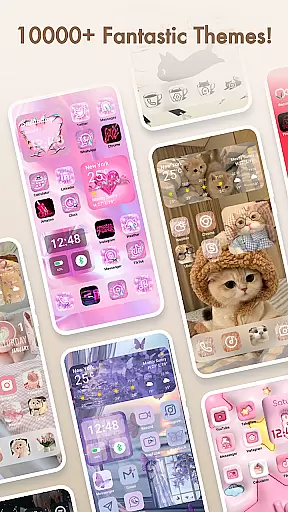
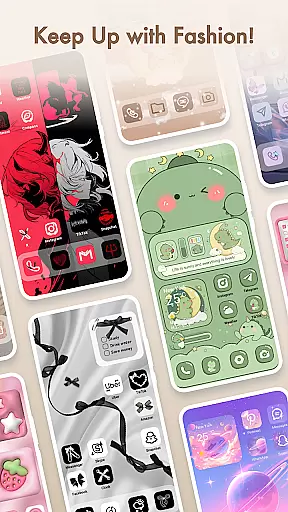
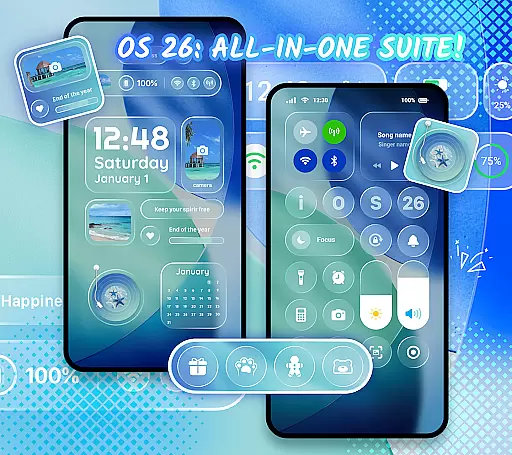
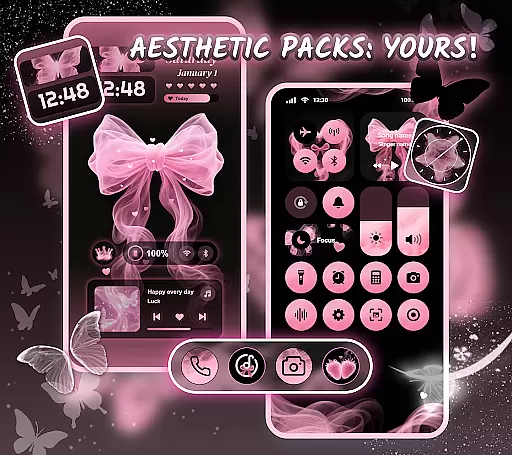
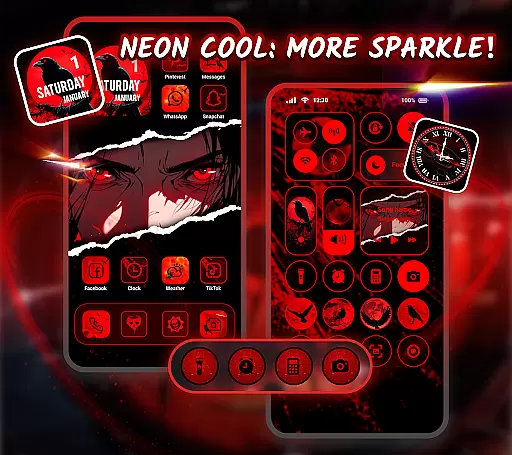
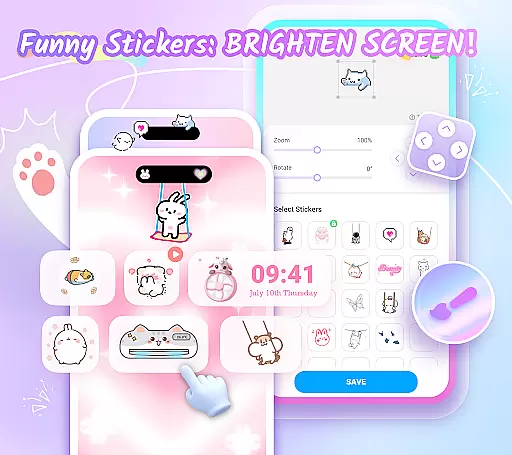
Themepack - App Icons, Widgets is a comprehensive personalization app for Android users who want to design their unique home screen. With over 10,000 functional widgets, icons, and wallpapers, the app offers extensive customization options that allow users to express their individuality. Whether you're looking to change your device's aesthetics or enhance its functionality, Themepack provides the tools necessary to create a personalized smartphone experience.
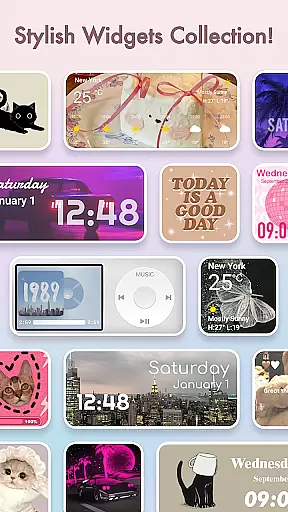
The app features a wide range of stylish and custom widgets including battery indicators, dynamic image effects, calendar, clock, weather, and control panel widgets. These widgets not only serve practical purposes but also add an element of surprise and delight to the traditional home screen appearance. Additionally, users can unleash their creativity by customizing widgets with personal images from their gallery.
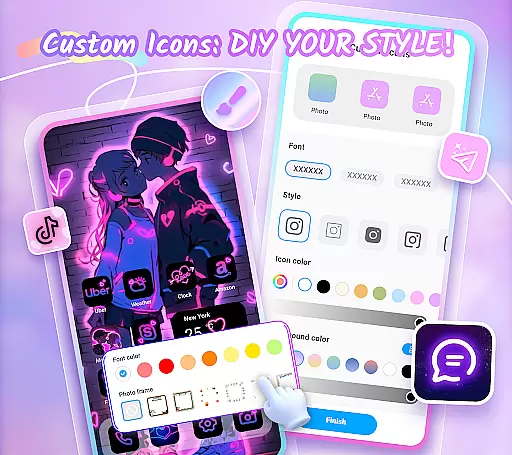
For those interested in deeper customization, Themepack allows DIY icon creation with various styles, fonts, colors, and transparency settings. This feature enables users to craft distinctive icons that match their desired application themes. The app also includes visually appealing backgrounds and wallpapers across different categories such as K-pop, anime, neon, sports, and festival themes, making it easy to refresh the look of your home screen with just one click.
Themepack stands out with its rich set of features designed to enhance user experience through personalization. One key aspect is the diverse selection of widgets that go beyond basic functionality. For example, battery widgets display real-time power information while dynamic image effect widgets bring life to static screens. Calendar, clock, and weather widgets keep users informed and organized throughout their day.
Another notable feature is the ability to customize icons extensively. Users can choose from various icon styles, apply cool fonts for renaming apps, adjust color schemes, modify transparency levels, and even change background colors. This level of customization ensures that each user's home screen remains truly unique and reflective of their personal taste.
Furthermore, Themepack offers visually stunning wallpapers spanning multiple themes like K-pop, anime, neon lights, sports events, and festive occasions. These high-quality visuals provide quick makeover options without requiring significant effort or time investment from the user. With regular updates introducing new content frequently, users always have fresh material at their disposal to keep their devices looking trendy and up-to-date.
Themepack offers an extensive range of customization options that cater to personal preferences and creativity. With over 10,000 functional widgets, icons, and wallpapers, users can significantly alter the appearance and functionality of their device's home screen.
The app includes a diverse selection of widgets such as battery indicators, dynamic image effects, calendar, clock, weather, and control panel widgets. These are not just visually appealing but also serve practical purposes, enhancing both aesthetics and usability.
Users have the freedom to customize widgets by selecting images from their gallery, thus truly personalizing their device's interface. This level of customization empowers users to design a home screen that is a direct reflection of their style and needs.
Moreover, the DIY aspect extends to icons, where one can choose from various styles, fonts, colors, and transparency levels. This feature ensures that each icon is not only distinctive but also aligns perfectly with the user's desired theme for their applications.
Theme compatibility in Themepack ensures that all customizations, including widgets and icons, integrate seamlessly with the user's device. The app provides aesthetic backgrounds, K-pop wallpapers, anime, neon, sports, and festival themes, which are crafted to work harmoniously with Android devices.
Each theme pack is designed by top designers, guaranteeing high-quality visuals and coherent design language across all elements. This attention to detail results in a cohesive look and feel, elevating the overall user experience.
One-click replacement functionality simplifies the process of applying themes, making it accessible even for users who may not be tech-savvy. This ease of use encourages experimentation with different themes without the fear of complicated setup processes.
Furthermore, regular updates ensure that new content is continuously added, keeping the themes fresh and engaging. Users can enjoy a personalized home screen experience that remains up-to-date with the latest design trends and seasonal offerings.
User-friendly interface
Extensive customization options
Regular content updates
Vibrant community support
Cross-device compatibility
Some features require permissions
Premium content may be costly
Occasional performance issues
Limited third-party integrations
Learning curve for beginners

Bring adorable pets to life on your screen. Playful, interactive and full of fun
 4.60
4.60
Gun Chase - Let the chase begin.
4.80
Interactive Miniature Painting Catalogue
3.30
Customizable screen pets that play, climb, and keep you company.
4.50
The definitive Icon pack maker and editor
4.30
Struggling to find apps? Use this app to locate and open any app on your phone!
2.20
set a new experience for the Android mobile phone
4.20
Create stunning widgets with Widget 2026: Aesthetic Widgets for Android!
4.60
Cool custom fonts & keyboard themes! Symbols & font changer for Instagram
4.50
Dark icon pack based on One 8
4.80
A retro cartoon style watch face and a punch right in the face of the copyright
4.60
Zip lock screen with magic wallpaper to decorate your phone with fun zipper lock
4.60
Customize your home screen with stunning themes, blur, widgets & icons.
4.60 4.50
4.50
Transform your device in a game console
4.40
More than 3000+ themes and 9000+ wallpapers for everybody!
4.10 4.10
4.10
Capture moments that pass like a storm, second by second.
4.4
⭐ OneUI inspired Fluffy Icon Pack – Soft. Stylish. Standout. ⭐
4.4


User Reviews