
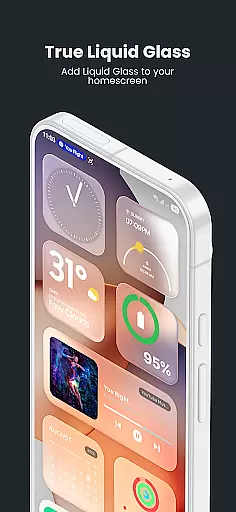
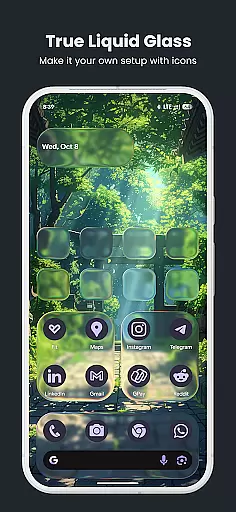
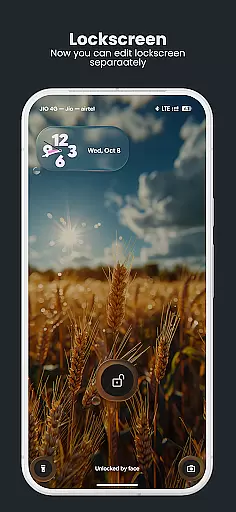
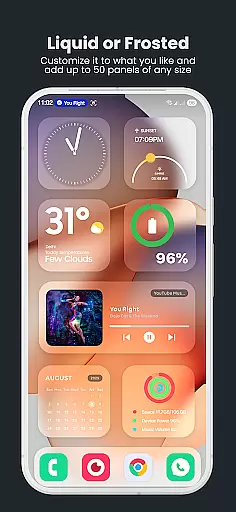
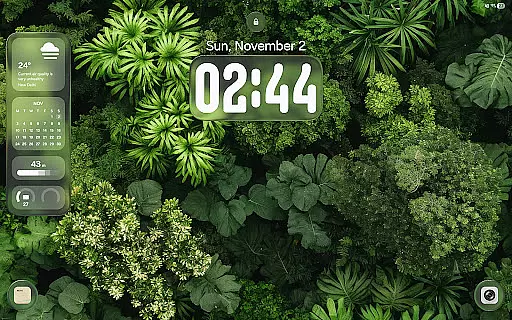
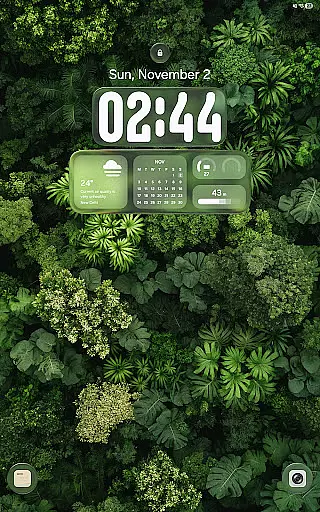
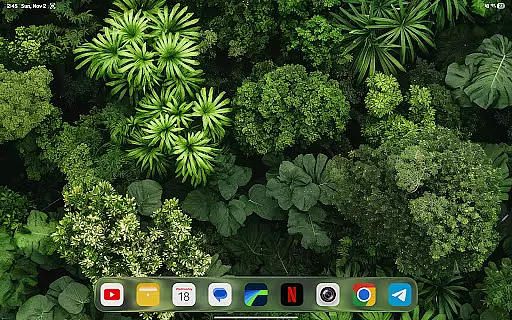
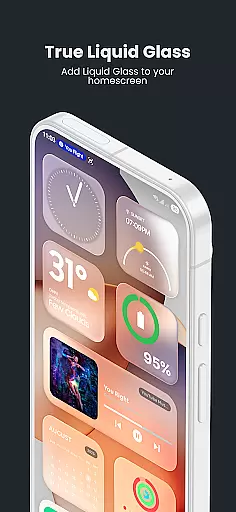
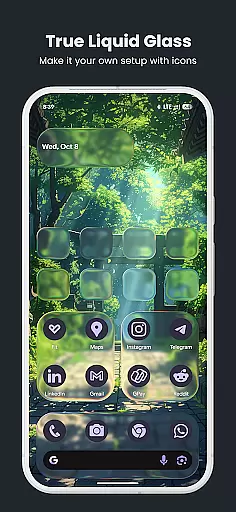
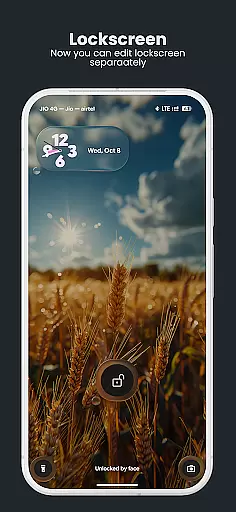
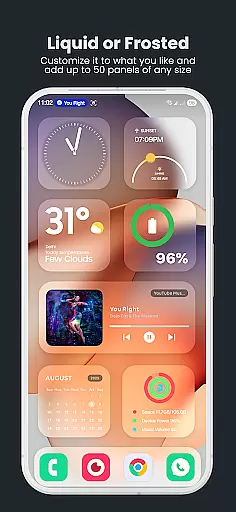
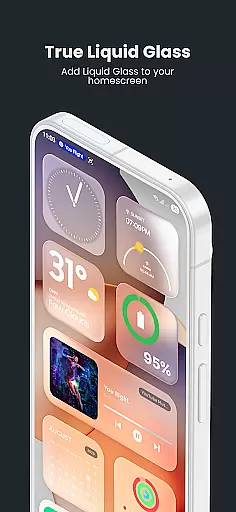
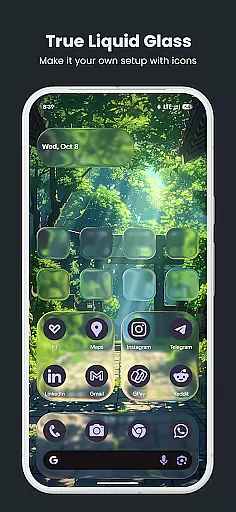
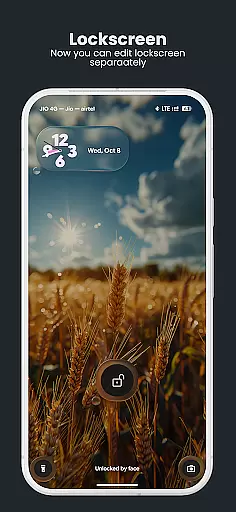
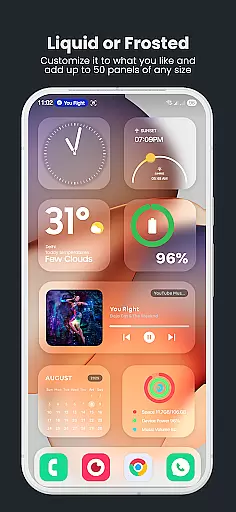
True Liquid Glass is a premium live wallpaper application that brings realistic glass effects to Android devices. This app allows users to create stunning, interactive designs for both home and lock screens, featuring dual layout engines with independent customization options.
The application provides advanced editing tools including shape manipulation, visibility controls, and precise alignment features. Users can enjoy fluid animated transitions between screens and realistic glass effects like refraction and motion-based lighting.
Ideal for design enthusiasts who want to personalize their device's appearance while maintaining smooth performance. The app supports tablets and offers real-time previews of all customizations, making it a versatile tool for creating unique mobile aesthetics.
True Liquid Glass stands out with its comprehensive feature set tailored for creative customization. The dual layout engine enables users to design distinct interfaces for home and lock screens, each with independent settings for shapes, icons, and panels.
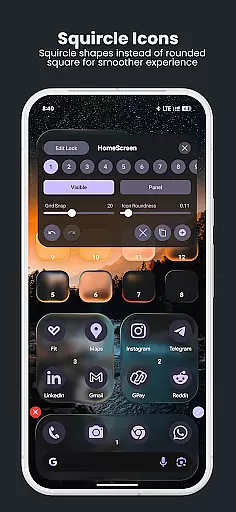
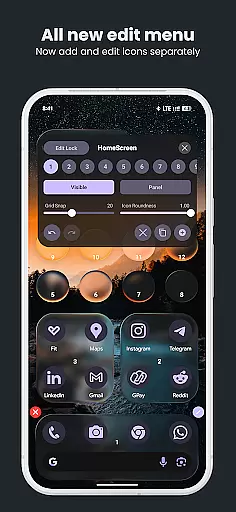
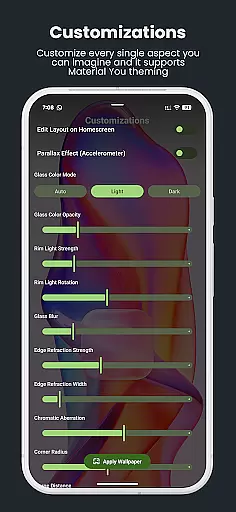
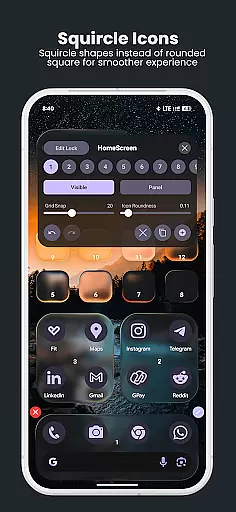
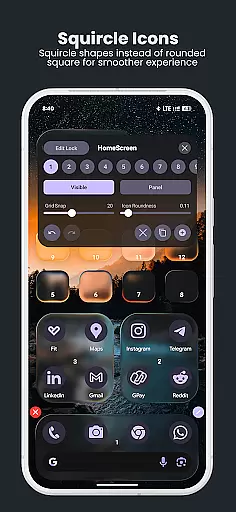
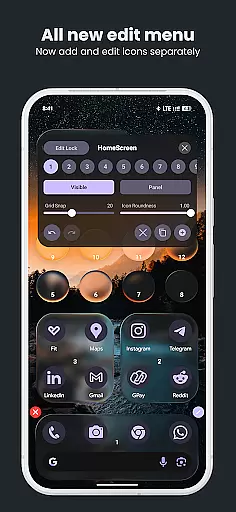
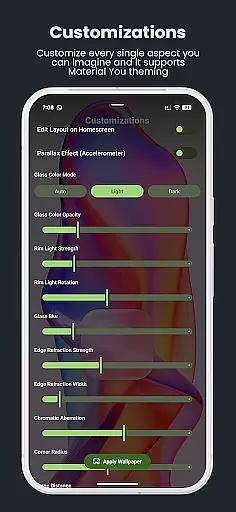
The live editor provides intuitive controls for manipulating elements directly on the wallpaper. Users can adjust blur intensity, refraction, roundness, and tint properties through real-time sliders. The app supports both static images and dynamic folder cycling for wallpaper sources.
Advanced functionality includes parallax motion effects, preset management for saving designs, and compatibility with various screen sizes. These features combine to deliver a powerful yet user-friendly customization experience.
True Liquid Glass offers a comprehensive suite of creative tools that allow users to design and customize their device's home and lock screens with stunning glass effects. The app provides dual layout engines, enabling independent designs for both screens while offering fluid animated transitions between them.
The live editor is particularly robust, featuring real-time customization options such as blur intensity, refraction, panel and icon roundness, tint color, opacity settings, and more. These tools react directly to user inputs, allowing for precise adjustments that are immediately visible on the wallpaper.
Users can also take advantage of advanced features like parallax motion, which uses the device's accelerometer to create a sense of depth, and realistic glass effects including chromatic aberration and dynamic rim lighting. This complete set of creative tools ensures that users have everything they need to create visually captivating designs.
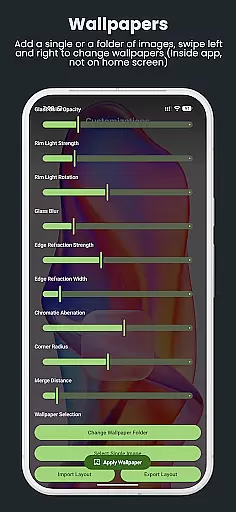
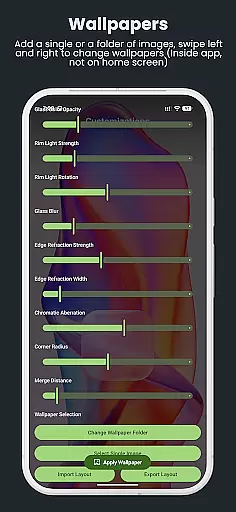
With support for both static images and entire folders as wallpaper sources, along with an intuitive preset system for saving, backing up, and sharing layouts, True Liquid Glass empowers users to fully express their creativity in designing unique interactive wallpapers.
True Liquid Glass excels in canvas and format flexibility, providing users with the ability to apply their designs to both home and lock screens seamlessly. The app supports a dual layout engine, allowing for completely independent and unique designs on each screen, thus maximizing creative freedom.
Users can choose from various formats when selecting wallpapers, including single static images or entire folders. When using a folder, the app enables cycling through different wallpapers with swipe gestures or buttons, adding another layer of versatility to the design process.
The application also allows for extensive customization of shapes, with options to resize, move, delete, and adjust visibility independently on each screen. Shapes can be toggled between panel mode and icon mode, with separate settings for roundness and corner radius, ensuring that every element fits perfectly within the chosen format.
Furthermore, True Liquid Glass includes export and import functionalities for presets, giving users the flexibility to save their work, back it up, and share it across devices or with other users. This adaptability makes it easy to maintain consistent aesthetics while switching between different formats and canvases.
Realistic glass effects
Dual layout engine
Intuitive live editor
Real-time previews
Extensive customization
Battery intensive
Complex interface
Requires permissions
Premium pricing
Device compatibility

Stylish letters, Stylish Keyboard, Symbols, Emojis, Cool nickname
 4.40
4.40
Sketch, plan, take notes and illustrate on an infinite canvas.
4.20
Digital Drawing: Draw & Paint
4.10
Create stylish invitation cards using templates for weddings, birthdays & RSVP.
4.20
Nano Banana AI Image Generator, Anime Filter, AI Portrait, AI Photo Generator
4.30
Mobile pixel art editor. Simple. Fast. Portable.
4.80
Bring One UI 8.5 Icons to life -elegant dark icons with a modern, premium touch.
4.30
Explore future self face age filter & remove background image for a unique look.
3.50
AI-powered photo & video creation—fast, fun, and effortless with Quick Actions
4.60
Passport size photo maker, create ID photo and visa photo in seconds
4.80
Digital, Abstract, Classic - all types of color wheels in one app!
4.60
Discover Cartoon Dream : Unleash Your Creativity with CuttingEdge AI
4.50
Custom Character Creator & PFP Maker!
4.20
Unleash Your Creativity with Draw Cartoon - AR Drawing App
4.10
Art of Combination Wear OS Watch faces (for Wear OS 5+ devices)
3.90
Create cute cat emojis & PFPs! Fun, custom avatars for cat lovers.
3.70
Pose and morph realistic male and female models! 3D poser app
3.00
Download now for a stylish and functional timepiece
4.4
A luxurious gold watch face for an elegant and refined look.
4.1


User Reviews