

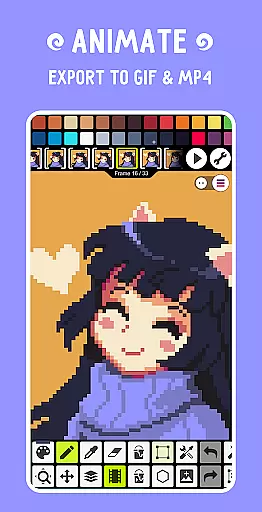
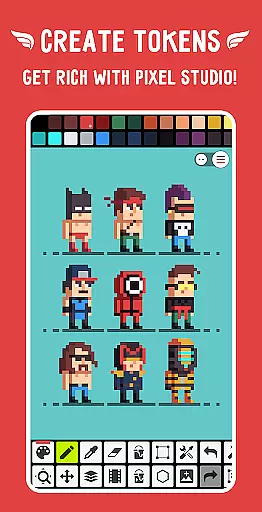
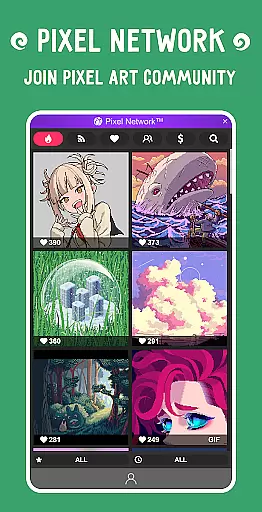
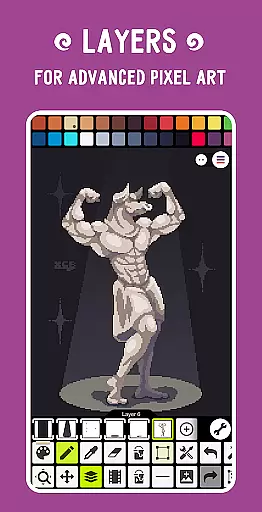
Pixel Studio PRO is a premier pixel art editor tailored for both budding artists and seasoned game developers. This special edition comes without ads or in-app purchases, offering all PRO features unlocked. With support for layers, animations, music integration, and MP4 video export, it provides a complete creative suite. The app also enables cross-device syncing via Google Drive and fosters a vibrant community through Pixel Network™. With over 5,000,000 downloads globally and support for more than 25 languages, it stands as a versatile tool for creating impressive pixel art anytime, anywhere.
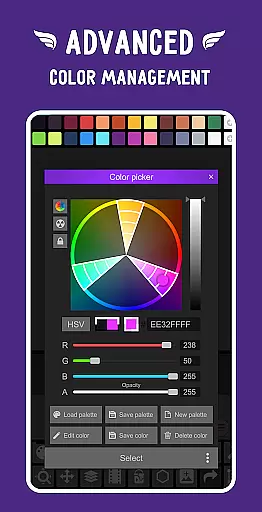
The application boasts an intuitive interface with advanced tools like custom palettes, RGBA and HSV color pickers, symmetry drawing, and precise zoom controls. It supports various formats including PNG, JPG, GIF, BMP, TGA, PSP, PSD, and EXR. Additionally, users can enjoy Samsung S-Pen, HUAWEI M-pencil, and Xiaomi Smart Pen compatibility, ensuring a seamless experience across different devices.
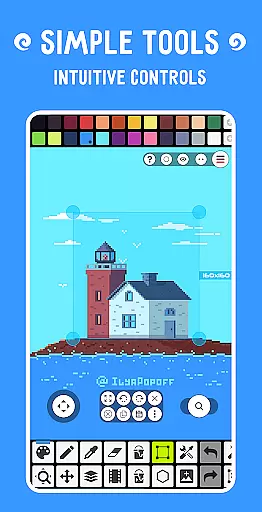
Pixel Studio PRO offers a rich set of features designed to enhance the pixel art creation process. Users can leverage layers and frame-by-frame animation tools to build complex artworks. The Shape Tool, Gradient Tool, and built-in/custom brushes provide versatility in design, while the Sprite Library and Tile Mode assist in crafting intricate patterns and textures. Advanced functionalities such as Symmetry Drawing, Dot Pen, and Text Tool with various fonts allow for detailed and precise artwork.
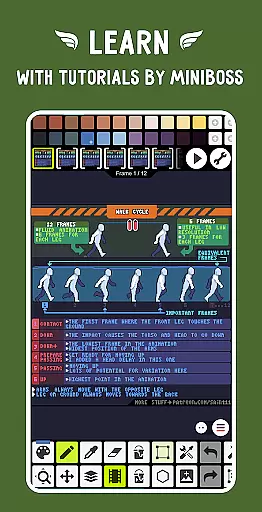
Animation enthusiasts will appreciate the ability to extend their creations with music and export them as MP4 videos. The app includes Onion Skin for refined animation work and supports applying and grabbing palettes from images. Additional PRO features encompass Google Drive sync, Dark Theme, 256-color palettes, and extended project sizes. With unlimited color adjustments and extra format support like AI, EPS, PDF, and SVG, Pixel Studio PRO ensures comprehensive creative freedom.
Pixel Studio PRO offers an extensive suite of creative tools that cater to both beginners and professional artists in the pixel art space. The application supports layers, animations, and even music integration, allowing users to create complex projects with ease.
The inclusion of advanced features such as custom palettes, a sophisticated color picker, and support for various file formats including PNG, JPG, GIF, BMP, TGA, PSP, PSD, and EXR ensures that all artistic needs are met without compromise. Additionally, the software's compatibility with devices like Samsung S-Pen, HUAWEI M-pencil, and Xiaomi Smart Pen enhances its versatility.
Users benefit from tools like Shape Tool for primitives, Gradient Tool, built-in and custom brushes, and Sprite Library, which collectively provide limitless possibilities for creativity. These comprehensive tools ensure that artists can focus on their work without being hindered by technical limitations.
One of Pixel Studio PRO's standout features is its unparalleled canvas and format flexibility, which allows artists to work with an unlimited canvas size and customize backgrounds and grids. This adaptability is crucial for creating detailed and expansive pixel art projects.
The application supports a wide array of popular formats, ensuring that users can import and export their work in PNG, JPG, GIF, BMP, TGA, PSP, PSD, and more. It also includes specialized formats like AI, EPS, HEIC, PDF, SVG, WEBP, and extended PSD cloud read/write capabilities, providing professionals with the flexibility they need.
Additionally, features like canvas resizing, rotation, and multithreaded image processing enable users to manipulate their projects efficiently. This level of flexibility empowers artists to bring their visions to life without being constrained by technical barriers.
User-friendly interface
Extensive format support
Advanced animation tools
Cross-device syncing
Vibrant community network
High system requirements
No iOS version available
Limited free features
Occasional bugs reported
Steep learning curve

Art of Combination Wear OS Watch faces
 4.2
4.2
Passport size photo maker, create ID photo and visa photo in seconds
4.80
Create stunning art with AI.
4.80
Get an overview over all your embroidery threads, projects and more.
4.60
Unleash the artist in you with our AR drawing and tracing tool for photo drawing
4.10
Just trace a projected picture on paper and color! Draw & Paint with AR drawing
4.40
Create amazing pictures and unleash your creative genius with AR Drawing Sketch
4.40
AI-powered photo & video creation—fast, fun, and effortless with Quick Actions
4.60
All-in-One art, logo & collage maker. Design photos and edit video backgrounds
4.80
Photo stitcher for automatically screenshot stitching into a long screenshot
4.70
Draw beautiful mandala's very easily
4.60
Castle is social media for creating and playing games!
4.60
Create and Design Custom Logos in Seconds with AI-Powered Tools!
4.40
OneUI 8.5 icons ✨ Smooth, modern & based on the latest Play Store design ??
4.10
Design your dream room with AI. Get decor ideas & plan home interiors
3.90
Paint with oils and sketch with natural tools on a realistic virtual canvas.
3.80
Experience next-gen icons with a modern liquid glass look.
3.60
Sketch, trace and master AR drawing with awesome anime art!
3.30
Art of Combination Wear OS Watch Faces
3.30


User Reviews