

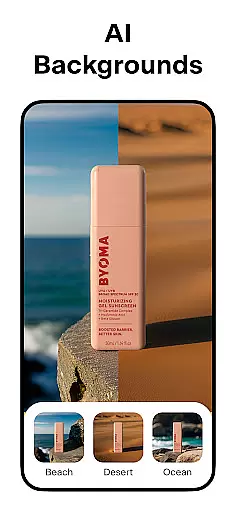
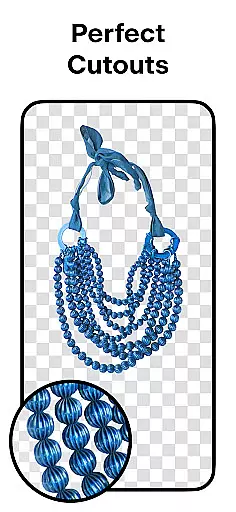
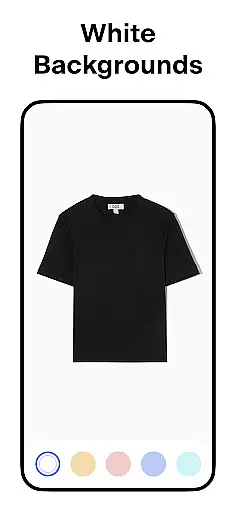
Pixelcut AI Photo Editor is a comprehensive design tool tailored for creators, marketers, and e-commerce businesses. This all-in-one editor leverages artificial intelligence to simplify complex design tasks, enabling users to produce professional-quality images in seconds. With over 15 million users already on board, Pixelcut stands out as an essential app for anyone looking to enhance their visual content.
The app offers a variety of powerful features such as background removal, object erasing, AI-generated photoshoots, and text overlays. These tools are particularly beneficial for creating stunning product photos for online stores or social media platforms like Instagram and Shopify. Whether you're designing marketing materials or personal projects, Pixelcut ensures your images stand out with minimal effort.
Pixelcut's intuitive interface and advanced AI capabilities make it accessible for both beginners and professionals. By automating tedious tasks like background removal and offering creative templates, the app empowers users to focus on the artistic aspects of their projects. Its versatility and ease of use provide significant value to anyone involved in digital content creation.
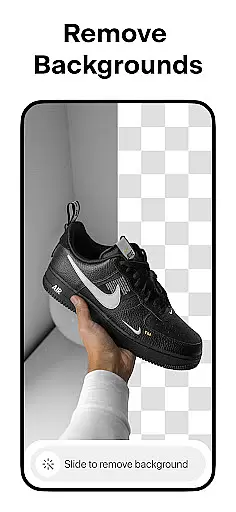
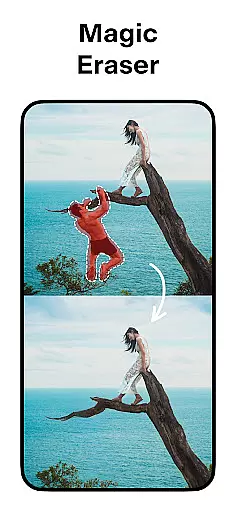
Pixelcut AI Photo Editor boasts an impressive array of features designed to streamline the image editing process. One of its standout capabilities is the instant background remover, which allows users to erase backgrounds with precision, making product photography more professional and appealing. The Magic Eraser tool further enhances images by removing unwanted objects, ensuring clean and polished results every time.
The AI Photoshoot feature revolutionizes product photography by generating unlimited high-quality images using artificial intelligence. This functionality is particularly valuable for e-commerce businesses seeking to create attractive visuals without investing in expensive photoshoots. Additionally, the Magic Writer tool, powered by OpenAI's GPT technology, assists in crafting compelling product descriptions, hashtags, and captions, enhancing overall marketing efforts.
Pixelcut also provides creative options like collage creation, video making for business purposes, and a vast library of templates specifically designed for shopping platforms. Users can experiment with different text styles, shadows, and background colors to customize their designs fully. These diverse features collectively enable users to produce unique, professional-grade visuals that help them stand out in competitive digital spaces.
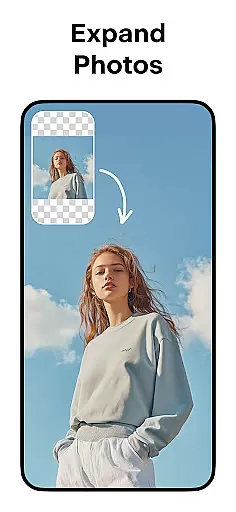
Pixelcut AI Photo Editor stands out with its comprehensive suite of creative tools designed for both amateur and professional artists. The application offers a robust set of features including an advanced background remover, magic eraser, and AI photoshoot capabilities.
These tools allow users to effortlessly edit images by removing unwanted backgrounds or objects, generating high-quality product photos through AI technology, and creating engaging content for e-commerce platforms. Additionally, the inclusion of a reels maker and collage creator adds another layer of versatility.
With thousands of templates specifically crafted for shopping, stunning color backgrounds, and text styles that turn quotes into art, Pixelcut ensures that creators have everything they need at their fingertips. This complete package empowers users to produce visually appealing designs without requiring extensive graphic design knowledge.
One of Pixelcut's key strengths is its canvas and format flexibility, which caters to diverse artistic needs. Users can place their products on simple white backgrounds or choose from a palette of vibrant colors and backdrops, providing the freedom to customize visuals according to specific requirements.
The app supports various creative layouts for collages, enabling users to combine multiple images in unique ways. Moreover, it allows precise control over shadows on products, ensuring realistic presentation in digital formats.
This adaptability extends to different output formats suitable for social media platforms like Instagram, Poshmark, and Shopify. Whether you're designing posts, stories, or storefront displays, Pixelcut's flexible canvas options ensure your creations look professional and polished across all mediums.
User-friendly interface
Advanced AI tools
Versatile design options
Time-saving automation
Professional results
Premium features locked
Subscription required
Limited free templates
Occasional bugs
Learning curve

Transform photos into amazing monochrome dither art with professional algorithms
 4.3
4.3
Art of Combination Wear OS Watch faces
4.4
Passport size photo maker, create ID photo and visa photo in seconds
4.80
Draw anime easily with AR guidance, sketch templates & trace tools!
3.10
Design unique, funny and adorable cat stickers that reflect your own style!
3.80
Experience next-gen icons with a modern liquid glass look.
3.60
Retouch photos. Create or edit images. Endless capabilities.
2.70
Just trace a projected picture on paper and color! Draw & Paint with AR drawing
4.40
Create amazing pictures and unleash your creative genius with AR Drawing Sketch
4.40
The ultimate tool for creating animations
4.60
Digital, Abstract, Classic - all types of color wheels in one app!
4.60
The perfect place to start sketching! Use Sketchbook to draw and paint sketches.
4.50
Painting, drawing, & sketching
4.50
Photo blender app to create overlay photos & double exposure.
4.40
Turning simple sketches into captivating tales filled with life and motion
3.90
Paint with oils and sketch with natural tools on a realistic virtual canvas.
3.80
AI Assistant, powered by ChatGPT GPT-4 & GPT-4o. Your intelligent companion.
3.50
Vidu is an AI video generator made for creators and aspiring makers.
3.30
A luxurious gold watch face for an elegant and refined look.
4.1


User Reviews