
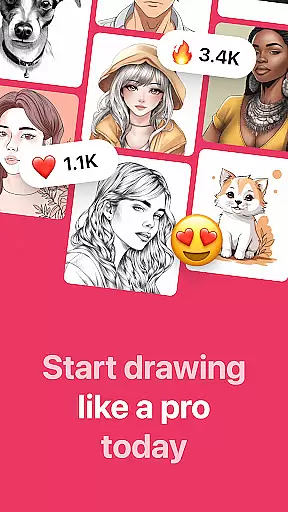
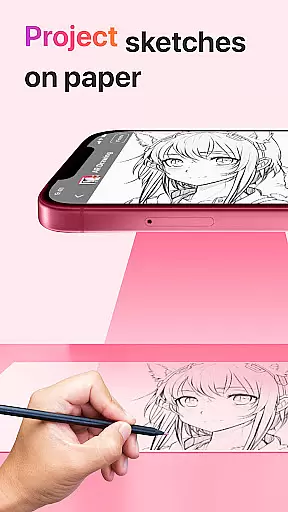
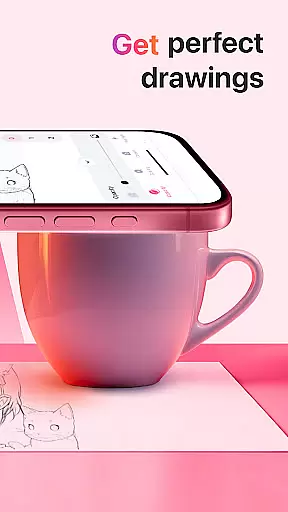
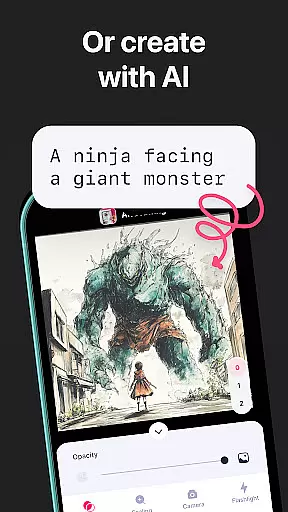
AR Drawing: Sketch & Paint is an innovative mobile application that utilizes augmented reality technology to help users learn drawing and create impressive artworks. The app projects images onto paper through the phone camera, allowing users to trace and color these projections easily. With a wide variety of tracing templates ranging from animals to anime, it caters to both beginners and experienced artists alike.
The app includes practical features such as a built-in flashlight for better visibility and the ability to save drawings directly in the gallery. Additionally, users can record videos of their creative process and share their finished works with friends. Whether you're looking to improve your skills or unleash your artistic potential, AR Drawing offers a versatile platform to explore new possibilities in art.
By combining user-friendly tools with advanced AR capabilities, this app makes learning how to draw accessible and enjoyable within just a few days. Its unique approach not only enhances traditional drawing methods but also encourages creativity by providing endless inspiration through diverse templates.
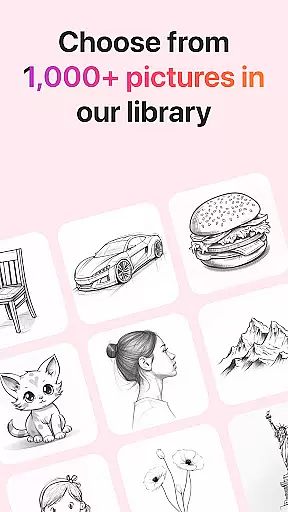
One of the standout features of AR Drawing: Sketch & Paint is its extensive library of tracing templates. These include categories like Animals, Cars, Nature, Food, and Anime, offering something for every interest and skill level. This diversity ensures that users never run out of ideas and can continually challenge themselves with new subjects.
In addition to its rich template selection, the app provides several functionalities designed to enhance the drawing experience. A built-in flashlight helps illuminate your workspace, while the option to record videos allows you to capture every step of your artistic journey. Furthermore, saving your creations in the app's gallery lets you track your progress over time.
Another notable feature is the ability to share your artwork on social media directly from the app. This functionality fosters a sense of community among users who can exchange tips, showcase their talents, and inspire each other. Overall, these comprehensive features make AR Drawing a powerful tool for anyone interested in honing their artistic abilities or simply enjoying a creative pastime.
AR Drawing: Sketch & Paint offers a comprehensive suite of creative tools that cater to both novice and experienced artists. The app provides various tracing templates, including Animals, Cars, Nature, Food, and Anime, which serve as a starting point for users who need guidance or inspiration.
Beyond the basic drawing functionalities, the app includes a built-in flashlight to ensure that your workspace is always well-lit. This feature enhances visibility and precision when tracing images on paper. Additionally, the ability to record videos of the drawing and painting process allows users to document their artistic journey and share their progress with others.
The app's gallery-saving feature ensures that every masterpiece you create can be stored and revisited anytime. This encourages users to keep refining their skills and experimenting with new ideas. With these complete and varied creative tools, AR Drawing empowers users to unleash their creativity without limitations.
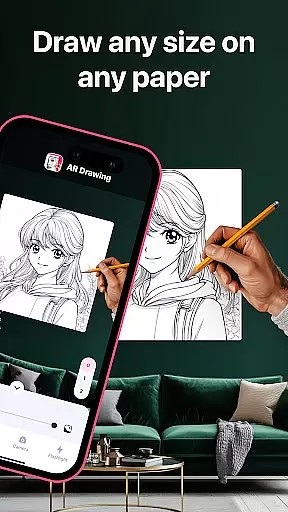
One of the standout features of AR Drawing: Sketch & Paint is its canvas and format flexibility, allowing users to draw anything they want on any surface. This flexibility is made possible through augmented reality technology, which projects an image onto a chosen surface, enabling users to trace and paint with ease.
Whether you're sketching on traditional paper or exploring unconventional surfaces, the app adapts to your needs. This adaptability makes it an ideal tool for artists who enjoy experimenting with different mediums and formats. The freedom to choose your canvas not only broadens the scope of what can be created but also adds an element of fun and exploration to the creative process.
Furthermore, the app supports sharing your finished artwork with friends, extending the flexible experience beyond personal use. By offering such versatility in both canvas and format options, AR Drawing: Sketch & Paint truly stands out as an innovative solution for modern artists looking to expand their creative horizons.
User-friendly interface
Wide range of templates
Built-in flashlight
Video recording option
Easy sharing capabilities
Limited free content
Requires good lighting
Premium subscription needed
Occasional bugs
Learning curve for beginners

Customizable Outlined Fonts. Watch Face Format. Battery friendly Digital Clock.
 4.20
4.20
Sketch, trace and master AR drawing with awesome anime art!
3.30
AI Face Swap, Video Effects Editor, Realtime Morph, Funny Video FX,AI Filters
3.70
Get creative and make art with your Sesame Friends!
4.00
2D animation studio for Android tablets - unlimited layers, infinite timeline
4.70
Photo stitcher for automatically screenshot stitching into a long screenshot
4.70
Retouch photos. Create or edit images. Endless capabilities.
2.70
Create cute cat emojis & PFPs! Fun, custom avatars for cat lovers.
3.70
AI Tattoo Generator: Create Tattoo Designs & Get Ideas! Ink & Stencil Maker
4.50
See Color, Paint Color
4.90
Novices can also easily complete diamond painting masters
4.70
Draw beautiful mandala's very easily
4.60
Photo blender app to create overlay photos & double exposure.
4.40
Trace, draw, and create art with AR - from memes to masterpieces!
4.30
Resize photos and print photos in exact size with our powerful photo printer!
3.80
AI Art Generator transforms your words into AI generated art & paintings.
3.70
Apply cartoon, caricature, and portrait effects to make your photos stand out!
3.60
Art of Combination Wear OS Watch faces
4.1
Art of Combination Wear OS Watch Faces
4.1


User Reviews