
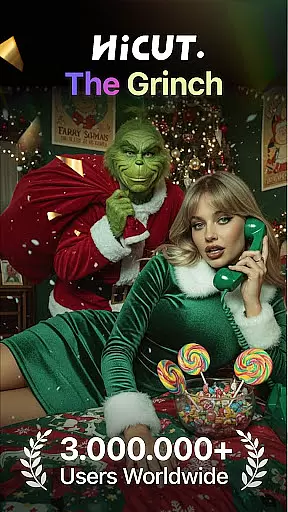
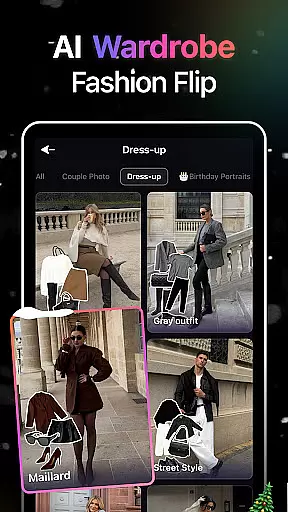
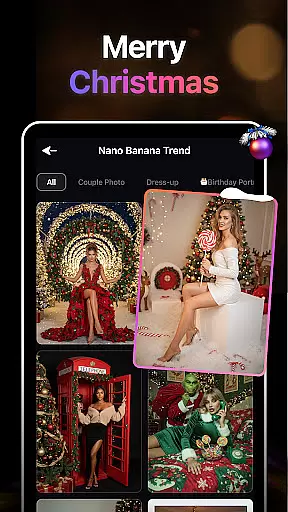
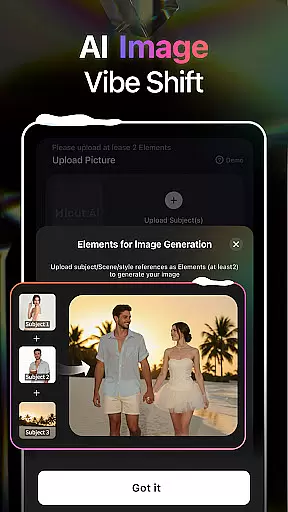
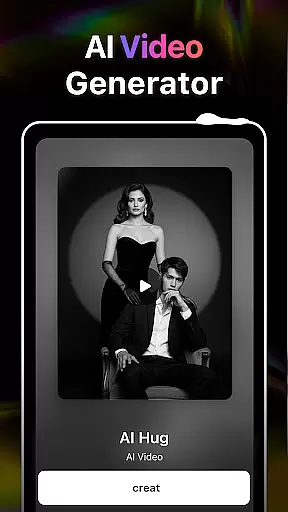
HiCut is an innovative AI-powered application designed for photo editing and video creation, catering to users in the Art & Design category. The app's core functionality lies in its ability to transform ordinary photos into stunning anime, comic, or game character visuals using advanced AI filters. With features like AI Hugging Video technology, it allows users to create realistic virtual hugs by uploading two single-person photos, transcending time and space limitations. Whether you're looking to design personalized avatars, craft unique content, or relive cherished memories with loved ones, HiCut offers a comprehensive suite of tools driven by cutting-edge AI technology.
In addition to its signature hugging video feature, HiCut provides a variety of creative options such as Anime Photo Editor, Cartoon Filters, and Game Character Maker. These tools enable users to explore hundreds of artistic styles ranging from retro film noir to futuristic cyberpunk designs. Suitable for both casual creators and professional designers, HiCut empowers users to unleash their creativity while delivering high-quality results that stand out in the digital art space.
HiCut distinguishes itself through its diverse range of AI-driven features tailored for artistic expression. One standout capability is the AI Hugging Video function, which uses sophisticated algorithms to generate lifelike virtual hugs from uploaded photos. This feature not only bridges emotional gaps but also serves as a meaningful way to reconnect with lost loved ones. Another highlight is the Anime Photo Editor, where users can convert their images into two-dimensional anime art across hundreds of customizable styles, making it ideal for fans of Japanese animation.
For those interested in gaming aesthetics, HiCut includes a Game Character Maker that produces unique characters inspired by retro, cyberpunk, pixel art, and simulation genres. Additionally, the Cartoon Filters and Cartoon Avatars feature lets users cartoonize their photos, creating playful representations reminiscent of superhero comics. Each tool within the app is meticulously crafted to ensure ease of use without compromising on quality, offering unparalleled value for creatives seeking versatile design solutions.
In the realm of digital creativity, having a comprehensive suite of tools is paramount. AI Video Generator-HiCut rises to the occasion by offering an extensive array of features that cater to various artistic needs. From anime style transformations to realistic hugging videos, this application leverages cutting-edge AI technology to provide users with everything they need to express their creativity.
The app includes specialized tools such as the Anime Photo Editor, which boasts hundreds of styles for transforming photos into two-dimensional anime images. Additionally, the Cartoon Filters allow users to cartoonize their images akin to characters found in superhero comics. These diverse functionalities ensure that whether you're looking to create innovative content or personalized avatars, HiCut has the right tool for the job.
Moreover, the Game Character Maker feature enables users to generate unique game characters in styles ranging from retro to cyberpunk. This level of creative tool completeness empowers users to craft distinctive visuals that stand out, making it an indispensable asset for anyone interested in art and design.
Flexibility in canvas and format options is crucial for unleashing full creative potential. AI Video Generator-HiCut excels in this area by providing versatile solutions that adapt to different project requirements. Whether you're designing for personal enjoyment or professional projects, the app's flexible canvas options accommodate a wide range of creative visions.
HiCut supports varied artistic expressions through its advanced AI filters and video style conversion capabilities. Users can seamlessly switch between creating anime-style images, comic book characters, or even virtual hugs with realistic visual effects. The ability to manipulate formats and styles with ease ensures that your creative process is not hindered by technical limitations.
Furthermore, the app's support for multiple output formats means that your creations can be easily shared across different platforms or integrated into larger multimedia projects. This canvas and format flexibility makes AI Video Generator-HiCut a powerful ally for artists and designers seeking to push the boundaries of their work.
User-friendly interface
Wide selection of styles
High-quality output
Emotionally engaging features
Versatile design options
Limited free features
Subscription costs may apply
Occasional processing delays
Advanced tools require learning
Some styles feel repetitive

Discover Cartoon Dream : Unleash Your Creativity with CuttingEdge AI
 4.50
4.50
Sketch, plan, take notes and illustrate on an infinite canvas.
4.20
Apply cartoon, caricature, and portrait effects to make your photos stand out!
3.60
Unleash Your Creativity with Draw Cartoon - AR Drawing App
4.10
AI Art Generator transforms your words into AI generated art & paintings.
3.70
Create stunning art with AI.
4.80
Design unique, funny and adorable cat stickers that reflect your own style!
3.80
Create and Design Custom Logos in Seconds with AI-Powered Tools!
4.40
An intuitive, high-performance painting app that lets you focus on creating
4.40
Draw on screen: FP sDraw is a simple and lightweight drawing app
4.70
Create color palette from Image, RGB & RYB Color wheel harmonies, Color Scheme
4.50
Text to Image, Image to Video & AI Chat
4.20
Unleash the artist in you with our AR drawing and tracing tool for photo drawing
4.10
Create cute cat emojis & PFPs! Fun, custom avatars for cat lovers.
3.70
Create stunning video, photo & magic from text with FlixAI GPT video generator.
3.10
Pose and morph realistic male and female models! 3D poser app
3.00
Download now for a stylish and functional timepiece
4.5
Your Essential Color Theory Guide: Red, Yellow, Blue (RYB)
4.2
Art of Combination Wear OS Watch Faces
4.4


User Reviews