
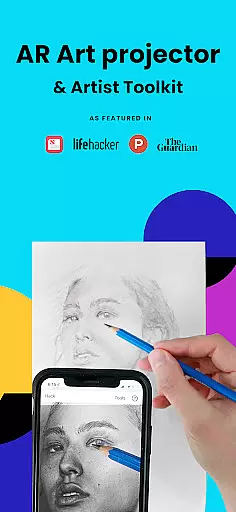
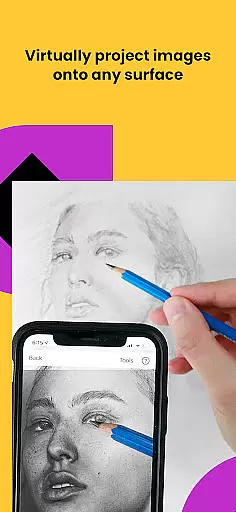
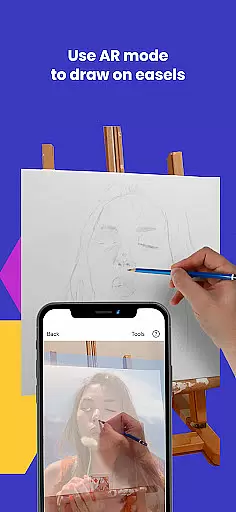
Da Vinci Eye's AR Art Projector is a revolutionary tool designed to elevate your drawing and sketching skills. This app utilizes augmented reality technology to project images onto your canvas, allowing for precise tracing and detailed artwork creation. With features like the strobe function for hyper-realistic drawings and color layer separation, it caters to artists of all kinds.
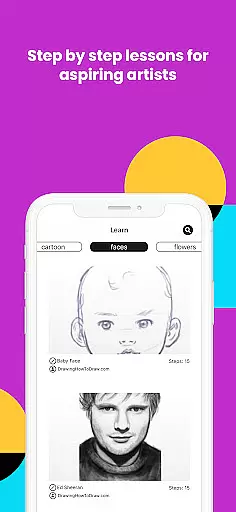
Beyond just tracing, Da Vinci Eye offers an extensive suite of drawing tools, video tutorials, and step-by-step lessons. Whether you're a professional illustrator or a hobbyist, this app provides the resources needed to create stunning artwork. The supportive community feature allows users to share their creations and receive feedback, fostering a collaborative environment for artistic growth.
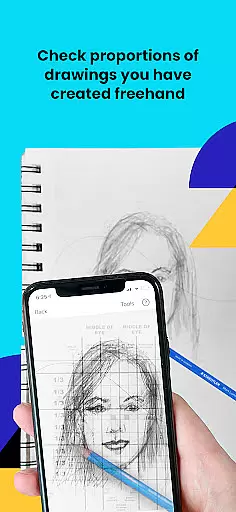
This app is perfect for anyone looking to refine their artistic abilities, from bakers designing custom cakes to animators sketching characters. By projecting an image directly onto your work surface, it eliminates common frustrations like proportion errors and light-shadow placement challenges, making it an invaluable tool for both learning and professional use.
Da Vinci Eye stands out with its innovative AR tracing mode, which anchors images to real-world objects, ensuring alignment even when moving your canvas or device. This feature mimics the functionality of a traditional art projector but with enhanced flexibility and precision. Additionally, the classic mode offers a simpler, yet effective alternative akin to using a lightbox.
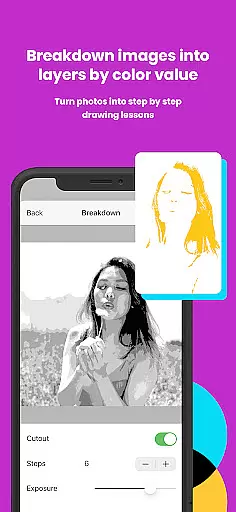
The app includes a comprehensive learning system with patent-pending methods, enabling users to transform any photo into a detailed drawing lesson. Video tutorials and step-by-step instructions break down complex images, teaching users how to recognize proportions and master shading techniques. The ability to zoom in on details further enhances the drawing experience, capturing nuances that might otherwise be missed.
Moreover, Da Vinci Eye supports a vibrant artist community where users can showcase their work and connect with fellow creatives. The app's customer support is highly responsive, ensuring that any issues are swiftly addressed. These features collectively make Da Vinci Eye an indispensable tool for artists seeking to enhance their skills and produce remarkable artwork.
For any digital art application, the comprehensiveness of its creative tools is paramount. AR Art Projector offers an extensive suite of features that cater to artists of all levels. The app provides advanced drawing and sketching capabilities through its AR art projector and tracing tool, enabling users to create hyper-realistic drawings with precision.
The inclusion of a unique strobe feature allows for capturing intricate details, while the ability to separate images into layers by color value enhances the depth and accuracy of artwork. These functionalities ensure that whether you're working on complex shading or fine detailing, the app supports your creative process every step of the way.
Moreover, the app doesn't stop at tracing; it extends into a full-fledged artistic platform with video tutorials, drawing lessons, and filters designed to simplify the drawing experience. This holistic approach empowers artists to refine their skills and expand their creative repertoire.
By integrating these comprehensive tools, AR Art Projector not only meets but exceeds the expectations of creatives, making it an indispensable asset for professionals and hobbyists alike.
Flexibility in canvas and format options is essential for unleashing artistic freedom. AR Art Projector excels in this area by allowing artists to work on any surface, unrestricted by traditional canvas limitations. Whether you prefer working on paper, walls, or unconventional materials, the app adapts to your chosen medium seamlessly.
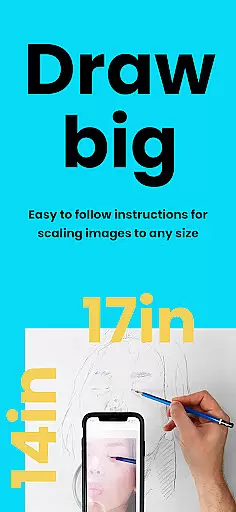
One standout feature is the zoom functionality, which enables users to capture micro-details in their drawings. This level of precision ensures that even the most intricate elements of your artwork can be perfected without constraint. Additionally, the app's compatibility with various devices means you can maintain high-quality output regardless of your setup.
The AR tracing mode further enhances this flexibility by anchoring images to real-world objects, allowing for dynamic movement of both device and canvas without losing alignment. This innovative approach bridges the gap between digital convenience and traditional techniques.
With such versatile canvas and format options, AR Art Projector empowers artists to push boundaries and explore new dimensions in their creative journey.
User-friendly interface
Innovative AR technology
Comprehensive learning tools
Vibrant artist community
Responsive customer support
Requires high-end device
AR mode may be complex
Premium features cost extra
Limited offline functionality
Steep learning curve

Vidu is an AI video generator made for creators and aspiring makers.
 3.30
3.30
Transform photos into amazing monochrome dither art with professional algorithms
4.3
Create neon drawing with magic doodle and fun doodle art effects!
4.50
Passport size photo maker, create ID photo and visa photo in seconds
4.80
Create stunning video, photo & magic from text with FlixAI GPT video generator.
3.10
Painting, drawing, & sketching
4.50
Get an overview over all your embroidery threads, projects and more.
4.60
Art of Combination Wear OS Watch faces (for Wear OS 5+ devices)
3.90
Draw, fidget, and spin glow art! Relax and express your creativity with a finger
4.60
Create stunning art with AI.
4.80
Logo Generator powered by AI: Create stunning logos effortlessly!
4.70
Photo stitcher for automatically screenshot stitching into a long screenshot
4.70
Digital illustration drawing & painting pad app to paint Anime and Manga art
4.50
Customizable Outlined Fonts. Watch Face Format. Battery friendly Digital Clock.
4.20
Easy 3D drawing design maker & creator. Model designing, Sculpting. Create&paint
4.00
Paint with oils and sketch with natural tools on a realistic virtual canvas.
3.80
AI Face Swap, Video Effects Editor, Realtime Morph, Funny Video FX,AI Filters
3.70
AI Art Generator transforms your words into AI generated art & paintings.
3.70
Art of Combination Wear OS Watch Faces
3.30


User Reviews