


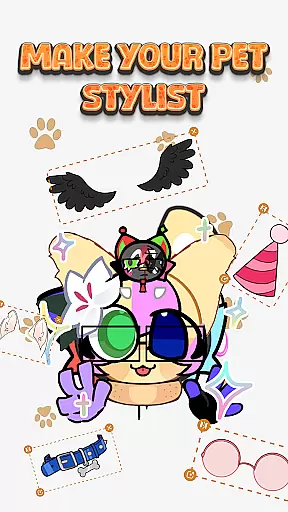
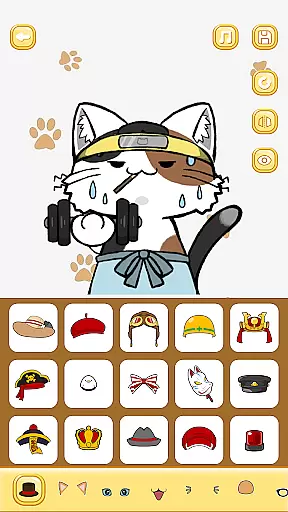
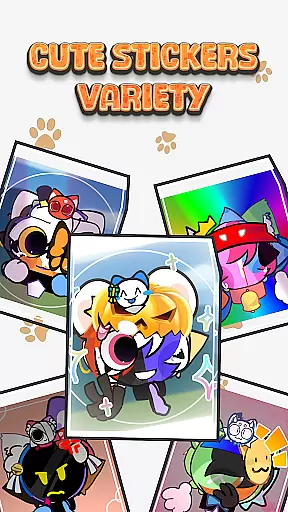

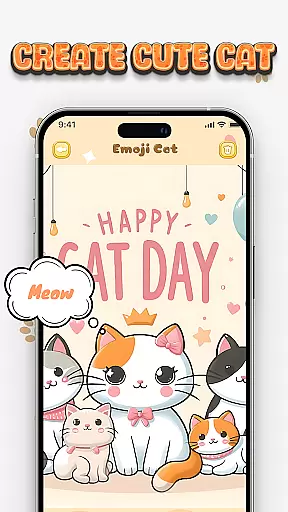
Cat Maker is an innovative app in the Art & Design category that allows users to create personalized cat emojis and stickers. With a wide range of customization options, users can design unique cat characters by selecting from various breeds and customizing every detail from eyes to tail.
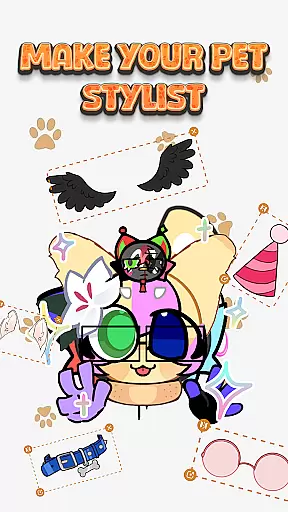
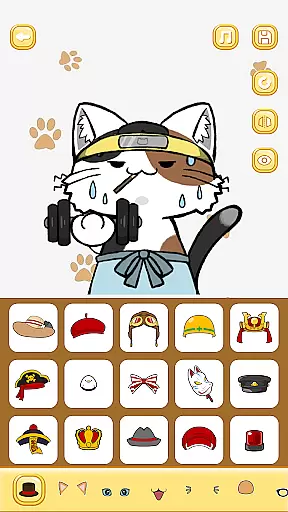
The app stands out with its diverse accessory store, offering items like glasses and hats, enabling users to add humorous and creative elements to their cat designs. Users can also choose from different facial expressions and add text or additional stickers to enhance their creations. These features make it perfect for those looking to express their creativity through digital art.
Whether you want to create stickers for personal use or to share with friends on platforms like Telegram and WhatsApp, Cat Maker provides the tools necessary to bring your imaginative ideas to life. This makes it an ideal choice for anyone interested in graphic design or simply seeking some light-hearted fun.
Cat Maker offers a rich set of features designed to spark creativity and provide endless entertainment. One of the standout capabilities is the ability to customize every aspect of your cat emoji, including breed selection, eye shape, mouth style, and more. This level of detail ensures that each creation is truly one-of-a-kind.
In addition to basic customization, the app includes a vast array of accessories such as glasses, hats, and even wings. These accessories allow users to transform their cats into anything from master chefs to adventurous explorers. The inclusion of various backgrounds further enhances storytelling possibilities, letting users place their cats in settings ranging from cozy living rooms to outer space.
Another notable feature is the option to add expressive facial features and humorous text lines. This functionality helps convey specific emotions and narratives, making each sticker not just visually appealing but also rich in personality. Once completed, designs can be easily exported for use on popular messaging apps, enhancing communication with friends and family.
Creative tool completeness is essential for any design application, and Cat Maker excels in this area. This app provides users with a comprehensive suite of features to create unique cat emojis and stickers. From selecting different breeds to customizing every detail like eyes, mouth, and tail, the app ensures that your creative vision can be fully realized.
The app offers an extensive accessory store, replete with humorous and diverse items such as glasses, hats, and scarves. These accessories allow for an even greater level of customization, enabling users to transform their cats into anything from master chefs to killer cats. With these tools, the potential for creativity is boundless, ensuring that each sticker or emoji is truly one-of-a-kind.
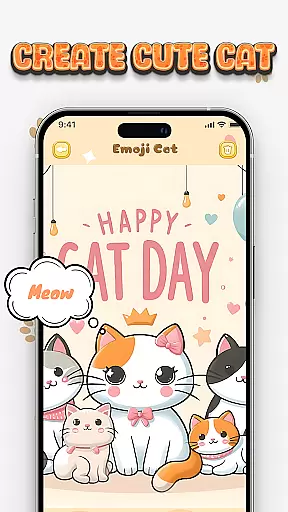
Moreover, Cat Maker includes various background options and scenes, which help set the stage for your cat's story. Whether it's a cozy living room or a mysterious space setting, these backgrounds enhance the narrative element of your creations. The ability to add stickers and text further enriches the storytelling aspect, making each creation not just a sticker but a conveyance of personality and emotion.
Canvas and format flexibility are crucial for adapting creative projects to various uses, and Cat Maker delivers on both fronts. The app allows users to modify their canvas by choosing from a range of backgrounds and scenes, thus providing a versatile space where creativity can flourish. This flexibility ensures that whether you're designing for personal amusement or specific platform requirements, the app can accommodate your needs.
In addition to background options, Cat Maker supports different formats suitable for popular messaging platforms like Telegram and WhatsApp. Once you've designed your perfect cat emoji or sticker, you can easily convert it into a compatible format and integrate it directly into your chats. This seamless transition from creation to application enhances user engagement and satisfaction, as your creations can be shared without hassle.
Furthermore, the app's compatibility extends to various emotional expressions and accessories, allowing for adjustments that fit any context or message tone. Whether you need a cute, playful cat or one that conveys surprise or anger, the flexible format options ensure that your stickers will always be appropriate and impactful. This adaptability makes Cat Maker an invaluable tool for expressing emotions and stories through digital art.
User-friendly interface
Extensive customization options
Vibrant accessory collection
Supports multiple sharing platforms
Encourages creativity
Limited free content
Some features require purchase
Occasional bugs reported
Ads may disrupt experience
Learning curve for beginners

Paint with oils and sketch with natural tools on a realistic virtual canvas.
 3.80
3.80
Castle is social media for creating and playing games!
4.60
AI Art Generator transforms your words into AI generated art & paintings.
3.70
AR Anime Drawing: How to draw anime with AR drawing & sketching apps!
4.00
Photo stitcher for automatically screenshot stitching into a long screenshot
4.70
Bring One UI 8.5 Icons to life -elegant dark icons with a modern, premium touch.
4.30
Beauty Camera - Selfie Camera is the ultimate beauty camera and selfie app
4.30
Kling AI is an image and video generation and editing studio powered by AI.
4.50
Create amazing pictures and unleash your creative genius with AR Drawing Sketch
4.40
Make your phone cooler and have a fantastic experience
4.80
Logo Generator powered by AI: Create stunning logos effortlessly!
4.70
Novices can also easily complete diamond painting masters
4.70
Photo editor for art, avatars, filters & fun transformations.
4.60
Get an overview over all your embroidery threads, projects and more.
4.60
Draw anime & manga drawing, art with templates to create stunning picture!
4.50
Sketch, plan, take notes and illustrate on an infinite canvas.
4.20
Your homescreen as an elegant glass with customized blur, lighting, and visuals.
3.70
Art of Combination Wear OS Watch Faces
3.30
Retouch photos. Create or edit images. Endless capabilities.
2.70


User Reviews