
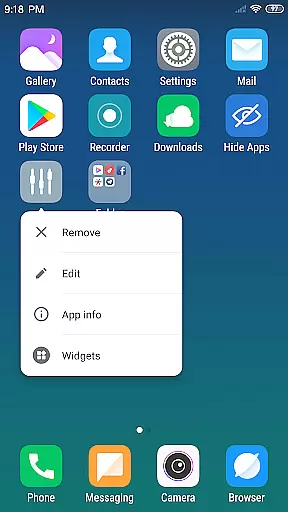
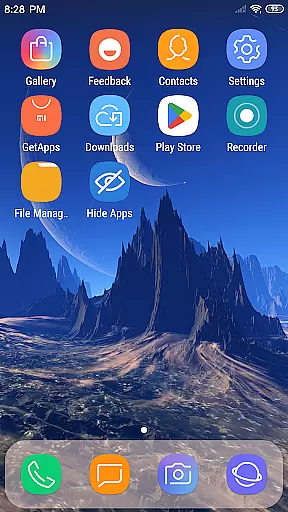
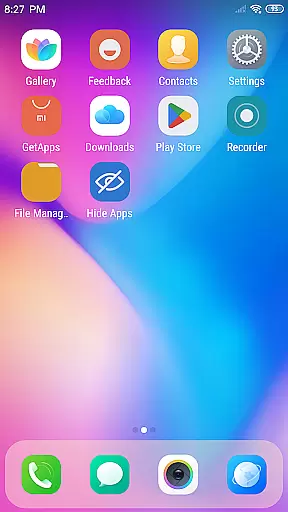
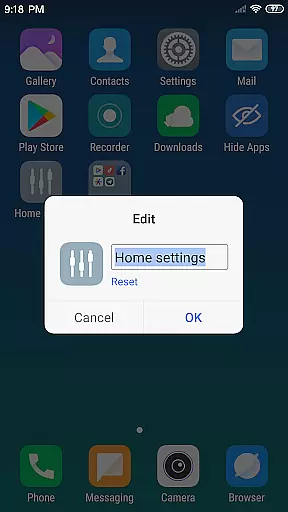
X Launcher Pro is a premium launcher app designed for Android users who appreciate minimalist flat design and customization freedom. This application transforms the entire appearance and operational experience of your smartphone, offering a visually appealing interface with no ads to interrupt your workflow.
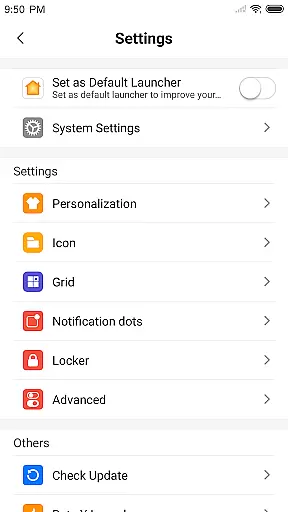
The launcher provides essential features like an App Manager for organizing local apps, a Control Center for quick device settings adjustment, and a Theme Store offering various design options. Users can enjoy advanced customization through adjustable layouts, personalized app icons, and the ability to hide specific apps. With its rich icon library and latest wallpapers, X Launcher Pro delivers a comprehensive mobile experience tailored to individual preferences.
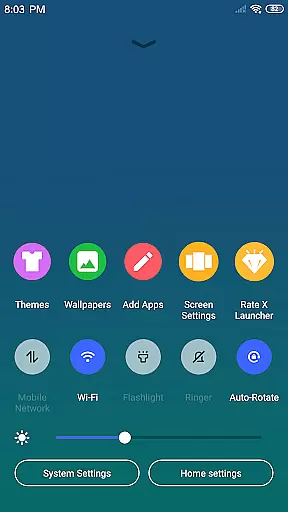
X Launcher Pro stands out with its robust feature set that enhances both aesthetics and functionality. The App Manager allows users to quickly organize and access their installed applications by simply swiping up. The Control Center, accessible via a downward swipe, provides instant access to critical phone functions such as WiFi, brightness, and volume controls.
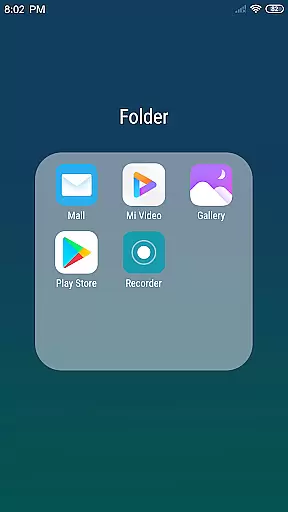
Customization is at the core of this launcher's appeal. Users can modify app icons using local images, adjust grid sizes, and create Flat Style Folders by dragging one app onto another. The integrated Theme Store offers a wide selection of themes that adapt seamlessly to user preferences. Additionally, the ability to hide apps ensures a clutter-free home screen experience.
With its ad-free environment and focus on user-centric design, X Launcher Pro creates an immersive mobile experience that combines beauty with practicality. Whether you're looking to personalize your device or streamline your daily interactions, this launcher provides the tools to make it happen.
In the realm of Art & Design, X Launcher Pro stands out with its comprehensive suite of creative tools. The application offers a rich library of icons and the latest wallpapers, ensuring that users have everything they need to personalize their device's aesthetics.
With features like App Manager and customizable app icons and names, users can modify their device's appearance to suit their personal style. This level of customization extends to the ability to choose local images for app icons, providing an unprecedented degree of personalization.
The inclusion of a Theme Store within the launcher means that users have access to various themes that adapt seamlessly to their selections. This ensures a smooth and cohesive experience across the device, enhancing the overall visual appeal.
Flat Style Folders and the ability to change the number of rows and columns of the launcher further demonstrate the attention to detail in offering complete creative control to the user, making X Launcher Pro a robust tool for design enthusiasts.
X Launcher Pro excels in canvas and format flexibility, allowing users to tailor their smartphone's layout to their exact specifications. The ability to modify the number of rows and columns on the launcher exemplifies this flexibility, giving users the power to optimize their screen real estate.
Customization options extend to app icons and names, where users can select local images, crop them, and apply them as unique app icons. This feature provides a new level of personal expression and creativity in organizing one's digital space.
Moreover, the Hide Apps functionality adds another layer of personalization, enabling users to declutter their workspace by concealing apps they do not wish to display. This contributes to a more streamlined and personalized device experience.
Overall, X Launcher Pro's commitment to flexible design options empowers users to create a mobile environment that is both functional and reflective of their personal taste, setting a high standard in the Art & Design category.
Ad-free experience
Highly customizable
Intuitive app management
Variety of themes
User-friendly interface
Storage permission required
Limited to Android
Premium version cost
May overwhelm new users
Occasional bugs reported

Download now for a stylish and functional timepiece
 4.3
4.3
Floor Plan Creator lets you create, edit and share floor plans.
4.00
Create sweet, cool and unique couple avatars easily, in just a few steps!
3.40
Remove Background, Magic Eraser, Photo Enhancer, Story Templates, Collage Maker
4.30
Art of Combination Wear OS Watch Faces
4.2
Painting, drawing, & sketching
4.50
Mobile pixel art editor. Simple. Fast. Portable.
4.80
Create and Design Custom Logos in Seconds with AI-Powered Tools!
4.40
Explore future self face age filter & remove background image for a unique look.
3.50
Photo editor for art, avatars, filters & fun transformations.
4.60
Draw beautiful mandala's very easily
4.60
Discover Cartoon Dream : Unleash Your Creativity with CuttingEdge AI
4.50
Create Logos, Tattoos, AI Art & more with our AI Photo Generator & Design Editor
4.20
Unleash Your Creativity with Draw Cartoon - AR Drawing App
4.10
AI Face Swap, Video Effects Editor, Realtime Morph, Funny Video FX,AI Filters
3.70
Apply cartoon, caricature, and portrait effects to make your photos stand out!
3.60
AI Assistant, powered by ChatGPT GPT-4 & GPT-4o. Your intelligent companion.
3.50
Meet the magic aı 3d photo generator and smart AI video generator app.
3.20
Transform photos into amazing monochrome dither art with professional algorithms
4.0


User Reviews