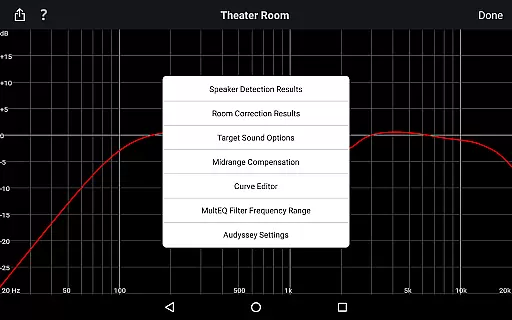
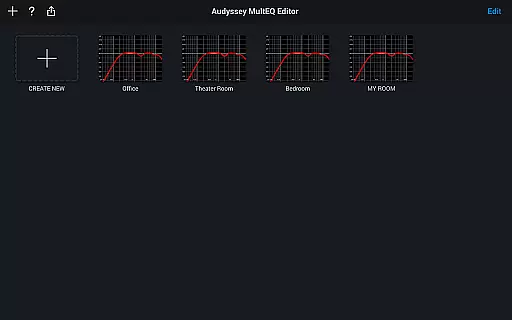
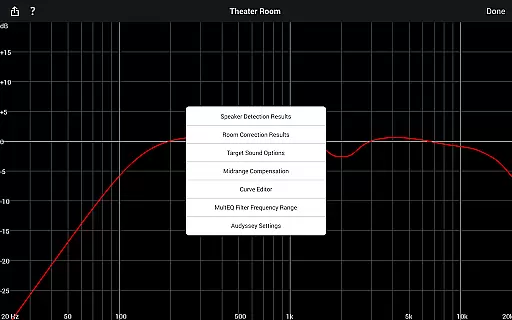
The Audyssey MultEQ Editor app is a powerful tool for audio enthusiasts who want to fine-tune their home cinema sound. This application works with specific Denon and Marantz AV receivers, allowing users to go beyond the standard calibration process. It provides detailed control over speaker settings, letting you adjust target curves and EQ frequencies to suit your room's acoustics and personal preferences.
With features like multi-language support and compatibility with various Android devices, this app offers both convenience and precision. Whether you're checking speaker detection results or making detailed adjustments to sound profiles, the Audyssey MultEQ Editor app ensures your audio system performs at its best. Its ability to save and load calibration results adds an extra layer of flexibility for advanced users.
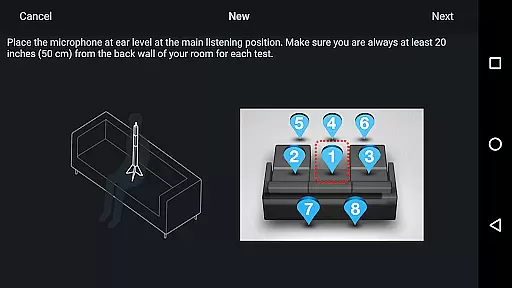
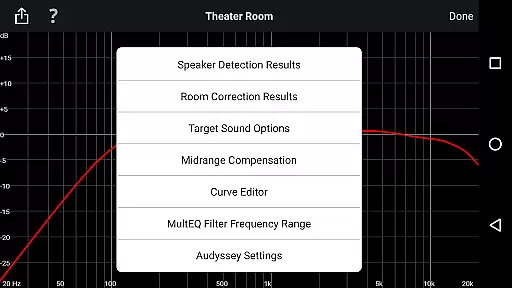
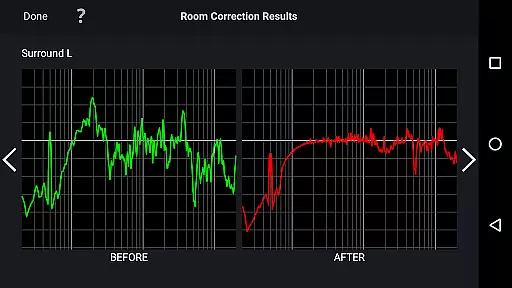
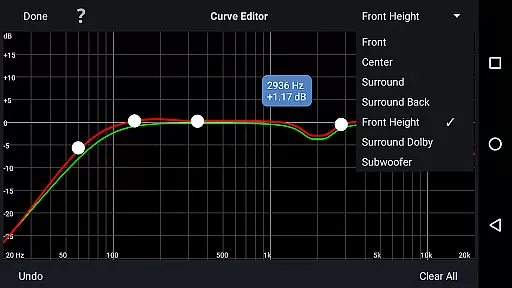
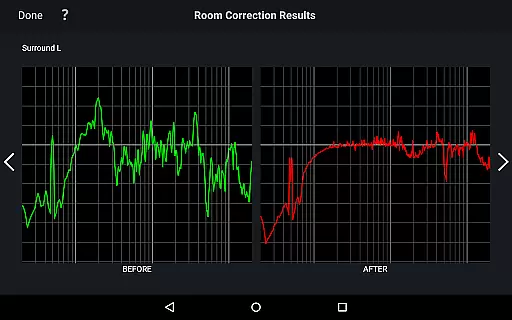
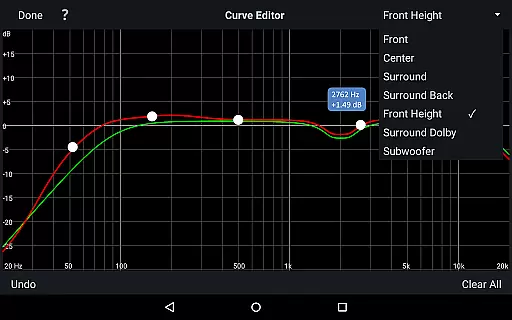
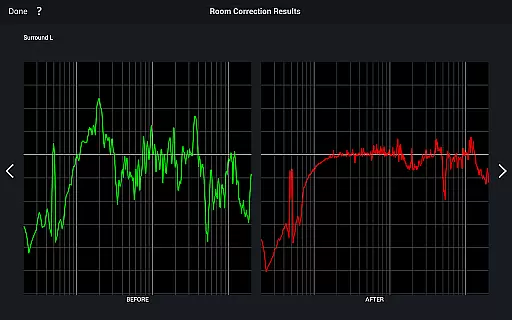
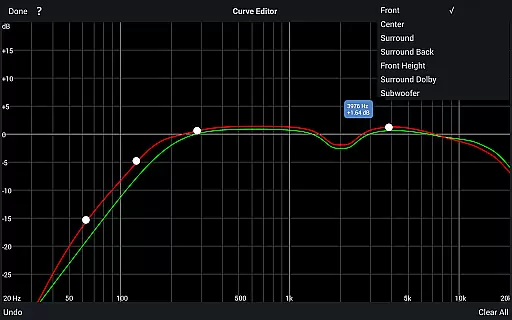
The Audyssey MultEQ Editor app stands out with its comprehensive set of tuning features. Users can view detailed speaker detection results, ensuring correct installation and identifying any room-related issues. The app allows precise editing of Audyssey target curves for each channel pair, giving you control over frequency rolloff and high-frequency settings.
Additional capabilities include enabling or disabling midrange compensation to adjust sound brightness, and switching between different target curves for optimal sound quality. The app also supports saving and loading calibration results, making it easy to experiment with different settings. With multi-language support and compatibility with various Android devices, this app provides a versatile solution for customizing your home cinema audio experience.
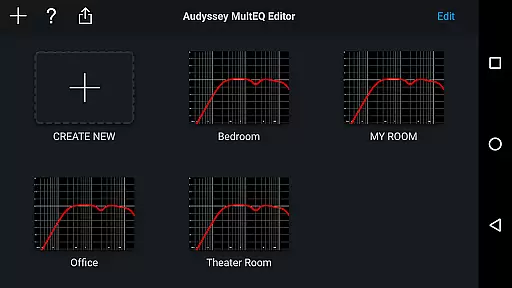
The Audyssey MultEQ Editor app provides access to a comprehensive set of calibration features that allow users to refine the audio settings of their compatible Denon or Marantz AV receivers. While it doesn't offer a music library, its impact on your audio experience is profound. The app enables detailed adjustments to sound profiles, ensuring that each audio output is tuned to perfection according to both room acoustics and personal preference.
With this app, you can view and modify the calibration settings for your speakers, including editing the Audyssey target curve for each channel pair. This level of control ensures that the sound output is not only authentic but also customized to fit the unique acoustic challenges of your environment. It's like having a professional-grade audio setup at your fingertips, allowing you to tailor every aspect of the audio playback to match your exact specifications.
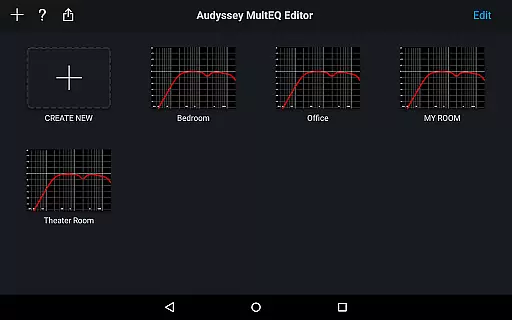
Moreover, the ability to save and load calibration results means that you can experiment with different settings without losing your preferred configurations. This feature adds an extra layer of convenience and flexibility, making sure that your listening experience is always optimized. Whether you're a casual listener or an audiophile, the Audyssey MultEQ Editor app offers the tools necessary to achieve studio-quality sound right in your home cinema.
Audio quality is paramount when setting up a home cinema system, and the Audyssey MultEQ Editor app excels in providing users with numerous options to enhance their audio experience. By granting access to advanced calibration settings, the app allows for precise adjustments that directly affect sound clarity and depth. Users can fine-tune various parameters such as EQ frequency rolloff and high-frequency rolloff target curves, which are crucial for achieving the desired audio quality.
In addition to these controls, the app supports midrange compensation, enabling users to adjust the brightness or smoothness of the sound. This feature is particularly useful for addressing specific room acoustics that might otherwise compromise audio fidelity. With the Audyssey MultEQ Editor app, you have the power to make your home cinema sound as vibrant and clear as possible, regardless of the room's inherent acoustic properties.
Furthermore, compatibility with multiple Android devices ensures that a wide range of users can benefit from these audio quality enhancements. As long as your device meets the minimum requirements, you can take advantage of the app's sophisticated tools to elevate your listening sessions. The result is an immersive and high-fidelity audio experience that caters to both casual listeners and discerning audiophiles alike.
Advanced tuning options
Multi-language support
Save and load calibrations
Detailed speaker settings
Compatible with many devices
Limited device compatibility
Requires specific hardware
No iOS version available
Complex for beginners
Additional purchase may be required

Time Guru will strengthen your internal sense of musical time via random muting.
 4.30
4.30
The Music Journey in Your Hands
4.30
Enhance the sound quality of your devices, listen to what you want
4.50
Visualize the guitar fretboard, master scales & play through changes like a pro!
4.50
24,000 free audio books and no ads!
4.90
Unleash your creativity! Turn simple prompts into full fledged songs.
4.70
Smart piano keyboard, Classical to Pop, Real-time multiplayer connection!
4.20
Play KORG’s revolutionary touch-based instrument on a variety of devices.
4.40
Travel To The Music Universe
3.40
Listen radio AM / FM Stations. Live AM / FM Radio App Station. Radio Com.
4.70
Help you quickly get started with Shokz headphones
4.40
Bass Booster Pro takes auto-equalizing to the next level!
4.30
Equalizer, Bass Booster and Volume Booster (Eq & Bass) improve sound quality
4.30
Learn and play 2M+ music tabs & chords on guitar, ukulele, bass, and more
4.30
A High-Precision Audio Spectrum Analysis App
4.20
Network/Cloud Streaming, Visualization, Graphic Equalizer and Sound Effects.
4.20
Next generation modular control surface
4.10
Control your MIDI USB or Bluetooth devices in app and avoid some trampling
3.30
The Skullcandy App Experience
3.20


User Reviews