
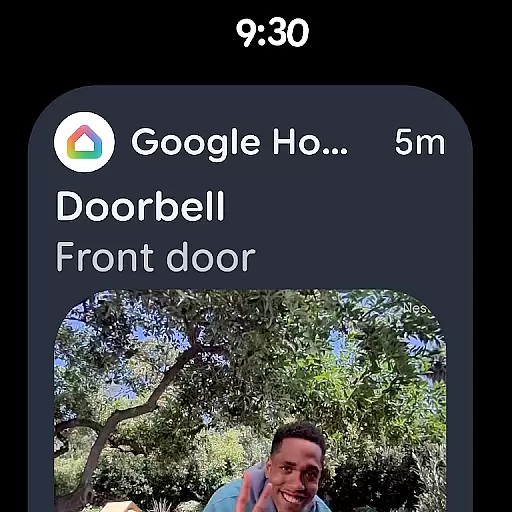
Google Home is an essential application for managing smart home devices, particularly designed for Android Wear. This app allows users to control and monitor their home environment directly from their wearable device. With its intuitive interface, users can easily access the status of their smart home devices, review missed notifications, and manage settings on the go.
The app features a redesigned layout that organizes devices into dashboards, making navigation seamless. Additionally, it provides quick access to camera live views and histories, enhancing home security monitoring. Google Home also supports voice commands through Gemini for Home, enabling hands-free control over compatible devices.
Whether you're at home or away, Google Home ensures you stay connected to your smart home ecosystem, offering convenience and peace of mind. Its compatibility with a wide range of devices makes it a versatile tool for modern living.
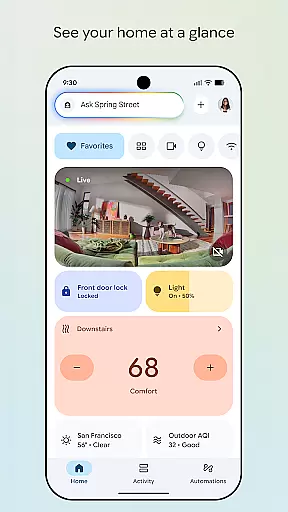
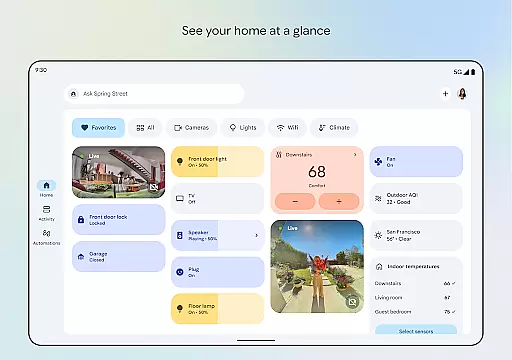
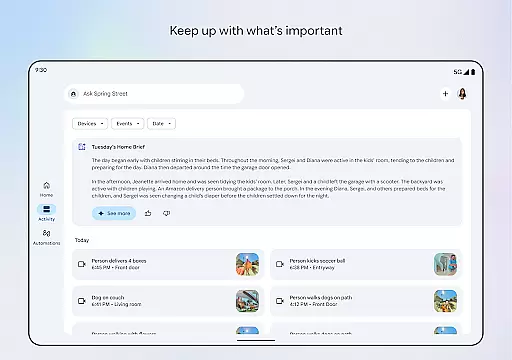
Google Home stands out with its comprehensive set of features tailored for smart home management. One of its key functionalities is the ability to display your home's status at a glance, which includes real-time updates from various smart devices. This feature is particularly useful for users who need to keep track of multiple devices simultaneously.
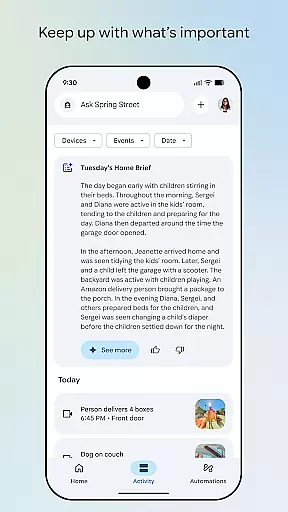
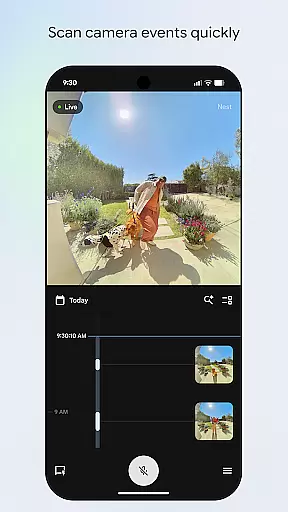
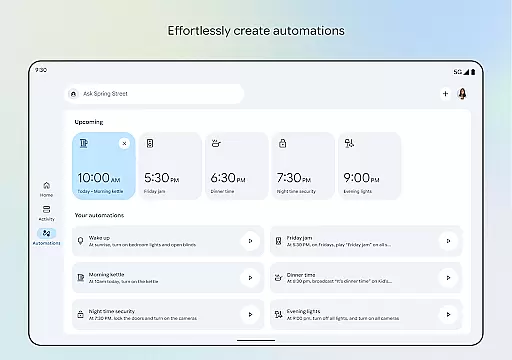
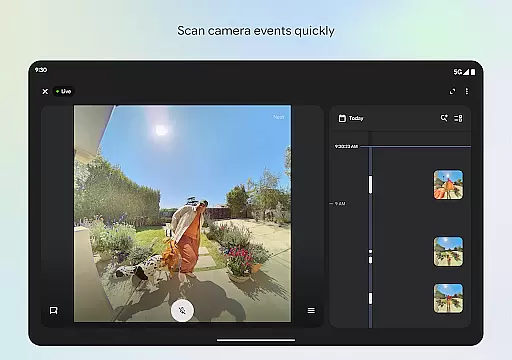
Another notable aspect is the updated design and organization, which allows users to create custom dashboards. These dashboards streamline the process of managing different settings and groups of devices, providing a personalized experience. Furthermore, the app's camera live view and history interface enable users to quickly scan through past events, ensuring they never miss important moments.
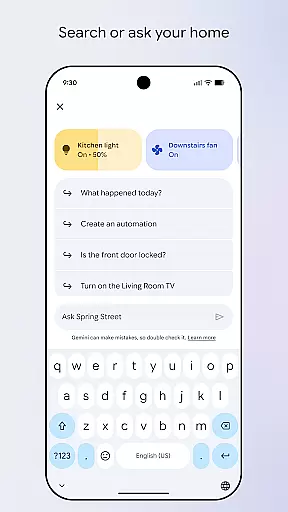
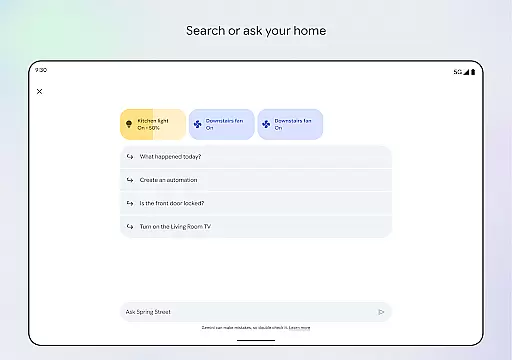
Voice control is another innovative feature powered by Gemini for Home. By simply speaking commands, users can adjust settings, turn devices on or off, and even ask questions about their home's current state. This hands-free operation enhances accessibility and convenience, making daily tasks more efficient.
Companion app integration is essential for seamless control and monitoring of smart home devices through wearable technology. Google Home ensures that users can efficiently manage their connected devices without interruption.
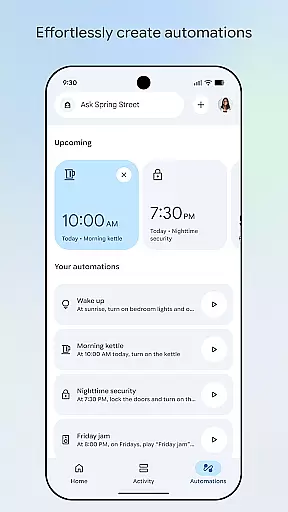
The app provides a centralized dashboard, allowing users to organize and access all their smart home products effortlessly. This feature supports quick actions and real-time updates directly from your wearable device, ensuring you are always informed.
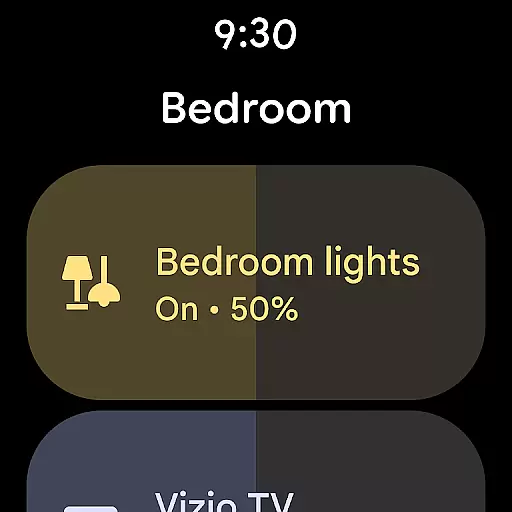
By integrating with Wear OS, Google Home offers voice command capabilities and instant notifications. This means you can ask Gemini for Home to adjust settings or receive alerts about your home's status, enhancing convenience and accessibility.
Ultimately, this companion app integration empowers users to maintain a smart home ecosystem that is both responsive and adaptable to their lifestyle needs, all from their wrist.
Ensuring compatibility with Wear OS and various devices is crucial for a unified smart home experience. Google Home excels in providing broad support across numerous smart devices and platforms.
This compatibility allows users to connect multiple devices, such as lights, cameras, and thermostats, directly through the Google Home app on their Wear OS devices. The ability to interact with these gadgets enhances user engagement and simplifies home management.
Google Home also emphasizes cross-device functionality, meaning whether you're using a smartphone, tablet, or smartwatch, the experience remains consistent and reliable. This adaptability ensures that no matter where you are, your home is within reach.
With extensive device compatibility, Google Home delivers a versatile and integrated solution, making smart home management more accessible and efficient for everyone.
User-friendly interface
Comprehensive device support
Real-time updates
Voice command integration
Customizable dashboards
Limited regional availability
Requires compatible devices
Occasional connectivity issues
Privacy concerns with camera access
Dependent on internet connection

Christmas watch face. For Wear OS devices.
 4.30
4.30
Animated Watch Face and Customizable with 24 Backgrounds. Perfect for Christmas!
3.90
Rose gold watch face with festive lights & customizable features.
4.60
A full-featured Amazon Alexa voice assistant that can show you things.
3.70
Wear Os Watch Face - Animated Snow Effect & Magic Spark - 6 Scenes
4.10
Fitness interactive virtual pet super fighter boy watch face
4.2
The #1 source of faces for your smartwatch!
4.00
Hybrid watch face for Wear OS with customizable complications by Matteo Dini MD
4.70
Your local weather forecast, storm tracker, radar maps & live weather news
3.40
Real-time results, stats, schedules and player profiles for all leagues
4.60
MyNISSAN® lets you remotely control your car from your phone.*
4.50
Stylish, Energizing and Modern Watch Face crafted by Dominus Mathias.
4.50
Current temperature, weather hourly, weather radar by the weather forecast app
4.40
Watch face for Wear OS.
4.20
Snowflake Rose Gold Watch Face - Digital, modern, & sleek with GYRO effect.
4.10
Watch face designed for Thanksgiving Day. 7 Background Styles included.
3.20
Wear Os Watch Face - Animated Snow - Sesonal for Christmas & Winter
4.0
A heartwarming Christmas scene featuring a cute image of Santa and Rudolf
4.1
Sleek, highly customizable watch face inspired by Galaxy Watch Circle Dashboard.
4.1


User Reviews