
The MyNISSAN App is a comprehensive vehicle management solution designed to enhance the ownership experience for Nissan drivers. This innovative application brings essential vehicle controls and information directly to compatible Android devices, providing unprecedented convenience and peace of mind.
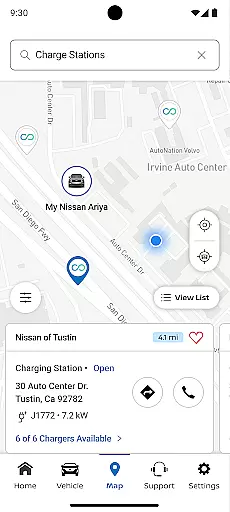
Core functionalities include remote vehicle access, security monitoring, maintenance tracking, and personalized settings management. The app's capabilities are particularly robust for vehicles 2014 and newer, with premium features available for select models 2018 and later that have an active NissanConnect® Services Premium package. Users can remotely start their vehicle, check its status, locate it in parking lots, and receive important alerts about their vehicle's condition and security.
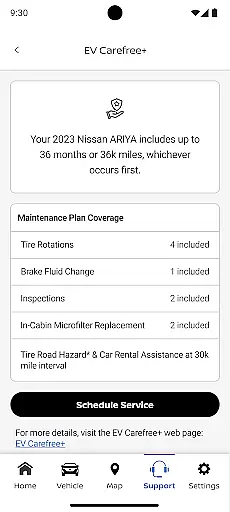
This application proves invaluable during road trips or busy workdays when you need to monitor your vehicle's status remotely. The ability to set boundary alerts and receive maintenance notifications helps drivers maintain their vehicles proactively while the remote access features provide enhanced security and convenience.
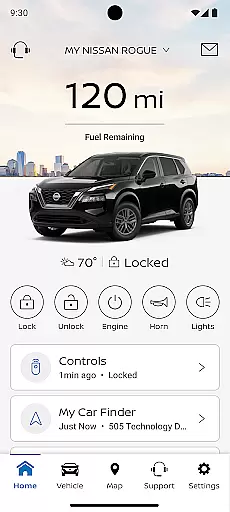
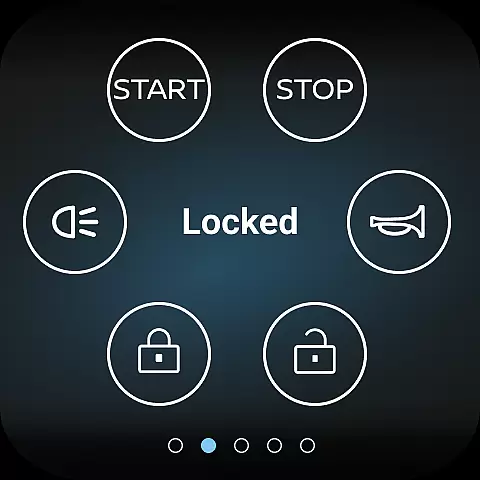
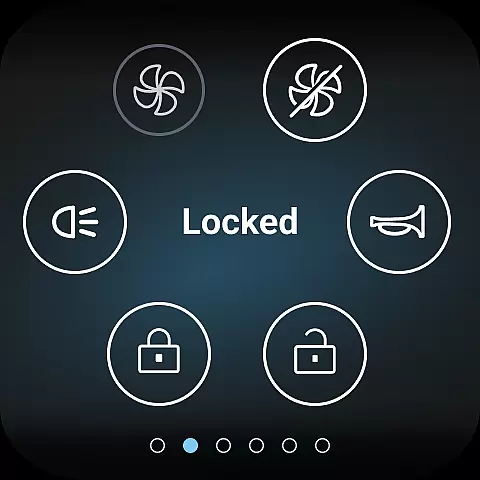
The MyNISSAN App distinguishes itself through a comprehensive suite of features that cater to various aspects of vehicle ownership. Its remote vehicle management capabilities allow users to control essential functions such as engine start/stop, door locks, and even horn and lights activation from their mobile device.
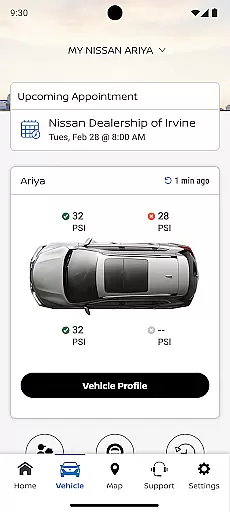
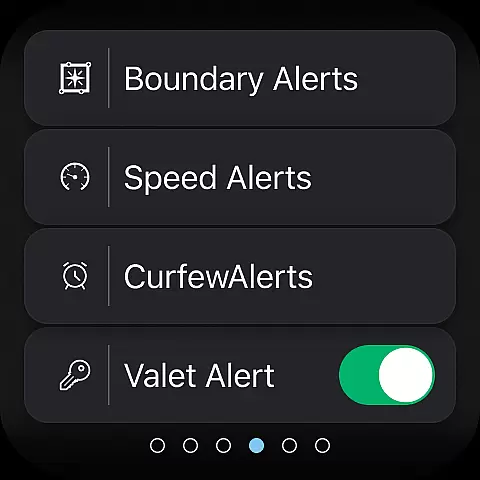
A standout feature is the vehicle monitoring system that provides real-time data about crucial parameters including mileage, fuel range, tire pressure, and engine status. The app also offers advanced security features like customizable boundary and speed alerts, making it particularly useful for parents monitoring teen drivers or fleet managers tracking company vehicles.
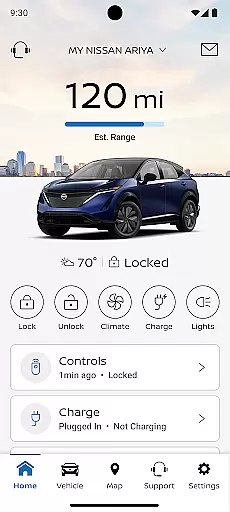
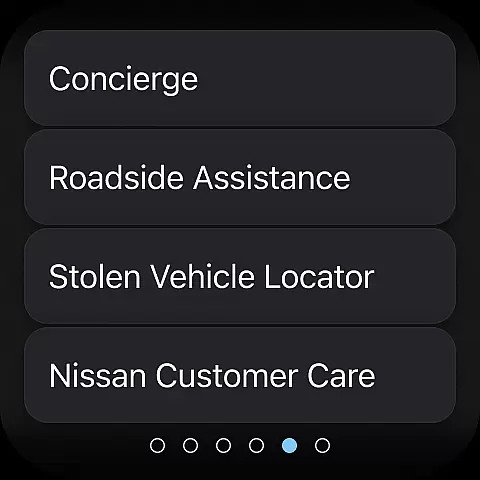
For vehicles equipped with Google built-in technology, users gain access to additional conveniences such as remote climate adjustment and enhanced security notifications. The integration with roadside assistance services and the ability to connect with automotive repair shops for real-time updates further enhances the app's value proposition, creating a complete ecosystem for vehicle management and maintenance.
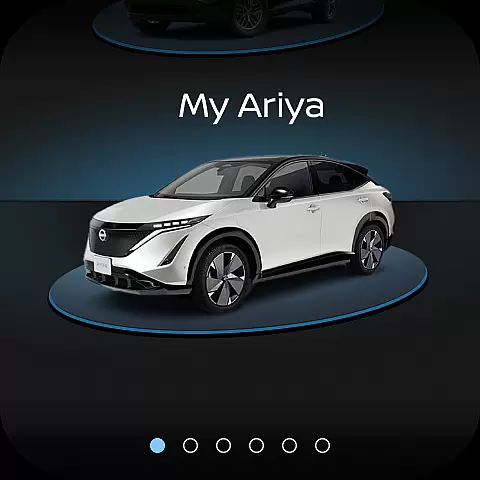
Companion app integration is a crucial feature for wearable devices, ensuring seamless connectivity between your smartphone and Wear OS device. The MyNISSAN app excels in this area by extending essential vehicle controls and information to your Android Wear device.
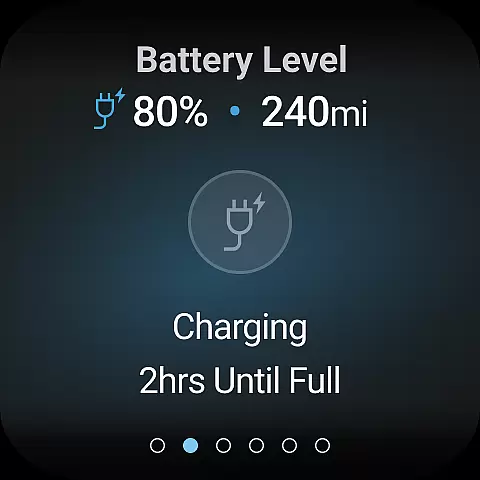
This integration allows Nissan vehicle owners to access key functionalities directly from their smartwatch. Users can remotely start or stop their vehicle, lock and unlock doors, and even activate the horn and lights - all from their wrist. This creates a truly connected experience that enhances convenience and accessibility.
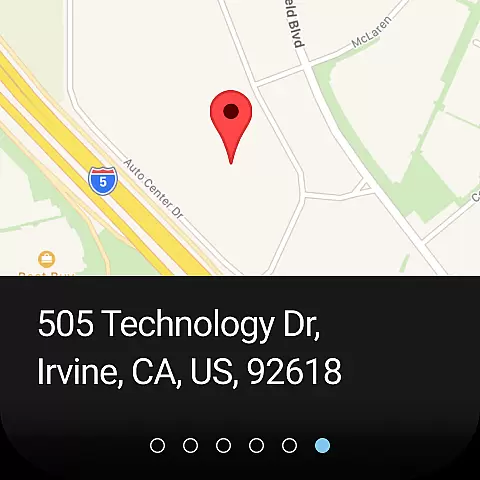
The benefits of this companion app integration are significant. Drivers can perform essential vehicle functions without needing to reach for their phone, making it particularly useful in situations where quick access is needed. The ability to locate your vehicle or receive important notifications on your wearable device adds an extra layer of practicality to the ownership experience.
By extending these capabilities to Wear OS devices, Nissan demonstrates its commitment to embracing modern technology and providing users with flexible control options. This integration represents a significant advancement in how drivers interact with their vehicles, bringing essential functions closer to hand than ever before.
Wear OS and device compatibility is essential for ensuring that smartwatch applications function properly across different hardware platforms. The MyNISSAN app has been optimized to work seamlessly with both Android phones and Wear OS devices, providing a consistent user experience regardless of the device being used.
This compatibility extends to various Nissan models, particularly those from 2014 onwards. The app's functionality adapts to different vehicle configurations, offering features that match each vehicle's capabilities. For newer models with Google built-in features, additional functionalities become available, demonstrating the app's ability to scale its services based on the vehicle's technological sophistication.
Users benefit from this broad compatibility in several ways. First, they can be confident that their investment in a Wear OS device will integrate smoothly with their Nissan vehicle. Second, the app maintains its core functionality across different devices, ensuring that all users receive the same level of service quality regardless of their specific hardware configuration.
The MyNISSAN app's approach to compatibility showcases Nissan's dedication to supporting modern technology standards while maintaining backward compatibility with older vehicle models. This strategy ensures that as many customers as possible can take advantage of the app's features, regardless of their specific device combination or vehicle age.
User-friendly interface
Comprehensive vehicle monitoring
Remote access convenience
Proactive maintenance alerts
Enhanced security features
Limited older vehicle support
Premium feature subscription
Network dependency issues
Feature availability varies
Device compatibility required

Animated Watch Face and Customizable with 24 Backgrounds. Perfect for Christmas!
 3.90
3.90
Current temperature, weather hourly, weather radar by the weather forecast app
4.40
Contemporary digital watch face with five complications
4.4
Sleek, highly customizable watch face inspired by Galaxy Watch Circle Dashboard.
4.5
3 Complications. All shadow on/off. 30 Themes color palette...
4.3
Bold, Modern Hybrid Watch Face for Wear OS. 10 Colors, Rich Info Display.
4.30
Stylish digital watch face for Wear OS devices with customizable features
4.0
A digital watch face that celebrates Christmas.
4.00
Viewer for Wyze/Yi/Eufy/Arlo/ONVIF/RTSP/P2P IP cams w/ adv. features & DIY DVR
4.00
Real-time weather radar with temperatures, warnings, hurricanes, and widgets
4.80
Your second brain for organizing your life: to-do, calendar, reminder.
4.70
Rose gold watch face with festive lights & customizable features.
4.60
Ideal for surviving in the wasteland left after nuclear fallout
4.50
Get helpful reminders, take progress photos and find answers to your questions.
3.90
Watch the sharpness of the sky on your wrist..
3.70
Stay in touch with your friends and family using LINE!
3.40
an Analog Watch Face for winter season with freeze winter background for Wear OS
4.1
Minimalistic design modern digital watch face.
4.2
Hybrid Vibrant Health Watch Face for Wear OS
4.4


User Reviews