
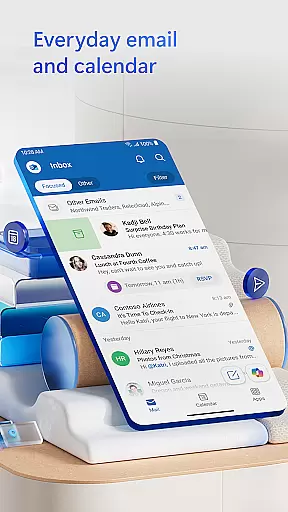
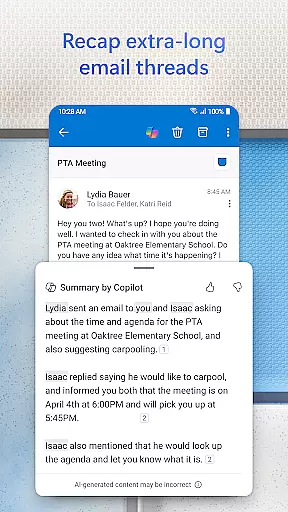
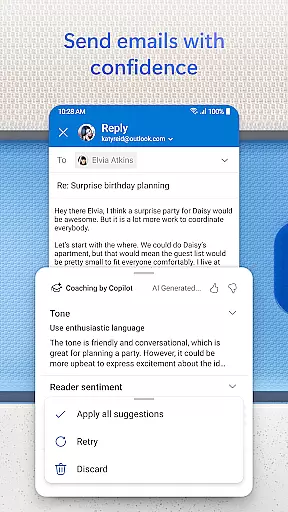
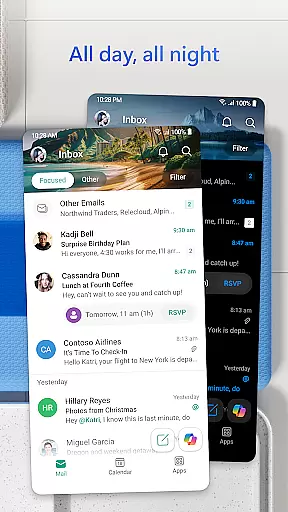
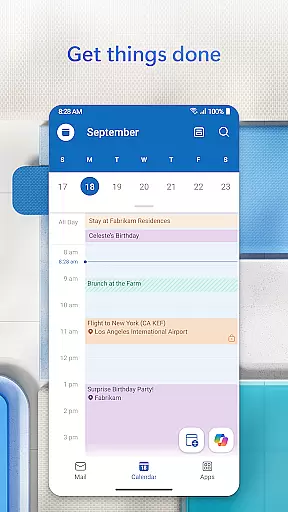
Microsoft Outlook is a comprehensive email and calendar app designed to streamline your busy life. It consolidates email, files, and calendar management into a single platform, ensuring you stay productive. The app intelligently organizes emails into Focused and Other categories, helping you prioritize important messages while keeping your day structured with multiple calendar views.
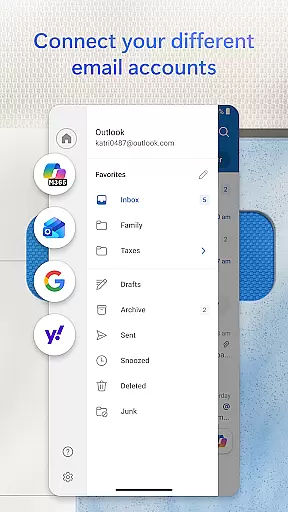
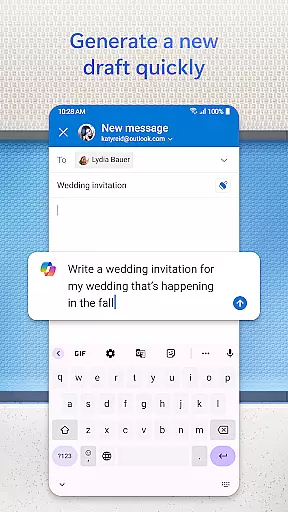
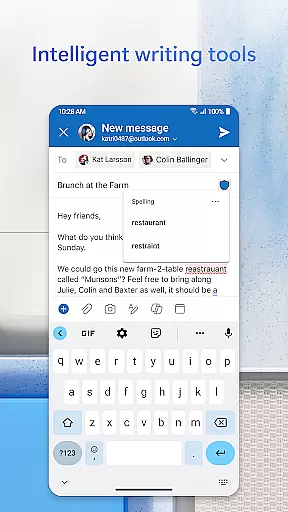
Outlook offers flexibility by supporting various accounts like Microsoft Exchange, Gmail, Yahoo Mail, and iCloud. With built-in intelligent editing tools, you can craft professional-quality emails effortlessly. The app also allows you to handle Word, Excel, and PowerPoint documents directly from your inbox, enhancing your productivity on the go.
Beyond email management, Outlook provides robust security features to protect against phishing and spam, ensuring your data remains secure. Whether for personal or professional use, Microsoft Outlook equips you with the tools needed to manage your digital life efficiently.
Microsoft Outlook stands out with its array of features tailored to boost productivity. One key feature is the ability to connect multiple email accounts, including Microsoft Exchange, Gmail, and Yahoo Mail, allowing seamless management from one interface. This integration extends to cloud services like OneDrive, enabling easy attachment of documents, photos, or videos directly from your storage.
The app's intelligent inbox management filters emails into Focused and Other tabs, decluttering your view and highlighting critical messages. Swipe gestures further enhance efficiency, letting you delete, archive, or snooze emails swiftly. Additionally, Outlook incorporates advanced search functionalities, allowing voice-activated searches and suggested replies to maintain workflow momentum.
Security is paramount in Outlook's design. Enterprise-grade protection safeguards against viruses, phishing attempts, and spam. For sensitive communications, encryption options are available, ensuring that confidential information remains protected. These features collectively make Microsoft Outlook a versatile tool for both personal and professional email management.
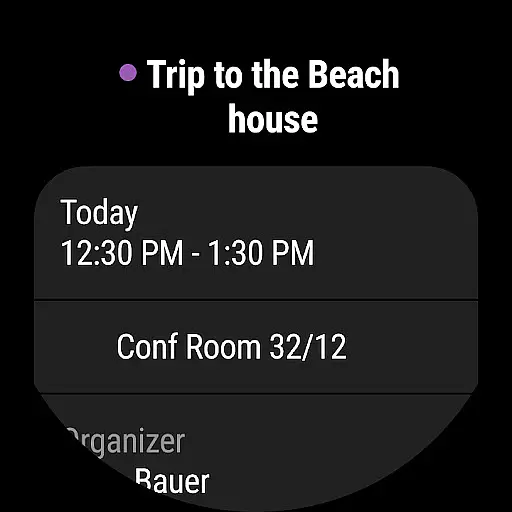
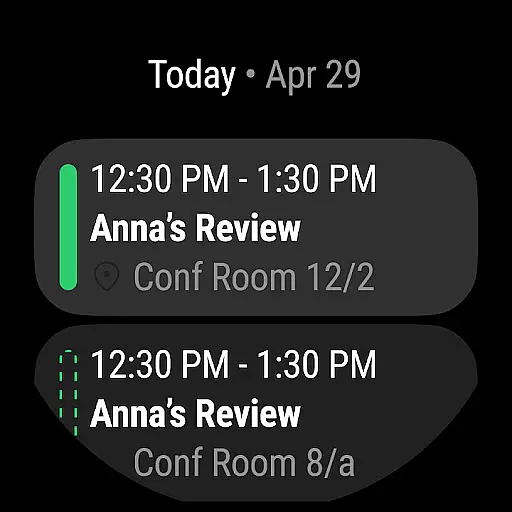
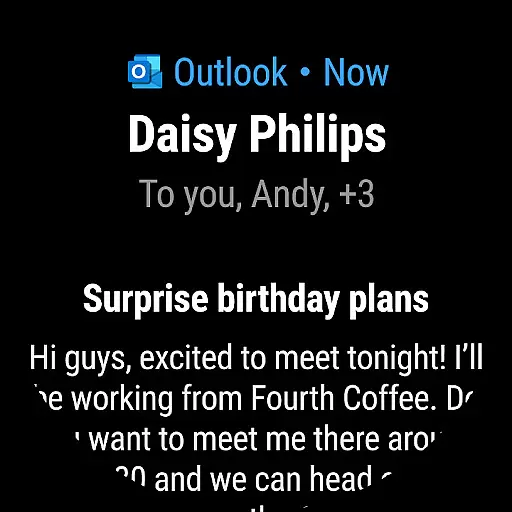
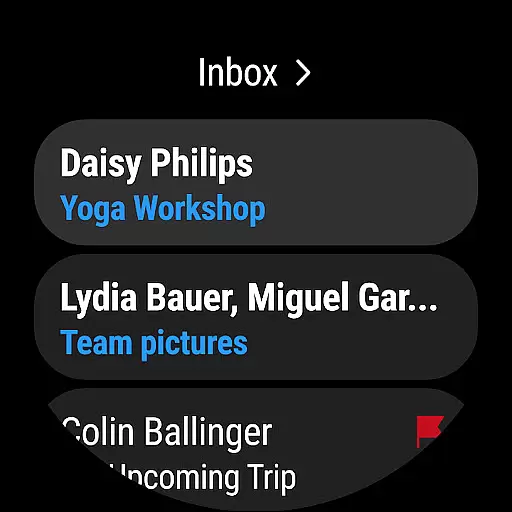
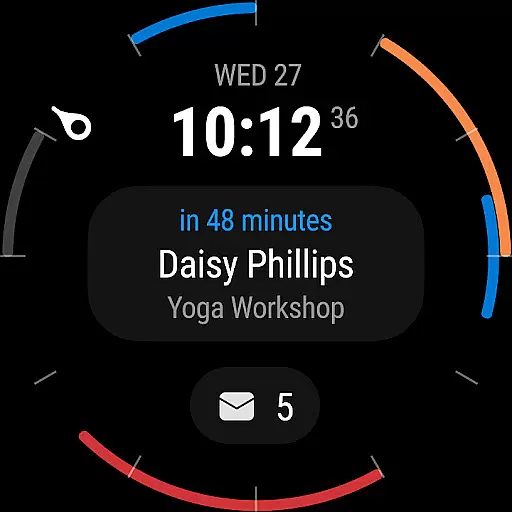
Companion app integration is essential for users who want a seamless experience between their mobile devices and wearables. Microsoft Outlook excels in this area by offering a robust companion app designed specifically for Wear OS. This ensures that users can access their emails, calendar events, and important notifications directly from their smartwatches.
The integration allows for real-time synchronization of data, ensuring that any action taken on the wearable device is accurately reflected on the mobile app and vice versa. Whether you're checking your inbox, responding to urgent emails, or viewing your schedule, the process is smooth and efficient, enhancing productivity on the go.
Furthermore, the companion app is designed with user convenience in mind. It provides quick access to frequently used features without compromising on functionality. Users can easily manage their emails and calendar events, ensuring they stay connected and informed regardless of their location or circumstances.
Overall, Microsoft Outlook's companion app integration offers a comprehensive solution for users seeking to maximize their productivity through synchronized mobile and wearable experiences. The ability to stay connected and manage tasks efficiently makes it an invaluable tool for busy professionals.
Device compatibility is crucial for ensuring that applications function optimally across various platforms. Microsoft Outlook addresses this need by providing extensive compatibility with Wear OS devices, allowing users to enjoy a consistent experience regardless of their chosen hardware.
The app supports a wide range of Wear OS devices, ensuring broad accessibility for users. Whether you own a smartwatch from a major manufacturer or a lesser-known brand, Microsoft Outlook is designed to work seamlessly with your device. This compatibility extends to different versions of Wear OS, ensuring that users benefit from the latest features and security updates.
In addition to supporting multiple devices, Microsoft Outlook also integrates with other essential services such as Microsoft Exchange, Gmail, and iCloud. This ensures that users can access all their email accounts and calendars from their Wear OS device, streamlining their digital life and enhancing convenience.
By prioritizing Wear OS and device compatibility, Microsoft Outlook delivers a versatile and reliable solution for users who rely on their wearable devices for staying organized and productive. The app's ability to adapt to various devices underscores its commitment to providing a superior user experience.
User-friendly interface
Multi-account support
Advanced security features
Integrated cloud services
Efficient email organization
Limited offline functionality
Occasional sync issues
Heavy on storage
Premium features require subscription
Complex setup for beginners

"PER27 Galaxy Digital" is a digital Wear OS watch face designed by PERSONA
 4.10
4.10
Diet tracker for weight loss - track calories, food and macros. Simple and easy!
4.70
WTW M17 is a premium and luxurious hybrid watch face
4.70
Simple Analog-Digital Watchface For Wear OS 3.0 and Up Smartwatches
4.3
Watch face for Wear OS.
4.20
Bold weather Digital watchface with forecast & optional animated background
4.40
Your local weather forecast, storm tracker, radar maps & live weather news
3.40
Simple, helpful messaging by Google
4.60
Back up your contacts & access them anywhere
4.30
Christmas Theme Watch Face for Wear Os
5.00
Beautiful, colorful and practical watch face. For Wear OS devices.
5.00
Be an elegant and classy secret agent, with this carefully detailed watch face
4.70
Digital watch face. For Wear OS devices.
4.40
Elegant animated Christmas tree with multiple customization options
4.20
Animated video-game inspired “secret agent” simulation, right on your wrist!
4.20
Snowflake Rose Gold Watch Face - Digital, modern, & sleek with GYRO effect.
4.10
Animated Watch Face and Customizable with 24 Backgrounds. Perfect for Christmas!
3.90
Stay in touch with your friends and family using LINE!
3.40
Hybrid Vibrant Health Watch Face for Wear OS
4.4


User Reviews