
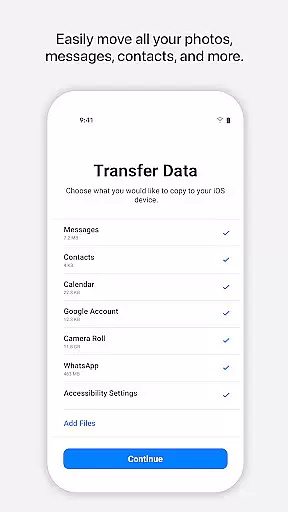
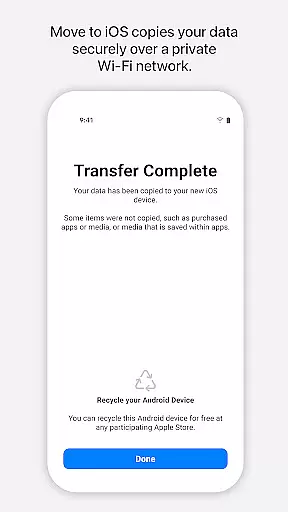
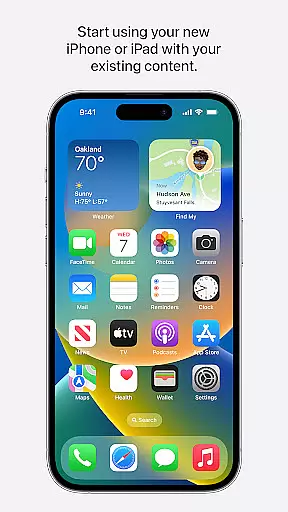
Move to iOS is a powerful migration tool designed to simplify the process of switching from Android to iPhone or iPad. This application enables users to transfer various types of content seamlessly and securely, including contacts, message history, photos, videos, mail accounts, calendars, and even WhatsApp data. By creating a private Wi-Fi network between devices, Move to iOS ensures that all data is transferred directly without the need for third-party storage solutions.
The app's standout feature is its ability to migrate content automatically within just a few steps. Users simply need to keep their devices connected and powered until the transfer is complete. Once initiated through a security code, the app intelligently places each type of content in its appropriate location on the new iOS device. Whether you're upgrading your smartphone or switching platforms entirely, Move to iOS provides an effortless transition experience.
This tool is particularly valuable for individuals seeking a hassle-free way to switch ecosystems while preserving their digital lives. With support for essential data categories and optional permissions for additional content like SMS and music files, Move to iOS offers both comprehensive coverage and user control during the migration process.
Move to iOS stands out with its robust set of features tailored specifically for cross-platform migration. The app creates a dedicated private Wi-Fi network between the Android device and the new iPhone or iPad, ensuring secure data transfer without requiring internet connectivity. This innovative approach eliminates the risk of exposing personal information during the migration process.
Among its notable capabilities, the app supports migration of diverse content types such as camera photos and videos, voice memos, call logs, and app data. Optional permissions allow users to selectively transfer SMS messages, music libraries, and phone settings while maintaining control over what gets migrated. The inclusion of a security code verification step adds an extra layer of protection during the transfer process.
What makes Move to iOS particularly valuable is its ability to place each type of content in its appropriate location on the new device. Contacts go to the address book, photos to the gallery, and mail accounts are set up automatically. This intelligent organization saves users considerable time and effort when setting up their new iOS devices, making it an indispensable tool for anyone transitioning from Android to Apple's ecosystem.
Move to iOS is designed with precision to ensure the seamless transfer of data from Android devices to iOS. The app's core functionality revolves around its ability to migrate a wide array of content, including contacts, message history, photos, and even app data, with remarkable accuracy.
The effectiveness of Move to iOS lies in its user-friendly approach that requires just a few steps to transfer content. By creating a private Wi-Fi network between devices, it facilitates a direct and secure data migration process without the need for third-party services or additional storage solutions.
Users benefit from the peace of mind that comes with a secure and automatic transfer. With real-time notifications about the status of their migration, individuals can easily track progress and ensure all desired content is moved over successfully, allowing them to dive into the iOS ecosystem with all their digital assets intact.
The interface of Move to iOS reflects Apple's commitment to simplicity and ease of use. It features an intuitive design that guides users through the migration process with clear instructions and minimalistic visuals, ensuring that even those who aren't tech-savvy can navigate the transition effortlessly.
By minimizing the number of actions required from the user, Move to iOS reduces complexity to a few taps on the screen. Once the initial connection between devices is established, much of the process is automated, allowing users to sit back while their data transfers securely in the background.
This straightforward interaction means users spend less time managing their switch and more time enjoying their new device. The app's focus on reducing cognitive load results in a stress-free experience that aligns perfectly with the overall ethos of iOSu2014making technology accessible and enjoyable for everyone.
User-friendly interface
Secure data transfer
Comprehensive content migration
Private Wi-Fi network
Intelligent content placement
Limited to Android-iOS
Requires stable connection
Optional permissions needed
No reverse migration
Device proximity required

Change your GPS location instantly. Simulate routes anywhere in the world.
 4.90
4.90
Learn the vast amount of system information about device and monitor it's state
4.70
Family Locator, Share location, StayConnect with your family in real time
3.90
card-reader app
2.20
Small and simple app to Verify Root Access and BusyBox Install!
4.70
Excellent scientific calculator with symbolic algebra, integrals, derivatives
4.80
The Ultimate Flex Drivers Utility App - Convenient Tapping & Block Filters
4.70
Button mapper, mouse toggle, sleep timer and a lot of another features
4.50
A clean app.
4.50
Play your X-Box games remotely in 1080p with any controller and zero latency
4.60
Complete kernel toolbox with features to manage and tweak your rooted device
4.30
Fluid navigation gestures for all of us!
4.30
Effortlessly run ADB commands directly on your device without a PC.
4.20
Signal Strength, Mobile, Wifi, Speed Test, Bad Signals, Cellular, 5G, LTE, 4G
4.20
Screen Mirroring with sound for Samsung TV, LG TV, Sony TV, Smart TV and Browser
4.20
View detailed information about your Nissan Leaf the dealer never shows you.
4.10
PDF Reader - Document Viewer: Read, Manage & Organize Your Documents
3.10
Unlock your Essential Key. Create custom shortcuts to your favorite apps!
4.0
Download any file easily and quickly with Downloader
4.1


User Reviews