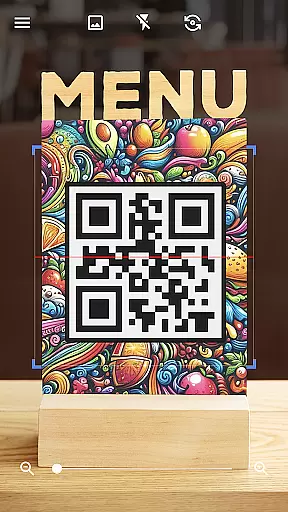
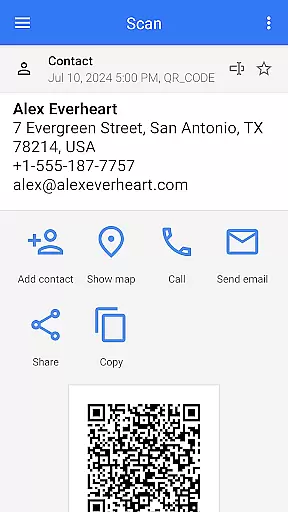
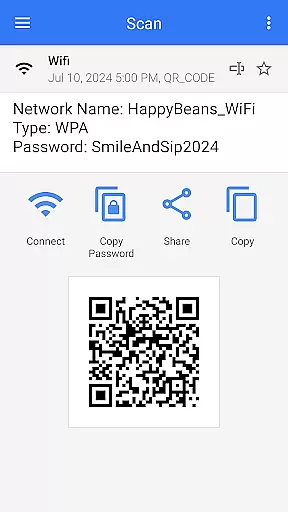
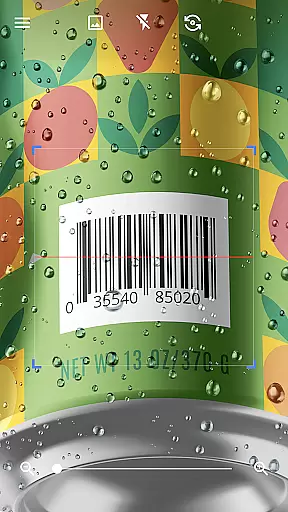
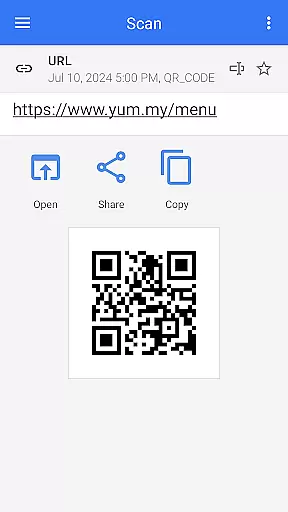
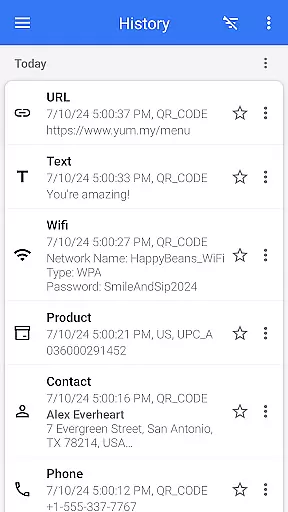
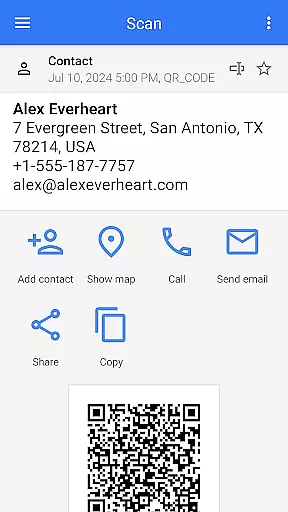
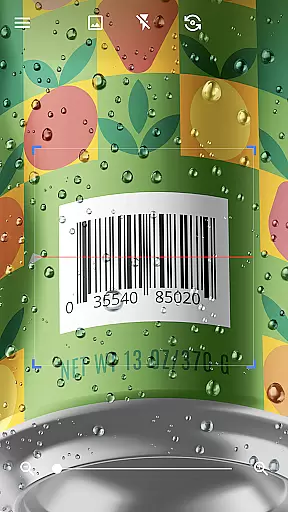
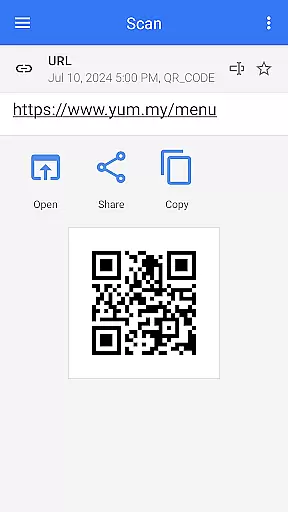
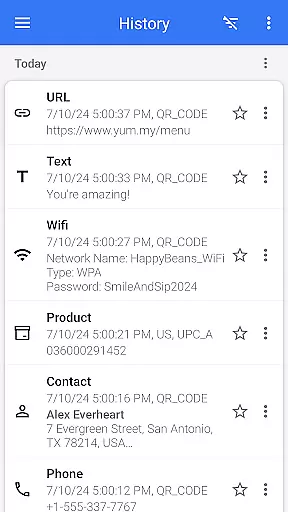
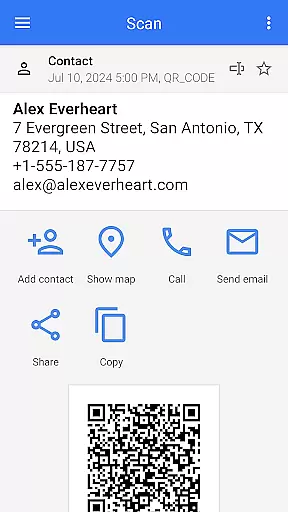
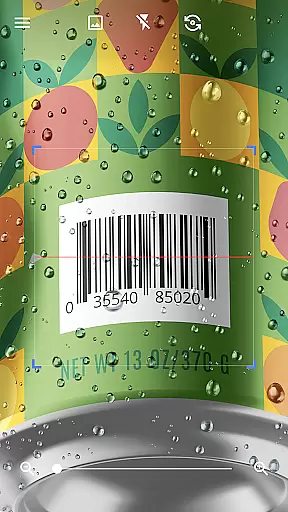
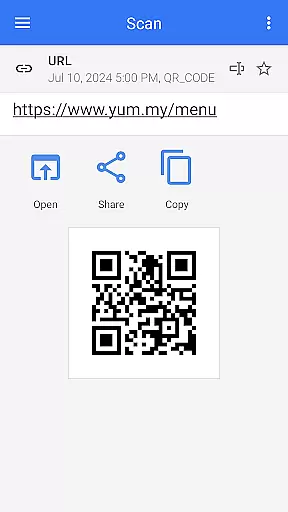
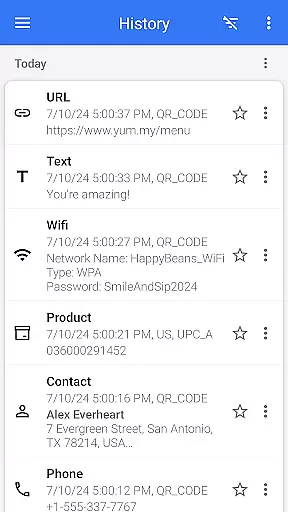

QR & Barcode Scanner is a versatile tool designed for Android users who need fast and reliable scanning capabilities. This app allows users to effortlessly scan various types of QR codes and barcodes, including text, URLs, ISBNs, product details, contacts, calendar events, emails, locations, Wi-Fi information, and more. With its intuitive interface, the app automatically scans and decodes QR codes without requiring any additional actions from the user, such as pressing buttons or adjusting zoom.
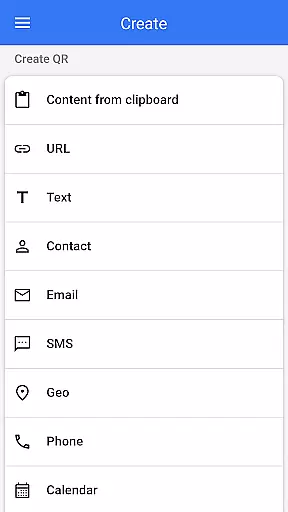
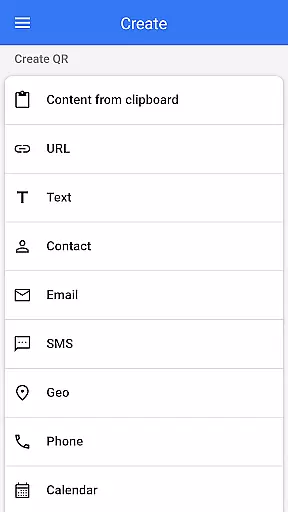
In addition to its scanning capabilities, QR & Barcode Scanner also functions as a QR code generator. Users can easily create QR codes by entering desired data and generating the corresponding code. The app supports multiple functionalities like creating QR codes, scanning from images or galleries, sharing contact information via QR, and even batch scanning multiple codes at once. Its comprehensive feature set makes it an essential tool for both personal and professional use, ensuring that users can efficiently manage their QR code and barcode needs on the go.
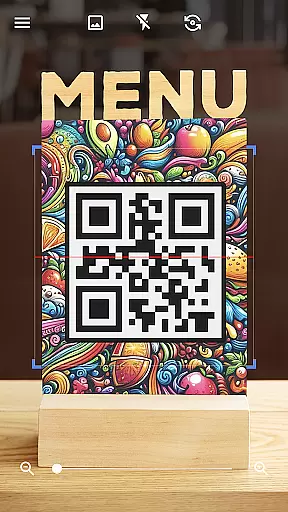
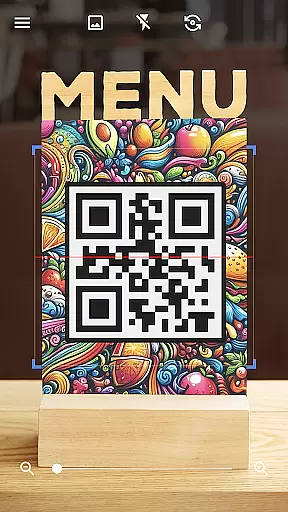
QR & Barcode Scanner stands out with its extensive range of features tailored to enhance user experience. One of its key features is the automatic scanning capability, which eliminates the need for manual input or adjustments. Simply pointing the camera at a QR code or barcode initiates the scanning process, providing quick and accurate results. This feature is particularly beneficial in low-light conditions, where users can activate the built-in flashlight to ensure optimal scanning performance.
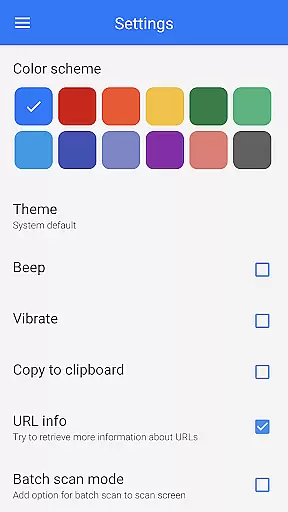
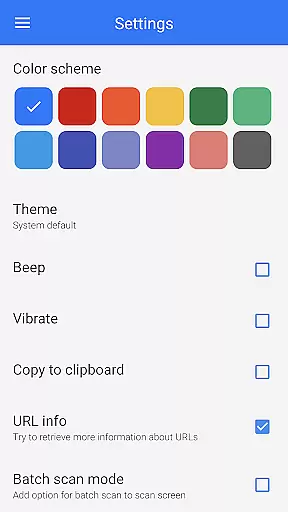
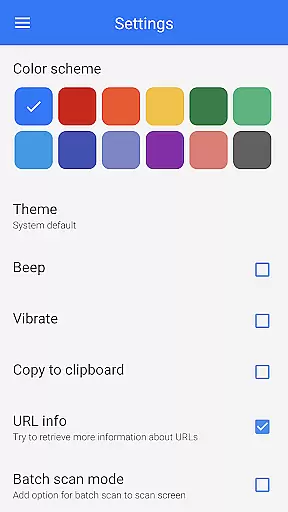
The app also offers advanced functionalities such as generating QR codes from clipboard content, changing app themes, and using dark mode for comfortable nighttime use. Users can take advantage of the batch scan mode to process multiple QR codes simultaneously, streamlining workflows and saving time. Additionally, the ability to export scanned data as .csv or .txt files and import .csv files adds another layer of convenience, allowing users to manage their data efficiently. These robust features make QR & Barcode Scanner an indispensable tool for anyone needing reliable QR code and barcode management.
QR & Barcode Scanner stands out for its exceptional core functionality, which centers on the accurate and efficient scanning of QR codes and barcodes. This app employs advanced scanning technology that automatically detects and deciphers various code types without the need for user intervention, such as pressing buttons or adjusting zoom.
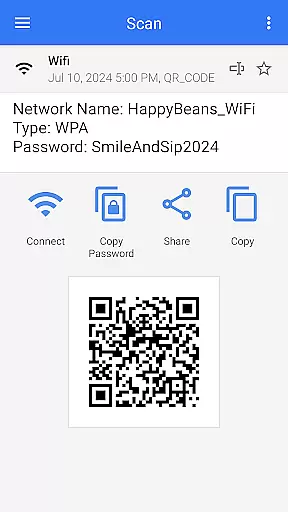
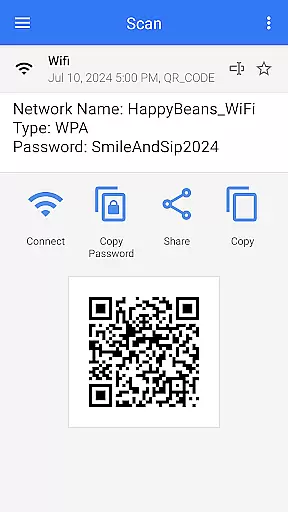
The effectiveness of this tool is evident in its ability to swiftly scan and decode a wide array of QR code and barcode formats. Whether it's text, URLs, ISBNs, product details, or even Wi-Fi passwords, users can expect reliable performance that facilitates quick access to information or services. The app's sophisticated algorithms ensure high precision, minimizing errors and misreads.
For users, this means effortless scanning in diverse settings, from retail environments to personal use cases like connecting to Wi-Fi networks. The app's speed and reliability save time and enhance productivity, making daily tasks more manageable. With features like flashlight activation for low-light conditions and pinch-to-zoom for distant codes, QR & Barcode Scanner proves indispensable.
Ultimately, the app's commitment to core function accuracy translates into tangible benefits for users who rely on consistent and rapid code scanning. Its comprehensive feature set, including batch scanning and exporting capabilities, positions QR & Barcode Scanner as an essential tool for both individual and professional use.
A hallmark of QR & Barcode Scanner is its interface simplicity and intuitiveness, ensuring that users can operate the app with minimal learning curve. The design emphasizes ease of use, featuring a clean layout that prioritizes functionality without overwhelming the user.
Upon launching the app, users are greeted with a straightforward interface that requires nothing more than pointing the camera at a QR code or barcode. Thereu2019s no need for manual inputs or complex configurationsu2014everything works automatically. This seamless interaction underscores the app's dedication to providing an intuitive user experience.
Moreover, additional features such as generating QR codes, scanning from images, and sharing contact info via QR are integrated smoothly within the interface. Users can access these functions effortlessly through well-organized menus, enhancing overall usability. The inclusion of customization options like dark mode and theme changes further demonstrates the app's focus on user-centric design.
In essence, QR & Barcode Scanner combines powerful functionality with an accessible interface, catering to both tech-savvy individuals and those less familiar with digital tools. By maintaining simplicity while offering advanced capabilities, the app ensures broad appeal and sustained user engagement.
User-friendly interface
Fast scanning speed
Versatile QR code generation
Comprehensive format support
Batch scanning capability
Limited iOS compatibility
Occasional ads
Advanced features require upgrade
Interface may feel cluttered
Some features are not intuitive

Change your GPS location instantly. Simulate routes anywhere in the world.
 4.90
4.90
pdf merge, word to pdf, jpg to pdf, edit pdf, convert to pdf and much more!
4.20
Safely recover deleted photos, videos, and files with a single easy tap.
3.70
Forza Tuning Calculator App for Forza Horizon 5, Motorsport and Earlier Titles
4.40
MS-DOS in your pocket. Play old DOS games anywhere you are ;)
4.10
Support Fossify apps with a warm thank you!
5.00
Quickly check the frequency of the Earth
4.30
Play your X-Box games remotely in 1080p with any controller and zero latency
4.60
A simple app to back up and restore SMS & MMS messages and call logs.
4.10
Remote Play with FSR upscaling, low latency & full controller support
4.80
Learn the vast amount of system information about device and monitor it's state
4.70
Small and simple app to Verify Root Access and BusyBox Install!
4.70
FV File Manager Pro, Fast and powerful file manager for Android
4.60 4.50
4.50
Game Booster, GFX Tool is now compatible with newer game update
4.50
Use your phone as a webcam on your computer over WiFi or USB.
4.40 4.10
4.10
1-Click close all background apps on Android TV
3.90
Transfer Files, APK from Phone to Watch & Install.
4.4


User Reviews