

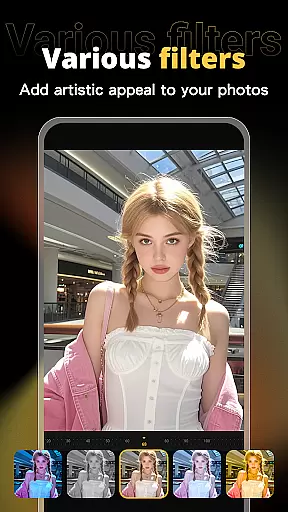



X PhotoKit is a versatile photo editing application designed to enhance your photography experience through innovative AI technology and creative tools. The app's core features include AI-powered face swapping, comprehensive photo editing capabilities, collage creation, and professionally-designed templates.
With its intelligent face swap function, users can seamlessly replace faces in photos while maintaining a natural look. The app also provides a complete suite of editing tools including filters, effects, and adjustment options that help improve image quality and visual impact. Whether you're looking to create stunning collages or stitch multiple images for panoramic views, X PhotoKit has the right tools for you.
This application is particularly useful for social media enthusiasts who want to create engaging content, travelers wishing to capture wide scenic shots, and small business owners needing professional-quality promotional materials without requiring advanced design skills.
X PhotoKit stands out with its diverse range of features tailored for both casual users and professionals. The app's AI Face Swap technology uses advanced algorithms to ensure realistic results when replacing faces in photos, making it perfect for creating fun and shareable content.
The Comprehensive Photo Editing suite includes various filters, effects, and precise adjustment tools that allow users to fine-tune every aspect of their images. From basic adjustments like brightness and contrast to more advanced options such as color grading, the app provides everything needed to enhance photo quality.
Additional notable features include customizable photo templates for different occasions, flexible collage creation tools with multiple layout options, and an Image Stitching function that enables users to combine several photos into impressive panoramic images. These features collectively empower users to unleash their creativity and produce unique visual content.
Real-time capture and preview functionality is essential for ensuring that users can see the results of their photo edits instantly. This feature allows users to visualize changes as they apply filters, effects, and adjustments, providing immediate feedback on their creative decisions.
X PhotoKit offers a seamless real-time editing experience through its advanced processing capabilities. The app ensures that even complex edits like AI face swapping and image stitching are previewed without delay, maintaining a smooth workflow for users.
The benefit of real-time capture and preview in X PhotoKit is significant. Users can experiment with different styles and settings confidently, knowing that they can see the outcome instantly. This capability enhances the overall user experience by making photo editing more intuitive and engaging.
AI beauty and enhancement features focus on improving the visual quality of photos while maintaining a natural look. These tools use sophisticated algorithms to enhance facial features, skin texture, and overall image quality without creating an artificial appearance.
In X PhotoKit, the AI beauty and enhancement functions are designed to deliver professional-grade results effortlessly. The intelligent algorithms analyze each photo individually, applying enhancements that complement the original image. Whether it's smoothing skin or brightening eyes, the changes appear subtle and lifelike.
Users of X PhotoKit benefit from this feature by achieving polished yet authentic-looking photos. The natural enhancement effect ensures that edited images retain their original charm and character, making them perfect for social sharing or personal keepsakes.
User-friendly interface
Advanced AI capabilities
Versatile editing tools
Rich template library
Creative collage options
Limited free features
Subscription required
Occasional bugs
Ads in free version
Learning curve

[3DSteroid Pro] is a stereoscopic application for Android.
 4.30
4.30
Create & Edit with AI: AI Remove, Enhance, Retouch, Filter
4.10
Amazing Photo Effects - The most fun you can have with your photos!
4.70
GCamera allows all GCam features on all phone models! Better photos with GCamera
3.30
AI Photo Editor with 100+ Filters, Effects! Remove BG, Retouch & Photo Enhancer.
4.80
Enhance, retouch & create your story - Share the moment with Photoshop Express.
4.60
Unblur, enhance & restore photos with powerful AI photo enhancer tools.
4.60
A light meter for true photographers.
4.20
Your Family Calendar + Photos. Manage your Skylight Calendar and Skylight Frame.
4.40
Collage your moments in one tap: 1000+ layouts, filters, stickers, and texts.
4.90
Your personal guide to the sun and moon. Plan ahead, visualize and predict!
4.70
Automatically backup your photos and videos to computer, NAS and Cloud services
4.60
AI photo editor with hair editor, retouch tools, hair color changer & filters!
4.50
Search, tag and rate your way to an organized image gallery
4.40
Easily stitch panoramas from multiple photos or video.
4.40
What celebrity do you look like? Celebs will find your celebrity match!
4.10
The #1 app for B&W film developing featuring an advanced darkroom timer.
4.10
Professional quality photo edits with the new Snapseed.
4.00
Be your best in every shot! Fix, edit and retouch your face in selfies & photos.
3.70


User Reviews