
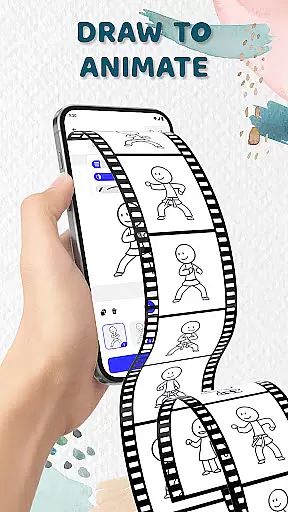
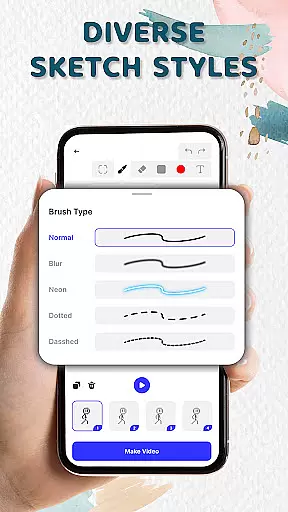
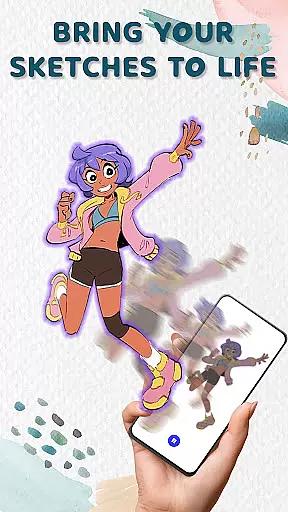
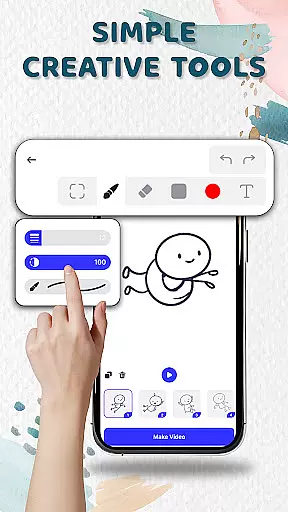
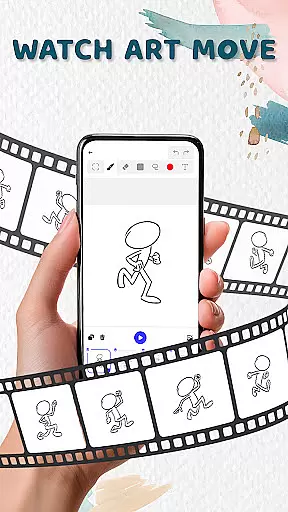
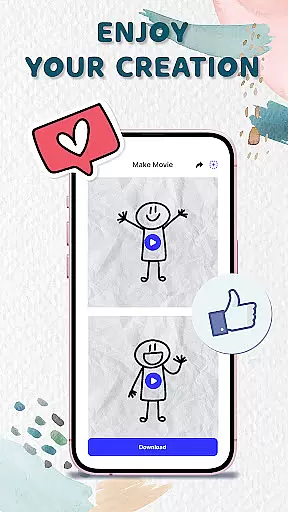
Animation Draw: Flip Maker is a creative app that transforms simple sketches into dynamic animations. Designed for both beginners and enthusiasts, this pocket studio offers intuitive tools to bring your imagination to life. With features like onion skinning, customizable pen sizes, and color options, users can create smooth and expressive animations.
The app specializes in flipbook-style animation, allowing artists to build movement frame by frame. Whether crafting stickman adventures, short comics, or playful cartoons, Animation Draw supports various sketch styles and storytelling formats. The ability to export projects as GIFs or MP4 files makes it easy to share your creations with others.
Ideal for doodlers, storytellers, and creative experimenters, Animation Draw provides an accessible platform for learning and self-expression. By combining classic animation techniques with modern digital tools, the app delivers a joyful and engaging creative process for all users.
Animation Draw stands out with its comprehensive set of creative tools designed for animators of all skill levels. The app's onion skinning feature allows users to see previous frames while working on new ones, ensuring smooth transitions between movements. With adjustable pen sizes and a wide color palette, artists have complete control over their drawing style.
The app supports multiple export formats including GIF and MP4, making it simple to share animations across various platforms. Its user-friendly interface maintains a balance between professional-grade features and accessibility, enabling both casual creators and experienced animators to produce quality content. The frame-by-frame editing system gives users precise control over their animation timing and movement.
Additional features include customizable canvas sizes, layer management tools, and playback speed controls. These professional-grade capabilities, combined with an intuitive design, make Animation Draw suitable for educational purposes, personal projects, and professional work alike.
In the realm of digital artistry, having access to comprehensive creative tools is essential for unleashing one's imagination. Animation Draw: Flip Maker offers a suite of features that cater to both budding artists and seasoned creators. With functionalities such as adjustable pen sizes, color palettes, and onion skinning, users can fine-tune their animations with precision.
The app stands out by providing an intuitive interface that simplifies the complexity of animation. Artists can seamlessly add frames and experiment with movements, ensuring each sketch evolves into a lively scene. These capabilities not only mimic traditional flipbook-style animation but enhance it with modern technology.
For those looking to tell stories through their art, Animation Draw equips them with everything needed to craft stickman adventures or dynamic cartoons. The versatility in sketch styles allows for endless possibilities in storytelling and self-expression, making every creation unique.
A canvas in the digital world should be as flexible as the artist's imagination, and Animation Draw: Flip Maker delivers just that. Users are not confined to static dimensions; instead, they have the freedom to explore various formats and resolutions for their artwork. This adaptability ensures that whether you're creating a simple doodle or an intricate animated story, your canvas will always match your vision.
Moreover, the ability to export animations in popular formats like GIF or MP4 enhances this flexibility further. Creators can share their work across different platforms without worrying about compatibility issues. This ease of sharing amplifies the reach of their art, allowing friends, family, or even a global audience to appreciate their creations.
Ultimately, Animation Draw transforms the process of drawing and animating into a joyful experience. Every frame added brings sketches closer to life, turning static images into vibrant animations. By offering extensive format options and customizable canvases, the app empowers artists to fully express their creativity without limitations.
User-friendly interface
Powerful creative tools
Supports multiple formats
Great for all skill levels
Excellent value for money
Limited advanced features
Occasional performance issues
Few tutorials available
No collaborative tools
Basic export options

Pose and morph realistic male and female models! 3D poser app
 3.00
3.00
Meet the magic aı 3d photo generator and smart AI video generator app.
3.20
Create neon drawing with magic doodle and fun doodle art effects!
4.50
Draw anime easily with AR guidance, sketch templates & trace tools!
3.10
The perfect place to start sketching! Use Sketchbook to draw and paint sketches.
4.50
Draw Trace image sketch by, AR art projector app, Easy to trace any image.
4.50
Draw glowing spinners, relax, and spin your creative art
4.60
Everything you need to create hand drawn animation, anywhere you go!
4.40
Create and Design Custom Logos in Seconds with AI-Powered Tools!
4.40
Image resizer to resize, crop, rotate, flip, change dpi photo or picture in bulk
4.60
Photo editor for art, avatars, filters & fun transformations.
4.60
Draw, fidget, and spin glow art! Relax and express your creativity with a finger
4.60
Discover Cartoon Dream : Unleash Your Creativity with CuttingEdge AI
4.50
AI generated images & photos, turn your words into drawing, painting & pictures.
4.30
Custom Character Creator & PFP Maker!
4.20
Sketch and paint on your device with the feel and freedom of drawing on paper
4.00
Turning simple sketches into captivating tales filled with life and motion
3.90
Create trending AI photos & videos with powerful effects and 3D styles.
3.20
Premium version of Shimeji-ee app with no ads & no limit active shimeji
4.4


User Reviews