
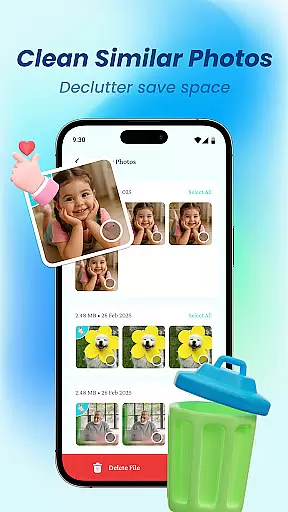
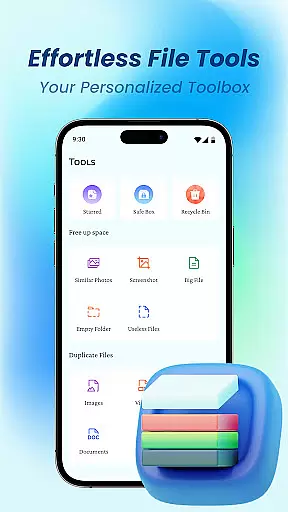
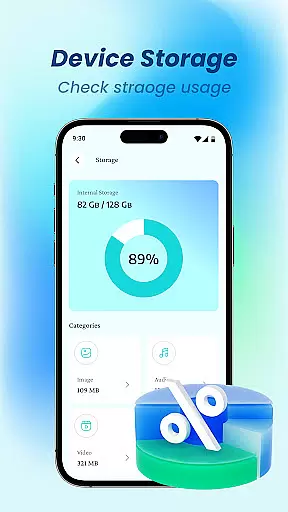
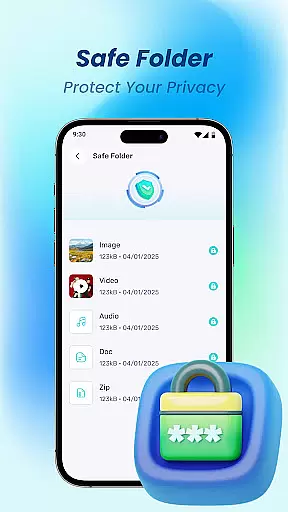
Device File Storage is a comprehensive file management tool designed to help users take complete control of their mobile device's storage. This app provides a powerful file browser that allows you to view, organize, and manage all types of files on your phone from one centralized location.
The app's standout features include total visibility into your device's storage, effortless organization tools like batch selection and folder creation, and a secure file locker for protecting private content. Whether you need to sort your personal photos, work documents, or multimedia files, Device File Storage offers the functionality to keep everything neatly organized while ensuring your privacy remains intact.
With its user-friendly interface and robust feature set, this app is particularly useful for individuals who store large amounts of data on their devices and require an efficient way to maintain and protect their digital files.
Device File Storage stands out with its robust set of features tailored for efficient file management. The app includes a powerful file browser that provides complete visibility into your device’s storage, ensuring no file remains hidden or lost. This makes it easy to locate specific documents, photos, or other content quickly.
In addition to its browsing capabilities, the app offers advanced organizational tools. Users can create new folders, move files, perform batch selections, and rename items with ease. These features are especially helpful for maintaining a well-structured file system, whether you're organizing personal media or important work documents.
Privacy and security are also top priorities in Device File Storage. The built-in secure file locker allows users to hide sensitive photos and documents behind a secure layer, ensuring only authorized access. This combination of powerful browsing, seamless organization, and privacy protection makes the app a versatile solution for managing your digital life.
Device File Storage offers a robust set of tools designed to provide users with precise control over their device's storage. The app's core functions are engineered for maximum accuracy, ensuring that every file operation is executed flawlessly.
The powerful browser functionality allows users to explore their device's entire file system without any hidden or lost files. This level of transparency and reliability makes file management both intuitive and trustworthy.
With features like batch selection, effortless organization, and secure file locking, the app ensures that all tasks are not only accurate but also effective in maintaining privacy and order. These capabilities empower users to manage their digital lives confidently.
By combining speed, precision, and security, Device File Storage delivers an exceptional user experience that meets the demands of both casual users and power users alike.
A simple and intuitive interface is at the heart of Device File Storage, making it accessible even to those who may not be tech-savvy. The design philosophy focuses on reducing complexity while enhancing usability.
Every feature, from creating new folders to managing private files, is streamlined to ensure quick access and ease of use. Users can perform tasks such as moving items, renaming files, and organizing documents without any hassle.
The app's layout is clean and uncluttered, presenting all necessary tools within a few taps. Such an approachable design reduces the learning curve significantly, allowing users to become proficient quickly.
Overall, Device File Storage combines powerful functionality with an easy-to-navigate interface, ensuring that users can efficiently manage their files without frustration or confusion.
User-friendly interface
Powerful file browser
Secure file locker
Effortless organization tools
Comprehensive file management
Limited cloud integration
No advanced editing tools
Basic UI design
Few customization options
Occasional performance lags

Quickly switch to an encrypted DNS server on Android TV
 4.50
4.50
PDF Reader - Document Viewer: Read, Manage & Organize Your Documents
3.10
Use your phone as a webcam on your computer over WiFi or USB.
4.40
Family Locator, Share location, StayConnect with your family in real time
3.90
Create your own live wallpaper or check out thousands already made presets
3.90
Undelete and recover your lost or deleted files with DiskDigger!
3.40
NFC Tools can read and write NFC tags.
4.70
Pro Emulator is an easy to use game console emulator for a range of consoles.
4.40
A clean app.
4.50
Change your GPS location instantly. Simulate routes anywhere in the world.
4.90
Keep track of your Palia friendships, tasks, and inventory with Palia Notebook
4.60
eXtended Permission Manager - a small app to manage permissions and AppOps
4.50
Game Booster, GFX Tool is now compatible with newer game update
4.50
Just swipe the edge to do something!
4.40
Forza Tuning Calculator App for Forza Horizon 5, Motorsport and Earlier Titles
4.40
Making emulation easy for everyone!
4.30
Quickly check the frequency of the Earth
4.30
MS-DOS in your pocket. Play old DOS games anywhere you are ;)
4.10
Unleash gamepad precision for ultimate mobile gaming dominance.
3.90


User Reviews