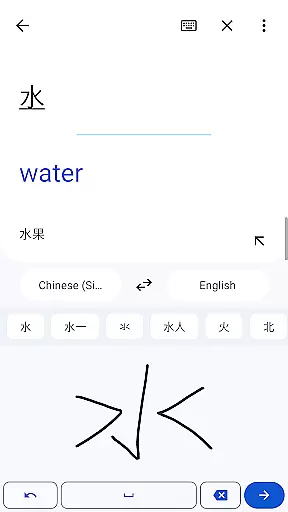
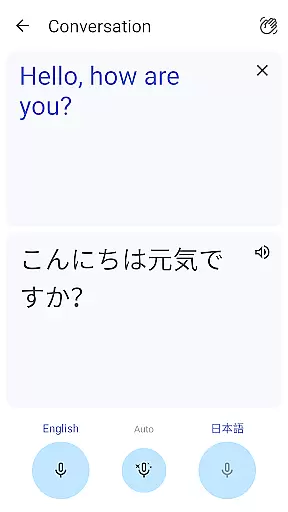
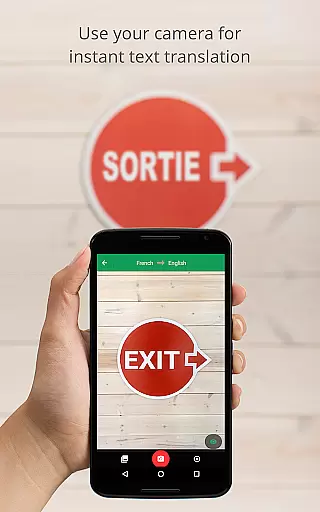
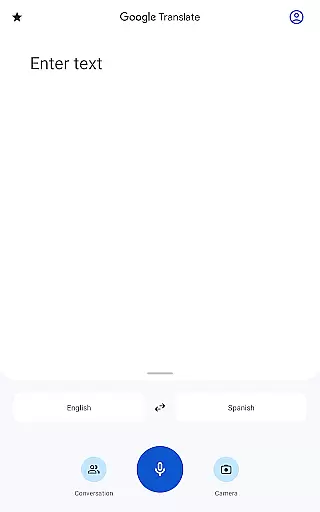
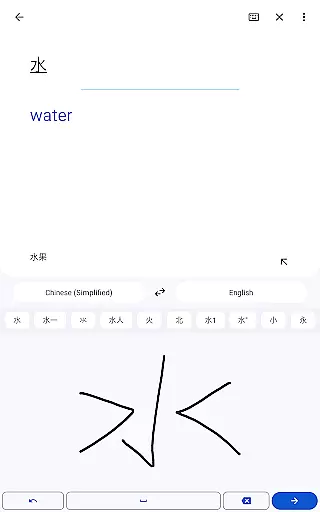
Google Translate is a versatile translation tool that supports text translation between 108 languages. The app offers multiple ways to translate, including typing, handwriting recognition, and even real-time voice transcription in select languages. With features like offline translation for 59 languages and instant camera translation for 94 languages, it ensures usability regardless of internet access.
The application also facilitates bilingual conversations in 70 languages, making it an essential communication tool for travelers and multilingual speakers. Its phrasebook functionality allows users to save frequently-used translations, while cross-device syncing enables seamless access across mobile and desktop platforms. Whether you need to translate written text, spoken words, or images containing text, Google Translate provides comprehensive language support.
This app is particularly useful in international travel scenarios where language barriers can hinder communication. By offering quick translations through various input methods, it empowers users to communicate effectively in foreign countries, access local information, and interact with people from different linguistic backgrounds.
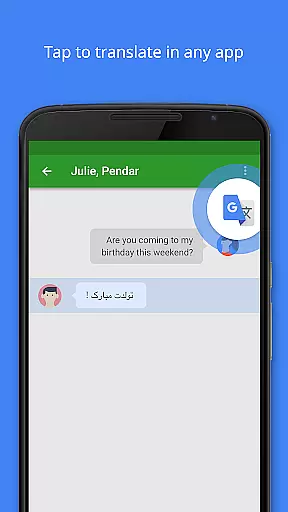
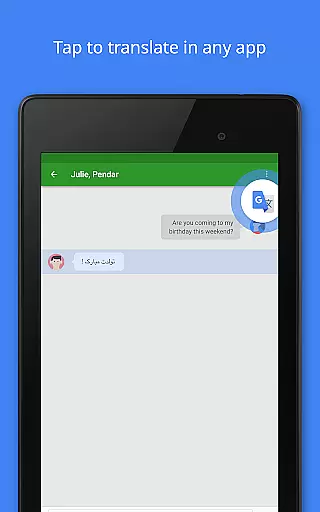
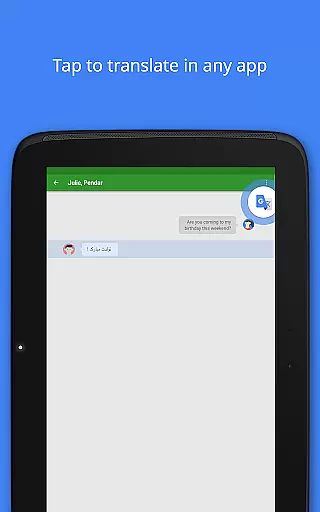
Google Translate stands out with its diverse translation methods. The Tap to Translate feature lets users copy text in any app and instantly get translations without switching contexts. Offline mode supports 59 languages, allowing users to download language packs for use without an internet connection, which is especially helpful when traveling abroad.
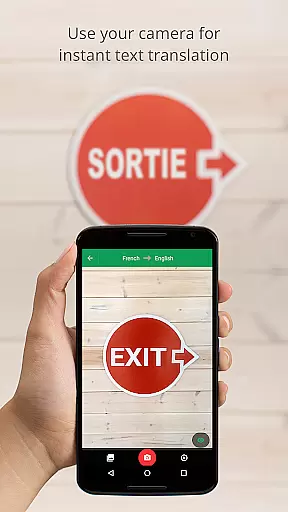
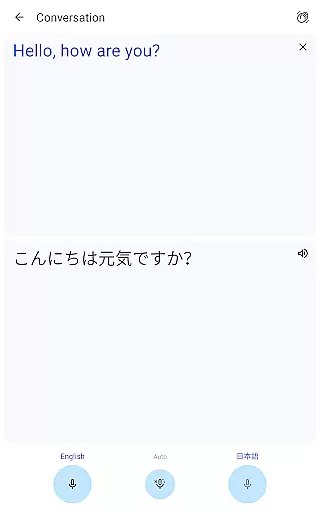
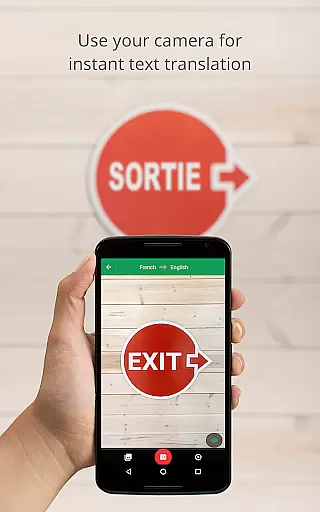
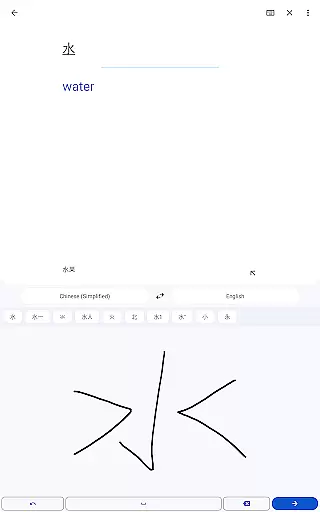
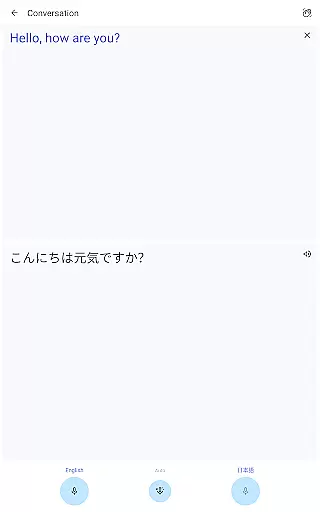
The instant camera translation function supports 94 languages, enabling users to point their device's camera at text to receive immediate translations overlaid on the screen. For higher quality results, users can take or import photos for translation in 90 languages. The app's conversation mode facilitates real-time bilingual communication in 70 languages, while handwriting recognition supports 96 languages.
Additional notable features include a phrasebook for saving favorite translations, cross-device syncing through user accounts, and a transcription tool that provides near real-time translation of spoken language in 8 languages. These comprehensive capabilities make Google Translate an indispensable tool for overcoming language barriers in various situations.
Google Translate's core functionality lies in its ability to deliver accurate translations across multiple languages and mediums. The app supports text translation between 108 languages, ensuring users can communicate effectively regardless of language barriers.
The application goes beyond basic text translation by offering features like Tap to Translate, offline translations, instant camera translations, and even transcription services. These functions are designed to work seamlessly, providing users with reliable translations whether they're online or offline, reading text, or engaging in live conversations.
What sets Google Translate apart is its use of advanced machine learning algorithms that continuously improve translation quality. This ensures that the translations provided are not only accurate but also contextually appropriate, making it an indispensable tool for both casual users and professionals.
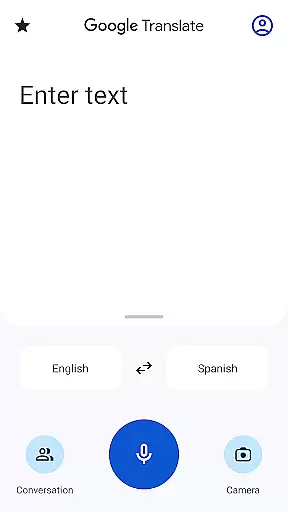
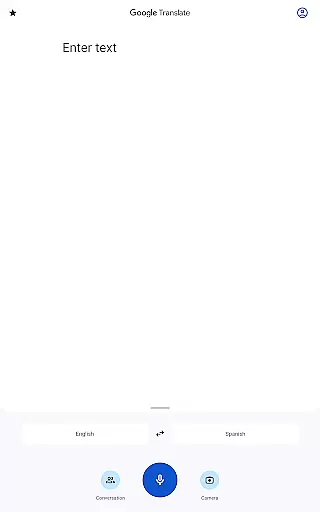
The interface of Google Translate is crafted to ensure a user-friendly experience while maintaining access to powerful translation tools. Upon opening the app, users are greeted with a clean layout that prioritizes essential functions such as text input, voice recognition, and camera integration.
Key features like Tap to Translate and the conversation mode are intuitively placed, allowing users to switch between different modes effortlessly. The app's design ensures that even first-time users can navigate its features without a steep learning curve.
Despite the complexity of its underlying technology, Google Translate maintains an approachable interface. Its simplicity does not compromise functionality; instead, it enhances user engagement by making advanced translation tools accessible to everyone.
Wide language support
Offline functionality
Instant camera translation
Real-time conversation mode
Cross-device syncing
Limited offline languages
Occasional inaccurate translations
Voice recognition errors
Requires storage space
Internet dependent for best results

Easily install aab(Android App Bundle) files on your Android device with our app
 4.80
4.80
Quickly switch to an encrypted DNS server on Android TV
4.50
Remote for Roku, Fire TV, Samsung TV, LG TV, Android TV, Chromecast and VIZIO TV
4.20
Universal TV remote control all TVs, Roku, LG, Samsung, Fire, Vizio, Sony, TCL.
4.40
Canon PRINT is a companion app for your Canon printer.
4.60
Effortlessly run ADB commands directly on your device without a PC.
4.20
Mirror your screen to Chromecast and Android TV - Super fast and simple
4.60
Bedrock Together: Join any bedrock server on Xbox/PS
4.80
Button mapper, mouse toggle, sleep timer and a lot of another features
4.50
Navigate with Ease and Style
4.90
Monitor car performance in real time and troubleshoot malfunctions.
4.80
Connect instantly to a fast, encrypted VPN with one tap
4.60
Keep track of your Palia friendships, tasks, and inventory with Palia Notebook
4.60
App to pay for FUTO Keyboard
4.60
Fluid navigation gestures for all of us!
4.30
An open-source APK explorer for Android!
4.10
Create your own custom widget with endless possibilities
3.90
Fun lie-detection pranks for friends and parties.
3.80
PDF Reader - Document Viewer: Read, Manage & Organize Your Documents
3.10


User Reviews