
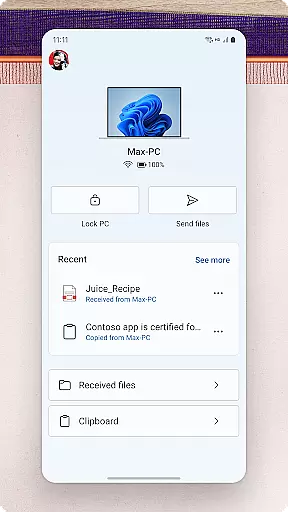
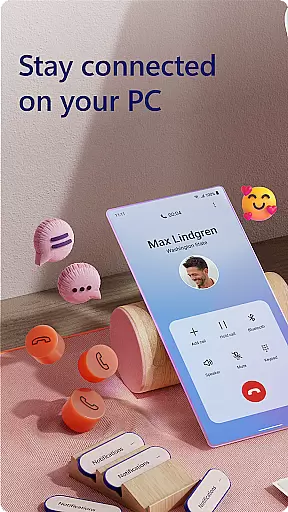
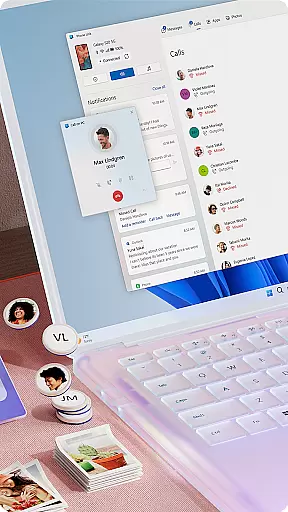
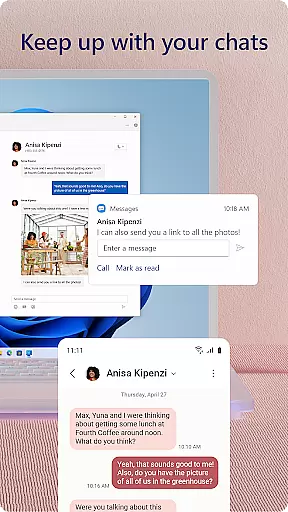
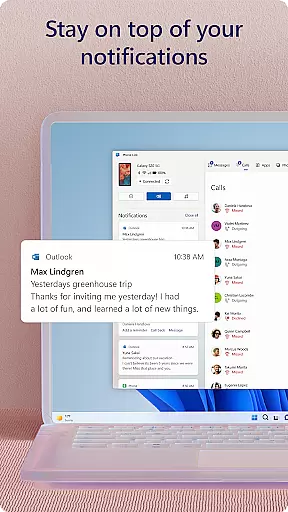
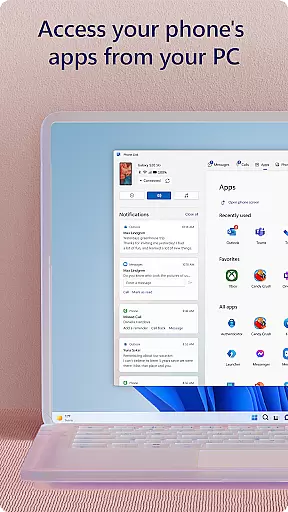
Link to Windows is a productivity-focused application that bridges the gap between your Android phone and Windows PC. This app allows users to seamlessly interact with their mobile device directly from their computer, streamlining workflows and enhancing connectivity. Key functionalities include making and receiving calls, managing notifications, and accessing mobile apps on the PC.
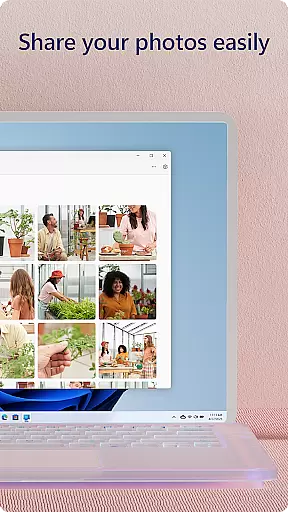
The app also supports advanced features like drag-and-drop file sharing, cross-device copy-paste, and instant photo access. These capabilities are further optimized when used with select Microsoft Duo, Samsung, and HONOR phones, offering an integrated experience through the Quick Access tray. With its focus on productivity, Link to Windows ensures that users can stay connected without switching devices constantly.
For professionals and multitaskers, this app transforms the PC into a powerful control center for both work and personal tasks. By leveraging the larger screen, keyboard, and mouse of the PC, users can interact with their phone more efficiently, saving time and effort while maintaining a smooth workflow across devices.
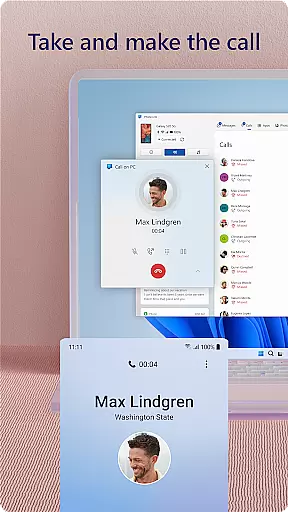
Link to Windows offers a comprehensive suite of features designed to enhance productivity and streamline device management. One standout capability is the ability to make and receive calls directly from the PC, provided the system meets Bluetooth requirements. This feature eliminates the need to switch between devices during important tasks, ensuring uninterrupted workflow.
Another key aspect is the app's integration with Android notifications, text messaging, and favorite mobile apps. Users can manage notifications, reply to messages, and even run multiple apps simultaneously on their PC. Advanced functionalities such as drag-and-drop file sharing, cross-device copy-pasting, and instant photo access further elevate its utility. These features are especially powerful when paired with compatible devices like Microsoft Duo or Samsung phones.
Additionally, accessibility tools are included for those using screen readers, enabling full phone control via the PC. While some premium features require specific hardware configurations, the overall functionality makes Link to Windows a versatile tool for anyone seeking to optimize their digital workspace.
Core task management is essential for productivity applications, and Link to Windows excels in this area by seamlessly integrating your Android phone with your Windows PC. This integration allows you to handle calls, messages, and notifications directly from your computer.
The app enables users to make and receive calls, manage notifications, and access mobile apps on their PC. This means you can stay focused on your work without needing to constantly check your phone. The ability to interact with your phone using your PC's larger screen, keyboard, and mouse significantly enhances multitasking efficiency.
By centralizing these functions, Link to Windows reduces the need to switch between devices, streamlining your workflow. This seamless connection ensures that you never miss an important notification or call, making your daily tasks more manageable and efficient.
Cross-device synchronization reliability is crucial for ensuring that all your data and interactions are consistent across different platforms. Link to Windows provides a reliable solution by allowing real-time interaction between your Android phone and Windows PC.
With features like drag-and-drop file sharing, copy-paste functionality, and instant photo access, Link to Windows ensures that your data is always up-to-date and accessible. These capabilities are further enhanced when using compatible devices such as Microsoft Duo, Samsung, or HONOR phones, which offer exclusive functionalities like cross-device copy-paste and Phone screen.
This synchronization extends to specialized services like the accessibility service for screen readers, providing a comprehensive experience for all users. By maintaining high standards of reliability, Link to Windows ensures that your productivity is not hindered by technical inconsistencies, offering a smooth and dependable user experience.
Seamless cross-device integration
Enhanced productivity features
User-friendly interface
Advanced accessibility options
Optimized for select devices
Limited to Android and Windows
Some features need specific hardware
Requires Bluetooth capability
Advanced tools need latest OS
Not all phones fully supported

Create study competitions, track your hours, and stay consistent with friends
 4.3
4.3
⏰ Finally a timer app which can run multiple timers simultaneously on your watch
3.90
Multilingual translator for text, voice, and image translation!
4.90
Code on-the-go with VScode for Android. Edit,debug and collaborate from mobile!!
3.10
Secure your apps with lock screens, use custom themes and different features.
4.40
Simple notepad & memo. Take notes, to-do list, shopping list with reminders.
4.80
AT&T Internet customers can use this app to personalize their Wi-Fi network.
4.40
Put a lock on your cloud: Take the security of your data into your own hands
3.70
2026 USPS Alpha/Color coded calendar Sunday/Rotating day off schedules
4.5
Best Tool for the professionals Electrician, Electrical contractors, etc.
4.90
Android Wallet Password Manager
4.80
Mind Map and brainstorm, note taking and idea collection
4.80
QuickBooks Workforce lets teams view pay info and track time in one place.
4.70
Quickly and easily keep track of your work shifts
4.70
A lightweight JSON & XML files creator, editor and viewer (Premium Version)
4.40
Automates browsing any website and notifies you of important changes or events
4.30
Auto-shutoff Alarm with Sunrise, Sunset & Fixed Options.
3.50
Experience and share your SolidWorks designs on your Android® phone and tablet.
2.50
A comprehensive suite of tools designed specifically for Lactation Consultants
4.5


User Reviews