
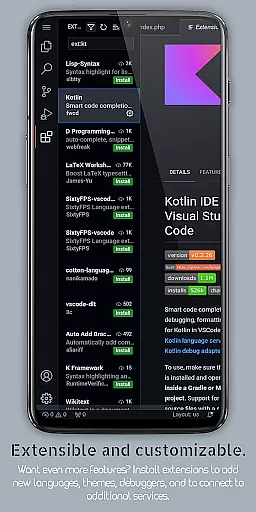
VScode for Android brings the powerful functionality of Visual Studio Code to mobile devices, allowing developers to write, edit, and debug code on-the-go. With support for a wide range of programming languages and file types, this app is designed to provide flexibility and ease of use for coding professionals.
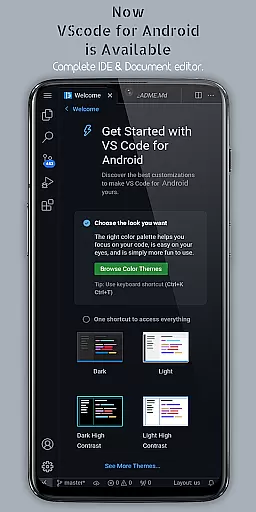
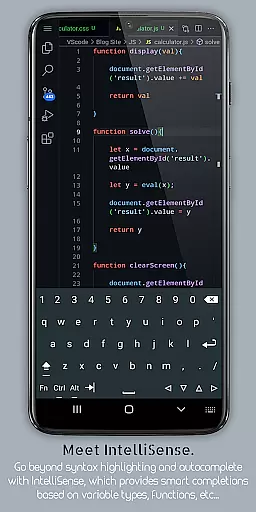
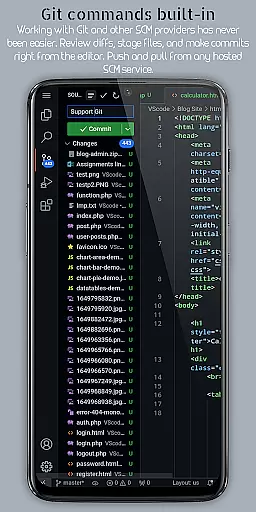
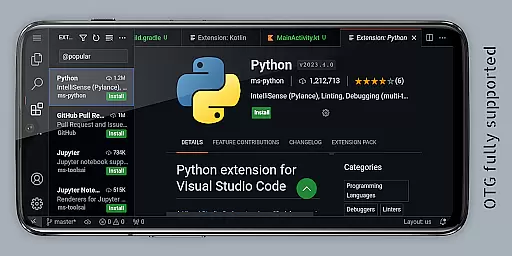
The app includes features such as customizable themes, extensions, IntelliSense, debugging tools, and built-in Git support, making it easier than ever to code efficiently from anywhere. Its immersive fullscreen mode and remote access capabilities via a web browser enhance the coding experience, providing uninterrupted sessions and global accessibility.
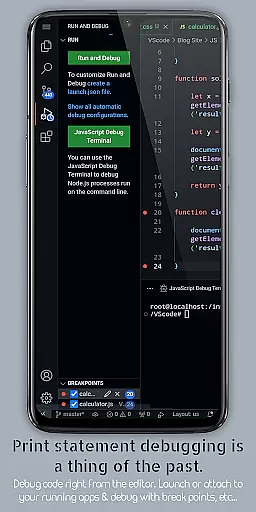
VScode for Android offers an extensive set of features that cater to the needs of developers. It supports debugging, syntax highlighting, intelligent code completion, and snippets, which help in writing code faster and with fewer errors. The app also provides essential tools like code refactoring, embedded Git, and customizable keyboard shortcuts.
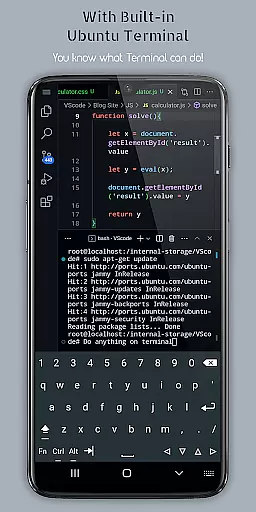
Additional functionalities include multi-cursor editing, a built-in terminal, split view editing, an integrated task runner, and language-specific settings. These features ensure that users can perform complex coding tasks and manage different projects efficiently, optimizing their workflow while maintaining the high standards of desktop-grade development environments.
Task management is at the heart of productivity applications, and VScode for Android excels in this area by providing a comprehensive suite of features designed to streamline coding workflows. The app supports functionalities such as debugging, syntax highlighting, and intelligent code completion, which are essential for efficient task handling.
VScode for Android enables users to perform complex operations like code refactoring, multi-cursor editing, and split view editing. These capabilities ensure that developers can manage their coding tasks with precision and ease, regardless of their location. Additionally, the built-in terminal and integrated task runner automate repetitive tasks, further enhancing productivity.
The application's support for Git and other version control systems facilitates seamless collaboration on projects. This feature allows multiple developers to work together efficiently, tracking changes and managing different versions of their codebase without hassle. Such robust task management tools make VScode for Android an indispensable asset for developers seeking to maintain high levels of productivity while on the move.
Cross-device synchronization is crucial for users who operate across multiple devices, ensuring that their work remains consistent and up-to-date. VScode for Android addresses this need by offering reliable synchronization through its remote access feature, allowing users to connect to their mobile device from any web browser using an IP address and port 8080.
This powerful feature ensures that whether you're switching between your desktop and mobile device or collaborating with team members around the globe, your coding environment remains synchronized. Users can access their projects, settings, and customizations without missing a beat, maintaining continuity in their workflow.
Moreover, VScode for Android's ability to handle a wide range of programming languages and file types means that no matter what project you're working on, your data will be accurately synced across devices. This reliability in cross-device synchronization empowers developers to focus on their coding tasks, confident that their work environment is consistently mirrored wherever they go.
Powerful code editor
Wide language support
Customizable interface
Built-in Git support
Remote access capability
Complex for beginners
Requires internet
Limited mobile functionality
Occasional bugs
Not officially by Microsoft

Mind Map and brainstorm, note taking and idea collection
 4.80
4.80
⏰ Finally a timer app which can run multiple timers simultaneously on your watch
3.90
Customizable calendar widget for seamless event sync, planning & scheduling.
4.00
PDF scanner & converter for files, photos, lottery, QR codes. One swipe away!
4.50
Find and delete junk files & block unwanted notifications & manage files
3.70
Cloud storage, automatic phone backup, and more.
4.10
ID.me Authenticator is a simple and free Two Factor Authentication solution
3.50
To do list widget with a notebook organizer, checklist, simple shopping list
4.60
Note taking, handwriting, record audio, PDF annotation, planner & journal
4.20
Scientific calculator for Android - looks and operates like the real thing!
4.90
QuickBooks Workforce lets teams view pay info and track time in one place.
4.70
aCalendar+ makes your day, week and month
4.70
Okta MFA
4.70
Easily read and manage all your PDF files
4.10
Intelligent AI Assistant
4.10
Experience real multitasking on your Android!
4.00
Secure, open-source, SPICE and SSH Remote Desktop for QEMU KVM virtual machines
4.00
Create study competitions, track your hours, and stay consistent with friends
4.1
The upgraded version of Name Wheel with AI and the power to add your own wheels.
4.4


User Reviews