
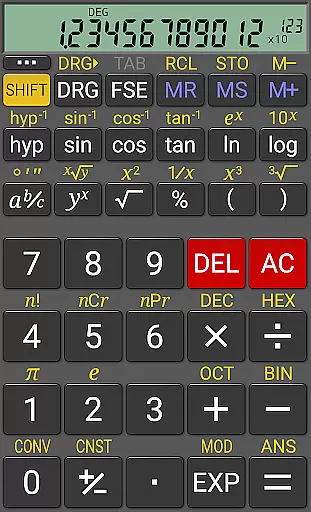
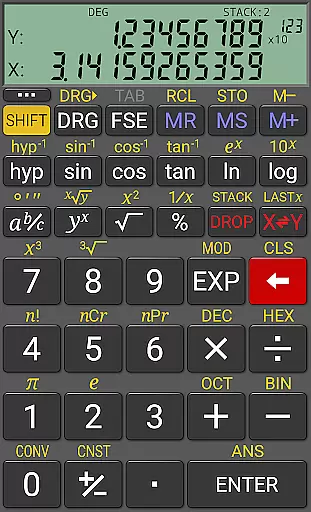
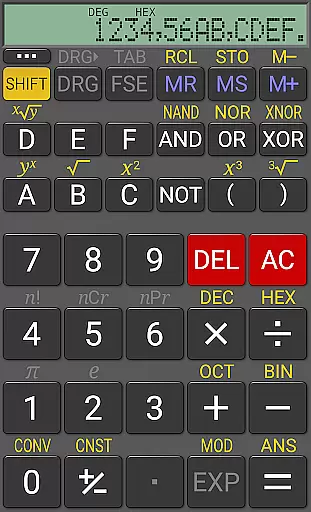
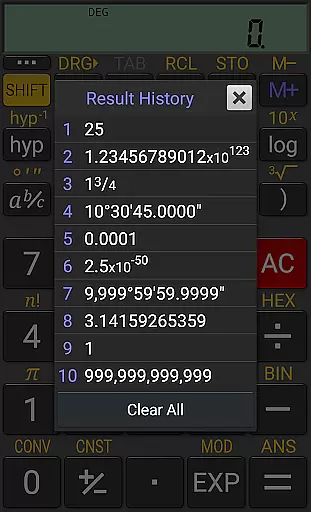
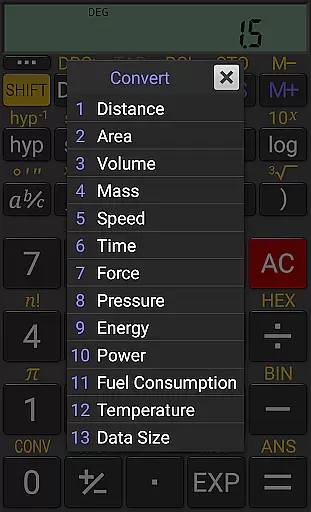
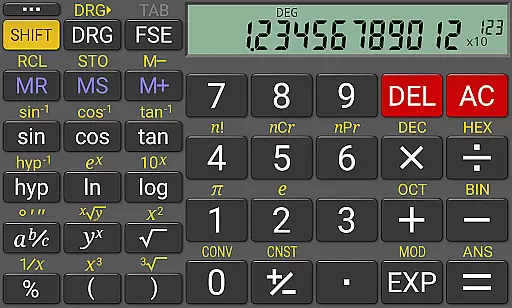
RealCalc Plus stands as the advanced version of RealCalc, celebrated as one of Android's premier scientific calculators. This application mirrors the functionality and interface of a genuine hand-held calculator, offering users an authentic experience. It encompasses a broad spectrum of scientific functions alongside specialized features such as fraction calculations, degrees/minutes/seconds operations, and an expansive history log. With customizable unit conversions, constants, and support for binary, octal, and hexadecimal computations, it caters to both novice and expert users.
The app further distinguishes itself with optional RPN (Reverse Polish Notation) mode and diverse display formats, accommodating various user preferences. Its comprehensive help section ensures ease of use, making complex calculations accessible to all users. Whether for academic, professional, or personal use, RealCalc Plus delivers precision and versatility in scientific computation.
RealCalc Plus is renowned for its extensive feature set that enhances traditional calculator functionalities. The inclusion of algebraic or RPN operational modes offers flexibility in calculation methods, catering to different user preferences. Fraction calculations and their seamless conversion to/from decimal form underline its utility in educational and professional settings. Degrees/minutes/seconds calculations extend its applicability in geographical and astronomical studies.
With a 12-digit display and internal precision extending up to 32 digits, accuracy is guaranteed in every computation. User-customizable unit conversions and constants empower users to tailor the app to their specific needs. The incorporation of result history, multiple memories, and diverse scientific, engineering, and fixed-point display modes ensure a personalized and efficient user experience. Moreover, multi-window support and external keyboard compatibility underscore its adaptability across various devices and usage scenarios.
For a productivity app like RealCalc Plus, core task management refers to how effectively it handles essential calculation tasks. This calculator app excels by offering both traditional algebraic and RPN operational modes, catering to different user preferences.
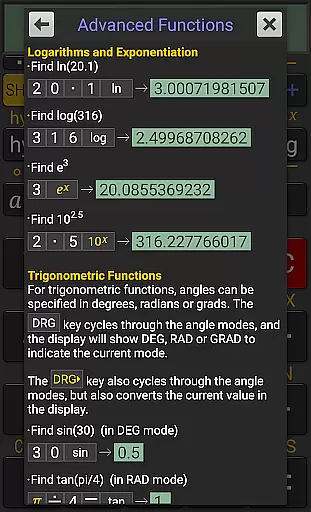
The app includes advanced features such as fraction calculations, degrees/minutes/seconds conversions, and trigonometric functions in degrees, radians, or grads. These features ensure that users can perform a wide range of scientific and engineering computations with precision.
RealCalc Plus also provides 12-digit display and extended internal precision (32-digit), making it reliable for complex calculations where accuracy is crucial. The inclusion of result history and 10 memories further enhances the ability to manage and review various tasks efficiently.
Cross-device synchronization is vital for users who rely on their productivity tools across multiple devices. While RealCalc Plus does not offer cloud-based synchronization, its multi-window support and drag & drop functionality provide seamless interaction within the same device ecosystem.
The app supports external keyboard input, which is particularly useful for power users who need to input data quickly and accurately. This feature ensures that calculations can be performed swiftly without compromising reliability.
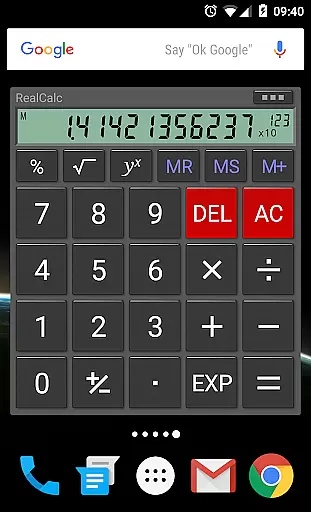
Additionally, RealCalc Plus offers a homescreen widget with RPN support, allowing users to access their calculator quickly without opening the full application. Although it doesn't sync across devices, these features make it highly reliable and accessible on the device it's installed on.
User-friendly interface
Customizable settings
High precision calculations
Comprehensive help guide
Versatile operational modes
Paid version required
No iOS availability
Complex for beginners
Limited graphical functions
Occasional UI glitches

Experience Reading - Night Mode for Documents
 4.40
4.40
Send files, sync SMS, notifications & clipboard across devices via local network
4.40
⏰ Finally a timer app which can run multiple timers simultaneously on your watch
3.90
Activate Two Factor Authentication (2FA or Multi OTP), Password manager and more
4.10
Subscribe to Webcal & .ics calendars and keep them up-to-date!
4.50
The ultimate file manager for rooted devices. The original and still the best.
4.00
Daily processing of PDF documents.
4.40
Set up, print, and get support—in one place
4.20
Note taking, handwriting, record audio, PDF annotation, planner & journal
4.20
8 custom complications. Custom Time Fonts. Beautiful color schemes. A++ Design.
5.00
Absolutely the best CNC machinist speed and feed calculator around. fswizard.com
4.60
AI Chatbot and AI writing assistant powered by ChatGPT.
4.60
Share files & memories safely. Keep your photos and videos secure.
4.40
Enjoy classic gameplay with customizable features and retro-style graphics.
4.30
Professional calendar app for Google Calendar, MS Outlook & Exchange
4.20
Font maker keyboard with your own handwriting
4.10
Ultimate Virtual AI Character for immersive Roleplay Chat. Perfect Companion
3.90
Easiest event planning, volunteer signups & parent teacher conference scheduling
2.20
A simple, portable logger for POTA, SOTA, Field Day, and more
4.1


User Reviews