
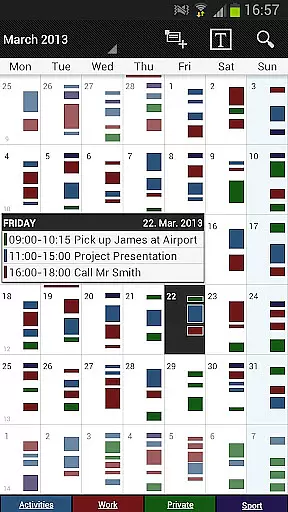
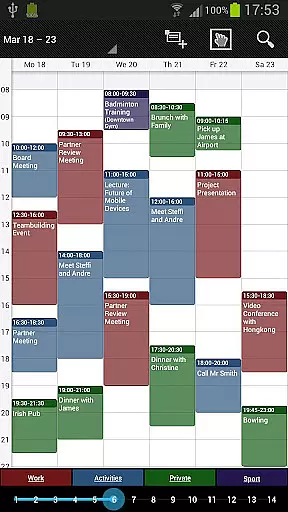
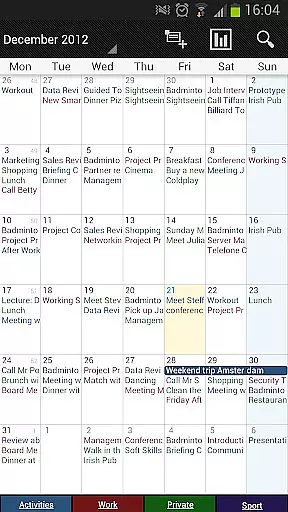
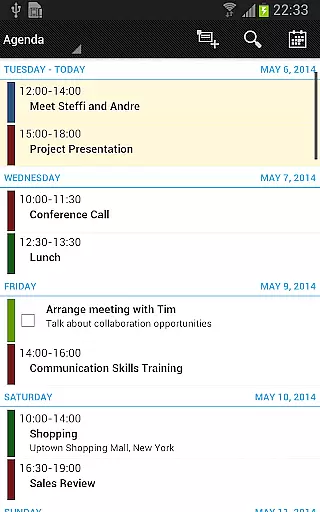
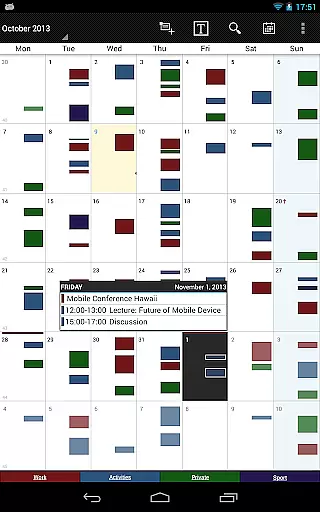
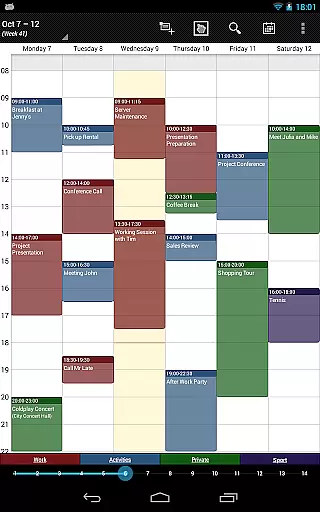
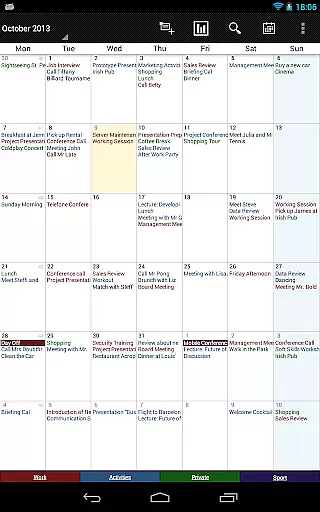
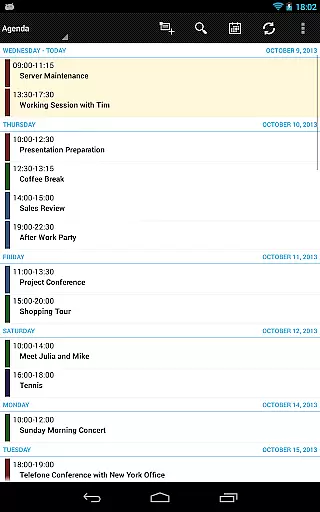
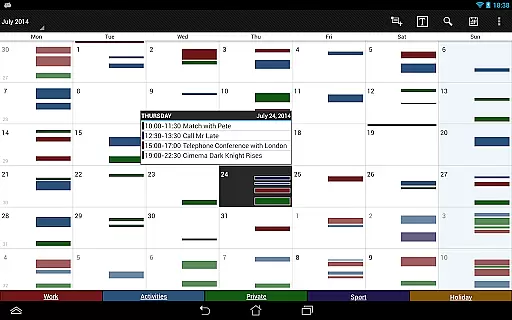
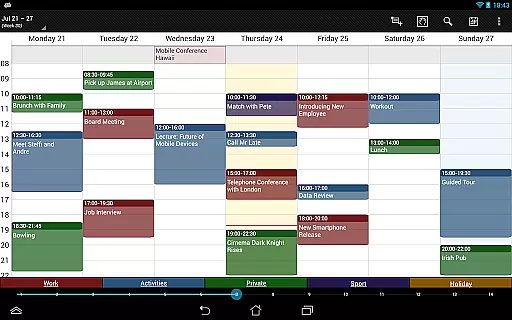
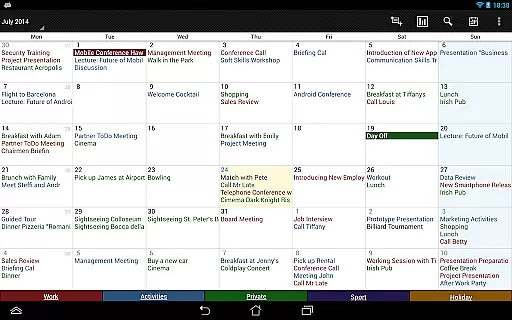

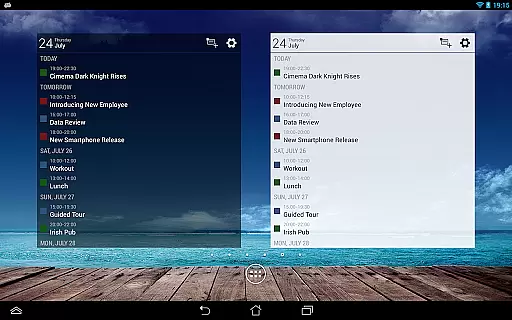
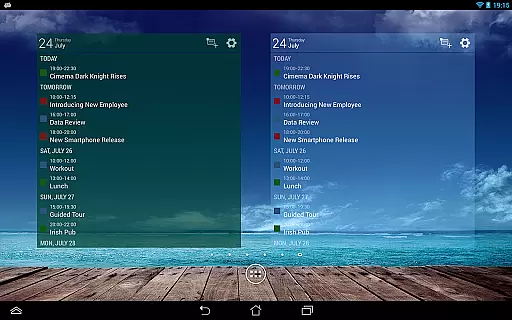
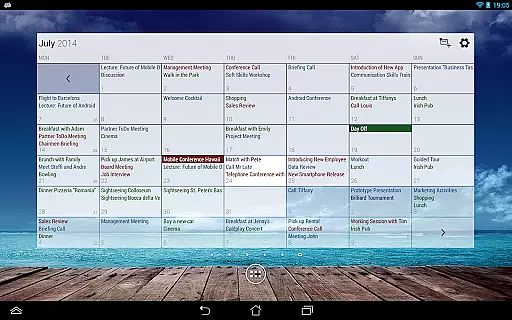
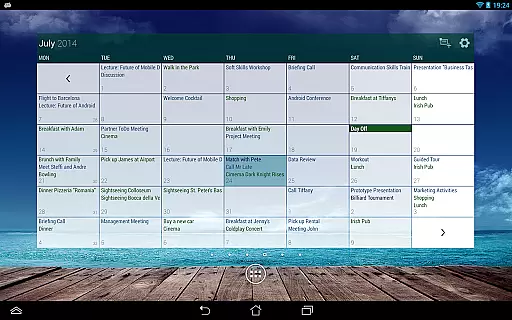
Business Calendar Pro is a comprehensive productivity tool designed for professionals who need an efficient way to manage their schedules. The app offers an intuitive interface that provides excellent oversight of all your appointments, making it easy to create and manipulate events with powerful tools.
One of the standout features is its Quick Day View, which allows users to see all events of the day at a glance. Additionally, the Favorite Bar ensures direct access to all your calendars, while smooth scroll and zoom functions enhance interaction. Whether you're scheduling meetings or personal tasks, this app streamlines your workflow significantly.
The app is particularly useful for those who require detailed customization options. You can adapt views and widgets to your preferences, set individual reminders with various alert types, and adjust font sizes. This flexibility makes Business Calendar Pro suitable for both casual users and power users who demand precision in their daily planning.
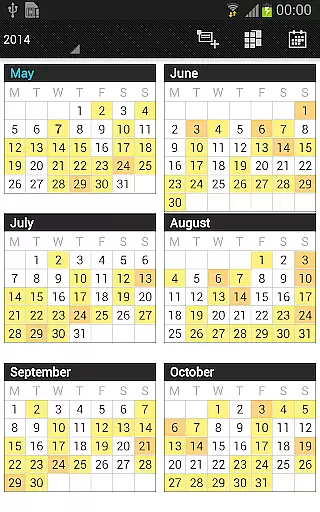
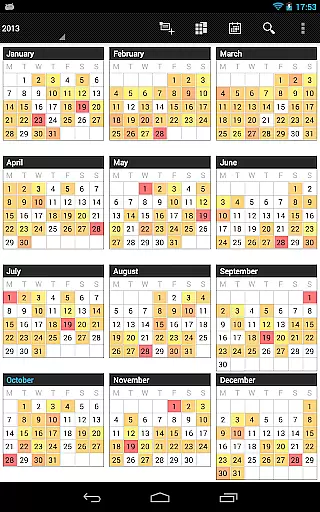
Business Calendar Pro stands out due to its extensive feature set tailored for productivity enthusiasts. It includes multiple viewing options such as month, week, day, agenda, and event views, along with a color-coded year view for better organization.
Advanced functionalities include scroll- and zoomable multi-day views (1-14 days), easy switching between timeline bars and event titles in the month view, and a search function for quick access to specific events. The app also supports synchronization with Google Calendar, Microsoft Outlook, Exchange, and more, ensuring seamless integration into existing workflows.
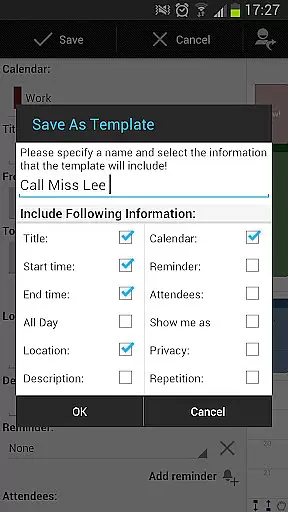
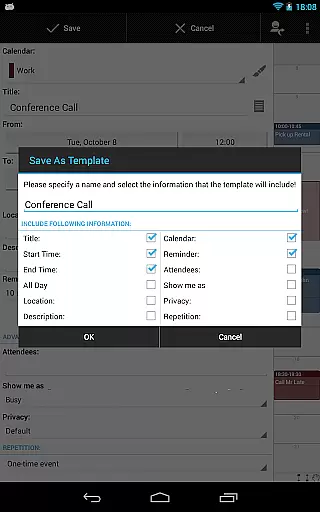
Unique to the pro version are features like managing contacts by linking them to events, customizable templates for new events, multi-selection for bulk editing, drag&drop functionality in multi-day views, and advanced widgets with customizable colors and fonts. These capabilities make it an indispensable tool for anyone relying heavily on calendar management.
Task management is a cornerstone of productivity applications, and Business Calendar Pro excels in this area. The app provides users with comprehensive tools to create, manipulate, and organize their events and tasks efficiently.
With features like customizable templates, users can design their own frameworks for new events, ensuring consistency and saving time. The ability to manage contacts by linking them to events adds another layer of organization, making it easier to keep track of meetings and responsibilities.
The multi-selection functionality allows for bulk actions such as deleting, moving, or copying multiple events simultaneously. This feature streamlines the process of managing a busy schedule, enabling users to make large-scale changes with minimal effort.
In addition, the drag & drop capability in the multi-day view offers an intuitive way to rearrange events. Overall, these robust task management features ensure that users can maintain control over their schedules while optimizing their workflow.
Cross-device synchronization is vital for users who rely on accessing their calendar across multiple devices. Business Calendar Pro ensures reliable synchronization, allowing seamless transitions between desktop and mobile environments.
The app syncs events with popular services like Google Calendar, Microsoft Outlook, and Exchange using Android's native calendar synchronization. This means that any update made on one platform will be accurately reflected on others, maintaining consistency in your schedule no matter where you access it from.
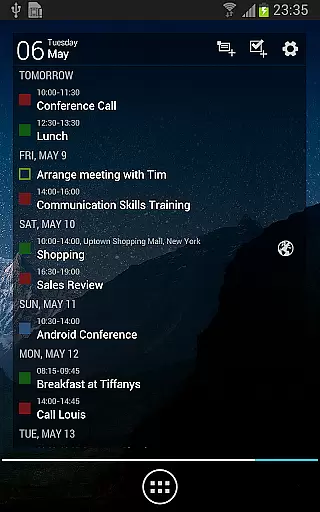
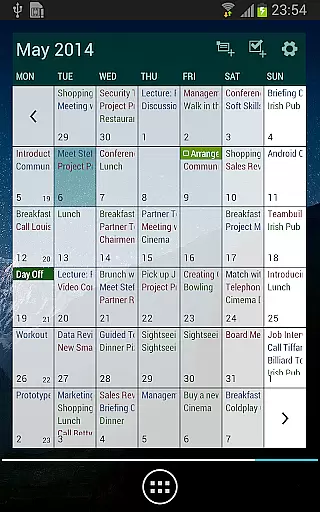
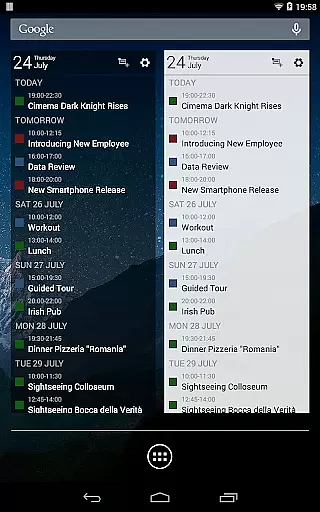
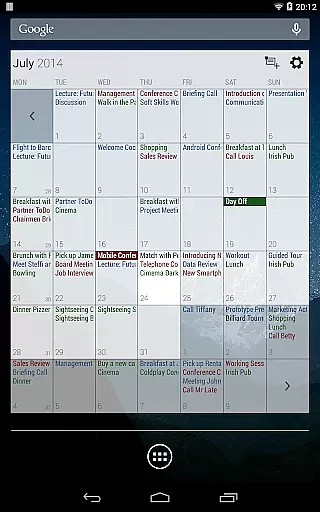
Furthermore, the pro version includes advanced widgets and professional views for month, week, agenda, and day, which are also synced across devices. These widgets offer a personalized touch, with options to set colors, font sizes, and display individual calendars.
For those who need to manage extensive scheduling or coordinate teams, the reliability of cross-device synchronization ensures that everyone stays informed and up-to-date. With Business Calendar Pro, users experience dependable performance that supports modern work habits.
User-friendly interface
Highly customizable
Powerful event management
Comprehensive widget options
Syncs with multiple services
Paid version only
Complex for beginners
Occasional sync issues
Limited free trial
Resource-intensive

Auto-shutoff Alarm with Sunrise, Sunset & Fixed Options.
 3.50
3.50
Direct Chat without saving contacts & Dual WA Account on Single Device
4.70
8 custom complications. Custom Time Fonts. Beautiful color schemes. A++ Design.
5.00
Android Wallet Password Manager
4.80
Automates browsing any website and notifies you of important changes or events
4.30
Pwnagotchi companion app
4.20
Todo reminder
4.10
Simple notepad & memo. Take notes, to-do list, shopping list with reminders.
4.80
Set up, print, and get support—in one place
4.20
All document reader, all in one file viewer read PDF, DOCX, XLS, PPT, TXT files.
4.60
The Pro Version of Android's tiniest Notepad app. Just 0.3MB but feature-packed!
4.60
Lightweight PDF, Word, Excel reader.
4.60
Total remote control for your Android device, PC and cloud services (IFTTT)!
4.20
Cloud storage, automatic phone backup, and more.
4.10
Ultimate Virtual AI Character for immersive Roleplay Chat. Perfect Companion
3.90
Mega cloud explorer plugin for Solid Explorer
3.80
Remotely view listen control and record cameras.
3.70
Simple and reliable communication between inmates, friends and family
3.20
Code on-the-go with VScode for Android. Edit,debug and collaborate from mobile!!
3.10


User Reviews