
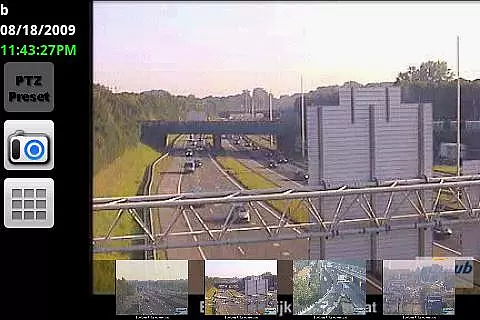

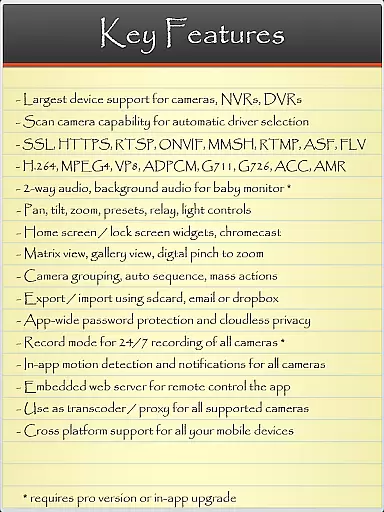
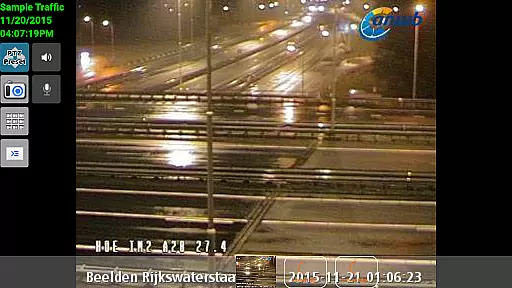
IP Cam Viewer Pro is a leading productivity tool in the Utilities category, awarded Best Software for 2011. This application allows users to remotely access their video cameras, digital video recorders, network recorders, and webcams from their mobile devices. With support for over 1600 devices, it offers an extensive compatibility range, ensuring that most users can find a driver for their specific device through the app's Scan Camera feature.
The app stands out with its advanced protocol support including HTTPS, RTSP, and ONVIF, making it versatile for various security systems. Its comprehensive feature set includes matrix view functionality, pan-tilt-zoom controls, home/lock screen widgets, grouping options, encryption, and in-app motion detection. These features make it ideal for both personal and professional surveillance needs, providing users with a powerful tool to enhance their security measures.
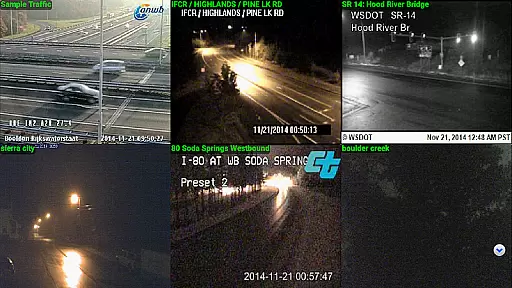
IP Cam Viewer Pro boasts a rich array of features designed to maximize user control and convenience. One of its standout capabilities is the wide protocol and video format support, which includes HTTPS, RTSP, and ONVIF, allowing seamless integration with numerous security devices. The matrix view feature enables users to monitor multiple camera feeds simultaneously, offering a comprehensive overview of their surveillance setup.
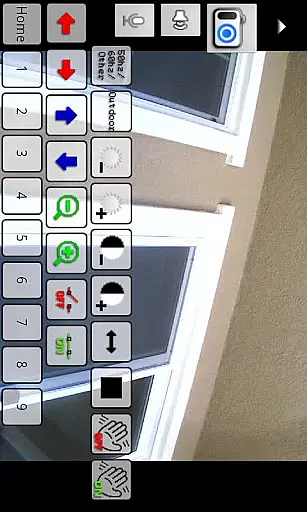
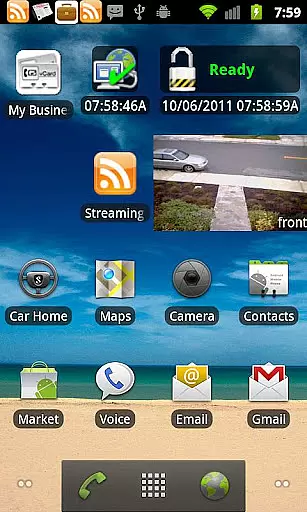
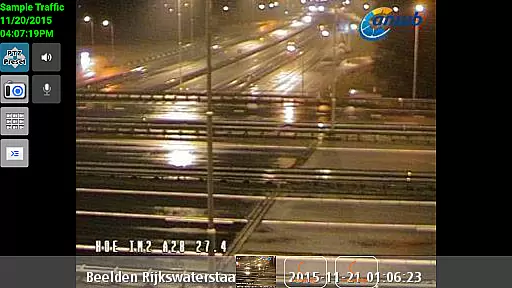
In addition to its robust monitoring capabilities, the app supports pan-tilt-zoom functionality, giving users the ability to adjust camera angles and zoom levels remotely. It also offers home and lock screen widgets for quick access to frequently used functions, as well as grouping options to organize cameras efficiently. Security is further enhanced with encryption and in-app motion detection, while support for two-way audio and background audio ensures users stay informed and connected at all times.
IP Cam Viewer Pro excels in core task management by offering a comprehensive suite of tools for video surveillance. The app supports over 1,600 devices, ensuring compatibility with a wide range of cameras and recorders.
With features like matrix view and pan-tilt-zoom functionality, users can efficiently monitor multiple camera feeds and control their field of view with ease. This ensures that no critical detail is missed during surveillance operations.
The inclusion of home and lock screen widgets allows for quick access to frequently used functions, streamlining the user's workflow. Grouping capabilities further enhance productivity by enabling users to organize cameras into logical clusters.
Encryption and in-app motion detection provide an added layer of security and automation, making this app a robust solution for managing complex surveillance tasks effectively.
Cross-device synchronization is a crucial feature of IP Cam Viewer Pro, allowing users to maintain consistent access to their surveillance systems across multiple devices. The app supports HTTPS and RTSP protocols, ensuring secure and reliable connections.
Through its support for ONVIF standards, the app guarantees compatibility with a wide range of networked devices, facilitating seamless integration into existing security infrastructures. This protocol support enables real-time data transfer and synchronization.
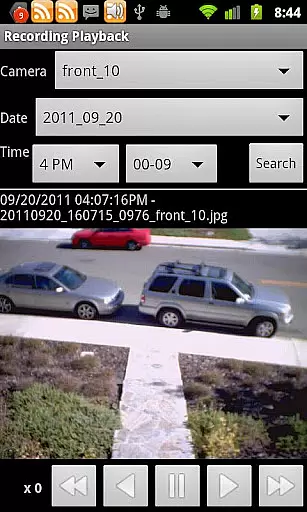
Additional features such as 2-way audio and background audio recording enhance the synchronization experience by providing users with versatile communication options. Remote control capabilities further extend this functionality.
The app's five years of development have resulted in a stable platform that maintains synchronization integrity even during extended usage periods, making it an ideal choice for professional surveillance operations.
User-friendly interface
Extensive device support
Advanced security protocols
Comprehensive monitoring tools
Efficient organization features
Premium pricing model
Complex setup process
Limited free version availability
Occasional connectivity issues
Heavy resource consumption

When you Focus, so will your Bean in this cozy focus timer
 4.30
4.30
Experience real multitasking on your Android!
4.00
The Pro Version of Android's tiniest Notepad app. Just 0.3MB but feature-packed!
4.60
Customizable calendar widget for seamless event sync, planning & scheduling.
4.00
Translate text/voice/photos in 150+ languages. Offline & fast translator app.
4.50
This small app MUST BE INSTALLED after purchase, else license won't work
4.40
Lightweight PDF, Word, Excel reader.
4.60
Daily processing of PDF documents.
4.40
Put a lock on your cloud: Take the security of your data into your own hands
3.70
8 custom complications. Custom Time Fonts. Beautiful color schemes. A++ Design.
5.00
App lock - lock apps with fingerprint, password, pin or pattern, protect privacy
4.70
Quickly and easily keep track of your work shifts
4.70
CalenGoo is a very flexible and feature-rich calendar app
4.40
Secure your apps with lock screens, use custom themes and different features.
4.40
Device's storage information in a simple and clear graphical form (infographics)
4.10
Todo reminder
4.10
Unlock AutoNotification
4.00
Wake up & get tasks done! Add alarms & reminders on the Clock Launcher.
4.00
Easiest event planning, volunteer signups & parent teacher conference scheduling
2.20


User Reviews