
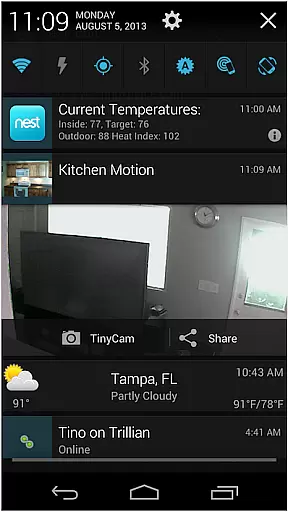
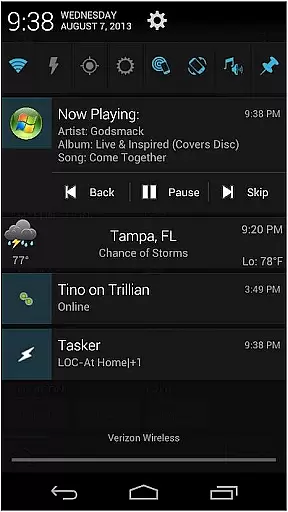
AutoNotification Unlock Key is a productivity-enhancing application that unlocks the full potential of AutoNotification. By purchasing this key, users gain access to advanced features for automating notifications and integrating them with various applications and services. This tool is essential for power users looking to streamline their notification management and optimize their digital workflow.
The app works as a license key and must be used alongside the main AutoNotification app. It enables functionalities like customizing notification actions, creating notification-based triggers, and enhancing interaction with apps through notifications. These capabilities make it invaluable for those who rely on timely and organized information delivery in their personal or professional lives.
This unlock key empowers AutoNotification to deliver an extensive suite of features designed to boost productivity. Users can create complex notification rules, allowing for sophisticated automation scenarios such as sending pre-defined replies or triggering actions across different apps based on incoming notifications.
Another standout feature is the ability to interact with notifications directly from the lock screen or wearable devices, offering convenience and saving time. Additionally, users can enjoy enhanced customization options, including notification templates and variables, which allow personalized and context-aware alerts tailored to specific needs and preferences.
These features collectively contribute to a more efficient notification handling process, reducing distractions while ensuring critical information is promptly acted upon, thus significantly improving overall productivity.
Effective task management is essential for productivity applications, serving as the backbone for organizing and executing tasks efficiently. AutoNotification Unlock Key enhances this core functionality by unlocking advanced features within the main AutoNotification app. This includes improved notification handling, customizable action buttons, and seamless integration with other automation tools.
The application allows users to create complex notification rules, ensuring that important alerts are never missed while less critical notifications are appropriately managed. With the unlock key, users gain access to priority settings, enabling them to define which notifications should take precedence based on time, sender, or content. This granular control significantly improves how users interact with their notifications, streamlining workflows.
By leveraging these enhanced task management capabilities, users can automate routine processes, freeing up valuable time for more critical activities. The ability to set up conditional actions based on received notifications adds a layer of intelligence to task execution, making the overall experience more intuitive and efficient.
In today's interconnected world, reliable cross-device synchronization is crucial for maintaining workflow continuity across multiple devices. AutoNotification Unlock Key addresses this need by providing robust synchronization features that ensure all user preferences and settings are consistently updated and available, regardless of the device being used.
This reliability is achieved through a combination of cloud-based storage and intelligent syncing algorithms. Whenever a change is made on one device, it is quickly propagated to all other linked devices, ensuring uniformity in notification management. Users can seamlessly transition between their smartphone, tablet, and computer without losing any configuration or missing out on important notifications.
Furthermore, the unlock key enhances data integrity during synchronization, minimizing the risk of errors or inconsistencies. This ensures that users enjoy a smooth and dependable experience, allowing them to focus on their tasks rather than worrying about potential sync issues. Such reliability fosters trust in the application, encouraging users to integrate it fully into their daily routines.
Unlocks full functionality
Enhances notification control
Improves multitasking
Customizable options
Seamless integration
Requires separate app
No standalone use
Premium cost
Complex for beginners
Limited free features

Take control of your clipboard with Clipper!
 3.90
3.90
Planet Free VPN - The best Fast Unlimited and Secure VPN Without Logs
4.50
Android Wallet Password Manager
4.80
Automates browsing any website and notifies you of important changes or events
4.30
Smart PDF reader & editor to view, organize and manage PDF documents easily.
3.70
aCalendar+ makes your day, week and month
4.70
Font maker keyboard with your own handwriting
4.10
A simple Whisper AI keyboard for reliable speech transcription and rewording
4.60
Set up, print, and get support—in one place
4.20
Native client for Forgejo and Gitea
5.00
Best Tool for the professionals Electrician, Electrical contractors, etc.
4.90
Scientific calculator for Android - looks and operates like the real thing!
4.90
Direct Chat without saving contacts & Dual WA Account on Single Device
4.70
PDF scanner & converter for files, photos, lottery, QR codes. One swipe away!
4.50
Experience Reading - Night Mode for Documents
4.40
Send files, sync SMS, notifications & clipboard across devices via local network
4.40
Docker, Kubernetes management over Portainer Mobile
4.40
Secure your apps with lock screens, use custom themes and different features.
4.40
Remotely view listen control and record cameras.
3.70


User Reviews