
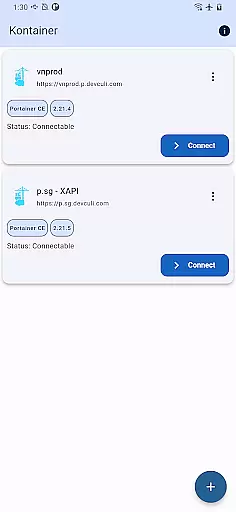
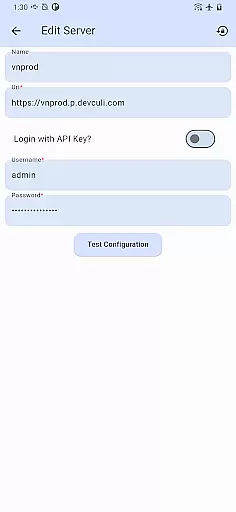
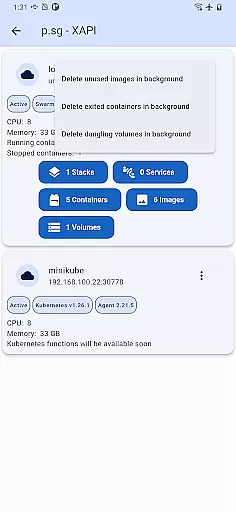
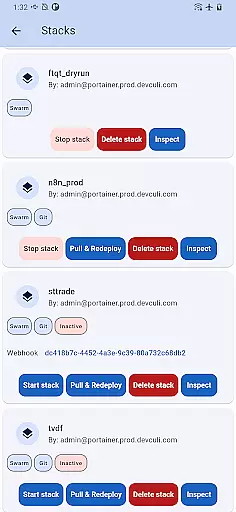
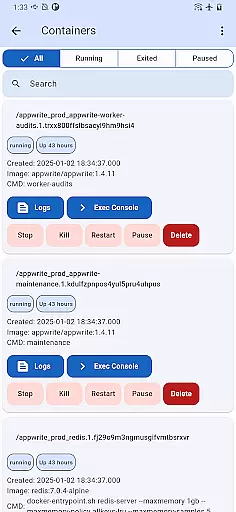
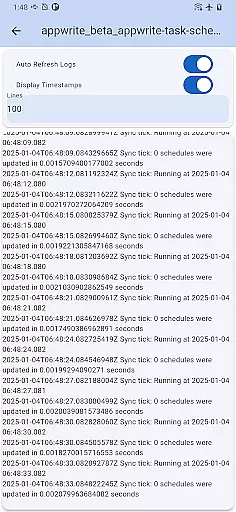
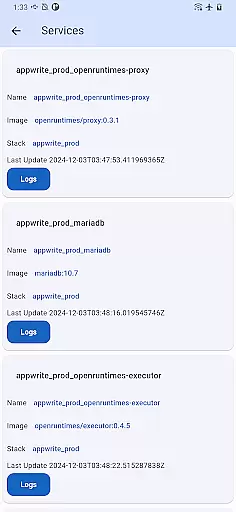
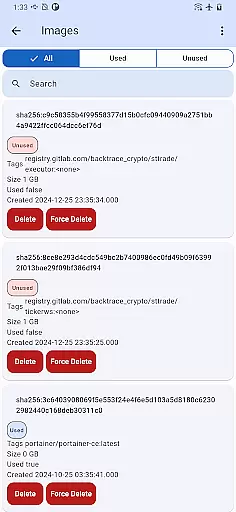
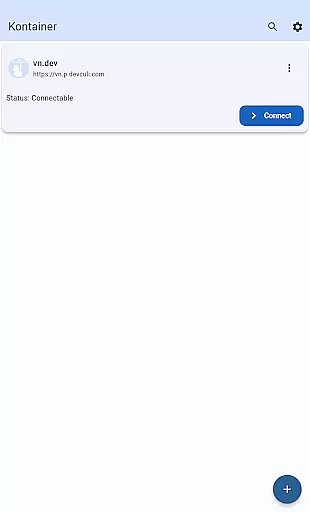
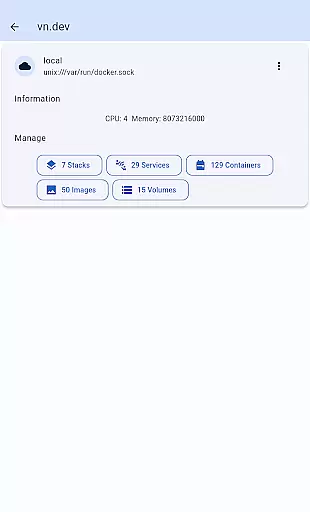
Portainer Mobile is a powerful productivity tool designed to simplify container management for developers and IT professionals. This mobile application allows users to manage Portainer, the popular container management platform, directly from their mobile devices. With support for both Docker and Kubernetes environments, it provides comprehensive control over containerized deployments across various platforms including developer laptops, data centers, cloud services, and edge computing.
The app's standout feature is its ability to handle multi-cluster and multi-device management through a unified interface. This enables users to monitor, configure, and optimize their container operations from a single view. Whether you need to oversee hybrid environments or work across multiple clouds, Portainer Mobile streamlines deployment processes and ensures secure management while boosting operational efficiency.
For DevOps teams and system administrators who require remote access to their container infrastructure, Portainer Mobile offers an essential solution. The app's flexibility and power make it particularly valuable for managing complex deployments on the go, providing crucial tools for maintaining optimal performance and security of containerized applications.
Portainer Mobile distinguishes itself through several key features that enhance container management capabilities. The app's most notable characteristic is its unified interface for managing both Docker and Kubernetes endpoints. This consolidated view allows users to monitor multiple clusters and devices simultaneously, significantly improving operational efficiency when working with hybrid or multi-cloud environments.
Another important feature is the app's comprehensive security framework. Portainer Mobile ensures secure connections to your container infrastructure while providing role-based access control. This enables administrators to maintain strict security protocols even when managing deployments remotely. Additionally, the app supports streamlined deployment processes, allowing users to quickly configure and launch new containers directly from their mobile devices.
While Kubernetes (K8S) functions are currently in development, the app already delivers robust Docker management capabilities. Users can expect future updates to expand these features, making Portainer Mobile an increasingly valuable tool for managing modern containerized environments across different platforms and infrastructures.
Effective task management is crucial for maintaining productivity, especially when overseeing complex containerized environments. Portainer Mobile excels in this area by offering a streamlined interface that consolidates Docker and Kubernetes management into a single view.
The app supports multi-cluster and multi-device management, empowering users to control deployments across various environmentsu2014whether on-premises, in the cloud, or at the edge. This unified approach simplifies the process of monitoring, configuring, and optimizing container operations from a mobile device.
With Kontainer, users can efficiently manage endpoints, ensuring secure and flexible oversight of their containerized applications. The ability to oversee these systems from anywhere significantly boosts operational efficiency and responsiveness.
In today's fast-paced IT landscape, reliable cross-device synchronization is essential for consistent management of resources. Portainer Mobile ensures that all your devices are in sync, providing real-time updates and seamless transitions between different management endpoints.
The application achieves this through its robust architecture that supports both Docker and Kubernetes environments. Whether you're switching between a laptop, tablet, or smartphone, you can trust that your data and configurations are up-to-date and consistent across platforms.
This synchronization capability not only enhances productivity but also provides peace of mind, knowing that your container management tasks are reliably mirrored across all your devices. With Kontainer, you have the power to manage your deployments anytime, anywhere, without missing a beat.
User-friendly interface
Multi-cluster management
Secure remote access
Unified endpoint view
Efficient deployment tools
K8S support pending
Limited advanced features
Occasional connection issues
Device compatibility limits
Learning curve for beginners

A Revolutionary All-in-One Artificial Intelligence Tools
 3.80
3.80
Planet Free VPN - The best Fast Unlimited and Secure VPN Without Logs
4.50
Easily read and manage all your PDF files
4.10
Android Wallet Password Manager
4.80
CalenGoo is a very flexible and feature-rich calendar app
4.40
Easiest event planning, volunteer signups & parent teacher conference scheduling
2.20
Font maker keyboard with your own handwriting
4.10
Functional QR scanner and barcode reader that requires little storage space.
4.60
Access your phone's notifications, calls, apps, photos & texts on your PC
3.90
Simple notepad & memo. Take notes, to-do list, shopping list with reminders.
4.80
App Lock with fingerprint, password: Lock apps & hide photos with lock screens
4.60
A simple Whisper AI keyboard for reliable speech transcription and rewording
4.60
Send files, sync SMS, notifications & clipboard across devices via local network
4.40
Cloud storage, automatic phone backup, and more.
4.10
The ultimate file manager for rooted devices. The original and still the best.
4.00
Remotely view listen control and record cameras.
3.70
Auto-shutoff Alarm with Sunrise, Sunset & Fixed Options.
3.50
IP Camera Viewer - Android TV : RTSP Surveillance camera viewer for Android TV
4.0
A comprehensive suite of tools designed specifically for Lactation Consultants
4.2


User Reviews